

Your Browsing History

Meet Your Seller

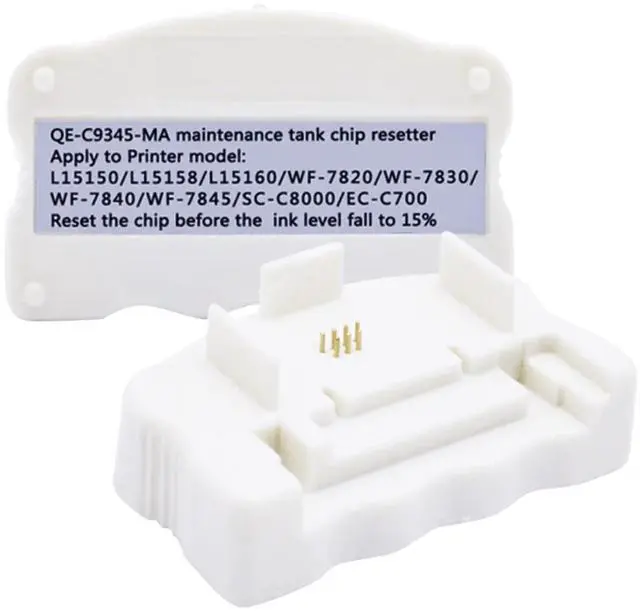


BAALAND C9345 Maintenance Box Chip Resetter Compatible for ET-8550 ET-8500 ET-5800 ET-5850 ET-5880 ET-16600 WF-7310 WF-7820 WF-7840 EC-C7000 WF-7830 ST-C8090 ST-C8000 L15150 L15160 L6570 L8168 L8188
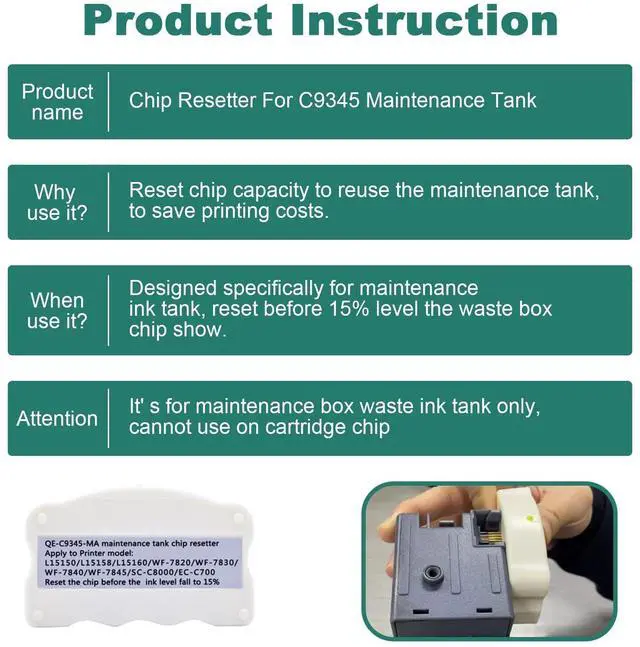
- Product Model: C9345 Ink Maintenance Box Chip Resetter. *It is Designed specifically for the original C9345 maintenance ink tank, reset the waste box chip show to save the printing cost.
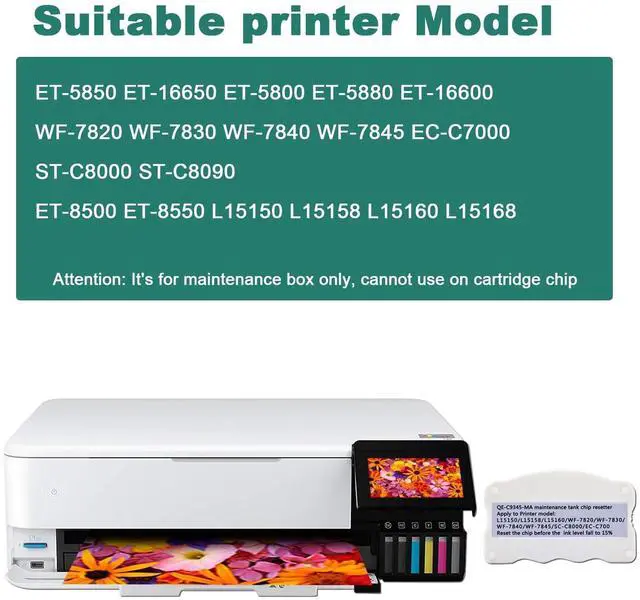
- Fits Printer: Ep models ET-16600, ET-16650, ET-5800, ET-5850, ET-5880, ET-8500 and ET-8550, Workforce models WF-7310, WF-7820, WF-7840, and Professional models EC-C7000 and ST-C8000, ST-C8090
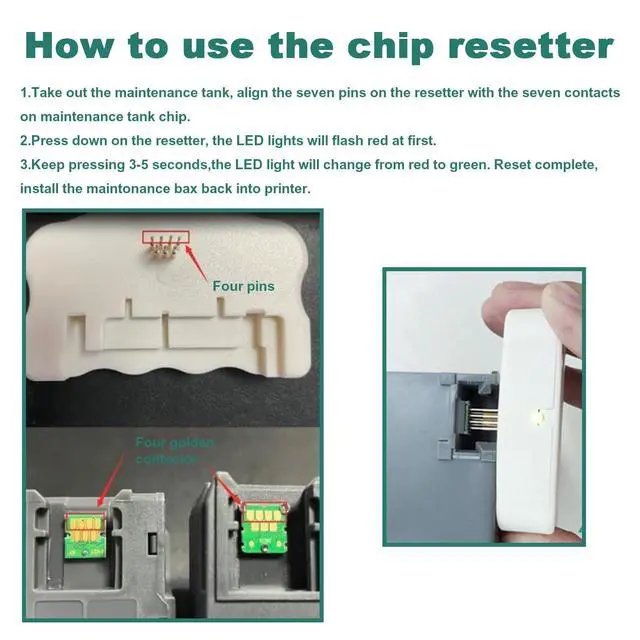
- Easy to Use: When the "Maintenance Error" message appears (indicating that the Maintenance Box is at the end of its service life and needs replacement), simply remove the maintenance box, touch the C9345 Ink Maintenance Box Chip Resetter to the maintenance box chip, and hold it until the light turns red and then green within a few seconds, indicating a successful reset.
- 24 Hour Technical Support: If you have any problem, please feel free to contact us by logging in to your Account > Click Your Account > Your Orders > Find your order and click Contact Seller. All emails will be responded within 24 hours.
+
+
Overview
Specs
Reviews

Any questions? Our AI mode will help you find out quickly.
Try me now
Product Name: C9345 Maintenance box chip resetter /
C9345 Maintenance tank chip resetterNote: This chip resetter works for Maintenance box / Maintenance tank / Waste ink tank Only! It CAN NOT work on Ink cartridgesCompatible For Epson
Maintenance box Model: C9345Compatible
For Printer Model: L15158 15168 L15160 L6558WorkForce EC-C7000 ST-C8000WorkForce Pro WF-7840 WF-7820 ET-16600 ET-16650 ET-5880 ET-5850 ET-5800ET-16600 ST-C58000 EC-C7000 ET-5850 5800 5880WF-7830
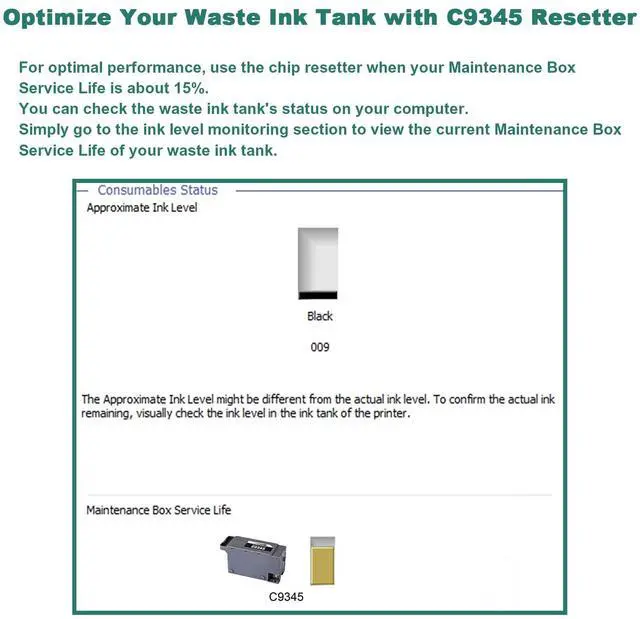
WF-7840 WF-7820 WF-7845 ET-16650Caution: For optimal performance, use the chip resetter when your Maintenance BoxService Life is about 15%. You can check the waste ink tank's status on your computer. Simply go to the ink level monitoring section to view the current Maintenance BoxService Life of your waste ink tank.
C9345 Maintenance tank chip resetterNote: This chip resetter works for Maintenance box / Maintenance tank / Waste ink tank Only! It CAN NOT work on Ink cartridgesCompatible For Epson
Maintenance box Model: C9345Compatible
For Printer Model: L15158 15168 L15160 L6558WorkForce EC-C7000 ST-C8000WorkForce Pro WF-7840 WF-7820 ET-16600 ET-16650 ET-5880 ET-5850 ET-5800ET-16600 ST-C58000 EC-C7000 ET-5850 5800 5880WF-7830
WF-7840 WF-7820 WF-7845 ET-16650Caution: For optimal performance, use the chip resetter when your Maintenance BoxService Life is about 15%. You can check the waste ink tank's status on your computer. Simply go to the ink level monitoring section to view the current Maintenance BoxService Life of your waste ink tank.
Warranty & Returns
Warranty, Returns, And Additional Information
Warranty
- Please contact the Seller directly for warranty information. Warranty information may also be found on the Manufacturer's website.
- CONTACT
Return Policies
- Return for refund within: 30 days
- Return for replacement within: 30 days
- This item is covered by HyperCore Return Policy
Manufacturer Contact Info
- For a directory of all our manufacturers, please click below.
- Manufacturers Directory
LOADING...