• $75.98
  • Free 30-day Returns
  • Price alert
    Sold by HyperCore

    Shipped by HyperCore

    Shop it at NeweggBusiness.

    Meet Your Seller

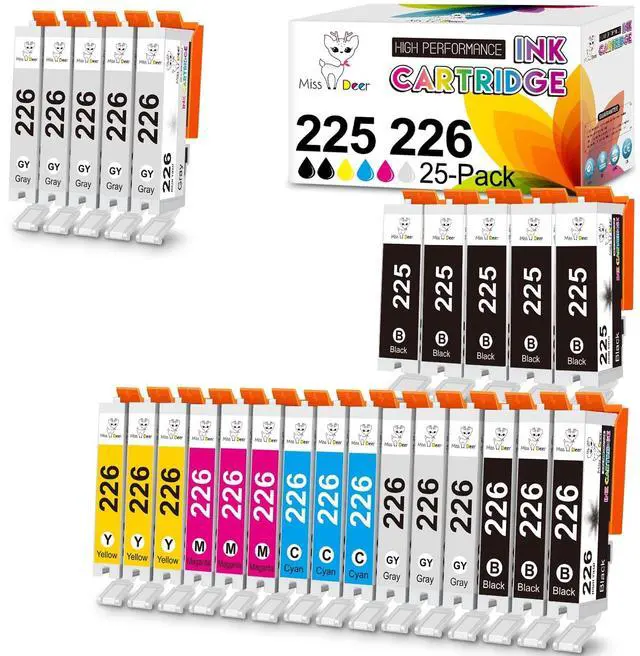
    Miss Deer 25-Pack Ink Cartridge 225 and 226 Compatible Replacement for Canon PGI225 CLI226 for MG6220 MG6120 MG8120 MG8120B MG8220 (5 Large Black, 3 Small Black, 3 Cyan, 3 Magenta, 3 Yellow, 8 Gray)

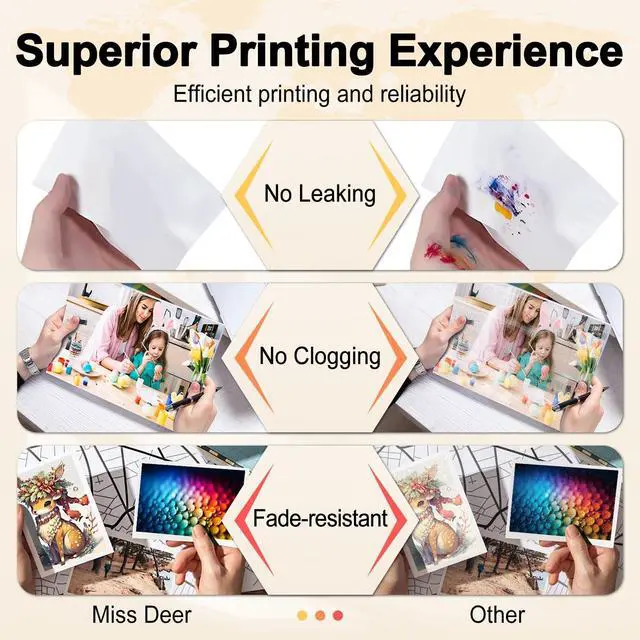
    • : Prevent Ink Leakage. Package includes 1 x User Guide, 1 x Disposable glove, 5 x Large Black PGI-225, 3 x Small Black CLI-226, 3 x Cyan CLI-226, 3 x Magenta CLI-226, 3 x Yellow CLI-226, 8 x Gray CLI-226 ink cartridges (Total 25 Pack, including Gray ink)
    • : Miss Deer 226 ink cartridges can be used for copy paper and photo paper. Specially formulated 225 ink make sure to print crisp documents and life-like photos. Sharp and smooth, Vibrant color, Prevents clogging
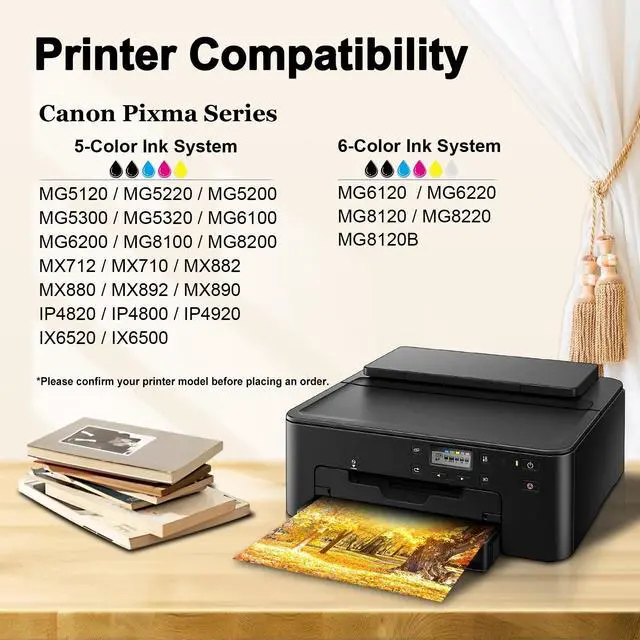
    • : With smart chip, quickly recognized by Canon Pixma MG6120, MG6220, MG8120, MG8120B, MG8220 Printer
    • : Up to 540 Pages per PGI225 large black cartridge, and 655 Pages per CLI226 Small Black/ Cyan/ Magenta/ Yellow/Gray ink cartridge (at 5% coverage of Letter/A4)
    • : MS Deer 225 226 Ink Cartridges are manufactured in a professional facility with ISO9001, ISO14001, RoHS, REACH, and STMC certified. All mg6220 ink cartridges are strictly inspected before leaving the factory
    +
    +
    Overview
    Specs
    Reviews
    avatar

    Any questions? Our AI beta will help you find out quickly.

    Ms Deer Compatible PGI-225 CLI-226 Ink Cartridges (Non OEM, with Gray ink)All cartridges are manufactured in an ISO 9001 & ISO 14001 certified facility and certified by CE, RoHS, REACH, SGS, GMC.
    Package Including: 25 Pack = 5 x Large PGBK + 3 x Small Black + 3 x Cyan + 3 x Magenta + 3 x Yellow + 8
    GrayHigh Capacity: Approximately 540 Pages per PGI-225 black and 655 Pages per CLI-226 color ink cartridges(Tested by 5% coverage of A4/Letter paper)Compatible
    Printers: Pixma iX6520Pixma iP4810, iP4820, iP4920Pixma MX712, MX882, MX892Pixma MG5120, MG5210, MG5220, MG5320Pixma MG6120, MG6220, MG8220, MG8120, MG8120BInstallation: Step-1 Hold the cartridge upside down and remove the orange protective plastic cap carefully. Step-2 Insert into corresponding slot in your printer. Step-3 Print and share the sharp and vivid printouts.
    *Notes: 1. Please do not touch the chip before install the cartridges into printer, which will read the accurate ink levels for your printer. 2. After the cartridges installed, please clean the printhead and nozzle check for 1-2 times, and then it will work fine. 3. If the inks do not recognize your print at the first time, please turn off the printer 30 second. And then turn it on and re-install the cartridges again.

    Warranty & Returns

    Warranty, Returns, And Additional Information

    Warranty

    • Please contact the Seller directly for warranty information. Warranty information may also be found on the Manufacturer's website.
    • CONTACT

    Return Policies

    • Return for refund within: 30 days
    • Return for replacement within: 30 days
    • This item is covered by HyperCore Return Policy

    Manufacturer Contact Info

    LOADING...