

Your Browsing History
- $53.99
- Free 30-day Returns

Meet Your Seller


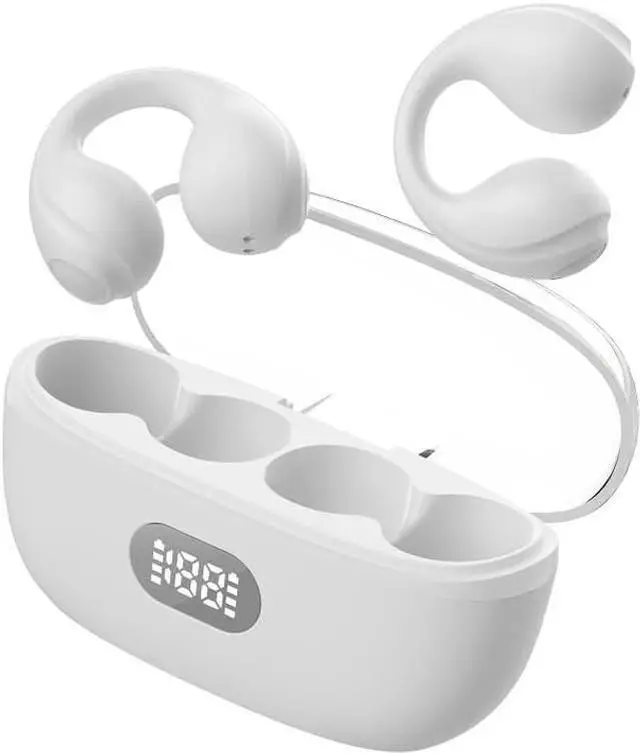
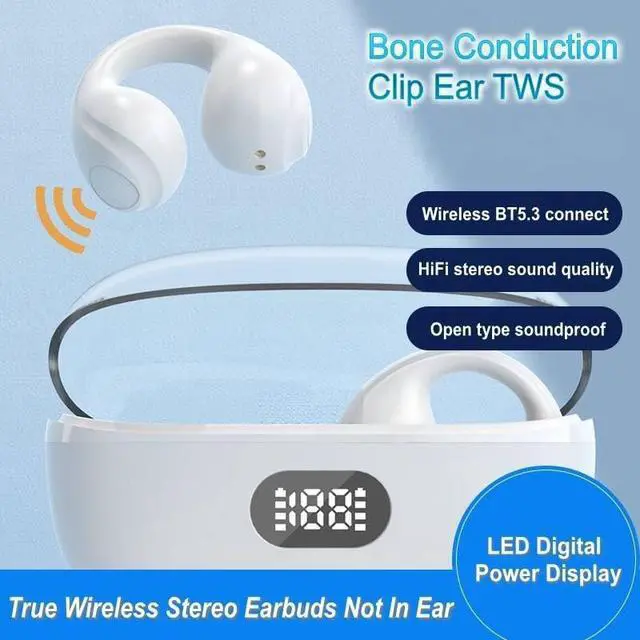


Wireless Headphones,Wireless Ear Clip Bone Conduction Earphones Bluetooth 5.3 for Android iOS Samsung,Small Open Ear Earbuds IPX7 Waterproof Mini Open Ear Headsets for Running Cycling Workout
Limited time offer, ends 09/14 By Ceelys Store
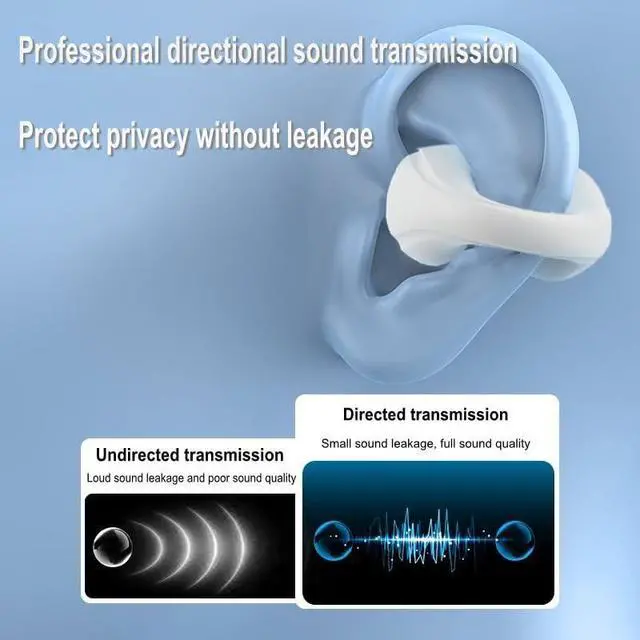
- New Design Bluetooth 5.3 HeadphonesNewly developed clip-on ear design with new and stylish appearance and open-ear to make sure you can sense the sound of the external environment when you enjoy your music,film,sport.And you Improve personal safety and be able to respond politely to others.
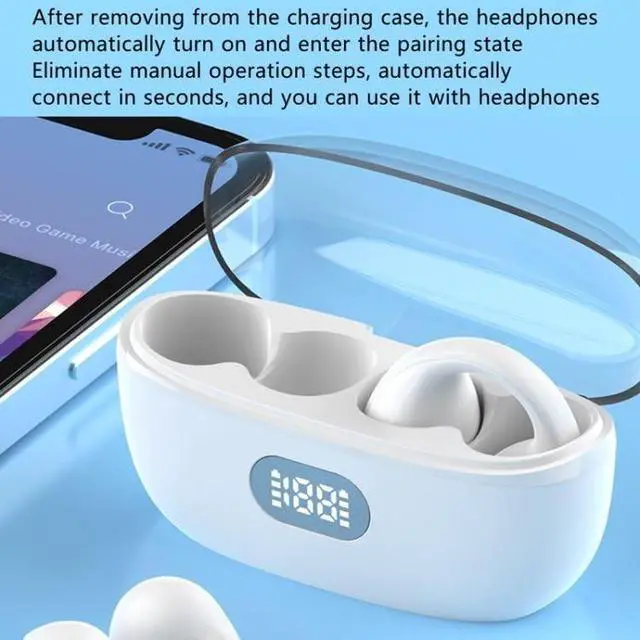
- Ultra-low latency & Clear CallBluetooth 5.3,a leap in connection and pairing:Compared with BT5.2 or the previous version of headphones wireless Bluetooth,the 5.3 chip provides a much stronger and more stable signal,don't worry about interruptions on calling.And there is almost no delay for watching videos,immersing you deeper in movies.When opening the charging case,these over-ear headphones will turn on and connect to the previously connected device instantaneously.
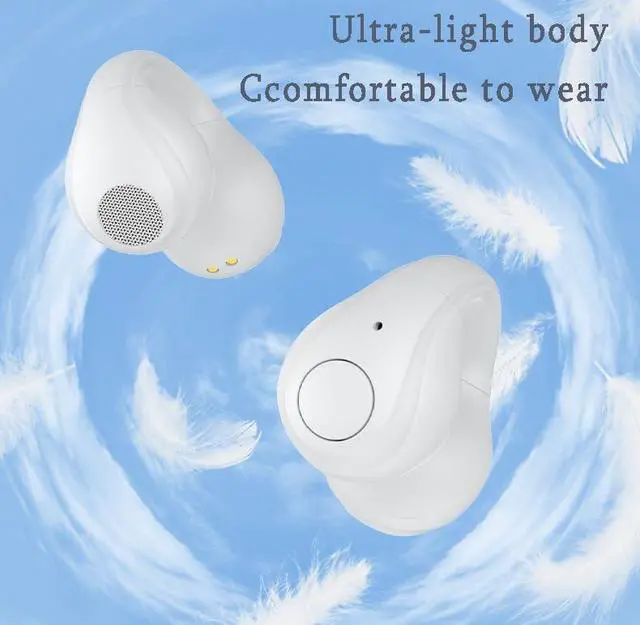
- Lightweight & Stable FitSport earphones weigh 0.18 OZ,made of premium soft silicone material,keeps sport relax,the open ear design helps you achieve the true painless and harmless as the earphone is no need to plug into the ear ca
+
+
Overview
Specs
Reviews

Any questions? Our AI mode will help you find out quickly.
Try me now
New design style, suitable for binaural use, very lightweight, and perfectly fit the natural curve of your ears. How to reset the earbud? 1. Empty the Bluetooth list of mobile phone, and then turn off the Bluetooth of mobile. If you have more than one mobile, when you want connect the earbud to new device, also need do this step. Put earbud into the charging case. 2. Take out one earbud from charging case. Long press 4s, you will hear a long beep sound, then power off voice prompt, so the previous pairing memory is cleared.
Take out another earbud, repeat above steps to reset. 3. Put both earbud into the charging case. After about 10 seconds, take out both earbud at the same time. Look at the led indicator of both earbud, wait for a while, if the led indicator of one flash white slowly, and another goes off, that means both earbud pair with other successfully. 4. Turn on the Bluetooth of mobile phone, search TWS to connect. Other situations1. Please Charge the charging case at least one time every week.
If the charging case over-release power, when we plug the charging cable, we find the led light won't show immediately. Please keep waiting 15 minutes, the led light will show later. 2. After using a period of time, the earbud don't charge or even can't turn on because of oxidized magnet connector, you can handle this problem by using alcohol rag to clean the magnet connector on earbud and charging case.
Take out another earbud, repeat above steps to reset. 3. Put both earbud into the charging case. After about 10 seconds, take out both earbud at the same time. Look at the led indicator of both earbud, wait for a while, if the led indicator of one flash white slowly, and another goes off, that means both earbud pair with other successfully. 4. Turn on the Bluetooth of mobile phone, search TWS to connect. Other situations1. Please Charge the charging case at least one time every week.
If the charging case over-release power, when we plug the charging cable, we find the led light won't show immediately. Please keep waiting 15 minutes, the led light will show later. 2. After using a period of time, the earbud don't charge or even can't turn on because of oxidized magnet connector, you can handle this problem by using alcohol rag to clean the magnet connector on earbud and charging case.
Warranty & Returns
Warranty, Returns, And Additional Information
Warranty
- Please contact the Seller directly for warranty information. Warranty information may also be found on the Manufacturer's website.
- CONTACT
Return Policies
- Return for refund within: 30 days
- Return for replacement within: 30 days
- This item is covered by Ceelys Store Return Policy
Manufacturer Contact Info
- For a directory of all our manufacturers, please click below.
- Manufacturers Directory
LOADING...