• $47.99
  • Free 30-day Returns
  • Price alert
    Shop it at NeweggBusiness.

    Meet Your Seller

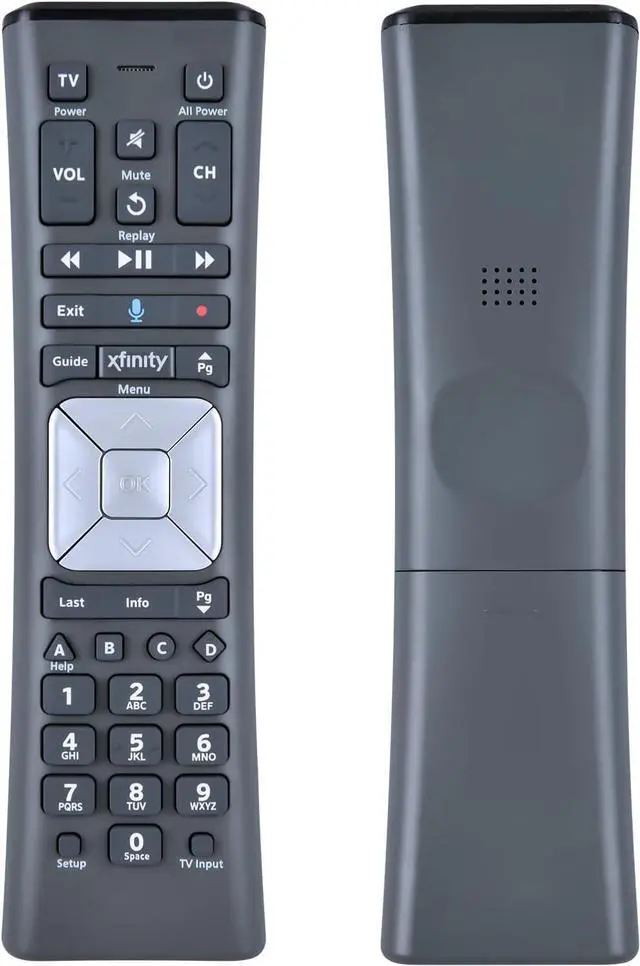
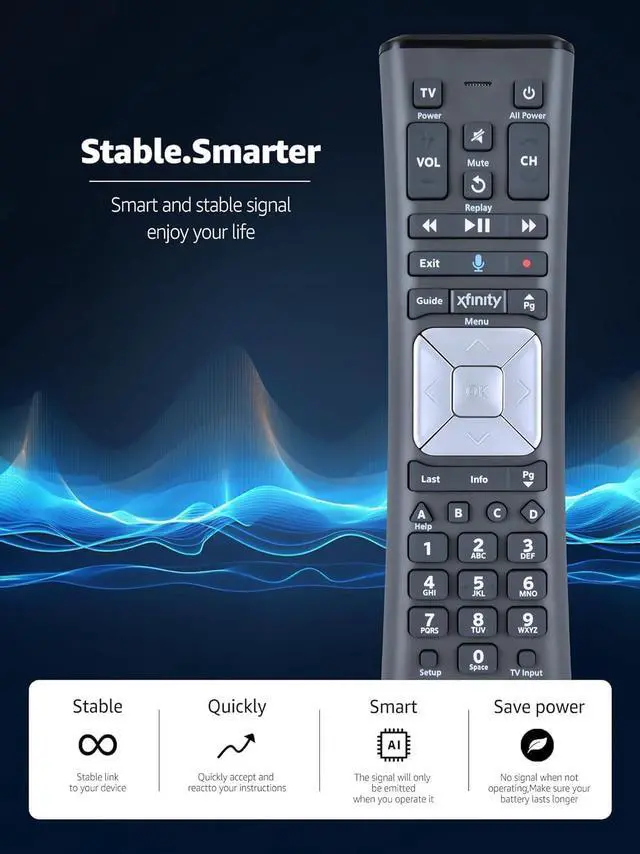
    Replacement XR11 Voice Remote Control for Comcast/Xfinity XR11 Premium Voice Activated Cable TV Backlit New Remote Control

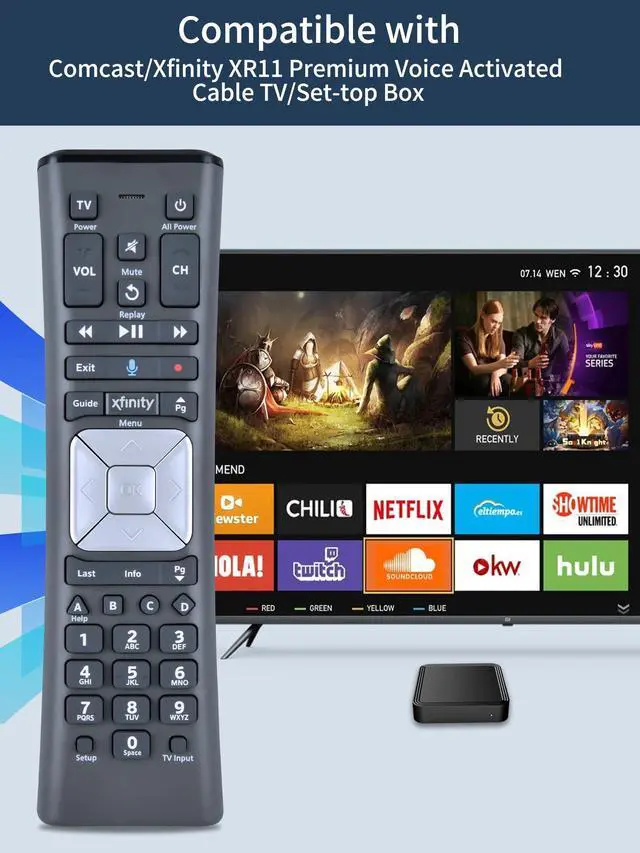
    • Compatible ModelsNew Replacement Voice Remote Control Work for Comcast/Xfinity XR11 Premium Voice Activated Cable TV Backlit.
    • Aim Anywhere Control (RF Capability): With certain set-top boxes, as well as with HD DTA devices, TV input control.
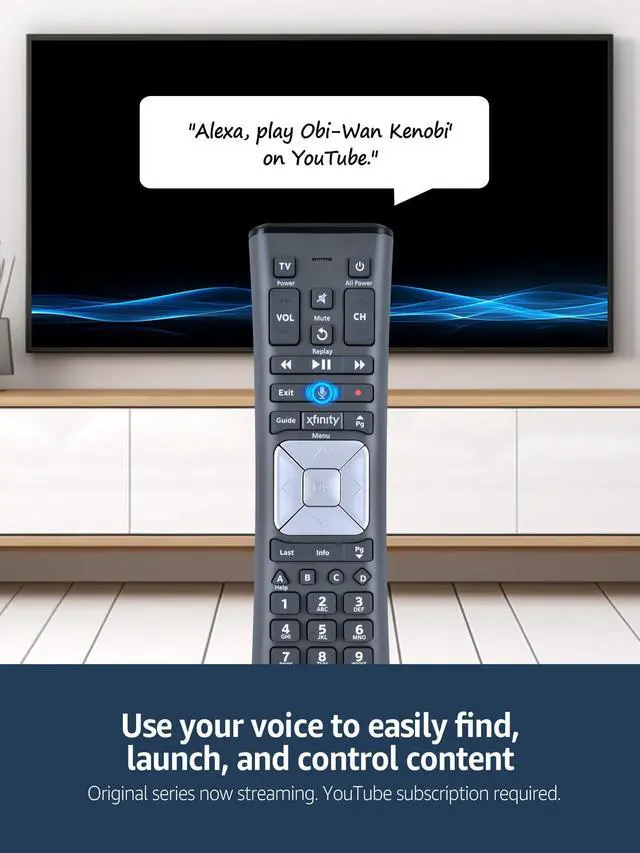
    • Voice Search Features: Long press the microphone button on the voice remote control and speak your command to easily search for your favorite TV shows, launch applications, etc. on Comcast/Xfinity TV. The voice search function makes navigation a breeze.
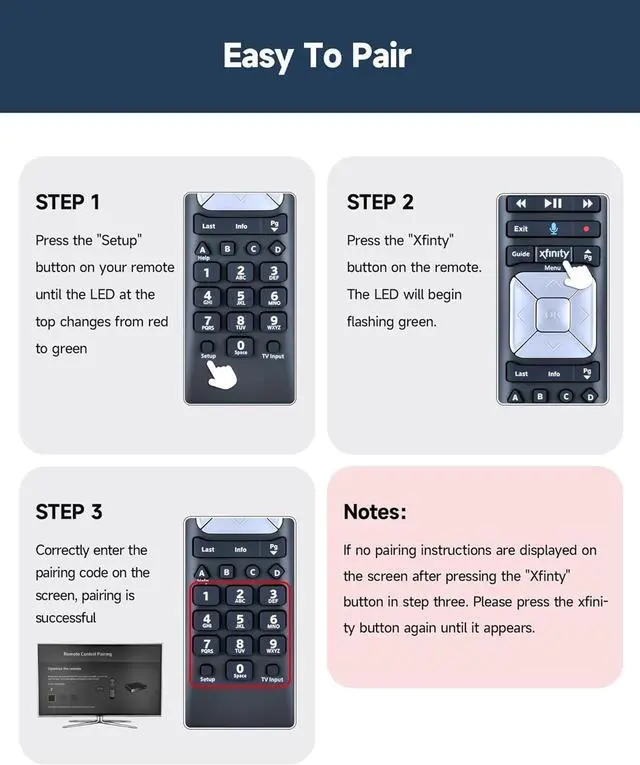
    • Easy To Pairing: Step 1)Press the" Setup" button on your remote until the LED at the top changes from red to green; Step 2) Press the" Xfinty" button on the remote. The LED will begin flashing green; Step 3Correctly enter the pairing code on the screen, pairing is successful. (Note: if no pairing instructions are displayed on the screen after pressing the "Xfinty" button in step three. Please press the xfinity button again until it appears
    • Package Included After Sales Service1x Voice Re
    +
    +
    Overview
    Specs
    Reviews
    avatar

    Any questions? Our AI beta will help you find out quickly.

    Compatible ModelsNew Replacement Voice Remote Control Work for Comcast/Xfinity XR11 Premium Voice Activated Cable TV Backlit. ^^ Aim Anywhere
    Control (RF Capability): With certain set-top boxes, as well as with HD DTA devices, TV input control.
    ^^ Voice Search Features: Long press the microphone button on the voice remote control and speak your command to easily search for your favorite TV shows, launch applications, etc. on Comcast/Xfinity TV. The voice search function makes navigation a breeze.
    ^^ Easy To Pairing: Step 1)Press the" Setup" button on your remote until the LED at the top changes from red to green; Step 2) Press the" Xfinty" button on the remote. The LED will begin flashing green; Step 3Correctly enter the pairing code on the screen, pairing is successful.
    (Note: if no pairing instructions are displayed on the screen after pressing the "Xfinty" button in step three. Please press the xfinity button again until it appears ^^ Package Included After Sales Service1x Voice RemoteInstruction ManualIf you have any questions during use, please send us an email and we promise to help you within 24 hours.

    Warranty & Returns

    Warranty, Returns, And Additional Information

    Warranty

    • Please contact the Seller directly for warranty information. Warranty information may also be found on the Manufacturer's website.
    • CONTACT

    Return Policies

    • Return for refund within: 30 days
    • Return for replacement within: 30 days
    • This item is covered by UsaLogic Return Policy

    Manufacturer Contact Info

    LOADING...