

Your Browsing History

Meet Your Seller

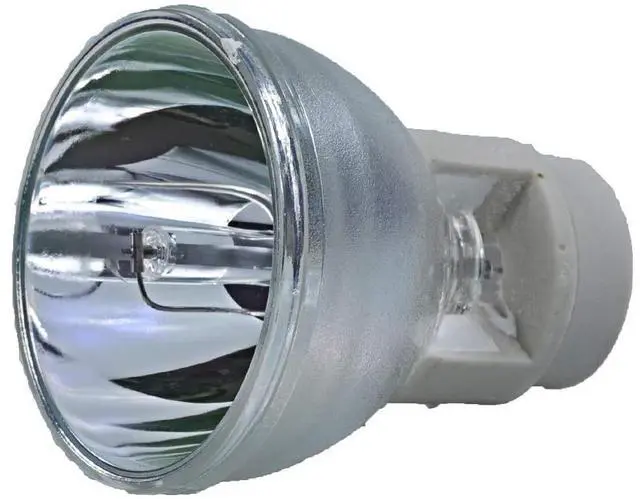
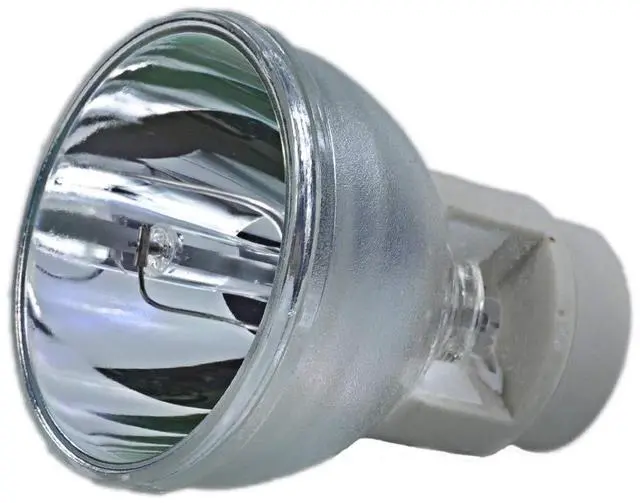
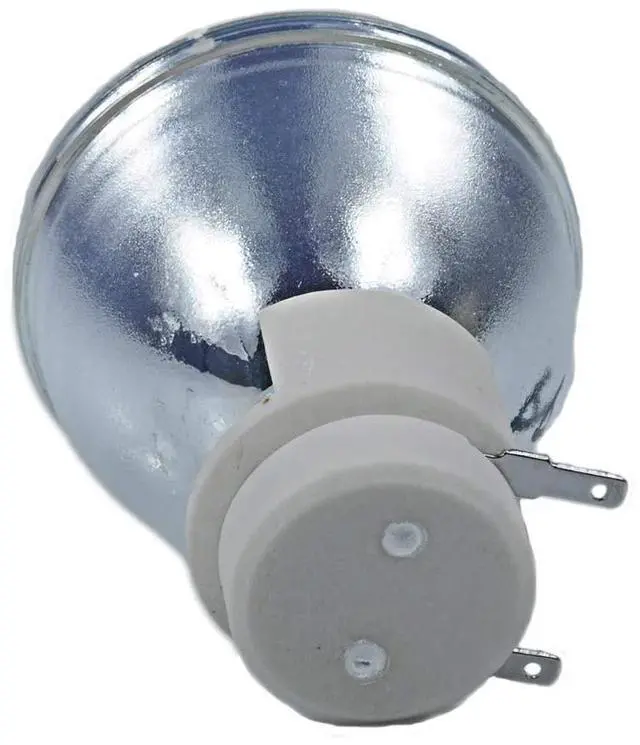
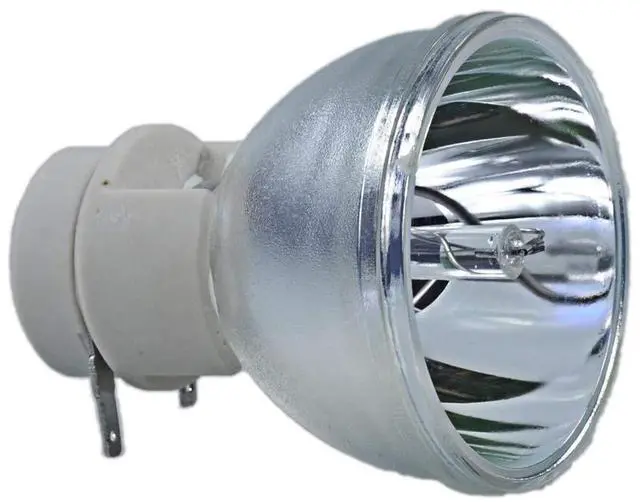


SW-LAMP DLP Lamp Bulb 5J.JAH05.001 5J.J7L05.001 Replacement for BENQ W1070 W1080ST MH680 TH680
- SW-LAMP DLP Lamp bulb part number : 5J.JAH05.001/ 5J.J7L05.001/ 5J.JEE05.001 / 5J.J9H05.001/5J.JCL05.001 / 5J.JKC05.001
- This replacement projector lamp bulb fits for benq TH682ST MH630 5J.J7L05.001 HT1085ST HT1075 I700 W1070 W1070+ W1080ST W1085ST W1080ST+ W1250 5J.JEE05.001 HT2050 HT2150ST HT2050A HT3050 W1110 W1210ST W2000 W2000+ 5J.JAH05.001 MH30 MH680 TH680 TH681 TH681+ TH681H 5J.J9H05.001 HT1075 HT1085ST i700 i701JD W1070+ W1070+W W108ST 5J.JKC05.001 HT3550 HT3550i HT5550 TK850 W2700 W2700i
- New generation A+ lamp wick inside delivers high brightness and natural amazing color.Replacement lamp bulb comes with a 180-day warranty from the date of invoice, worry free
- Lamp bulb come with two-pin plug, it's easy to assembled with your housing, it will save your time, make installation easier
- All the projector lamp are under strict inspection, excellent online instant response, if you may have any inquries, please contact us.
+
+
Overview
Specs
Reviews

Any questions? Our AI mode will help you find out quickly.
Try me now
Projector lamp bulb models: 5J. JAH 05.001 / 5J. J9H 05.001 / 5J. J7L 05.001 / 5J. JEE 05.001 5J. JKC 05.001P rojector lamp bulb compatible with benq HT1085ST HT1075 I700 W1070 W1070+ W1080ST W1085ST W1080ST+ W1250 HT2050 HT2150ST HT2050A HT3050 W1110 W1210ST W2000 W2000+ MH30 MH680 TH680 TH681 TH681+ TH681H 5J. J9H 05.001 HT1075 HT1085ST i700 i701JD
W1070+ W1070+W W108STCondition: Brand
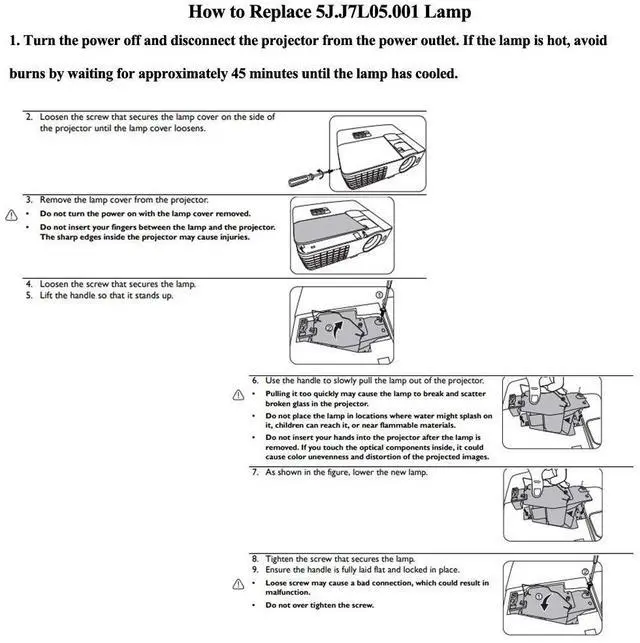
NewLamp Type: Compatible lamp bulb onlyExtend the life of the lamp1Use ECO mode to reduce lamp consumption. 2Do not exceed 4 hours each time. 3Each use lasts at least 3 minutes. 4Do not disconnect the power supply during use. 5After shutting down, wait at least 60 minutes or the projector has cooled down before restarting. 6After shutting down, make sure that the cooling fan stops before disconnecting the power plug. 7Regularly clean the dust inside the projector and around the lamp, and replace the filter. Steps to Replacement Your Old Projector Lamp1- Turn off the power before replacing the lamp. 2- Clean the fan and surrounding dust before replacing the lamp to avoid abnormal temperature and cause the projector to malfunction. 3- After replacing the new lamp, clear the lamp usage time. 4- After turning off the projector, wait for the cooling to complete before unplugging the power cord. 5- Avoid other objects blocking the projector, which will cause abnormal heat dissipation, so as not to affect the life of the lamp and other faults.
W1070+ W1070+W W108STCondition: Brand
NewLamp Type: Compatible lamp bulb onlyExtend the life of the lamp1Use ECO mode to reduce lamp consumption. 2Do not exceed 4 hours each time. 3Each use lasts at least 3 minutes. 4Do not disconnect the power supply during use. 5After shutting down, wait at least 60 minutes or the projector has cooled down before restarting. 6After shutting down, make sure that the cooling fan stops before disconnecting the power plug. 7Regularly clean the dust inside the projector and around the lamp, and replace the filter. Steps to Replacement Your Old Projector Lamp1- Turn off the power before replacing the lamp. 2- Clean the fan and surrounding dust before replacing the lamp to avoid abnormal temperature and cause the projector to malfunction. 3- After replacing the new lamp, clear the lamp usage time. 4- After turning off the projector, wait for the cooling to complete before unplugging the power cord. 5- Avoid other objects blocking the projector, which will cause abnormal heat dissipation, so as not to affect the life of the lamp and other faults.
Warranty & Returns
Warranty, Returns, And Additional Information
Warranty
- Please contact the Seller directly for warranty information. Warranty information may also be found on the Manufacturer's website.
- CONTACT
Return Policies
- Return for refund within: 30 days
- Return for replacement within: 30 days
- This item is covered by Qiangsheng kuajing (Hong Kong) Co., Limi Return Policy
Manufacturer Contact Info
- For a directory of all our manufacturers, please click below.
- Manufacturers Directory
LOADING...