

Your Browsing History

Meet Your Seller

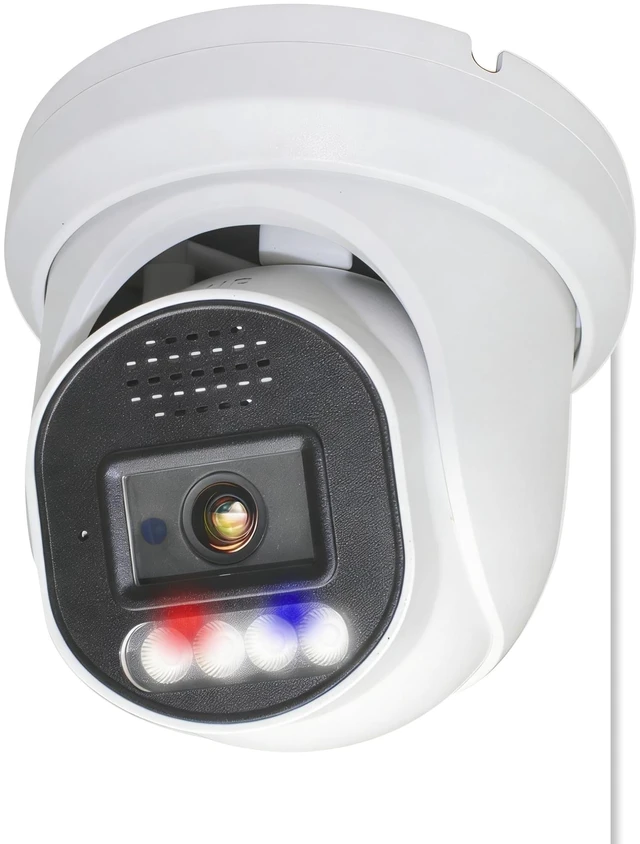


SINIS 4K PoE Security IP Camera with Strobe Red&Blue Light and Audio Alarm
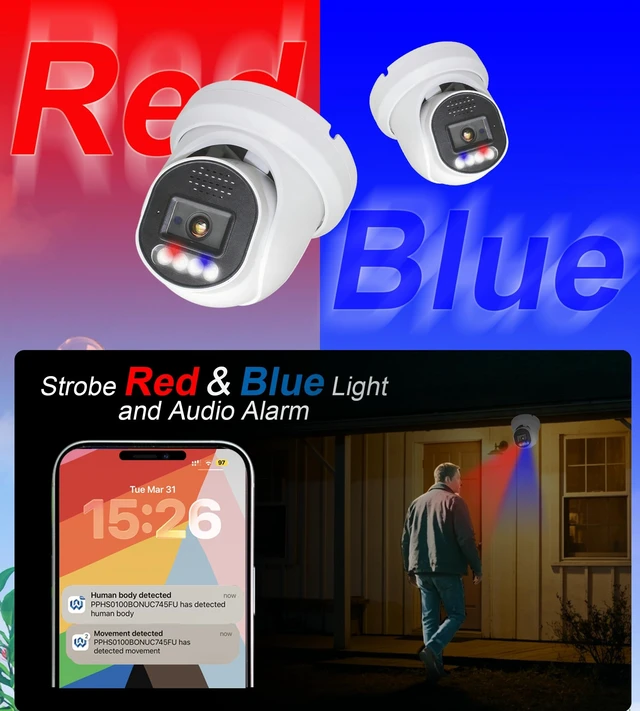
- Strobe Red & Blue Light and Audio Alarm: Update with eye-catching advanced active deterrent feature, when the 8mp poe ip camera detects human or Motion, the speaker and light alarm will be triggered, flashing Alternating red and blue lights and warning sounds from the speaker help deter unwanted individuals. This function is enabled in default, you can disable it by app or ipc setting in web.
- Two Way Audio with SINIS SECURITY Camera and Wanan pro APP: The 8mp poe camera outdoor built-in mic and speaker allow for two-way audio communication. speaker and optimal performance of this camera can work with NVRs and APP: Wanan Pro.
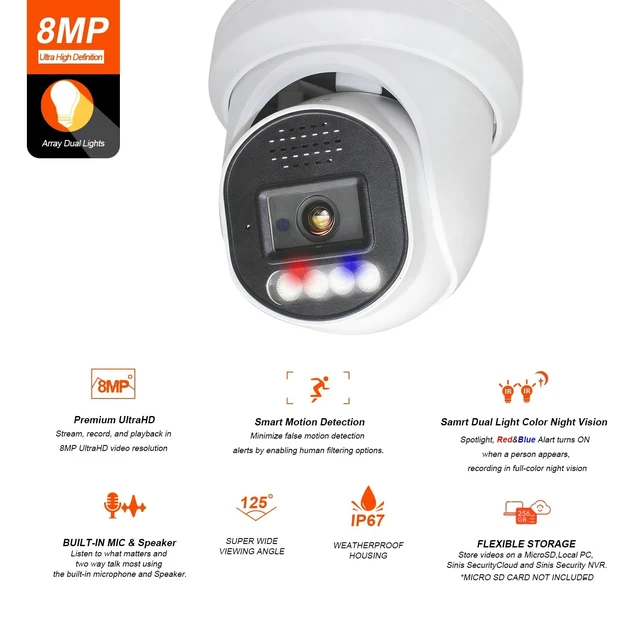
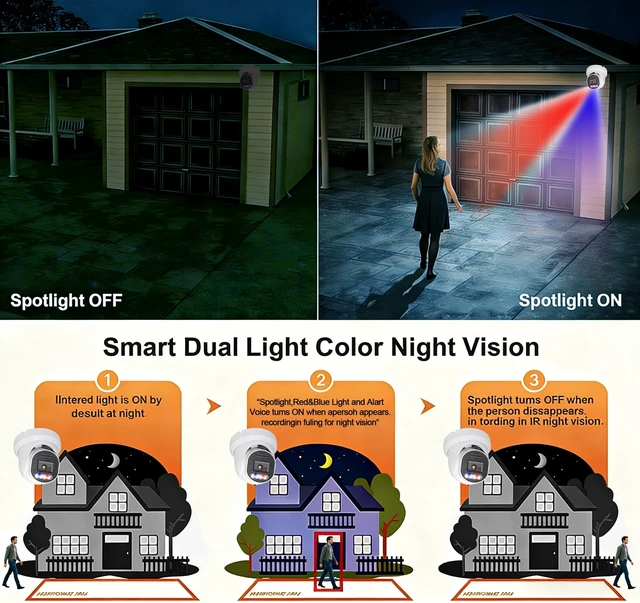
- Smart Dual Light Color Night Vision: Equipped with IR & warm light sources and lens of F1.6 Ultra Low Lux, the upgraded turret 8MP security camera ensures clear imaging in various conditions. At night, warm light illuminates when people or Motion are detected, providing colorful images. In the absence of objects, it switches to IR mode for clear black-and-whi
+
+
Overview
Specs
Reviews

Any questions? Our AI mode will help you find out quickly.
Try me now
Strobe Red & Blue Light and
Audio Alarm: Update with eye-catching advanced active deterrent feature, when the 8mp poe ip camera detects human or Motion, the speaker and light alarm will be triggered, flashing Alternating red and blue lights and warning sounds from the speaker help deter unwanted individuals. This function is enabled in default, you can disable it by app or ipc setting in web. ^^ Two Way Audio with SINIS SECURITY Camera and Wanan pro
APP: The 8mp poe camera outdoor built-in mic and speaker allow for two-way audio communication. speaker and optimal performance of this camera can work with NVRs and
APP: Wanan Pro. ^^ Smart Dual
Light Color Night Vision: Equipped with IR & warm light sources and lens of F 1.6 Ultra Low Lux, the upgraded turret 8MP security camera ensures clear imaging in various conditions. At night, warm light illuminates when people or Motion are detected, providing colorful images. In the absence of objects, it switches to IR mode for clear black-and-white images. ^^ Multiple Working Solutions via
PoE: Plug & Play with 3rd-party on-vif NVRs(not include GW, SWAN, REOLINK) and software. It's viewable on web browsers like Edge, Chrome, and Firefox ^^ Human/Motion Detection and
Smart Alerts: This 8mp poe camera utilizes AI technology for precise person and Motion detection, reducing false alarms(Like leaves, raindrops, insects, and so on). You can customize the alarm content and alarm area, when the 8mp ip camera detects a person or Motion in the area, the ip security camera will immediately notify your via computer/mobile phone, so that you can find the most important content in the first time. ^^ H. 265+ & Robust Metal Housing & IP67 Weatherproof: With H. 265+ /H. 265 / H. 264+ / H. 264 compression, you can store more information using fewer hard drives, which allows you to do more with less, and dramatically reduce file sizes with this latest video compression format. The PoE security camera is made of full metal, is stable and durable. The PoE IP camera is IP67 waterproof and dustproof, withstanding adverse weather conditions such as heavy rain and storms. ^^ DHCP and
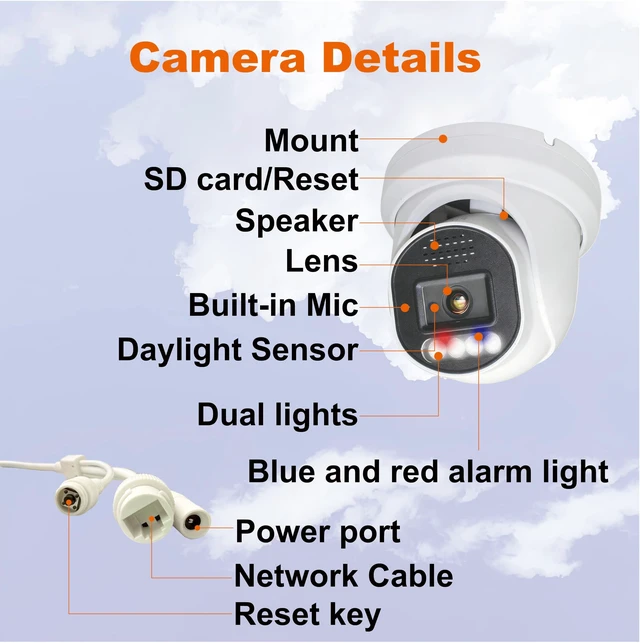
Static IP Configuration: The camera DHCP default is on in 6 hours, from you first connect the ipc to nvr or switch, after 6 hours the ipc address will be keep static ip address that be assigned in the ipc last time. so if you want to connect the camera to new or other network segment route or POE NVR, please reset the ipc camera by keeping holding the reset key of the camera cable for 15-20 seconds.
^^ Standard ONVIF Compatibility: The Camera support Standard ONVIF and can work with NVR(not include GW, SWAN, REOLINK) that supports onvif and Third party platform software that support Onvif. Scan the QR Code in the product detail picture, you can download the ipc search tools, ipc cms and user manual file. keep your ipc and your computer in the same LAN, run ipc search tool, confirm the ipc address, visit the ipc address by web, you can set and preview the ipc; also you can use VLC (please update to support h. 265), open "media"-"open network stream", input the
URL:
rtsp: //ipc
address: 554/stream1, rtsp: //ipc
address: 554/stream2. the ipc address is your ipc address now, such as 192.168. x. xxx. ^^ Motion and
Human Detection Settings: The camera human detetion default is on and motion detection is off, if you want to change the setting, please visit ipc ip address by
Web browser with usename: admin
; password: 123456. you can search the ipc address by search tools software before you keep the ipc and your computer in the same subnet.
Audio Alarm: Update with eye-catching advanced active deterrent feature, when the 8mp poe ip camera detects human or Motion, the speaker and light alarm will be triggered, flashing Alternating red and blue lights and warning sounds from the speaker help deter unwanted individuals. This function is enabled in default, you can disable it by app or ipc setting in web. ^^ Two Way Audio with SINIS SECURITY Camera and Wanan pro
APP: The 8mp poe camera outdoor built-in mic and speaker allow for two-way audio communication. speaker and optimal performance of this camera can work with NVRs and
APP: Wanan Pro. ^^ Smart Dual
Light Color Night Vision: Equipped with IR & warm light sources and lens of F 1.6 Ultra Low Lux, the upgraded turret 8MP security camera ensures clear imaging in various conditions. At night, warm light illuminates when people or Motion are detected, providing colorful images. In the absence of objects, it switches to IR mode for clear black-and-white images. ^^ Multiple Working Solutions via
PoE: Plug & Play with 3rd-party on-vif NVRs(not include GW, SWAN, REOLINK) and software. It's viewable on web browsers like Edge, Chrome, and Firefox ^^ Human/Motion Detection and
Smart Alerts: This 8mp poe camera utilizes AI technology for precise person and Motion detection, reducing false alarms(Like leaves, raindrops, insects, and so on). You can customize the alarm content and alarm area, when the 8mp ip camera detects a person or Motion in the area, the ip security camera will immediately notify your via computer/mobile phone, so that you can find the most important content in the first time. ^^ H. 265+ & Robust Metal Housing & IP67 Weatherproof: With H. 265+ /H. 265 / H. 264+ / H. 264 compression, you can store more information using fewer hard drives, which allows you to do more with less, and dramatically reduce file sizes with this latest video compression format. The PoE security camera is made of full metal, is stable and durable. The PoE IP camera is IP67 waterproof and dustproof, withstanding adverse weather conditions such as heavy rain and storms. ^^ DHCP and
Static IP Configuration: The camera DHCP default is on in 6 hours, from you first connect the ipc to nvr or switch, after 6 hours the ipc address will be keep static ip address that be assigned in the ipc last time. so if you want to connect the camera to new or other network segment route or POE NVR, please reset the ipc camera by keeping holding the reset key of the camera cable for 15-20 seconds.
^^ Standard ONVIF Compatibility: The Camera support Standard ONVIF and can work with NVR(not include GW, SWAN, REOLINK) that supports onvif and Third party platform software that support Onvif. Scan the QR Code in the product detail picture, you can download the ipc search tools, ipc cms and user manual file. keep your ipc and your computer in the same LAN, run ipc search tool, confirm the ipc address, visit the ipc address by web, you can set and preview the ipc; also you can use VLC (please update to support h. 265), open "media"-"open network stream", input the
URL:
rtsp: //ipc
address: 554/stream1, rtsp: //ipc
address: 554/stream2. the ipc address is your ipc address now, such as 192.168. x. xxx. ^^ Motion and
Human Detection Settings: The camera human detetion default is on and motion detection is off, if you want to change the setting, please visit ipc ip address by
Web browser with usename: admin
; password: 123456. you can search the ipc address by search tools software before you keep the ipc and your computer in the same subnet.
Warranty & Returns
Warranty, Returns, And Additional Information
Warranty
- Please contact the Seller directly for warranty information. Warranty information may also be found on the Manufacturer's website.
- CONTACT
Return Policies
- Return for refund within: 30 days
- Return for replacement within: 30 days
- This item is covered by HyperCore Return Policy
Manufacturer Contact Info
- For a directory of all our manufacturers, please click below.
- Manufacturers Directory
LOADING...