Your Browsing History
- Free 30-day Returns
$104.68
Meet Your Seller
M.2 SATA/NVMe to USB Docking Station,Hard Drive Reader Adapter, External M.2 SSD Enclosure for M.2 PCIe NVMe and SATA SSDs, Compatible with SATA III HDD/SSD (M.2 Dock or SATA Adapter)
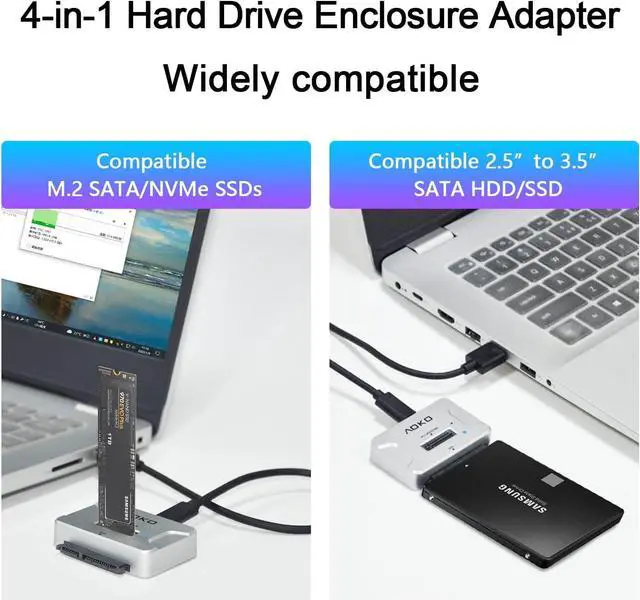
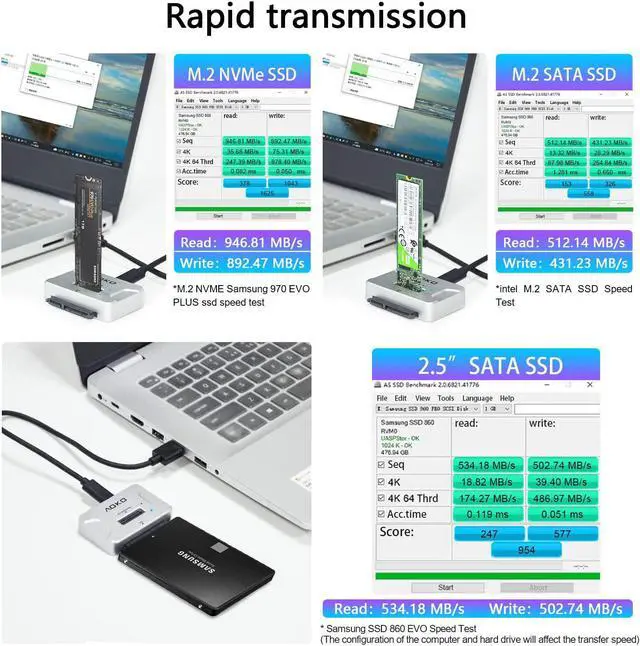
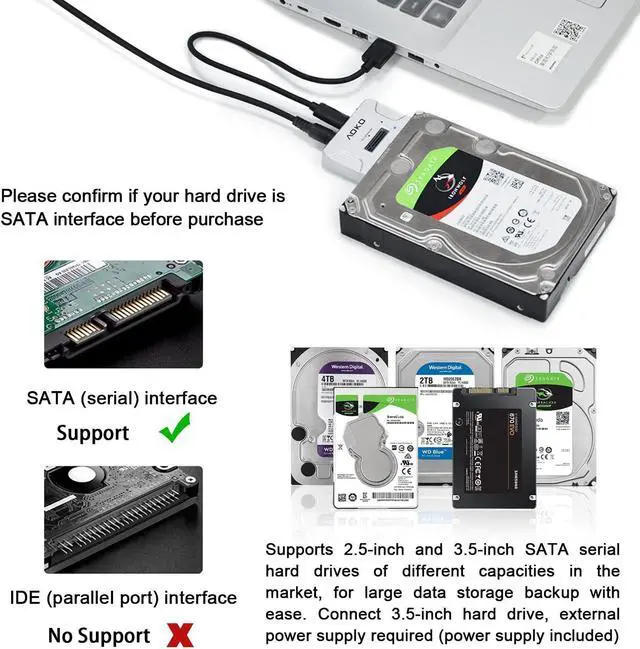
- This NVMe to USB M.2 Enclosure Adapter by inserting M.2 SATA/NVMe Drives or 2.5"/3.5" SATA SSD/HDD directly into this docking station, you can quickly access drive contents and transfer files. Great for 4K content designers/office workers/gaming movie lovers and users with multiple different hard drives(pcie ahci & ide are not supported)
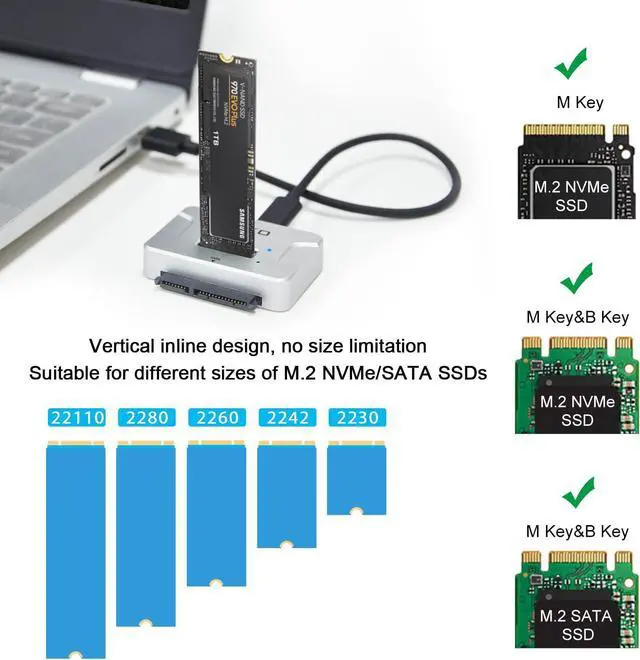
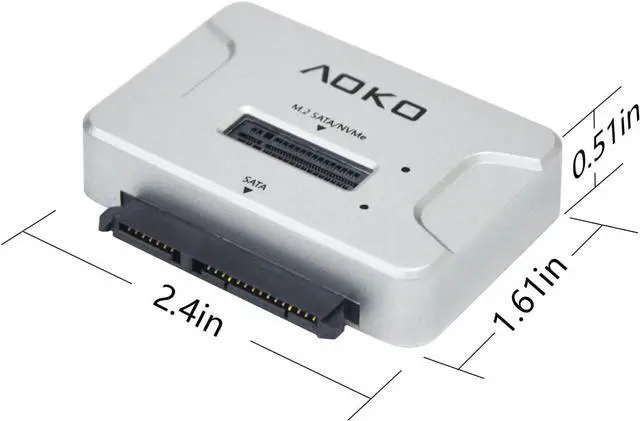
- The M.2 to USB docking station compatible with multiple drive sizes ,Compatibility with M.2 NVMe PCIE (M key) or (B+M Key) SATA-Based SSD for 22110/2280 / 2260 / 2242 /2230 SSDs and 2.5 /3.5 Inch SATA Drives , compatible with Windows10/XP/Linux/Mac system
- AOKO M.2 Reader with tool-free design and can be read by inserting the hard disk and with a 12V/2A power adapter for stable power supply for large capacity M.2 or SATA IIII SSD/HDD. No need to prepare multiple devices, one hard drive dock adapter saves you time and money
+
+
Overview
Reviews
Any questions? Our AI beta will help you find out quickly.
Try me now
The NVMe M. 2
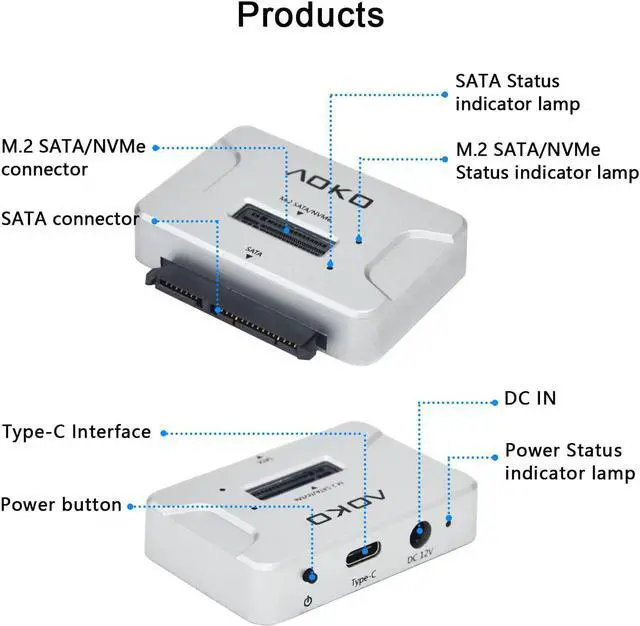
Dock Use Steps: 1. Insert a single M. 2 SSD or 2.5 ''/ 3.5 '' SATA SSD/HDD into the slot or SATA connector 2. Connect the USB cable to the computer 3. Turn on the
Power button (Please note: Reading high-capacity SATA III SSD/HDD requires 12V/2A Power Adapter to be connected as an auxiliary power supply. Insert a single HDD/SSD into the connector and then turn on the power button)
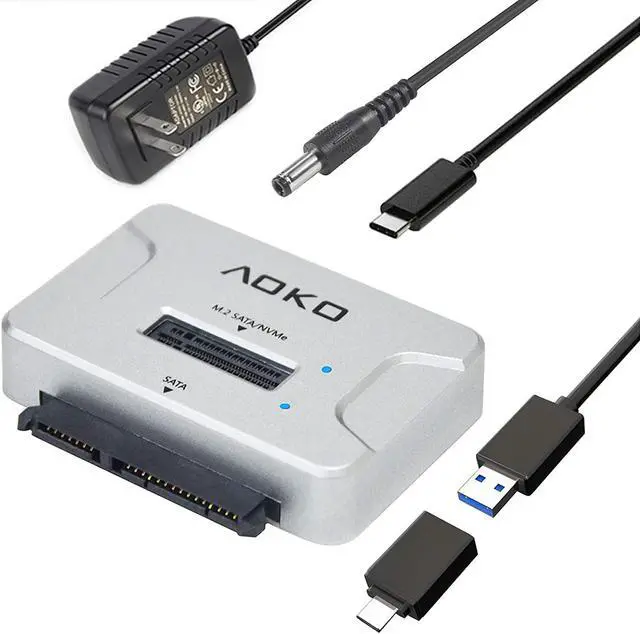
Pack list: 1x M. 2 Docking Station, 1x USB C to A Cable 50cm, 1x USB C to A Adapter, 1x 12V/2A Power Adapter
Dock Use Steps: 1. Insert a single M. 2 SSD or 2.5 ''/ 3.5 '' SATA SSD/HDD into the slot or SATA connector 2. Connect the USB cable to the computer 3. Turn on the
Power button (Please note: Reading high-capacity SATA III SSD/HDD requires 12V/2A Power Adapter to be connected as an auxiliary power supply. Insert a single HDD/SSD into the connector and then turn on the power button)
Pack list: 1x M. 2 Docking Station, 1x USB C to A Cable 50cm, 1x USB C to A Adapter, 1x 12V/2A Power Adapter
Warranty & Returns
Warranty, Returns, And Additional Information
Warranty
- Please contact the Seller directly for warranty information. Warranty information may also be found on the Manufacturer's website.
- CONTACT
Return Policies
- Return for refund within: 30 days
- Return for replacement within: 30 days
- This item is covered by Group Can Trading Limited Return Policy
Manufacturer Contact Info
- For a directory of all our manufacturers, please click below.
- Manufacturers Directory
LOADING...