

Your Browsing History
- $38.98
- Free 30-day Returns

Best Sellers
- $51.99
- + $5.99 Shipping

Meet Your Seller

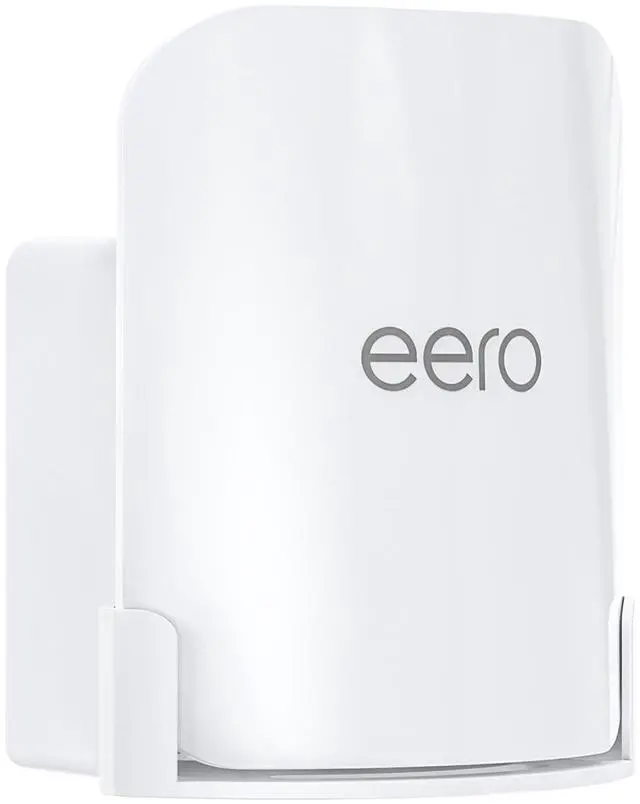


QUIDDITY eero Pro 7 Wall Mount Kit Outlet & Wall Mount Bracket for Space Saving and Cable Management, Compatible with eero Pro 7 Tri-Band Mesh Wi-Fi 7 Router White (1 Pack)
Limited time offer, ends 07/06 By DongFangBiYueShangMao
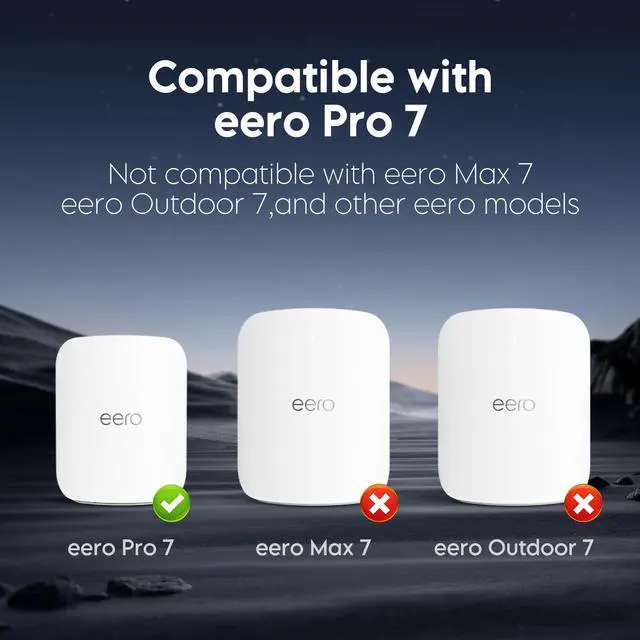
- Fit for eero Pro 7 Only: Exclusively designed for the eero Pro 7 mesh Wi-Fi system, this wall and outlet mount ensures a snug and secure fit. Not compatible with other eero modelsget reliable performance with zero guesswork.
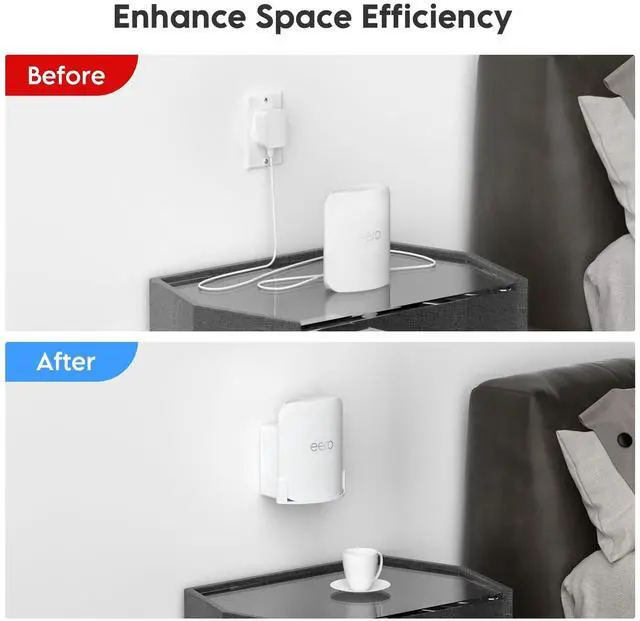
- Dual Wall Mounting Options: Install your eero Pro 7 on a standard wall or directly onto a power outlet with this 2-in-1 bracket design. Maximize signal placement while saving valuable desktop or floor space in any room.
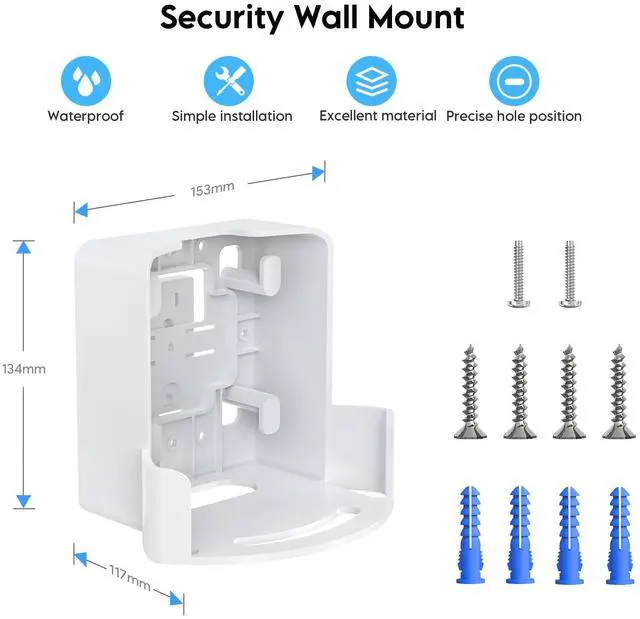
- Easy Installation: Mounting is quick and simpleuse a drill and Phillips screwdriver for wall setup or just a screwdriver for outlet installation. All screws, anchors, and a step-by-step guide are included for a no-hassle setup.
- Hidden Cable Management: Keep messy cables out of sight with the built-in cable compartment. This eero holder wall mount offers a clutter-free, streamlined look for a more organized and modern home environment.
- Lightweight & Durable: Constructed from high-strength ABS plastic, the mount is engineered for long
+
+
Overview
Specs
Reviews

Any questions? Our AI beta will help you find out quickly.
Try me now
Fit for eero Pro 7
Only: Exclusively designed for the eero Pro 7 mesh Wi-Fi system, this wall and outlet mount ensures a snug and secure fit. Not compatible with other eero modelsget reliable performance with zero guesswork. ^^ Dual Wall
Mounting Options: Install your eero Pro 7 on a standard wall or directly onto a power outlet with this 2-in-1 bracket design. Maximize signal placement while saving valuable desktop or floor space in any room.
^^ Easy Installation: Mounting is quick and simpleuse a drill and Phillips screwdriver for wall setup or just a screwdriver for outlet installation. All screws, anchors, and a step-by-step guide are included for a no-hassle setup.
^^ Hidden Cable Management: Keep messy cables out of sight with the built-in cable compartment. This eero holder wall mount offers a clutter-free, streamlined look for a more organized and modern home environment.
^^ Lightweight & Durable: Constructed from high-strength ABS plastic, the mount is engineered for long-term durability without adding bulk. Securely supports your eero Pro 7 and complements any home or office decor.
Only: Exclusively designed for the eero Pro 7 mesh Wi-Fi system, this wall and outlet mount ensures a snug and secure fit. Not compatible with other eero modelsget reliable performance with zero guesswork. ^^ Dual Wall
Mounting Options: Install your eero Pro 7 on a standard wall or directly onto a power outlet with this 2-in-1 bracket design. Maximize signal placement while saving valuable desktop or floor space in any room.
^^ Easy Installation: Mounting is quick and simpleuse a drill and Phillips screwdriver for wall setup or just a screwdriver for outlet installation. All screws, anchors, and a step-by-step guide are included for a no-hassle setup.
^^ Hidden Cable Management: Keep messy cables out of sight with the built-in cable compartment. This eero holder wall mount offers a clutter-free, streamlined look for a more organized and modern home environment.
^^ Lightweight & Durable: Constructed from high-strength ABS plastic, the mount is engineered for long-term durability without adding bulk. Securely supports your eero Pro 7 and complements any home or office decor.
Warranty & Returns
Warranty, Returns, And Additional Information
Warranty
- Please contact the Seller directly for warranty information. Warranty information may also be found on the Manufacturer's website.
- CONTACT
Return Policies
- Return for refund within: 30 days
- Return for replacement within: 30 days
- This item is covered by DongFangBiYueShangMao Return Policy
Manufacturer Contact Info
- For a directory of all our manufacturers, please click below.
- Manufacturers Directory
LOADING...
LOADING...