• $85.98
  • Free 30-day Returns
  • Price alert
    Sold by HyperCore

    Shipped by HyperCore

    Shop it at NeweggBusiness.

    Meet Your Seller

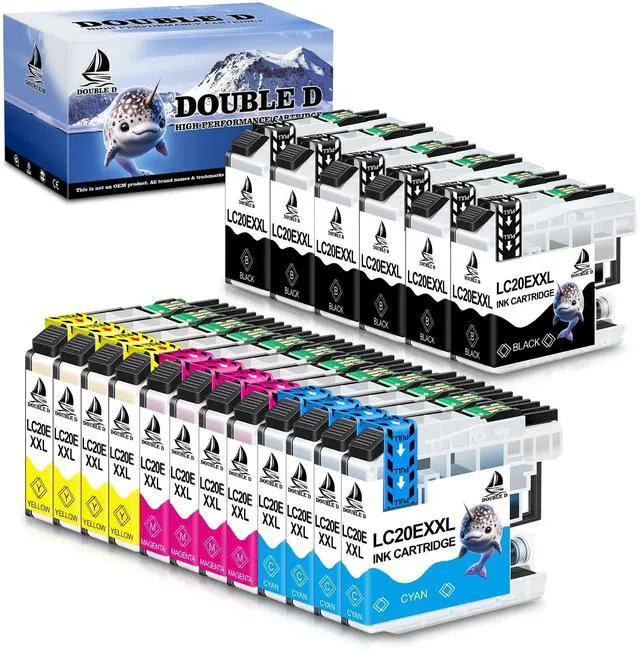
    DOUBLE D Upgraded LC20E Compatible Replacement for Brother LC20E LC-20E XXL Ink Cartridges for Brother MFC-J985DW J775DW J5920DW J985DWXL Printer (6BK+4C+4M+4Y) 18 Pack-Updated Version

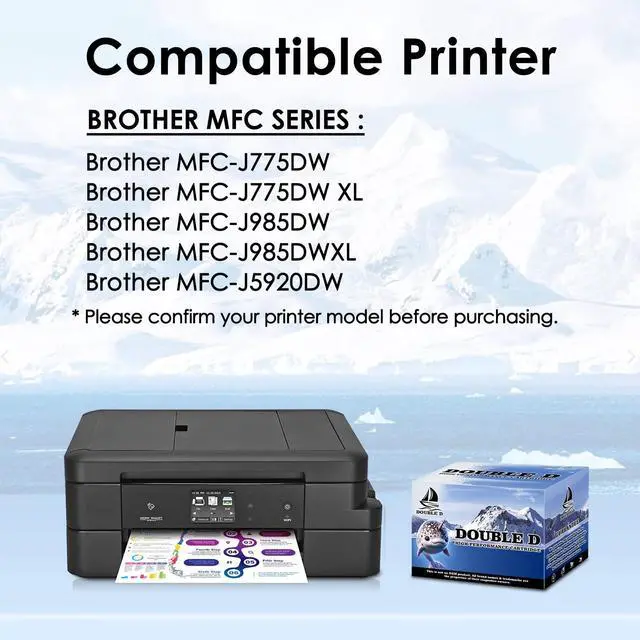
    • Compatible PrintersBrother MFC-J985DW MFC-J775DW MFC-J5920DW MFC-J985DWXL MFC-J775DWXL printer
    • Packag Contents6 x LC20EXXL Black, 4 x LC20EXXL Cyan, 4 x LC20EXXL Magenta, 4 x LC20EXXL Yellow (Total 18 Pack)
    • Extra High Yield 2400 pages per Black LC20EXXL, 1200 pages per Color LC20EXXL ink cartridges combo pack at 5% coverage of A4 paper
    • Advantages Multiple Certifications, Premium Print Quality, Cost Effective, Newest Chip, Secure Packed
    • Tips It is normal if the printer screenshot in the ink level page shows after you insert compatible ink cartridges. Please disregard and keep printing, it will not effect the function of printer, you can check the ink level on the computer that connect with your printer
    +
    +
    Overview
    Specs
    Reviews
    avatar

    Any questions? Our AI beta will help you find out quickly.

    Enjoy the Vivid Colorful Life with DOUBLE D LC20E Ink Cartridges Sharp & Vivid Color Professional Integrity SafeProduct InformationCompatible Ink Cartridge Replacement for Brother LC20E Ink Cartridges LC20EXXL (Non-OEM) Package Included6 x LC20E Black ink cartridges, 4 x LC20E Cyan ink cartridges, 4 x LC20E Magenta ink cartridges, 4 x LC20E Yellow ink cartridges, total 18 Packs LC20E ink. Page Yield2, 400 pages per LC20E black ink cartridge, 1, 200 pages per LC20E color ink cartridge (@ 5% coverage of A4/Letter). Updated ChipsEach LC20E ink cartridge was installed the updated chip, which properly works with the printers Safety PackageEach LC20E ink cartridge was packed in individual plastic bag, convenient and easy-to-install on demand.

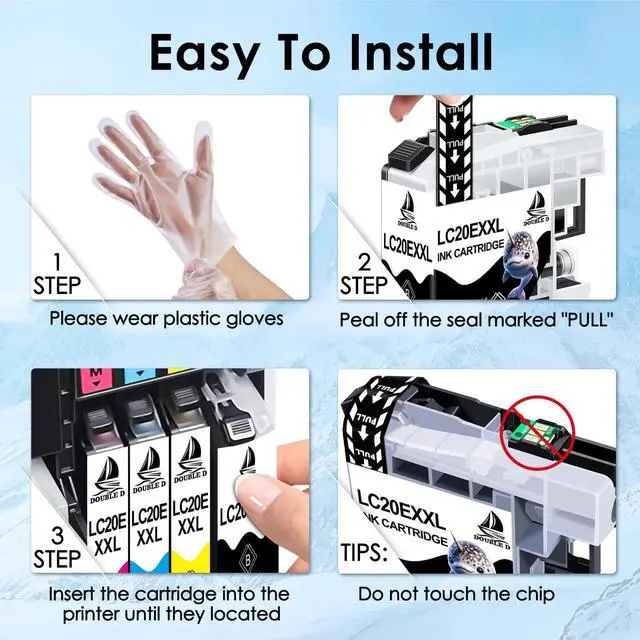
    Compatible PrintersMFC-J985DWMFC- J985DWXLMFC-J775DWMFC-J5920DW Easy InstallationStep-1 Tear off the color tape marked "pull"If not, the printing effect is blank. Step-2 Install the ink cartridge to the printer until it clicks into place. (If you don't hear "clicks" sound, the ink cartridge couldn't be recognized). Step-3 If the computer appear error, please click "OK" continuously, then the printer can go on to print. Warm Tips1. The computer would appear error, please click "OK" continuously, then the printer can go on to print. 2. Please kindly boot your printer weekly if the machine isn't used frequently, which will protect the printer head from clogging.

    Warranty & Returns

    Warranty, Returns, And Additional Information

    Warranty

    • Please contact the Seller directly for warranty information. Warranty information may also be found on the Manufacturer's website.
    • CONTACT

    Return Policies

    • Return for refund within: 30 days
    • Return for replacement within: 30 days
    • This item is covered by HyperCore Return Policy

    Manufacturer Contact Info

    LOADING...