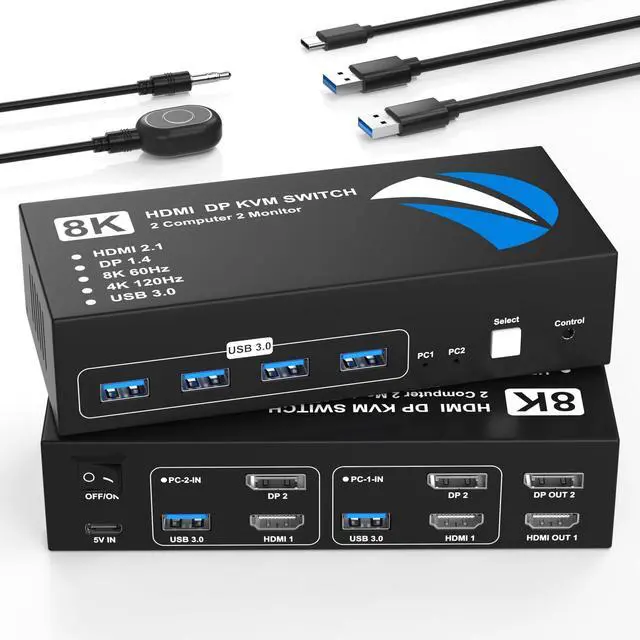
HDMI Display Port KVM Switch for 2 Monitors and 2 ComputersThis HDMI + DisplayPort KVM switch allows you to input HDMI and DisplayPort video signals, as well as USB from two computers, and output them to two monitors, enabling you to share a dual-monitor setup across multiple PCs. It also features four USB 3.0 ports for sharing keyboards, mouse, printers and more. You can easily switch between them with the press of a button. LED indicators clearly show which computer is active. Important NotesPlease make sure each of your computers has a DisplayPort, an HDMI port, and a USB-A port and that all ports are properly connected.
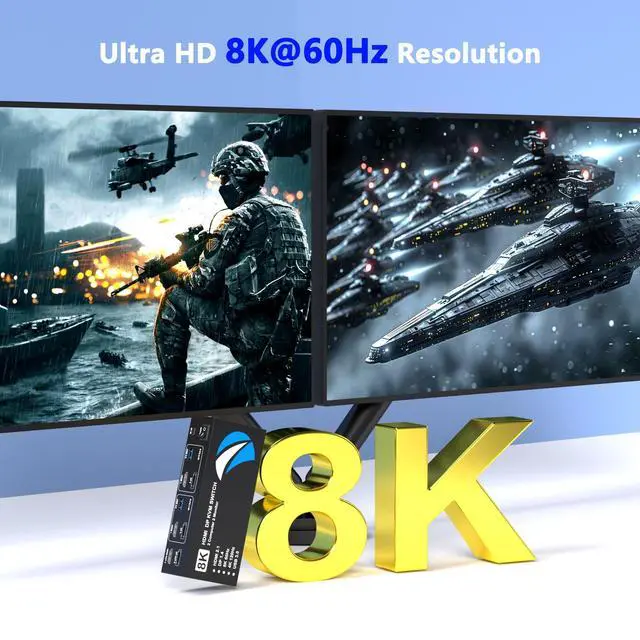
Docking stations and additional adapter cables are not supported. ^^ Supports High Resolution up to 8K@60HzThis dual monitor KVM switch supports up to 8K@60Hz and 4K@120Hz, and is backward compatible with 4K@60Hz and 1080P, allowing full use of high-resolution monitors and high-refresh-rate displays. Extend and mirror modes are supported, ensuring smooth motion and consistent image quality even when switching between PCs.
(Note: To achieve maximum resolution, the PC, monitor, and HDMI/DP cables must all support 8K@60Hz and that the cable length is less than 6.56 ft (2 m) for optimal performance. ) ^^ 4 High-Speed USB 3.0 PortsThis HDMI KVM switch 2 monitors 2 computers Display Port features four USB 3.0 ports, allowing up to four USB devices to be shared between two computers. In addition to keyboards and mouse, you can connect USB flash drives, printers, webcams, and more. With USB 3.0 support, data transfer speeds of up to 5Gbps are possible, making large file transfers faster and more efficient. It is also backward compatible with USB 1.1 / 2.0, ensuring older peripherals work seamlessly. ^^ Two Ways of SwitchingThe KVM switch HDMI Displayport offers flexible and convenient switching methods, including a physical button on the main unit and a wired desktop remote controller, making it easy to switch between two connected computers. The physical button ensures intuitive operation with minimal risk of accidental input and the wired desktop remote allows quick switching without touching the main unit.
Please Note: Keyboard hotkey switching is not supported. ^^ Wide CompatibilityThis KVM switches is compatible with most major operating systems, including Windows, Linux, and Chrome OS, and supports most HDMI + DisplayPort source devices. In addition, This monitor switch for 2 computers features a high-dissipation metal casing, enabling stable operation at temperatures up to 50C. The metal casing minimizes failure points, enhances long-term reliability, and ensures quiet, comfortable use even during continuous operation. ^^ Important Notices1. Please make sure each of your computers has a DisplayPort port, an HDMI port, and a USB-A port, and that all cables are connected correctly. 2. Each computer must support dual-display output simultaneously.
Test method: Connect the computer directly to two monitors without using the KVM switch. 3. Many macOS laptops do not have a DisplayPort port and are therefore not compatiblewith this product. 4. Docking stations and additional adapter cables are not supported. 5. Please connect the included USB power cable before use. 6. Modern monitors often have multiple HDMI/DP inputs, please manually select the correct input source in the monitor settings.





 here!
here!