

Your Browsing History
- Free 30-day Returns
$141.99


Meet Your Seller

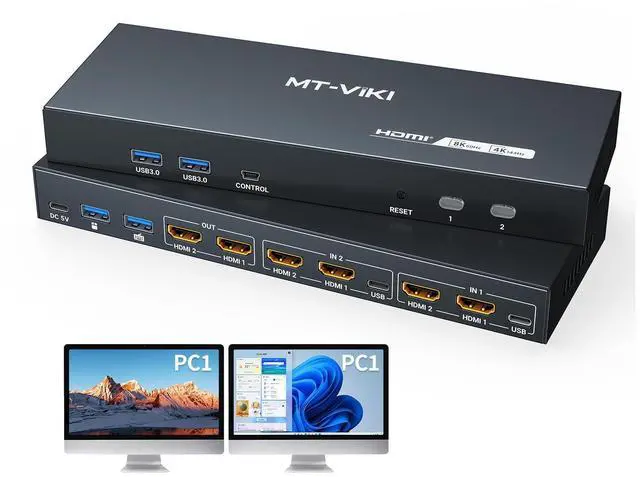


MT-Viki 8K@60Hz HDMI KVM Switch 2 Monitors 2 Computers, 4K@144Hz Dual KVM Switch HDMI with 4 USB 3.0 Port, EDID, 2 USB Cables and Desktop-Controller Included
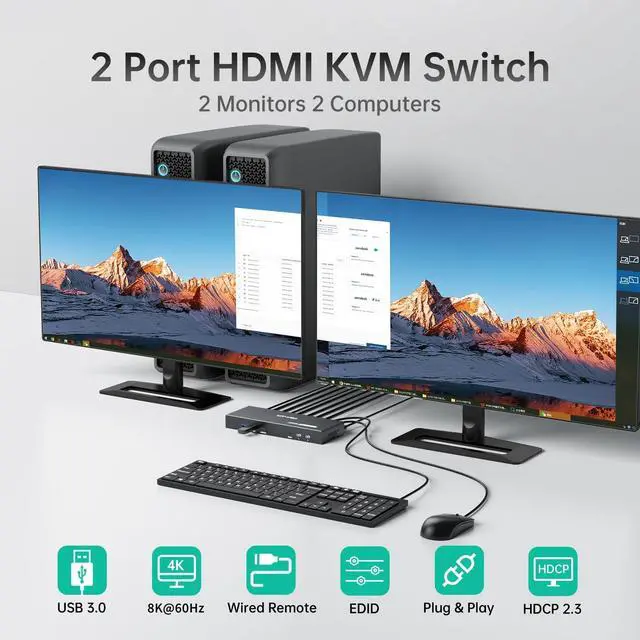
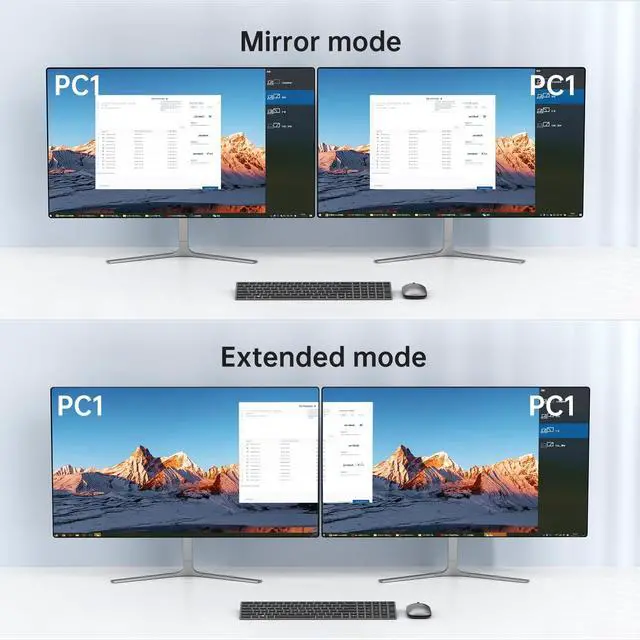
- MT-VIKI HDMI KVM Switch for 2 Computers 2 Monitors: Control two PCs with one keyboard/mouse and dual monitors to maximize workspace efficiency, Support Extended or Mirror mode
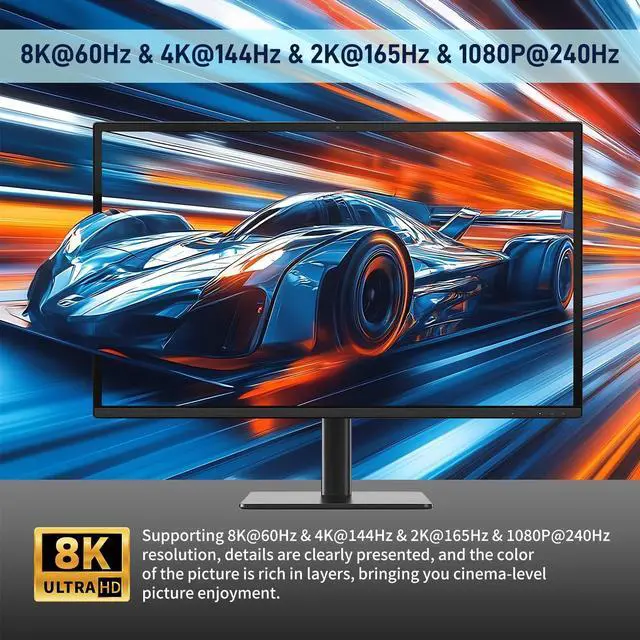
- 8K@60Hz KVM Switch: Supports 8K@60Hz 4K@144Hz resolution with HDMI 2.0, HDCP 2.2, and 18Gbps bandwidth. Backward compatible with lower resolutions. Note: Requires 8K@60Hz-compatible sources, displays, and HDMI cables
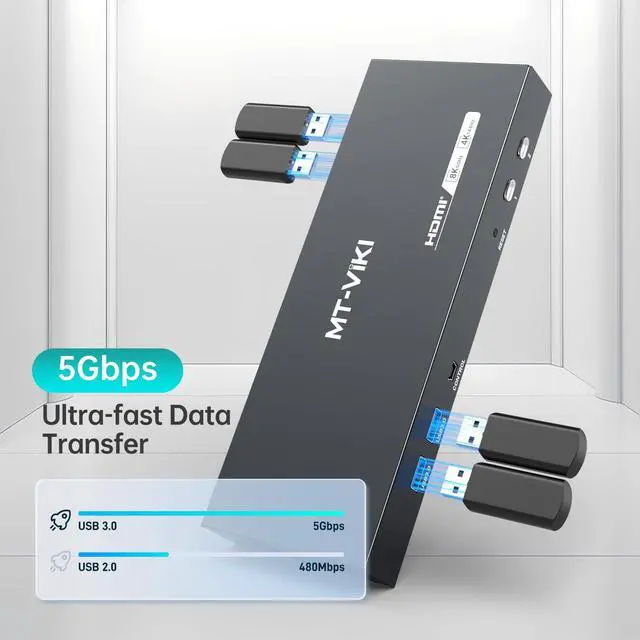
- USB 3.0 Hub: this dual monitor KVM switch with 4 USB 3.0 ports for sharing printers, drives, or peripherals between systems.
- Two Switching Ways: Toggle via front-panel button or wired-desktop remote (HDMI KVM Switch can't support keyboard hotkeys switching) Plug & Play.
- Important Notes Each computer needs to be connected with 2*HDMI2.0 cable + 1*USB cable to get dual screen display properly. For computers that do not have 2 HDMI port, you will need to use them with a reliable adapter or USB C docking station to expand the HDMI signal. Before purchasing, please make sure that each of your
+
+
Overview
Specs
Reviews

Any questions? Our AI mode will help you find out quickly.
Try me now
MT-VIKI HDMI KVM Switch for 2 Computers 2
Monitors: Control two PCs with one keyboard/mouse and dual monitors to maximize workspace efficiency, Support Extended or Mirror mode ^^ 8K@60Hz
KVM Switch: Supports 8K@60Hz 4K@144Hz resolution with HDMI 2.0, HDCP 2.2, and 18Gbps bandwidth. Backward compatible with lower resolutions.
Note: Requires 8K@60Hz-compatible sources, displays, and HDMI cables ^^
USB 3.0 Hub: this dual monitor KVM switch with 4 USB 3.0 ports for sharing printers, drives, or peripherals between systems.
^^ Two Switching Ways: Toggle via front-panel button or wired-desktop remote (HDMI KVM Switch can't support keyboard hotkeys switching) Plug & Play. ^^ Important Notes Each computer needs to be connected with 2*HDMI 2.0 cable + 1*USB cable to get dual screen display properly. For computers that do not have 2 HDMI port, you will need to use them with a reliable adapter or USB C docking station to expand the HDMI signal. Before purchasing, please make sure that each of your computers can support dual screen display.
Test method: You can connect your computer directly to 2 monitors (not via KVM)
Monitors: Control two PCs with one keyboard/mouse and dual monitors to maximize workspace efficiency, Support Extended or Mirror mode ^^ 8K@60Hz
KVM Switch: Supports 8K@60Hz 4K@144Hz resolution with HDMI 2.0, HDCP 2.2, and 18Gbps bandwidth. Backward compatible with lower resolutions.
Note: Requires 8K@60Hz-compatible sources, displays, and HDMI cables ^^
USB 3.0 Hub: this dual monitor KVM switch with 4 USB 3.0 ports for sharing printers, drives, or peripherals between systems.
^^ Two Switching Ways: Toggle via front-panel button or wired-desktop remote (HDMI KVM Switch can't support keyboard hotkeys switching) Plug & Play. ^^ Important Notes Each computer needs to be connected with 2*HDMI 2.0 cable + 1*USB cable to get dual screen display properly. For computers that do not have 2 HDMI port, you will need to use them with a reliable adapter or USB C docking station to expand the HDMI signal. Before purchasing, please make sure that each of your computers can support dual screen display.
Test method: You can connect your computer directly to 2 monitors (not via KVM)
Warranty & Returns
Warranty, Returns, And Additional Information
Warranty
- Please contact the Seller directly for warranty information. Warranty information may also be found on the Manufacturer's website.
- CONTACT
Return Policies
- Return for refund within: 30 days
- Return for replacement within: 30 days
- This item is covered by HAIZHILANSTORE Return Policy
Manufacturer Contact Info
- For a directory of all our manufacturers, please click below.
- Manufacturers Directory
LOADING...