Your Browsing History
Meet Your Seller
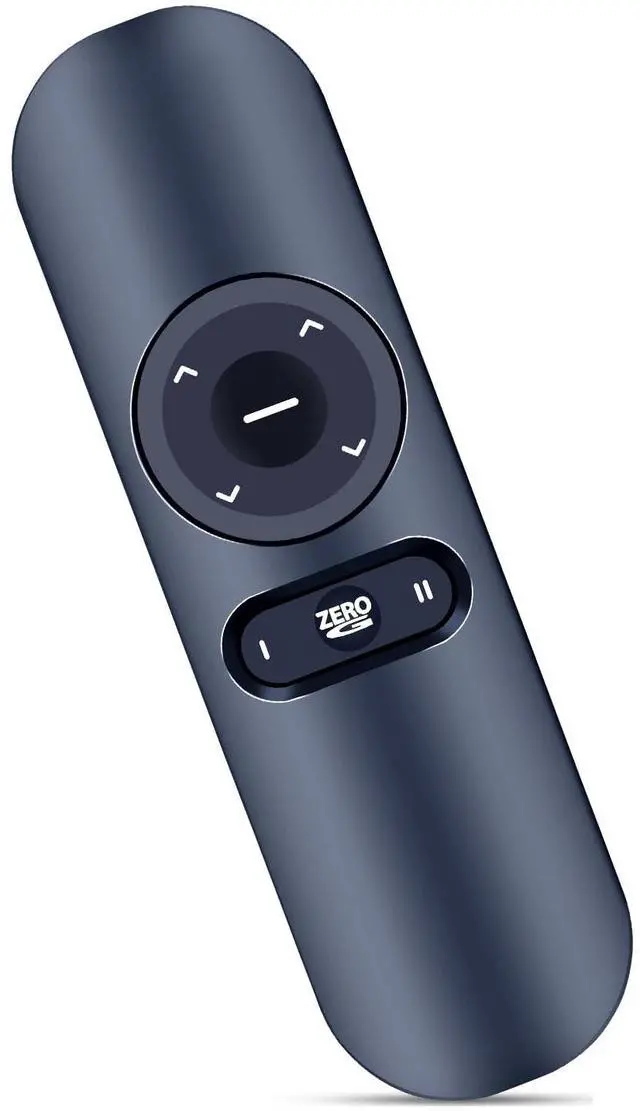
ZWP Replacement Remote Control Compatible for OKIN Tempur-Pedic Sealy Ease Ergo, for Ergomotion Pure Gold Series Adjustable Bed
- Compatible with OKIN Tempur-Pedic Sealy Ease Ergo, for Ergomotion Pure Gold Series Adjustable Bed
- Pairing Step 1: Please ensure your base remote has fresh batteries. Step 2: Locate the Battery Backup Box and press the POWER DOWN button twice. A light on the Battery Backup Box will illuminate. Step 3: On the back of the remote, press and hold down the PAIR button. The PAIR button will illuminate blue and start flashing. When the PAIR button stops flashing, the illuminated light on the Battery Backup Box will go out. Step 4: Release the PAIR button and test all remote functions.
- NOTE: Test all remote functions. If the remote buttons do not impact the adjustable base movements, please repeat the process again or try the steps to Disable the Child Lock because the remote may be locked.
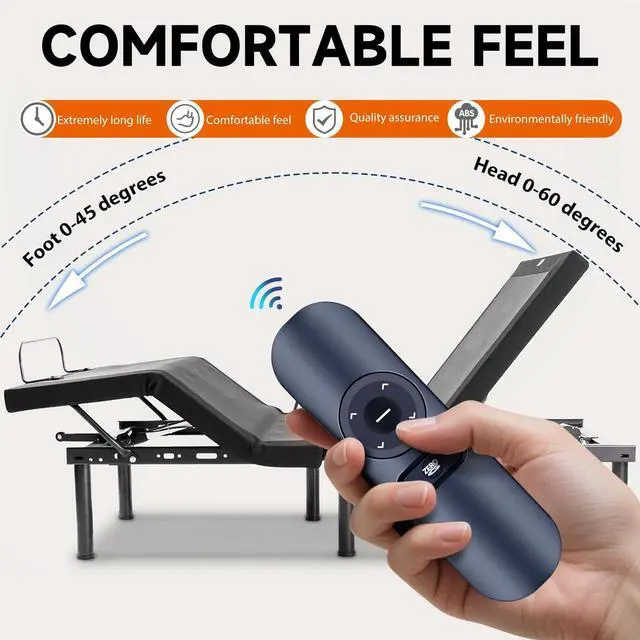
- Brand new Remote Control Made of high-quality ABS, which is wear-resisting and durable, comfortable hand feeling, Package Included:1 x Remote Controller (not include the battery)
- Any question, Pl
+
+
Overview
Specs
Reviews
Any questions? Our AI beta will help you find out quickly.
Try me now
Compatible with OKIN Tempur-Pedic Sealy Ease Ergo, for Ergomotion Pure Gold Series Adjustable Bed ^^
Pairing Step 1: Please ensure your base remote has fresh batteries.
Step 2: Locate the Battery Backup Box and press the POWER DOWN button twice. A light on the Battery Backup Box will illuminate.
Step 3: On the back of the remote, press and hold down the PAIR button. The PAIR button will illuminate blue and start flashing. When the PAIR button stops flashing, the illuminated light on the Battery Backup Box will go out.
Step 4: Release the PAIR button and test all remote functions.
^^ NOTE: Test all remote functions. If the remote buttons do not impact the adjustable base movements, please repeat the process again or try the steps to Disable the Child Lock because the remote may be locked. ^^ Brand new Remote Control Made of high-quality ABS, which is wear-resisting and durable, comfortable hand feeling,
Package Included: 1 x Remote Controller (not include the battery) ^^ Any question, Please do not hesitate to contact us before leaving Feedback, We will help you resolve it, Thank you.

Pairing Step 1: Please ensure your base remote has fresh batteries.
Step 2: Locate the Battery Backup Box and press the POWER DOWN button twice. A light on the Battery Backup Box will illuminate.
Step 3: On the back of the remote, press and hold down the PAIR button. The PAIR button will illuminate blue and start flashing. When the PAIR button stops flashing, the illuminated light on the Battery Backup Box will go out.
Step 4: Release the PAIR button and test all remote functions.
^^ NOTE: Test all remote functions. If the remote buttons do not impact the adjustable base movements, please repeat the process again or try the steps to Disable the Child Lock because the remote may be locked. ^^ Brand new Remote Control Made of high-quality ABS, which is wear-resisting and durable, comfortable hand feeling,
Package Included: 1 x Remote Controller (not include the battery) ^^ Any question, Please do not hesitate to contact us before leaving Feedback, We will help you resolve it, Thank you.
Warranty & Returns
Warranty, Returns, And Additional Information
Warranty
- Please contact the Seller directly for warranty information. Warranty information may also be found on the Manufacturer's website.
- CONTACT
Return Policies
- Return for refund within: 30 days
- Return for replacement within: non-replaceable
- This item is covered by VersaCom Return Policy
Manufacturer Contact Info
- For a directory of all our manufacturers, please click below.
- Manufacturers Directory
LOADING...