• $170.99
  • Free 30-day Returns
  • Sold by GoBeRotie
    Hot Seller
    4.5 (15 seller ratings)

    Shipped by GoBeRotie

    Price alert
    Shop it at NeweggBusiness.

    Meet Your Seller

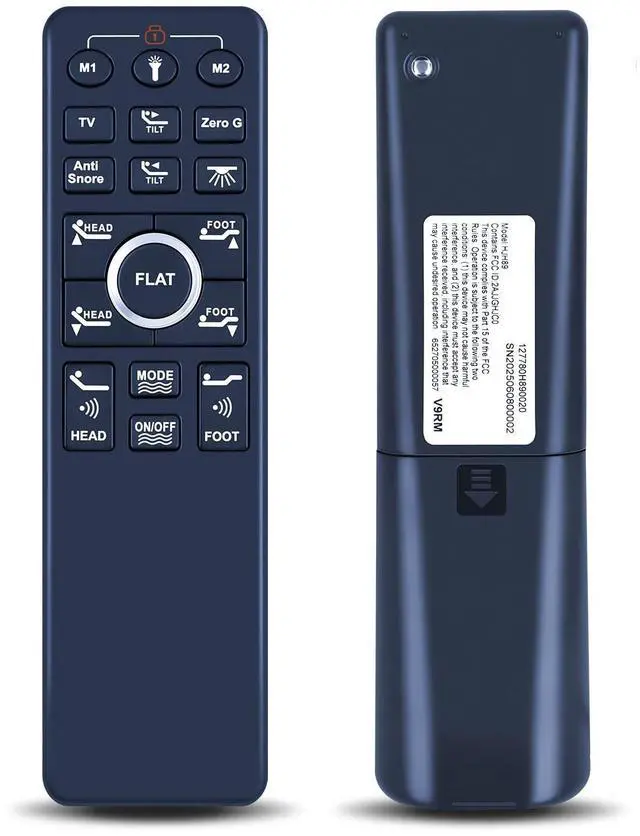
    WKOLF Adjustable Bed Remote for Dyonery ^^ MUUEGM Split King, Twin XL, Queen Adjustable Bed Base Frame

    • Compatible ModelsAdjustable bed base remote for size Split King, Twin XL, Queen
    • Ergonomic Wireless Backlit RemoteFull-featured ergonomic wireless backlit remote with a flashlight. Preset positions including one-touch zero gravity, anti-snore, TV, 2 additional memory preset and one-touch flat button.
    • How to Pair1) Make sure the batteries work fine. Replace them when needed. 2) Plug the power cord to the power source. Ensure there is power to the source/outlet. 3) Press and hold head lift and foot lift simultaneously, then press and hold the button on the cord of control box for 3 seconds unltil you hear 2 beeps sound, the remote is then paired.
    • Setting Programmable Positions1) Adjust the head and foot to your desired position. 2) Press and hold the flat butt on first, then press and hold FLAT memory button M1 or M2 for 5 seconds until you hear 2 beeps sound. 3) To adjust the saved position, repeat steps 1 and 2 and the new position will be saved.
    • Quality Assura
    +
    +
    Overview
    Specs
    Reviews
    avatar

    Any questions? Our AI beta will help you find out quickly.

    Compatible ModelsAdjustable bed base remote for size Split King, Twin XL, Queen ^^ Ergonomic Wireless Backlit RemoteFull-featured ergonomic wireless backlit remote with a flashlight. Preset positions including one-touch zero gravity, anti-snore, TV, 2 additional memory preset and one-touch flat button. ^^ How to Pair1) Make sure the batteries work fine. Replace them when needed. 2) Plug the power cord to the power source. Ensure there is power to the source/outlet. 3) Press and hold head lift and foot lift simultaneously, then press and hold the button on the cord of control box for 3 seconds unltil you hear 2 beeps sound, the remote is then paired.

    ^^ Setting Programmable Positions1) Adjust the head and foot to your desired position. 2) Press and hold the flat butt on first, then press and hold FLAT memory button M1 or M2 for 5 seconds until you hear 2 beeps sound. 3) To adjust the saved position, repeat steps 1 and 2 and the new position will be saved. ^^
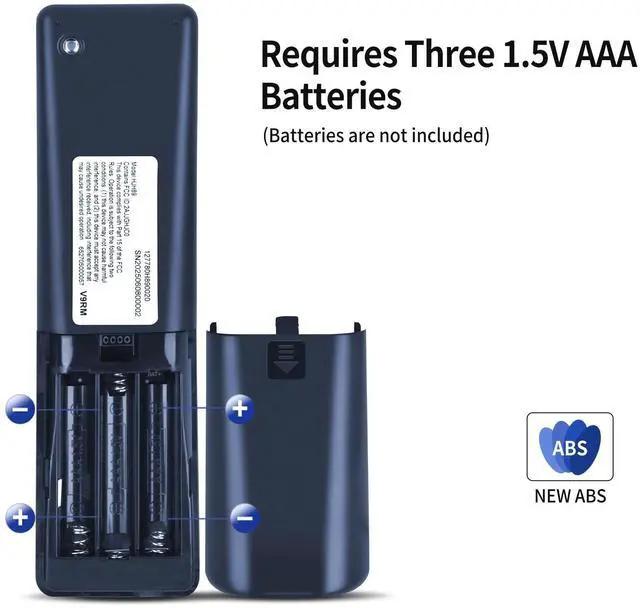
    Quality Assurance & SupportPackage Contains: 1x Remote Control, 1x Manual (2xAAA batteries are not included). Enjoy peace of mind with our comprehensive after-sales service. Contact us via email for any assistance, we'll get back to you within 12 hours on weekdays.

    Warranty & Returns

    Warranty, Returns, And Additional Information

    Warranty

    • Please contact the Seller directly for warranty information. Warranty information may also be found on the Manufacturer's website.
    • CONTACT

    Return Policies

    • Return for refund within: 30 days
    • Return for replacement within: 30 days
    • This item is covered by GoBeRotie Return Policy

    Manufacturer Contact Info

    LOADING...