

Your Browsing History
- Free 30-day Returns
$79.99

Meet Your Seller

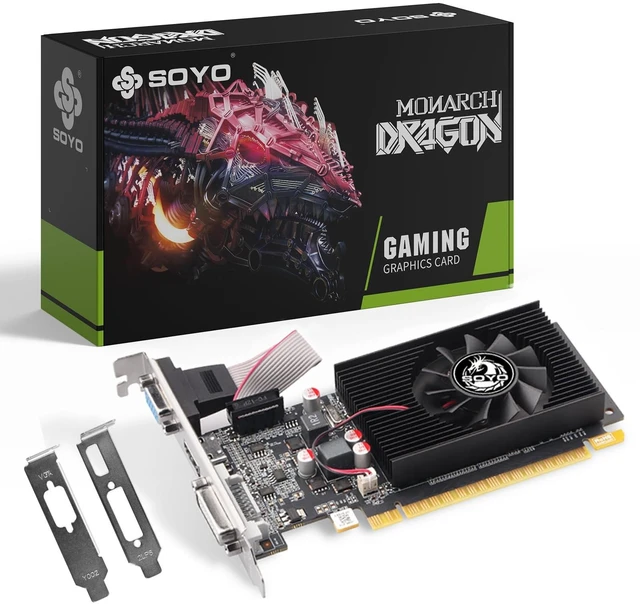
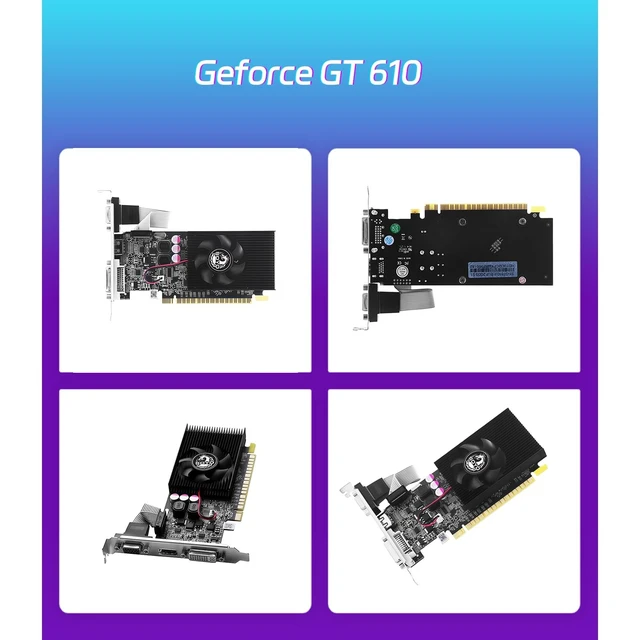



SOYO GeForce GT 610 2GB GDDR3 Low Profile Graphics Card,HDMI/VGA/DVI Port
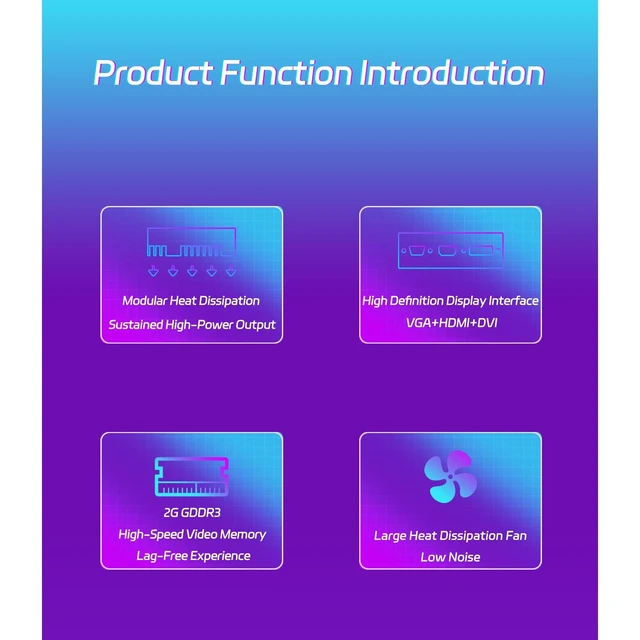
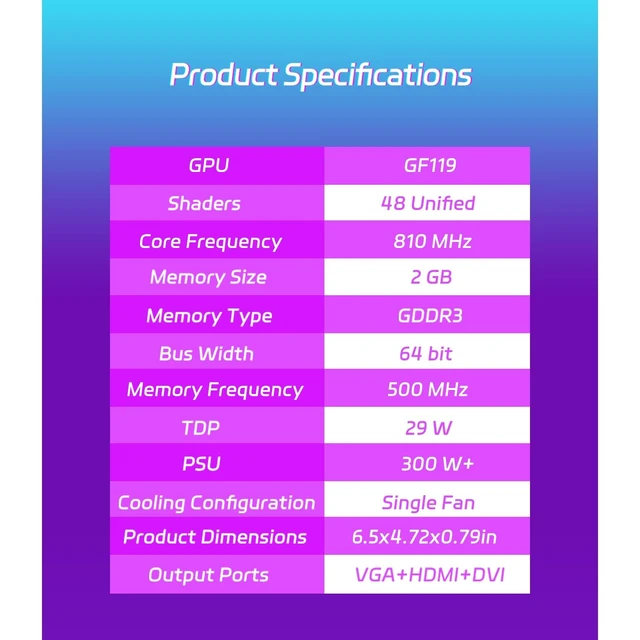
- Reliable Performance for Everyday ComputingPowered by the NVIDIA GeForce GT 610 GPU with 2GB GDDR3 memory, this graphics card delivers smooth performance for everyday office work, web browsing, video playback, and light multimedia applications.
- Triple Display ConnectivityEquipped with HDMI, VGA, and DVI outputs, the GT 610 supports up to three displays simultaneously, making it ideal for expanding your desktop workspace, improving productivity, or building a multi-monitor office setup.
- Low Profile DesignThe compact low-profile form factor fits most Small Form Factor (SFF) desktops, HTPCs, and slim computer cases. Includes a space-saving design that's perfect for upgrading older office PCs.
- Efficient Active CoolingFeaturing a durable aluminum heatsink and single cooling fan, the card provides stable heat dissipation for reliable operation during extended daily use while maintaining consistent performance.
- Broad Windows CompatibilityCompatible with Windows 11 and Windows 10 s
+
+
Overview
Specs
Reviews

Any questions? Our AI mode will help you find out quickly.
Try me now
Reliable Performance for Everyday ComputingPowered by the NVIDIA GeForce GT 610 GPU with 2GB GDDR3 memory, this graphics card delivers smooth performance for everyday office work, web browsing, video playback, and light multimedia applications. ^^ Triple Display ConnectivityEquipped with HDMI, VGA, and DVI outputs, the GT 610 supports up to three displays simultaneously, making it ideal for expanding your desktop workspace, improving productivity, or building a multi-monitor office setup. ^^ Low Profile DesignThe compact low-profile form factor fits most Small Form Factor (SFF) desktops, HTPCs, and slim computer cases.
Includes a space-saving design that's perfect for upgrading older office PCs. ^^ Efficient Active CoolingFeaturing a durable aluminum heatsink and single cooling fan, the card provides stable heat dissipation for reliable operation during extended daily use while maintaining consistent performance. ^^ Broad Windows CompatibilityCompatible with Windows 11 and Windows 10 systems, the GT 610 installs easily through the PCI Express x16 interface, making it a practical graphics upgrade for home, office, education, and commercial desktop computers. ^^ NoteIf the device doesn't display or work properly after installation, the following settings can be performed: Set
video to legacy mode: Enter the computer's BIOS settings interface, find the options related to display, locate the "Video Mode" or similar option, and set it to "Legacy" mode. Different motherboards use different keys to enter BIOS, with common ones being Del and F2. You can pay attention to the on-screen prompts when starting up the computer.
Enable 4G decoding: After entering BIOS, go to the "Advanced" options, look for options like "Above 4G Decoding" or "4G Memory Decoding", and set them to "Enabled".
Includes a space-saving design that's perfect for upgrading older office PCs. ^^ Efficient Active CoolingFeaturing a durable aluminum heatsink and single cooling fan, the card provides stable heat dissipation for reliable operation during extended daily use while maintaining consistent performance. ^^ Broad Windows CompatibilityCompatible with Windows 11 and Windows 10 systems, the GT 610 installs easily through the PCI Express x16 interface, making it a practical graphics upgrade for home, office, education, and commercial desktop computers. ^^ NoteIf the device doesn't display or work properly after installation, the following settings can be performed: Set
video to legacy mode: Enter the computer's BIOS settings interface, find the options related to display, locate the "Video Mode" or similar option, and set it to "Legacy" mode. Different motherboards use different keys to enter BIOS, with common ones being Del and F2. You can pay attention to the on-screen prompts when starting up the computer.
Enable 4G decoding: After entering BIOS, go to the "Advanced" options, look for options like "Above 4G Decoding" or "4G Memory Decoding", and set them to "Enabled".
Warranty & Returns
Warranty, Returns, And Additional Information
Warranty
- Please contact the Seller directly for warranty information. Warranty information may also be found on the Manufacturer's website.
- CONTACT
Return Policies
- Return for refund within: 30 days
- Return for replacement within: 30 days
- This item is covered by CloudBeast Return Policy
Manufacturer Contact Info
- For a directory of all our manufacturers, please click below.
- Manufacturers Directory
LOADING...