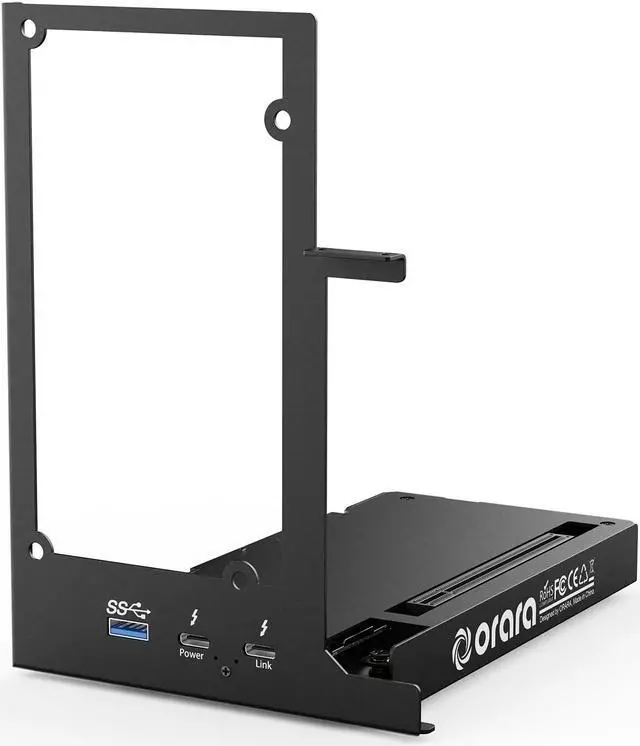
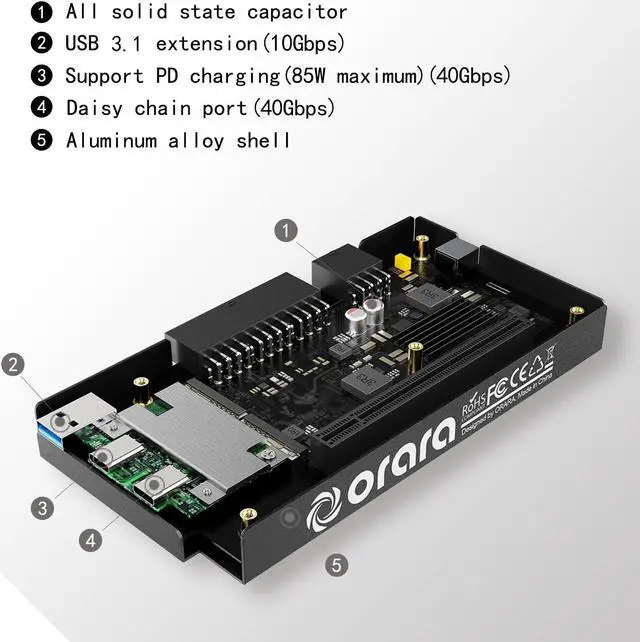
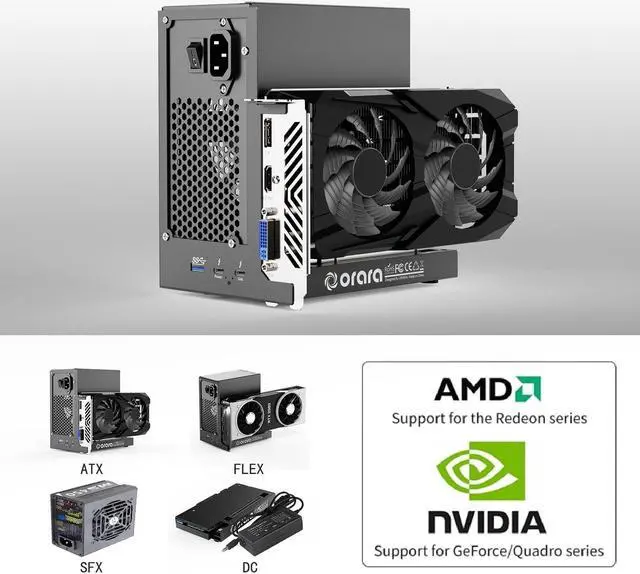
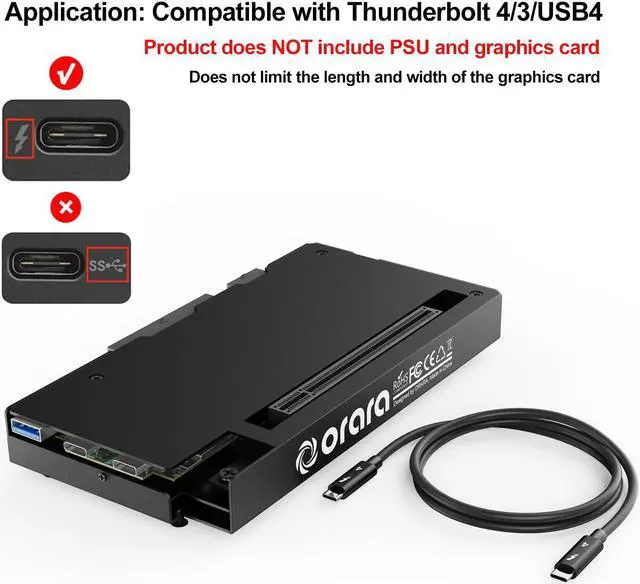
External GPU Dock Station, Mini eGPU Enclosure Compatible with Thunderbolt 3/4, USB4 40Gbps Graphics Card Docking Station Compatible with NVIDIA/AMD PCIe, PD 85W Charging, Daisy Chain, DC/ATX/SFX/FLEX Support.
Application: Our ORARA GPU DOCK is Compatible with NUC/LAPTOP/Game console handheld machines with USB4/TB3/TB4 interface
NOTE:
1. It does not support with Thunderbolt 1 and Thunderbolt 2 ports.
2. It does not support MacBook models with M1/M2/M3/M4 Chips.
3. When using macOS on a MacBook (intel chip), macOS does not support Nvidia versions of graphics cards.
4. When running Windows via Boot Camp on a MacBook, only Nvidia versions of graphics cards are supported.
5. For Windows operating system, only support Windows 10 version or later. Please install the latest version.
6. DC adapter is NOT included in the package and the DC power supply is only suitable for those PCIe devices which does not require external power supply, for example Integrate video capture cards, NVMe drives, FireWire cards, high-speed fiber / ethernet connectivity... etc
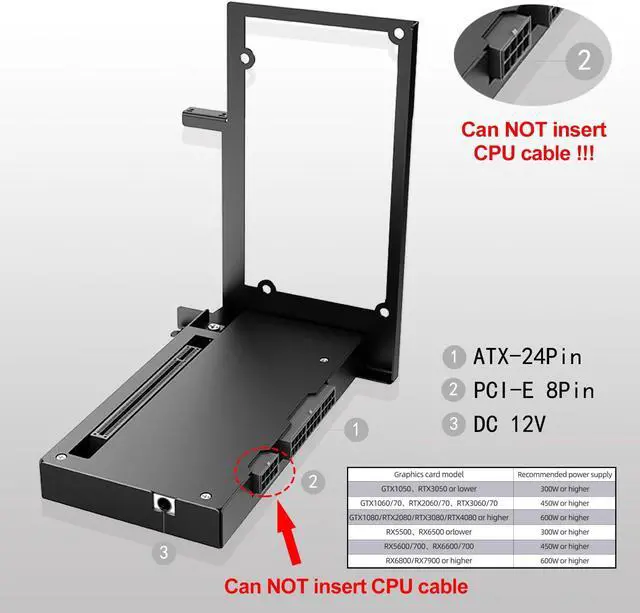
7. Do NOT insert CPU CABLE to the PCIE-8PIN port of the dock, it will cause automatic power-off protection, if you wrongly inserted it, please unplug it and then unplug the ATX-24PIN cable, and next insert the ATX-24PIN cable again to use it.
Common Questions
Q: My computer as a thunderbolt port, but it can not detect the graphics card?
A: Please check if the power cable of the graphics card is properly connected and vertify if the thunderbolt manager on the computer is working properly.
Q: What should I do if there are no thunderbolt drivers in my operating system?
A: Please visit the official website of your laptop, search for the corresponding model, find the thunderbolt drivers, download and install them.
Q: How should I choose a power supply?
A: Choose a power supply based on the power consumption of the graphics card, and ensure sufficient redundancy space. It is recommended to choose a power supply with a rated power of 500W or higher and certified with 80 PLUS Gold.
Q: Does this product work with type c?
A: This product is ONLY compatible with Thunderbolt 3/Thunderbolt 4/USB4, it does NOT work with a type c interface product.
Q: Why there is no indicator LED or any power after following the installation video?
1. Please check the port on your computer is Thunderbolt 4 or Thunderbolt 3 or USB4, otherwise it can not be used.
2. Please make sure you did NOT inserted the CPU-8PIN cable to the PCIE-8PIN port on the dock station. if you wrongly inserted it, please unplug it and then unplug the ATX-24PIN cable, and next insert the ATX-24PIN cable again to use it.
3. Please check if the graphics card is connected with the power cable.
Specification:
Item Type: External GPU Docking Station
Product Size: 162 x 118 x 177mm
TB Ports Transfer Rate: 40Gbps
USB 3.0: 10Gbps
Daisy Chain: Support
Power Supply: ATX/SFX/FLEX and Others
Graphics Card Size Support: Unlimited
PD Charging: Maximum 85W
USB Function:
USB: 5V2A, Type C (Daisy Chain Port): 5V3A
Packing List:
*1 x Thunderbolt GPU Dock (graphics card and power supply not included)
*1 x TB4 data cable
*1 x Screw package
*1 x ATX bracket
*1 x ATX to SFX bracket
*1 x User Manual