

Your Browsing History
- Free 30-day Returns
$54.99


Meet Your Seller


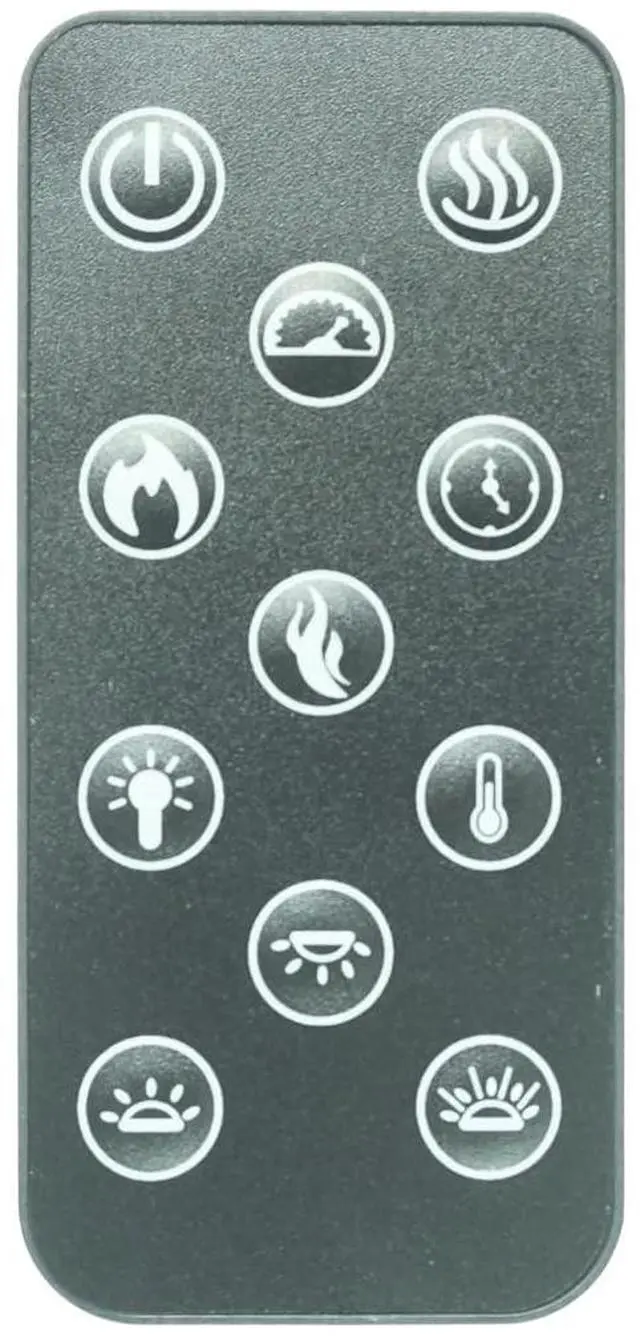
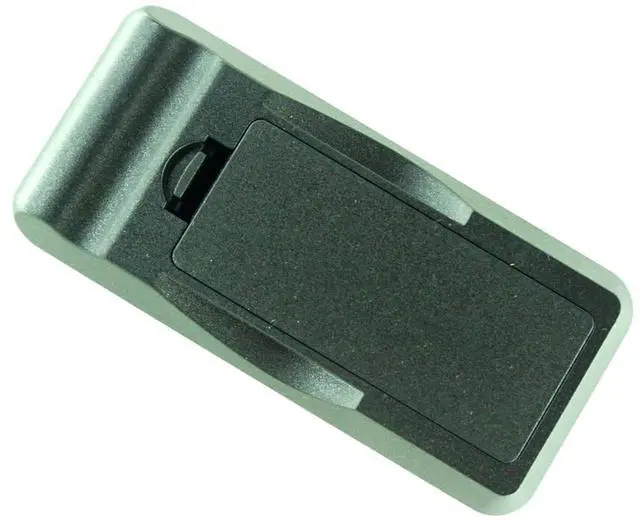


HCDZ Replacement Remote Control for Modern Flames Redstone RS-2621 RS-3021 RS-3626 RS-4229 RS-5435 Built-in Recessed Electric Fireplace
- Exact Replacement for Modern Flames Redstone Series: This remote is specifically designed as a direct replacement for Modern Flames Redstone built-in recessed electric fireplace models RS-2621, RS-3021, RS-3626, RS-4229, and RS-5435. It replicates the original remote's functionality for seamless integration.
- Complete Fireplace Function Control: Regain full command of your electric fireplace with dedicated buttons for power on/off, flame effect adjustments (intensity and color if applicable), heat settings, thermostat control, and timer functions.
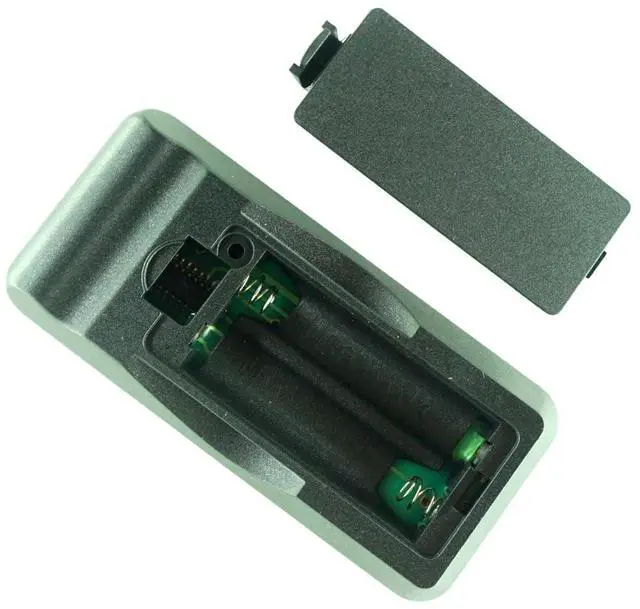
- Easy Plug-and-Play Setup: Simply install two AAA batteries (not included), ensure your fireplace is powered on, and point the remote directly at the fireplace's infrared receiver. No complex programming is required for basic operation with compatible models.
- Built-In Troubleshooting Guide: If issues arise, use our quick diagnostic tips: verify battery polarity (+/-), test the remote's signal using any smartphone camera (look for a fla
+
+
Overview
Specs
Reviews

Any questions? Our AI mode will help you find out quickly.
Try me now
IMPORTANT: Compatibility Verification & Troubleshooting GuidePlease read BEFORE purchasing or using this remoteQ1: How do I know if this remote is compatible with my fireplace? This remote is designed for specific fireplace models.
To verify compatibility: Locate your fireplace's model number - This is usually found on a label on the back or side of your unit, or in your user manual. Check against our compatibility list - This remote is compatible with models: RS-2621, RS-3021, RS-3626, RS-4229, RS-5435. If your model is not listed - Please contact us through Messages with your exact model number BEFORE purchasing. We will help you verify compatibility.
Q2: The remote doesn't work with my fireplace. What should I do? If your remote appears non-functional, follow these steps
IN ORDER: Step
1: Verify Your Fireplace ModelDouble-check that your fireplace model is on our compatibility list. If your model is not listed, it may not be compatible.
Step 2: Check Power and BatteriesEnsure your fireplace is plugged in and the main power switch is ON. Open the remote battery compartment and check that batteries are installed correctly (+/-). Replace with fresh, high-quality AAA batteries. Weak batteries are the #1 cause of remote failure.
Step 3: Perform the Infrared (IR) Signal TestOpen your smartphone's camera app. Point the front tip of the remote directly at your phone's camera lens. Press and hold any button while looking at your phone screen. If you see a flashing white/purple light on your screen: The remote is working. The issue is likely with your fireplace's receiver or settings. If you see
NO light: The remote or batteries may be faulty. Try new batteries first.
Step 4: Check Line of SightPoint the remote directly at the fireplace's IR receiver (usually a small dark window on the front panel). Remove any objects blocking the path. Stay within 20 feet (6 meters) of the unit.
Step 5: Try Different Lighting ConditionsVery bright ambient light (direct sunlight, strong LED lights) can interfere with IR signals. Try operating in dimmer conditions or from a different angle.
Q3: Different fireplace models have different pairing methods? NoPlease consult your fireplace's original user manual for the correct pairing procedure for your specific model.
Q4: I'm still having issues. How can I get help? If you have followed all troubleshooting steps and the remote still does not work: Contact us through Messages - Click "Your Orders" Find this order "Contact
Seller"Please provide: Your fireplace's exact model numberWhich troubleshooting steps you have already triedWhether the remote passed the smartphone camera testWe will respond within 24 hours with personalized assistance.
To verify compatibility: Locate your fireplace's model number - This is usually found on a label on the back or side of your unit, or in your user manual. Check against our compatibility list - This remote is compatible with models: RS-2621, RS-3021, RS-3626, RS-4229, RS-5435. If your model is not listed - Please contact us through Messages with your exact model number BEFORE purchasing. We will help you verify compatibility.
Q2: The remote doesn't work with my fireplace. What should I do? If your remote appears non-functional, follow these steps
IN ORDER: Step
1: Verify Your Fireplace ModelDouble-check that your fireplace model is on our compatibility list. If your model is not listed, it may not be compatible.
Step 2: Check Power and BatteriesEnsure your fireplace is plugged in and the main power switch is ON. Open the remote battery compartment and check that batteries are installed correctly (+/-). Replace with fresh, high-quality AAA batteries. Weak batteries are the #1 cause of remote failure.
Step 3: Perform the Infrared (IR) Signal TestOpen your smartphone's camera app. Point the front tip of the remote directly at your phone's camera lens. Press and hold any button while looking at your phone screen. If you see a flashing white/purple light on your screen: The remote is working. The issue is likely with your fireplace's receiver or settings. If you see
NO light: The remote or batteries may be faulty. Try new batteries first.
Step 4: Check Line of SightPoint the remote directly at the fireplace's IR receiver (usually a small dark window on the front panel). Remove any objects blocking the path. Stay within 20 feet (6 meters) of the unit.
Step 5: Try Different Lighting ConditionsVery bright ambient light (direct sunlight, strong LED lights) can interfere with IR signals. Try operating in dimmer conditions or from a different angle.
Q3: Different fireplace models have different pairing methods? NoPlease consult your fireplace's original user manual for the correct pairing procedure for your specific model.
Q4: I'm still having issues. How can I get help? If you have followed all troubleshooting steps and the remote still does not work: Contact us through Messages - Click "Your Orders" Find this order "Contact
Seller"Please provide: Your fireplace's exact model numberWhich troubleshooting steps you have already triedWhether the remote passed the smartphone camera testWe will respond within 24 hours with personalized assistance.
Warranty & Returns
Warranty, Returns, And Additional Information
Warranty
- Please contact the Seller directly for warranty information. Warranty information may also be found on the Manufacturer's website.
- CONTACT
Return Policies
- Return for refund within: 30 days
- Return for replacement within: 30 days
- This item is covered by GoBeRotie Return Policy
Manufacturer Contact Info
- For a directory of all our manufacturers, please click below.
- Manufacturers Directory
LOADING...