Your Browsing History
- Free 30-day Returns
$197.99
Meet Your Seller
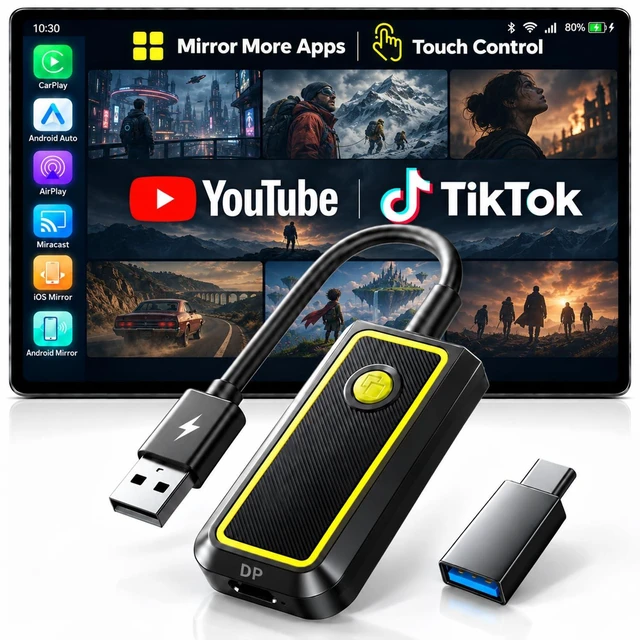
LAMTTO Wireless CarPlay Adapter, Phone Mirroring with Touch Control
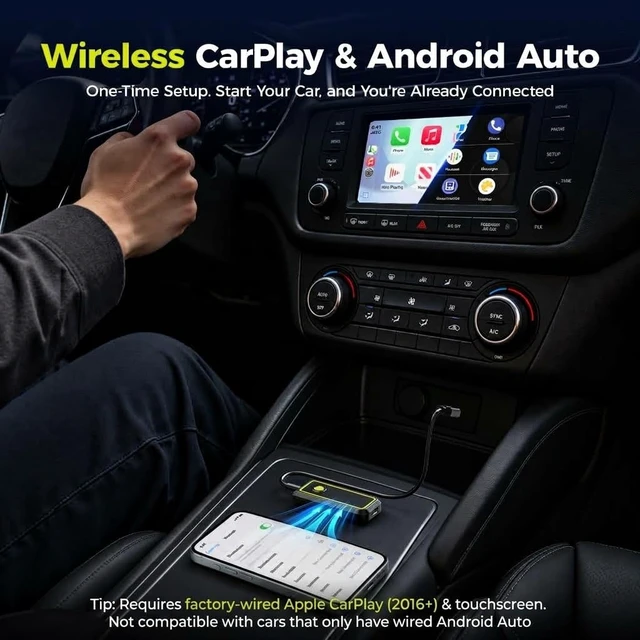
- Setup and Compatibility CHECK CAR: Requires factory wired OEM Apple CarPlay and a touchscreen. Test with iPhone + USB data cable; CarPlay must open. Not compatible with wireless-only CarPlay systems, Android car systems, BMW, or Tesla. CONNECT LAMTTO ADAPTER: Plug into car's CarPlay USB port to open the Home. Phone: Choose CarPlay for iPhone or Android Auto for Android. Requires iOS 10+ or Android 11+. Wired iOS & Android Mirror: Requires an iPhone 15 or later (excl. 16e/17e/Air) or a compatible Android flagship phone with DisplayPort (DP) video output.
- A New Standard in In-Car EntertainmentNewly upgraded, the LAMTTO CarPlay adapter goes beyond traditional wireless mirroring, which typically requires playback control on your phone by adding zero-latency wired mirroring. With the included DP cable, you can play, pause or skip to your favorite scenes directly on your cars touchscreen. While parked, enjoy supported DRM-protected videos from a compatible phone while s
+
+
Overview
Specs
Reviews
Any questions? Ask CelesteSM will help you find out quickly.
Try me now
Setup and
Compatibility CHECK CAR: Requires factory wired OEM Apple CarPlay and a touchscreen. Test with iPhone + USB data cable; CarPlay must open. Not compatible with wireless-only CarPlay systems, Android car systems, BMW, or Tesla.
CONNECT LAMTTO ADAPTER: Plug into car's CarPlay USB port to open the Home.
Phone: Choose CarPlay for iPhone or Android Auto for Android. Requires iOS 10+ or Android 11+. Wired iOS
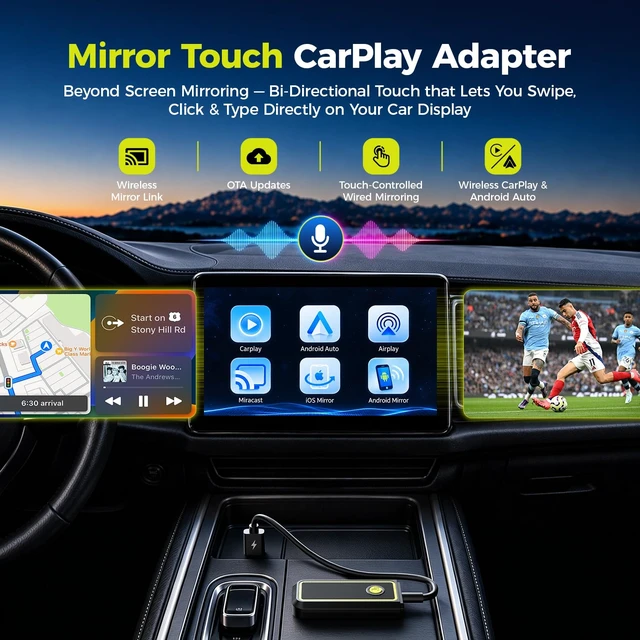
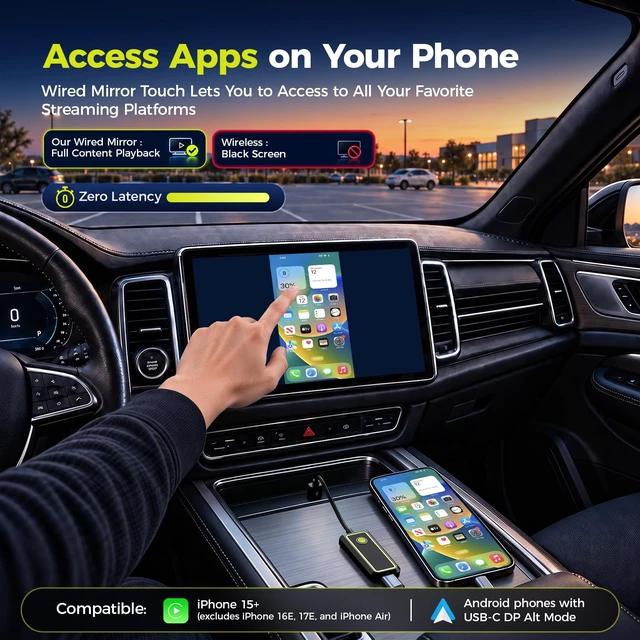
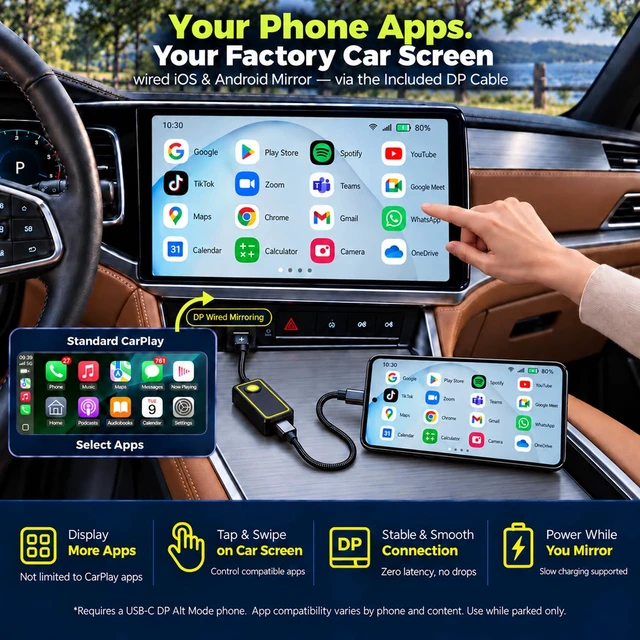
& Android Mirror: Requires an iPhone 15 or later (excl. 16e/17e/Air) or a compatible Android flagship phone with DisplayPort (DP) video output. ^^ A New Standard in In-Car EntertainmentNewly upgraded, the LAMTTO CarPlay adapter goes beyond traditional wireless mirroring, which typically requires playback control on your phone by adding zero-latency wired mirroring. With the included DP cable, you can play, pause or skip to your favorite scenes directly on your cars touchscreen. While parked, enjoy supported DRM-protected videos from a compatible phone while slowly charging itbringing more content and effortless control to your factory screen. ^^ More Phone Apps on Your Car Screen Parked for lunch or waiting for pickup? Simply connect this CarPlay wireless adapter to a compatible USB-C DP Alt Mode phone using the included DP cable, then select "iOS or Android Mirror" to bring supported apps beyond standard CarPlay onto your existing touchscreen. Tap, swipe and scroll on the car screen instead of holding your phone. Apps run on the phone; view video only while parked. (: If video wont play during wired mirroring, follow the OTA update instructions in Setup > Other to improve app compatibility. ) ^^ Go Wireless for Everyday DrivingFor commutes and road trips, use CarPlay or Android Auto to get directions, play music and take calls without plugging in your phone each drive. Select the phone mode on the car play wireless adapter Home and pair via Bluetooth/Wi-Fi. The car must still have factory wired Apple CarPlay. ^^ Share Moments Without a CableAt a parked rest stop, share vacation photos or compatible short clips on your car screen using iPhone AirPlay or Android Miracast with this carplay screen mirroring adapter - no DP cable needed. Great for letting passengers see the same content. Wireless mirroring is view-only; control apps on your phone. DRM-protected video may display a black screen. ^^ One-Touch ModeWhen the DP cable is plugged into your phone, press the carplay adapters dedicated button to switch between wireless CarPlay and wired iOS & Android Mirror. Use CarPlay for everyday navigation, then switch to phone mirroring to enjoy apps while parked. (: This button cannot switch to AirPlay or Miracast mode. ) ^^ Slow Charging While You Mirror This screen mirroring adapter for car displays provides slow charging through the included DP cable during wired mirroring. It helps reduce battery drain without a separate charging cable. To protect the wireless adapter, slow charging only. ^^ LAMTTO Support You Can Rely OnBacked by a 30-day return policy and a 1-year warranty, its a gift you can give with confidence. If you have questions about compatibility, installation or connection, our professional support team is ready to provide timely troubleshooting.
Compatibility CHECK CAR: Requires factory wired OEM Apple CarPlay and a touchscreen. Test with iPhone + USB data cable; CarPlay must open. Not compatible with wireless-only CarPlay systems, Android car systems, BMW, or Tesla.
CONNECT LAMTTO ADAPTER: Plug into car's CarPlay USB port to open the Home.
Phone: Choose CarPlay for iPhone or Android Auto for Android. Requires iOS 10+ or Android 11+. Wired iOS
& Android Mirror: Requires an iPhone 15 or later (excl. 16e/17e/Air) or a compatible Android flagship phone with DisplayPort (DP) video output. ^^ A New Standard in In-Car EntertainmentNewly upgraded, the LAMTTO CarPlay adapter goes beyond traditional wireless mirroring, which typically requires playback control on your phone by adding zero-latency wired mirroring. With the included DP cable, you can play, pause or skip to your favorite scenes directly on your cars touchscreen. While parked, enjoy supported DRM-protected videos from a compatible phone while slowly charging itbringing more content and effortless control to your factory screen. ^^ More Phone Apps on Your Car Screen Parked for lunch or waiting for pickup? Simply connect this CarPlay wireless adapter to a compatible USB-C DP Alt Mode phone using the included DP cable, then select "iOS or Android Mirror" to bring supported apps beyond standard CarPlay onto your existing touchscreen. Tap, swipe and scroll on the car screen instead of holding your phone. Apps run on the phone; view video only while parked. (: If video wont play during wired mirroring, follow the OTA update instructions in Setup > Other to improve app compatibility. ) ^^ Go Wireless for Everyday DrivingFor commutes and road trips, use CarPlay or Android Auto to get directions, play music and take calls without plugging in your phone each drive. Select the phone mode on the car play wireless adapter Home and pair via Bluetooth/Wi-Fi. The car must still have factory wired Apple CarPlay. ^^ Share Moments Without a CableAt a parked rest stop, share vacation photos or compatible short clips on your car screen using iPhone AirPlay or Android Miracast with this carplay screen mirroring adapter - no DP cable needed. Great for letting passengers see the same content. Wireless mirroring is view-only; control apps on your phone. DRM-protected video may display a black screen. ^^ One-Touch ModeWhen the DP cable is plugged into your phone, press the carplay adapters dedicated button to switch between wireless CarPlay and wired iOS & Android Mirror. Use CarPlay for everyday navigation, then switch to phone mirroring to enjoy apps while parked. (: This button cannot switch to AirPlay or Miracast mode. ) ^^ Slow Charging While You Mirror This screen mirroring adapter for car displays provides slow charging through the included DP cable during wired mirroring. It helps reduce battery drain without a separate charging cable. To protect the wireless adapter, slow charging only. ^^ LAMTTO Support You Can Rely OnBacked by a 30-day return policy and a 1-year warranty, its a gift you can give with confidence. If you have questions about compatibility, installation or connection, our professional support team is ready to provide timely troubleshooting.
Warranty & Returns
Warranty, Returns, And Additional Information
Warranty
- Please contact the Seller directly for warranty information. Warranty information may also be found on the Manufacturer's website.
- CONTACT
Return Policies
- Return for refund within: 30 days
- Return for replacement within: 30 days
- This item is covered by SmartJoy Shop Return Policy
Manufacturer Contact Info
- For a directory of all our manufacturers, please click below.
- Manufacturers Directory
LOADING...