Your Browsing History
- Free 30-day Returns
$149.99
Best Sellers
- $155.88
- + FREE SHIPPING
Meet Your Seller
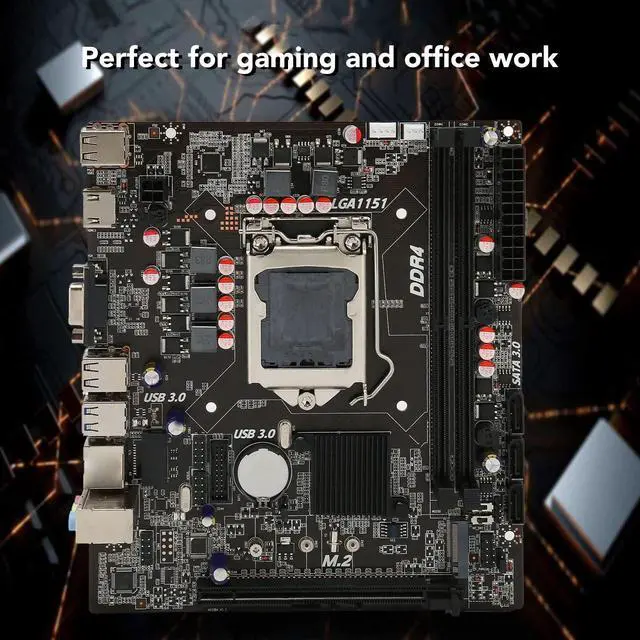
Ciciglow H110 Micro ATX Motherboard, DDR4 SO DIMM, PCIe 3.0, SATA3.0, M.2 HDMI VGA USB3.0/2.0, Supports i5 6500 i7 6700 CPU
- SATA3.0 Interface: This PC motherboard adopts SATA3.0 interface that features strong compatibility and provide fast reading speed.
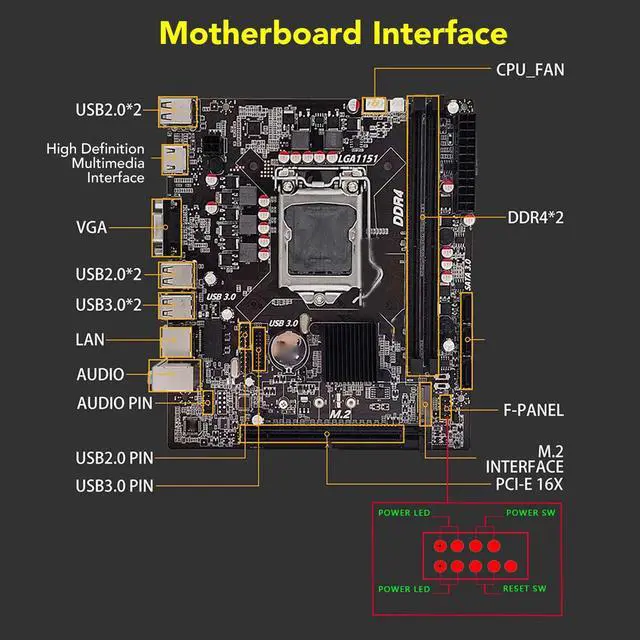
- Easy Expansion: This server motherboard is designed with HD Multimedia Interface and VGA interface. M.2 interface supports NGFF and NVME protocol.
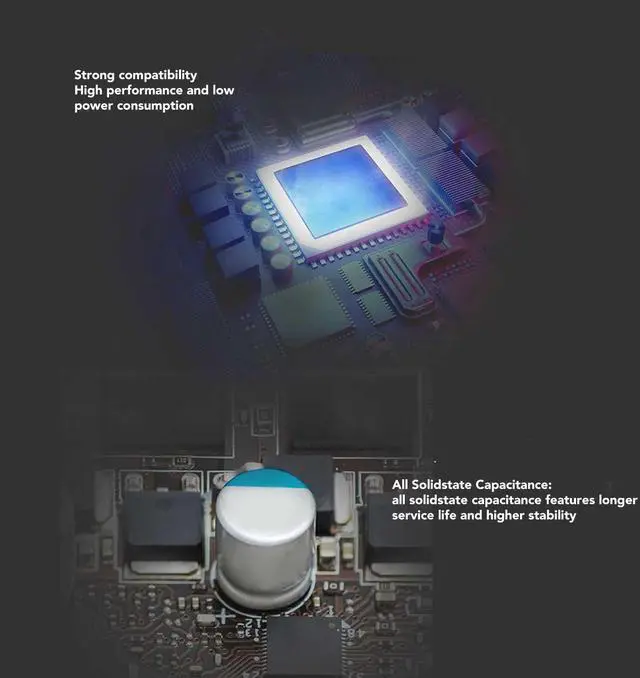
- All Solidstate Capacitance: This LGA 1151 motherboard adopts all solidstate capacitance that provides stable performance and extends service life of motherboard.
- 32GB/s : This computer motherboard is equipped with M.2 hard disk interface which supports 32GB/s speed.
- DDR4 SO DIMM: This desktop motherboard adopts channel DDR4 SO DIMM, and it supports up to 64GB.
+
+
Overview
Specs
Reviews
Any questions? Our AI beta will help you find out quickly.
Try me now
Specification:
Item Type: Desktop Motherboard
Material: Printed Circuit Board
Chipset: H110
Motherboard Framework: M ATX
Motherboard Size: Approx. 190 x 170mm / 7.5 x 6.7 in ( Manual Measurement, Slight Error May Exist )
CPU Slot Type: Supports LGA 1151
Netword Card Chip: 100M Netword Card Chip
Graphics Card Slot: PCI E X16 Gen 3.0
Supported Memory Type: 2 x DDR4
Maximum Memory Capacity: 2 x 32GB (64GB in Total)
SATA Interface: SATA 3.0 x 3
USB Interface: USB 3.0 x 2, USB 2.0 x 4
Sound Adapter: ALC897
Power Supply: 24 Pin x 1, 4 Pin x 1
Expansion Interface: 1 x HD Multimedia Interface, 1 x VGA, M. 2 Interface(NGFF, NVME Protocol Supported)
Battery Type: CR2032 Battery (Inbuilt)
Battery Capacity: 240mAh
The Motherboard Is Fixed In The Main Box, And Then Connected According To The Corresponding Marked Connector.
No Power Problem: When The Device Cannot Be Turned On And The Power Indicator Is Off, Please Make Sure That The Power Supply Is Connected And Works Normally. If Your Cpu Fan Is Installed Correctly, You Can Also Tell If The Power Supply Is Working Properly By Determining If The Fan Is Working Properly.
1. Check The Power Supply Of The Power Adapter
A. Check Whether The Power Cable Is Connected And The Socket Is Properly Plugged, As Shown In The Following Figure. If The Extension Cable Has A Main Power Switch, Make Sure It Is On.
B. Replacing The Extension Cord And Socket Can Help Solve The Problem.
Check Whether The Mainboard Power Supply Is Correctly Connected:
1. Ensure That The Power Cable Of The Power Adapter Is Correctly Inserted Into The Atx Power Port. The Motherboard May Contain Both 24pin Eatxpwr And Eatx12v, Make Sure That Both Eatx12v And 24pin
PackageList:
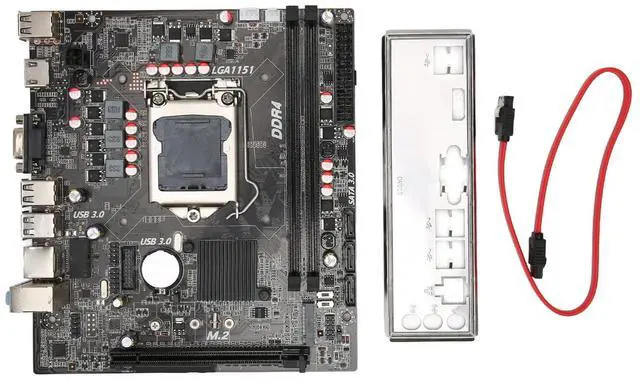
1 x Desktop Motherboard
1 x Baffle
1 x SATA Cable

Item Type: Desktop Motherboard
Material: Printed Circuit Board
Chipset: H110
Motherboard Framework: M ATX
Motherboard Size: Approx. 190 x 170mm / 7.5 x 6.7 in ( Manual Measurement, Slight Error May Exist )
CPU Slot Type: Supports LGA 1151
Netword Card Chip: 100M Netword Card Chip
Graphics Card Slot: PCI E X16 Gen 3.0
Supported Memory Type: 2 x DDR4
Maximum Memory Capacity: 2 x 32GB (64GB in Total)
SATA Interface: SATA 3.0 x 3
USB Interface: USB 3.0 x 2, USB 2.0 x 4
Sound Adapter: ALC897
Power Supply: 24 Pin x 1, 4 Pin x 1
Expansion Interface: 1 x HD Multimedia Interface, 1 x VGA, M. 2 Interface(NGFF, NVME Protocol Supported)
Battery Type: CR2032 Battery (Inbuilt)
Battery Capacity: 240mAh
The Motherboard Is Fixed In The Main Box, And Then Connected According To The Corresponding Marked Connector.
No Power Problem: When The Device Cannot Be Turned On And The Power Indicator Is Off, Please Make Sure That The Power Supply Is Connected And Works Normally. If Your Cpu Fan Is Installed Correctly, You Can Also Tell If The Power Supply Is Working Properly By Determining If The Fan Is Working Properly.
1. Check The Power Supply Of The Power Adapter
A. Check Whether The Power Cable Is Connected And The Socket Is Properly Plugged, As Shown In The Following Figure. If The Extension Cable Has A Main Power Switch, Make Sure It Is On.
B. Replacing The Extension Cord And Socket Can Help Solve The Problem.
Check Whether The Mainboard Power Supply Is Correctly Connected:
1. Ensure That The Power Cable Of The Power Adapter Is Correctly Inserted Into The Atx Power Port. The Motherboard May Contain Both 24pin Eatxpwr And Eatx12v, Make Sure That Both Eatx12v And 24pin
PackageList:
1 x Desktop Motherboard
1 x Baffle
1 x SATA Cable
Warranty & Returns
Warranty, Returns, And Additional Information
Warranty
- Please contact the Seller directly for warranty information. Warranty information may also be found on the Manufacturer's website.
- CONTACT
Return Policies
- Return for refund within: 30 days
- Return for replacement within: 30 days
- This item is covered by To the Internet media Return Policy
Manufacturer Contact Info
- For a directory of all our manufacturers, please click below.
- Manufacturers Directory
LOADING...
LOADING...