• $75.99
  • Free 30-day Returns
  • Price alert
    Sold by HyperCore

    Shipped by HyperCore

    Shop it at NeweggBusiness.

    Meet Your Seller

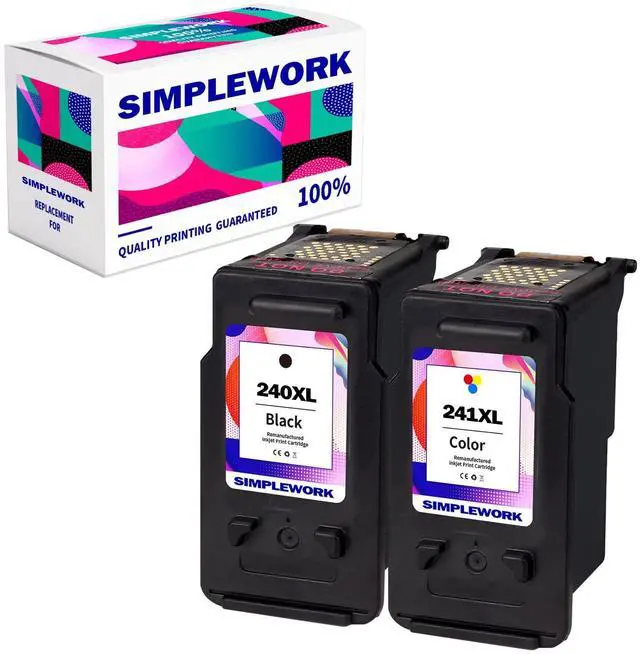
    240XL 241XL Combo Pack Ink Cartridge Remanufactured for Canon PG-240XL CL-241XL for PIXMA MG3620 TS5120 MX472 MX452 MG3220 MG3522 MG3520 ( 2 Pack )

    • Package Content SIMPLEWORK Ink Cartridge replacement for 240XL 241XL ink cartridges black/color combo pack (1 Black, 1 Tri-color, 2 Pack).
    • High page yield 630 pages per 240xl black cartridge, 550 pages per 241xl color cartridge (5% coverage).
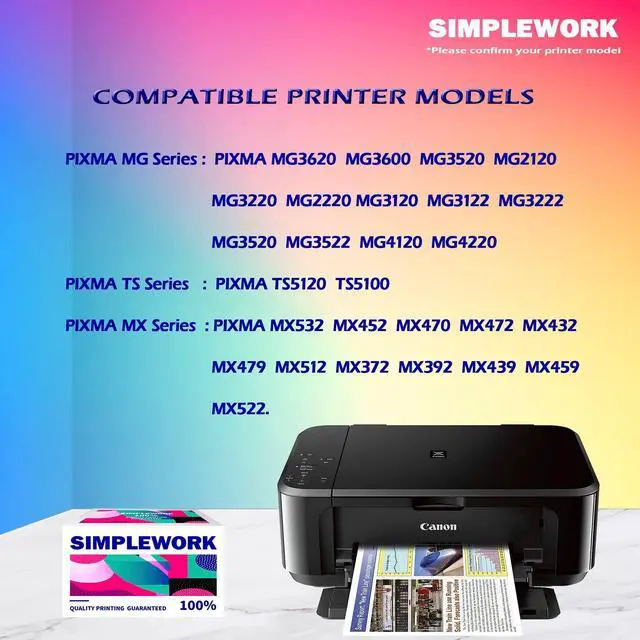
    • Compatible devices MG3620 MG3600 MG3520 MG2120 MG3220 MG2220 MG3120 MG3122 MG3222 MG3520 MG3522 MG4120 MG4220 PIXMA TS5120 TS5100 PIXMA MX532 MX452 MX470 MX472 MX432 MX479 MX512 MX372 MX392 MX439 MX459 MX522.
    • Good Service & Warranty SIMPLEWORK printer ink 240XL 241XL comes with one year warranty service. If you encounter problems in use, you can contact us in time. We will provide a reply within 24 hours.
    • Premium inkSIMPLEWORK is individually packaged and equipped with the latest IC chip, which can accurately detect the remaining amount of ink. After our strict production stage and comprehensive testing, the printing is clear, the color is restored to vividness, and the quality and price are guaranteed to meet all your needs.
    +
    +
    Overview
    Specs
    Reviews
    avatar

    Any questions? Our AI beta will help you find out quickly.

    advantage1. The printing quality and processing method are consistent with the original. 2. Equipped with the latest IC chip, it supports the remaining power display function, and the materials are environmentally friendly. 3. SIMPLEWORK has undergone comprehensive multiple print quality tests, and the high-quality ink cartridges print smoothly without clogging to ensure the best performance. 4. Thoroughly tested for color strength, SIMPLEWORK prints fast-drying documents, text and crisp graphics with professional blacks and vibrant colors, ensuring true-to-life printouts. 5. Any product inquiries will be answered within 24 hours and provide you with satisfactory service.

    Cartridges Installation guides: Step
    1: Remove the protective cover before installing and tear off the plastic tape.
    Step 2: Insert the ink cartridge into your printer.
    Notice: Do not touch the chips and nozzles. If you accidentally touch it, wipe it with an eraser or a dry, lint-free cloth.
    Tip: 1. Please wear gloves to prevent ink from getting on your hands. 2. Please clean the print head before printing. 3. These are non-genuine ink cartridges for North American printers only.
    Kind tips: 1. Before placing an order, please be sure to confirm your printer model. 2. Please remove the transparent cover and pull off plastic tape before installing these cartridges. (Don't touch the chip)3. Printer screen pop up Non-Original Cartridge? Please just click OK and they will go ahead. 4. When occur an error message Replace Cartridge or 'Low ink'? Please reinstall them and try, you can try up to 5 times. 5. When the low ink volume prompt appears for the first time, please press the Continue button to continue to use until you run out.

    Warranty & Returns

    Warranty, Returns, And Additional Information

    Warranty

    • Please contact the Seller directly for warranty information. Warranty information may also be found on the Manufacturer's website.
    • CONTACT

    Return Policies

    • Return for refund within: 30 days
    • Return for replacement within: 30 days
    • This item is covered by HyperCore Return Policy

    Manufacturer Contact Info

    LOADING...