

Your Browsing History
- Free 30-day Returns
$49.99

Meet Your Seller

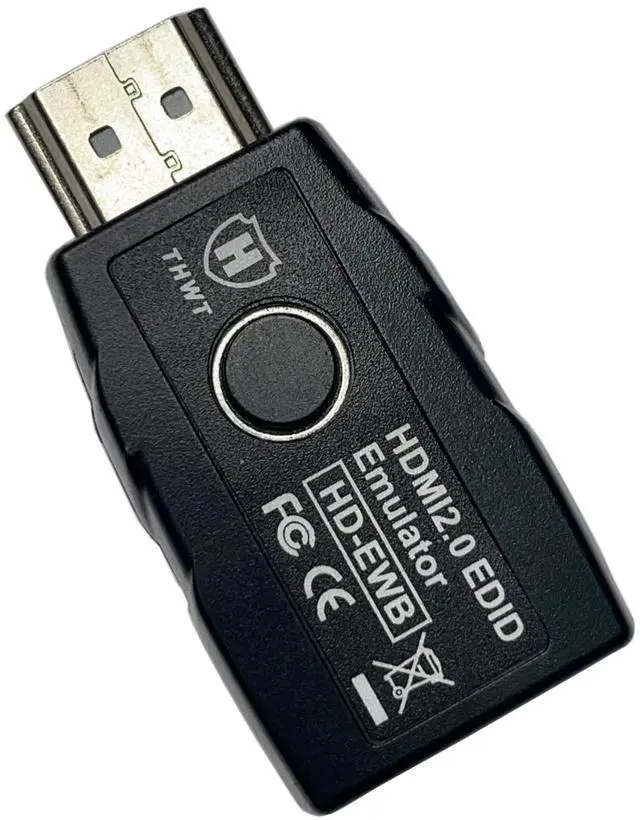
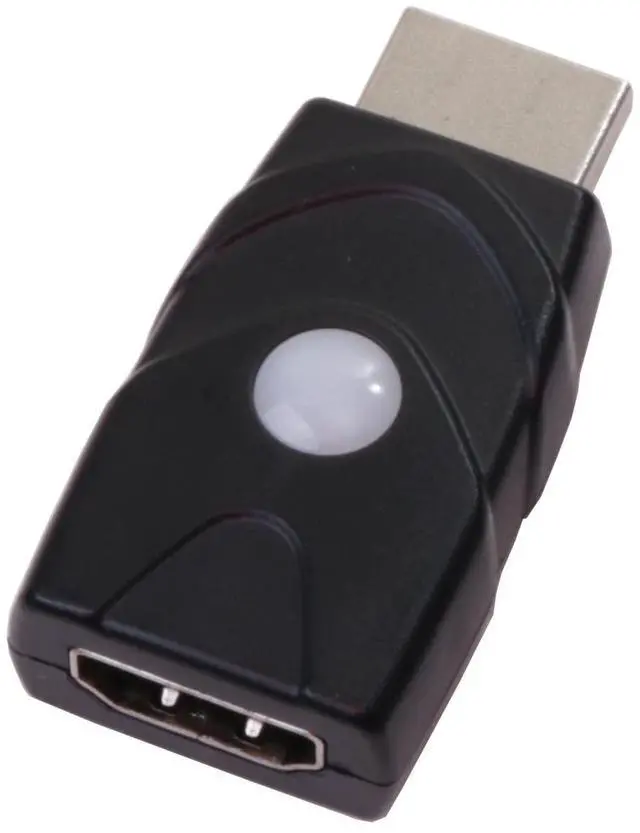
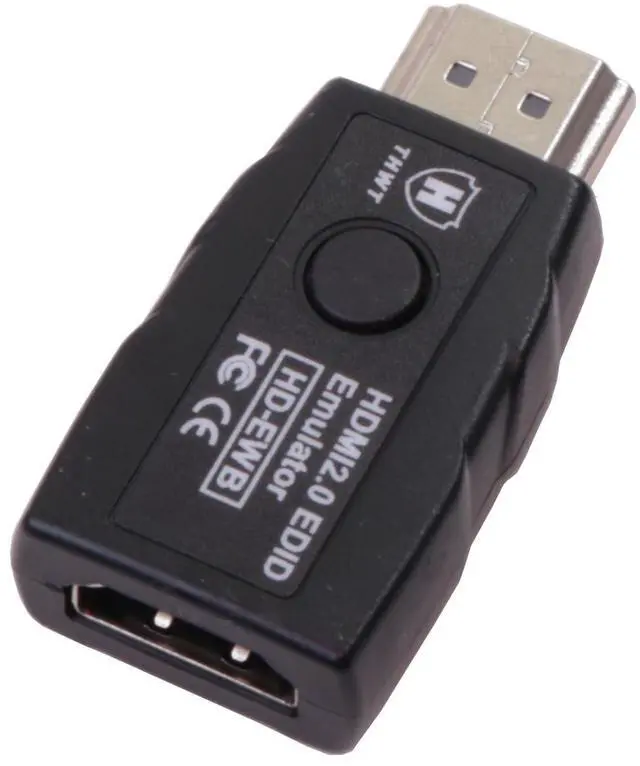
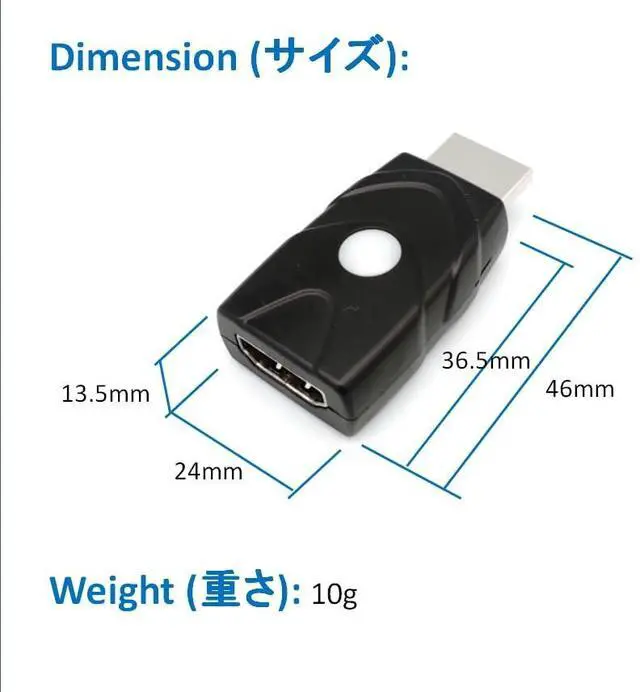
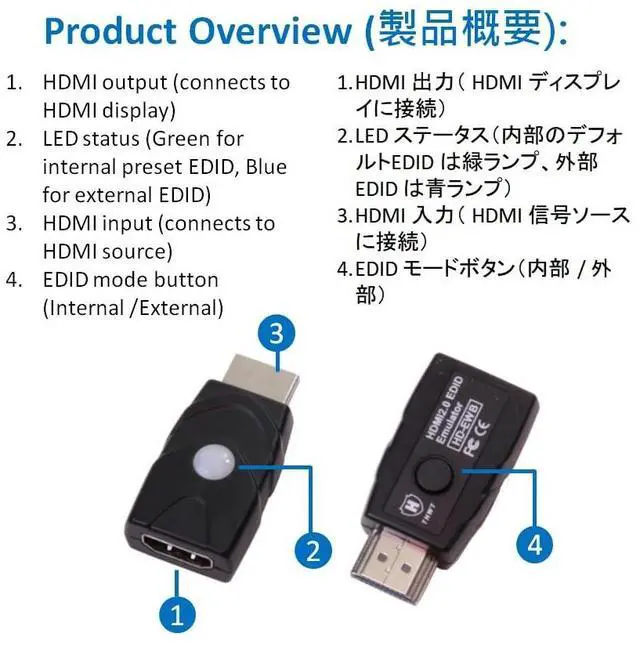


THWT HDMI 2.0 4K EDID Emulator (Model: HD-EWB), Support Exact EDID Copy and Emulation, HDCP Passthrough (not Bypass or Remove), PreSET EDID is 1080p@60Hz 4:4:4 and 4K@60Hz 4:2:0 with 2.1CH Audio
- To Prevent EDID Loss: Supports Exact copying and emulating EDID when connecting devices such as splitters, switchers, and extenders. In rare cases, cable quality and an old screen might affect the success of EDID copy, please try another proper setup.
- Simple to Use: One button switches between internal and external EDID. The preset internal EDID is 1080p @ 60Hz 4:4:4 with 2.1ch audio, and the preset external EDID is 4K @ 60Hz 4:2:0 with 2.1ch audio. Pressing the button for 3 seconds activates copy mode, saving the latest external monitors EDID in the emulator and preparing it for emulation. If you desire surround sound, please copy an EDID from a display that supports 5.1ch or 7.1ch audio, as the preset EDID only supports 2.1ch audio.
- HDMI 2.0 compliant: This product meets HDMI 2.0 and HDCP 1.4 and 2.2 standards. It supports resolutions up to 4K@60Hz / 1080p@240Hz YCbCr 4:4:4 and 3D functionality. It supports HDCP pass-through, an HDMI output device can read the display's HDCP k
+
+
Overview
Specs
Reviews

Any questions? Our AI mode will help you find out quickly.
Try me now
To Prevent EDID Loss: Supports Exact copying and emulating EDID when connecting devices such as splitters, switchers, and extenders. In rare cases, cable quality and an old screen might affect the success of EDID copy, please try another proper setup.
^^ Simple to Use: One button switches between internal and external EDID. The preset internal EDID is 1080p @ 60Hz 4:4: 4 with 2.1 ch audio, and the preset external EDID is 4K @ 60Hz 4:2: 0 with 2.1 ch audio. Pressing the button for 3 seconds activates copy mode, saving the latest external monitors EDID in the emulator and preparing it for emulation. If you desire surround sound, please copy an EDID from a display that supports 5.1 ch or 7.1 ch audio, as the preset EDID only supports 2.1 ch audio.
^^ HDMI 2.0 compliant: This product meets HDMI 2.0 and HDCP 1.4 and 2.2 standards. It supports resolutions up to 4K@60Hz / 1080p@240Hz
YCbCr 4:4: 4 and 3D functionality. It supports HDCP pass-through, an HDMI output device can read the display's HDCP key with a correct connection. If HDCP is not available, the screen will go blank or lower resolution, please try another set.
Bi-directional design: It automatically detects the input and output links. After setting the desired EDID mode on the emulator, it can be connected in reverse direction. This is ideal for resolving signal handshake issues between a source and a display. ^^ HDMI 2.1 and
SCDC not fully functional: This product is not compatible with HDMI 2.1 devices and may cause constant signal interruptions (such as signal loss or not work) due to SCDC checking.
Under 4K@60Hz 4:4: 4 resolution, the monitor may not support replugging, and it will lose signal, because it needs SCDC handshake to perform different ( 1:40 or 1:10 ) clock/data ratios; you may need a powered HDMI switch or insertor to solve this problem or please wait for our upcoming HDMI 2.1 version emulator (4K-EWB). ^^ Headless operation supported; no monitor connection needed. Powered by the HDMI source device; no external power supply needed. If the monitor's EDID can't be copied, please try another monitor, good HDMI cable or use internal EDID for testing.
^^ Simple to Use: One button switches between internal and external EDID. The preset internal EDID is 1080p @ 60Hz 4:4: 4 with 2.1 ch audio, and the preset external EDID is 4K @ 60Hz 4:2: 0 with 2.1 ch audio. Pressing the button for 3 seconds activates copy mode, saving the latest external monitors EDID in the emulator and preparing it for emulation. If you desire surround sound, please copy an EDID from a display that supports 5.1 ch or 7.1 ch audio, as the preset EDID only supports 2.1 ch audio.
^^ HDMI 2.0 compliant: This product meets HDMI 2.0 and HDCP 1.4 and 2.2 standards. It supports resolutions up to 4K@60Hz / 1080p@240Hz
YCbCr 4:4: 4 and 3D functionality. It supports HDCP pass-through, an HDMI output device can read the display's HDCP key with a correct connection. If HDCP is not available, the screen will go blank or lower resolution, please try another set.
Bi-directional design: It automatically detects the input and output links. After setting the desired EDID mode on the emulator, it can be connected in reverse direction. This is ideal for resolving signal handshake issues between a source and a display. ^^ HDMI 2.1 and
SCDC not fully functional: This product is not compatible with HDMI 2.1 devices and may cause constant signal interruptions (such as signal loss or not work) due to SCDC checking.
Under 4K@60Hz 4:4: 4 resolution, the monitor may not support replugging, and it will lose signal, because it needs SCDC handshake to perform different ( 1:40 or 1:10 ) clock/data ratios; you may need a powered HDMI switch or insertor to solve this problem or please wait for our upcoming HDMI 2.1 version emulator (4K-EWB). ^^ Headless operation supported; no monitor connection needed. Powered by the HDMI source device; no external power supply needed. If the monitor's EDID can't be copied, please try another monitor, good HDMI cable or use internal EDID for testing.
Warranty & Returns
Warranty, Returns, And Additional Information
Warranty
- Please contact the Seller directly for warranty information. Warranty information may also be found on the Manufacturer's website.
- CONTACT
Return Policies
- Return for refund within: 30 days
- Return for replacement within: 30 days
- This item is covered by mafengkeji Return Policy
Manufacturer Contact Info
- For a directory of all our manufacturers, please click below.
- Manufacturers Directory
LOADING...