

Your Browsing History

Meet Your Seller

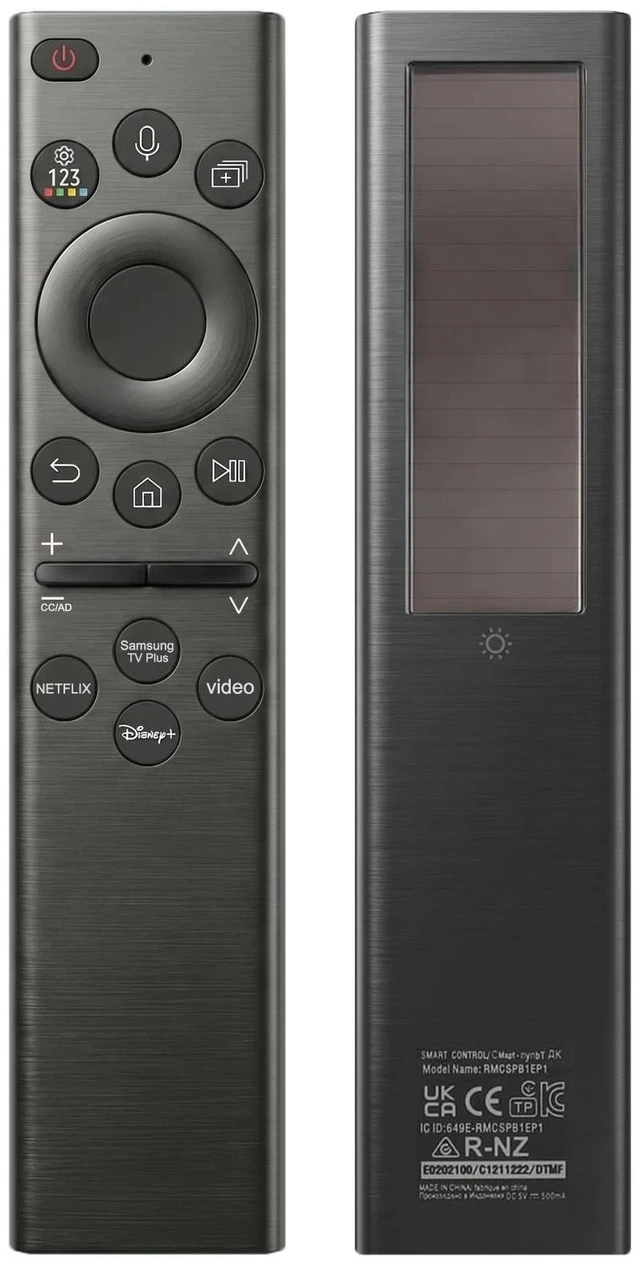


for Samsung TV Remote All 2019-2026 Smart TV Voice Remote Control
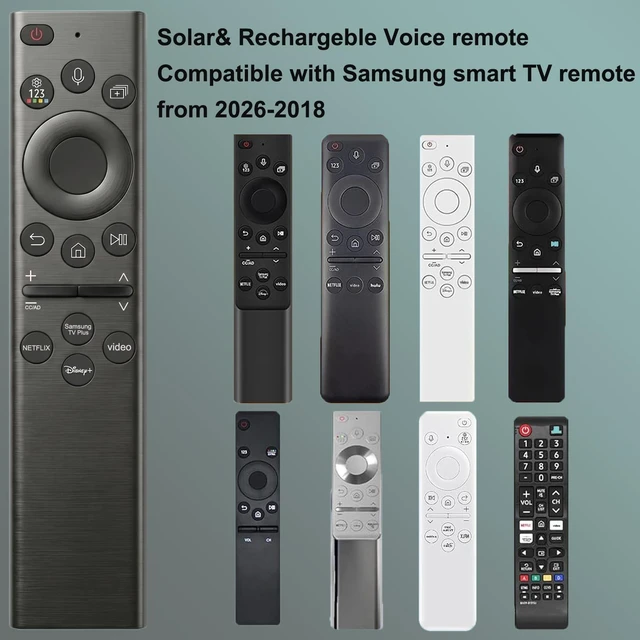
- This rechargeable voice remote is designed for All 2019-2026 Samsung Smart TVs. It is a perfect replacement for Samsung TV Remotes with recharging feature.
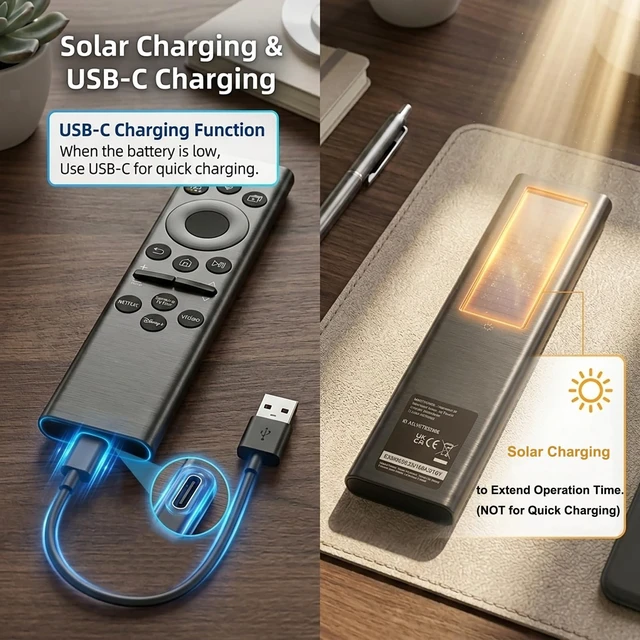
- With USB-C and Solar recharging,No more disposable batteries, It supports convenient USB-C fast charging (cable included) and Solar Charging. With built-in voice control, its smart, sustainable, and always ready when you are.
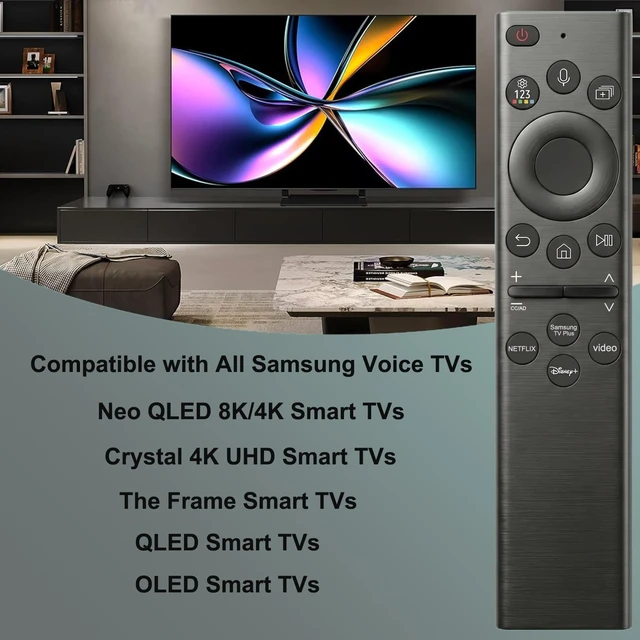
- Universal Samsung TV Compatibility: Works with 20192026 Samsung models including Frame Crystal Solar UHD Neo QLED OLED Serie Smart TVs
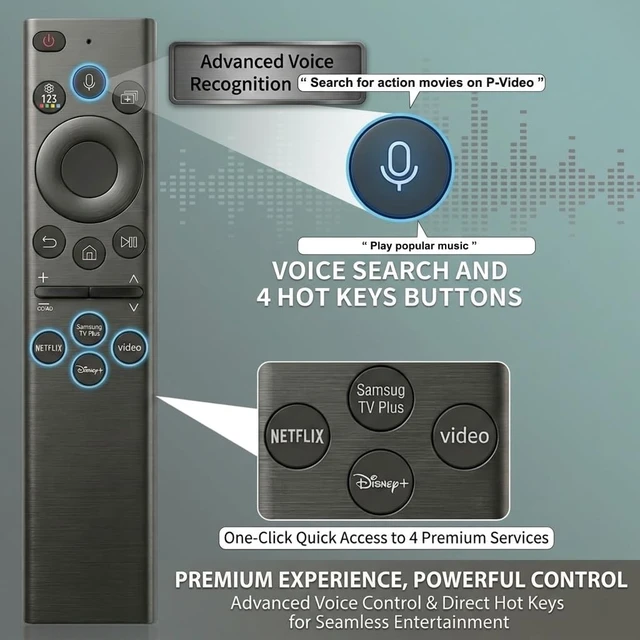
- Streaming Shortcuts: Dedicated buttons for Netflix, P-Video, Samsung Plus, and Disney+ for instant access. (May not function on some older models.)
- Pairing InstructionsPull out the battery pull tab from the bottom of the remote. Turn on your TV, and aim the remote at the screen. Just hold down Return and Play/Pause together for 5-7 seconds when your TV says Pairing Complete youre good to go. If pairing fails, please repeat this step a fe
+
+
Overview
Specs
Reviews

Any questions? Our AI mode will help you find out quickly.
Try me now
This rechargeable voice remote is designed for All 2019-2026 Samsung Smart TVs. It is a perfect replacement for Samsung TV Remotes with recharging feature. ^^ With USB-C and Solar recharging, No more disposable batteries, It supports convenient USB-C fast charging (cable included) and Solar Charging. With built-in voice control, its smart, sustainable, and always ready when you are. ^^
Universal Samsung TV Compatibility: Works with 20192026 Samsung models including Frame Crystal Solar UHD Neo QLED OLED Serie Smart TVs ^^
Streaming Shortcuts: Dedicated buttons for Netflix, P-Video, Samsung Plus, and Disney+ for instant access. (May not function on some older models. ) ^^ Pairing InstructionsPull out the battery pull tab from the bottom of the remote. Turn on your TV, and aim the remote at the screen. Just hold down Return and Play/Pause together for 5-7 seconds when your TV says Pairing Complete youre good to go. If pairing fails, please repeat this step a few times until your TV displays Pairing Complete.
Universal Samsung TV Compatibility: Works with 20192026 Samsung models including Frame Crystal Solar UHD Neo QLED OLED Serie Smart TVs ^^
Streaming Shortcuts: Dedicated buttons for Netflix, P-Video, Samsung Plus, and Disney+ for instant access. (May not function on some older models. ) ^^ Pairing InstructionsPull out the battery pull tab from the bottom of the remote. Turn on your TV, and aim the remote at the screen. Just hold down Return and Play/Pause together for 5-7 seconds when your TV says Pairing Complete youre good to go. If pairing fails, please repeat this step a few times until your TV displays Pairing Complete.
Warranty & Returns
Warranty, Returns, And Additional Information
Warranty
- Please contact the Seller directly for warranty information. Warranty information may also be found on the Manufacturer's website.
- CONTACT
Return Policies
- Return for refund within: 30 days
- Return for replacement within: 30 days
- This item is covered by ApexDash Return Policy
Manufacturer Contact Info
- For a directory of all our manufacturers, please click below.
- Manufacturers Directory
LOADING...