Your Browsing History
- Free 30-day Returns
$88.99
Meet Your Seller
MOSHOU Wireless AI Voice Input Keyboard with Mic, 3-Key Macro Pad & Knob
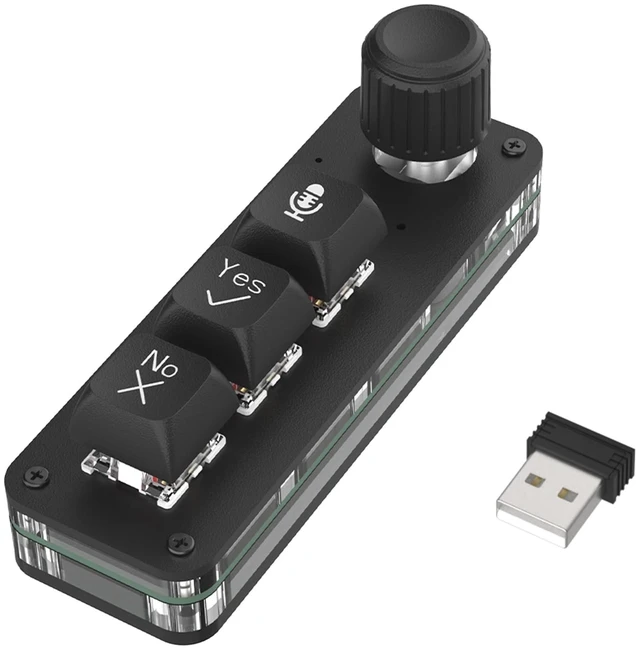
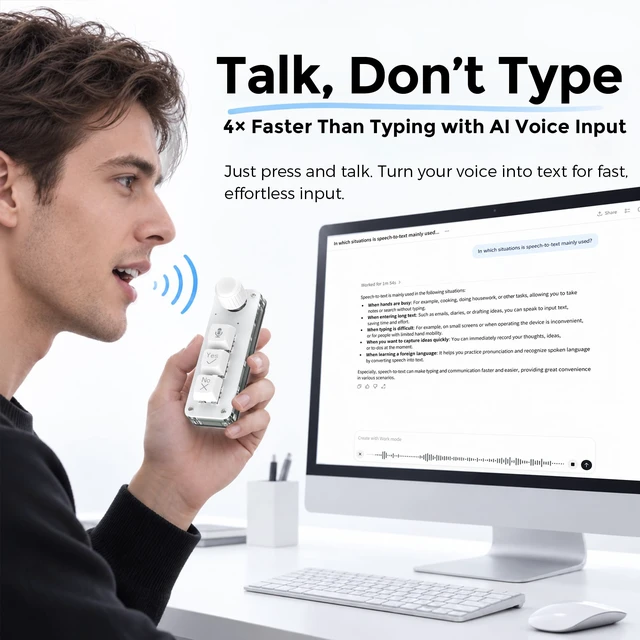
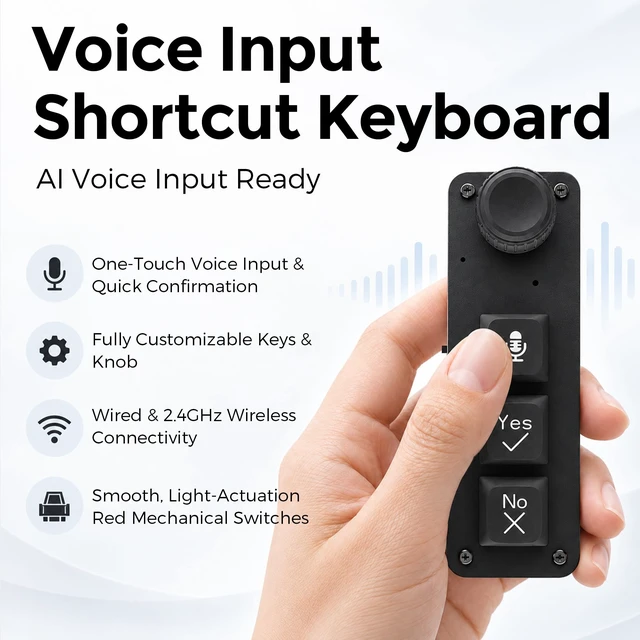
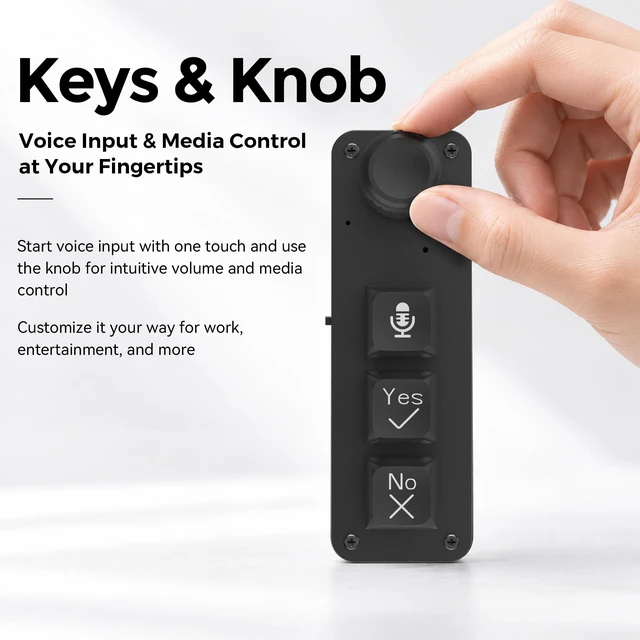
- SPEAK INSTEAD OF TYPE - BUILT-IN VOICE INPUT MICTurn ideas into text without constant typing. The built-in microphone works with compatible voice dictation software such as Typeless or Wispr Flow, letting you trigger voice input and speak directly into active text fields for AI chats, writing, notes, coding and everyday productivity. Note: compatible voice-input software is required; this device is not a standalone AI voice-recognition system.
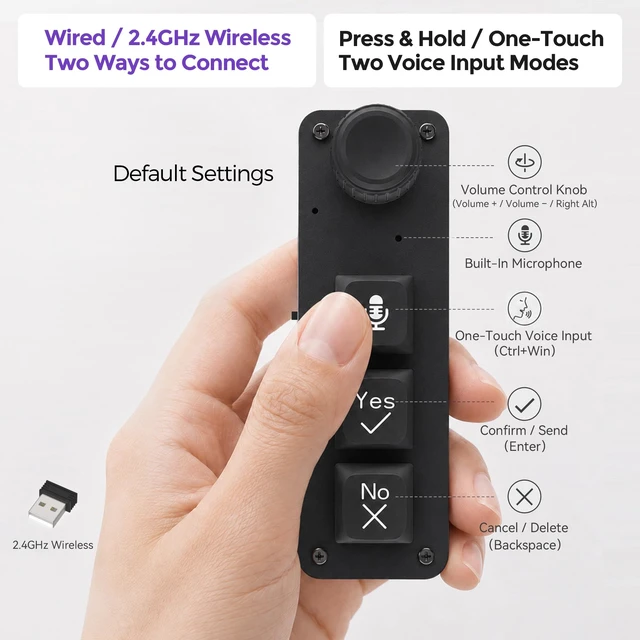
- PUSH-TO-TALK OR ONE-PRESS VOICE CONTROLChoose the voice-input style that fits your workflow. Press-and-Hold Mode keeps voice input active while you hold the Voice Key and stops when released, while Toggle Mode lets you press once to start and press again to stop. Ideal for quick prompts, longer dictation and hands-on AI workflows.
- PROGRAMMABLE 3-KEY MACRO PAD + MULTIFUNCTION KNOBCustomize the Voice, Yes and No keys plus the rotary knob for the shortcuts you use most. Assign keyboard commands, multimedia controls, mouse functions, macros and
+
+
Overview
Specs
Reviews
Any questions? Ask CelesteSM will help you find out quickly.
Try me now
SPEAK INSTEAD OF TYPE - BUILT-IN VOICE INPUT MICTurn ideas into text without constant typing. The built-in microphone works with compatible voice dictation software such as Typeless or Wispr Flow, letting you trigger voice input and speak directly into active text fields for AI chats, writing, notes, coding and everyday productivity.
Note: compatible voice-input software is required; this device is not a standalone AI voice-recognition system. ^^ PUSH-TO-TALK OR ONE-PRESS VOICE CONTROLChoose the voice-input style that fits your workflow. Press-and-Hold Mode keeps voice input active while you hold the Voice Key and stops when released, while Toggle Mode lets you press once to start and press again to stop. Ideal for quick prompts, longer dictation and hands-on AI workflows. ^^ PROGRAMMABLE 3-KEY MACRO PAD + MULTIFUNCTION KNOBCustomize the Voice, Yes and No keys plus the rotary knob for the shortcuts you use most. Assign keyboard commands, multimedia controls, mouse functions, macros and other supported actions through the configuration software. Saved settings are written to the keypad's onboard memory, so your customized controls stay ready after setup. ^^ USB WIRED + 2.4G WIRELESS - NO BLUETOOTHUse the keypad through a USB-C data connection or the included 2.4GH z USB receiver for a cleaner wireless setup. In wireless mode, simply plug in the receiver, switch the keypad ON and it connects automatically. Bluetooth is not supported, and shortcut settings cannot be edited wirelessly; reconnect with the USB data cable whenever you need to change the configuration.
^^ WINDOWS & MAC COMPATIBLE - CUSTOMIZE, SAVE
& GO: Works with both Windows and macOS, with dedicated configuration software for each platform. Customize the 3 keys and rotary knob for shortcuts, media controls, mouse functions, macros and more, then save your settings to onboard memory for convenient everyday use.
Note: compatible voice-input software is required; this device is not a standalone AI voice-recognition system. ^^ PUSH-TO-TALK OR ONE-PRESS VOICE CONTROLChoose the voice-input style that fits your workflow. Press-and-Hold Mode keeps voice input active while you hold the Voice Key and stops when released, while Toggle Mode lets you press once to start and press again to stop. Ideal for quick prompts, longer dictation and hands-on AI workflows. ^^ PROGRAMMABLE 3-KEY MACRO PAD + MULTIFUNCTION KNOBCustomize the Voice, Yes and No keys plus the rotary knob for the shortcuts you use most. Assign keyboard commands, multimedia controls, mouse functions, macros and other supported actions through the configuration software. Saved settings are written to the keypad's onboard memory, so your customized controls stay ready after setup. ^^ USB WIRED + 2.4G WIRELESS - NO BLUETOOTHUse the keypad through a USB-C data connection or the included 2.4GH z USB receiver for a cleaner wireless setup. In wireless mode, simply plug in the receiver, switch the keypad ON and it connects automatically. Bluetooth is not supported, and shortcut settings cannot be edited wirelessly; reconnect with the USB data cable whenever you need to change the configuration.
^^ WINDOWS & MAC COMPATIBLE - CUSTOMIZE, SAVE
& GO: Works with both Windows and macOS, with dedicated configuration software for each platform. Customize the 3 keys and rotary knob for shortcuts, media controls, mouse functions, macros and more, then save your settings to onboard memory for convenient everyday use.
Warranty & Returns
Warranty, Returns, And Additional Information
Warranty
- Please contact the Seller directly for warranty information. Warranty information may also be found on the Manufacturer's website.
- CONTACT
Return Policies
- Return for refund within: 30 days
- Return for replacement within: non-replaceable
- This item is covered by FoundationSurge Return Policy
Manufacturer Contact Info
- For a directory of all our manufacturers, please click below.
- Manufacturers Directory
LOADING...