Your Browsing History
- Free 30-day Returns
$774.99
Meet Your Seller
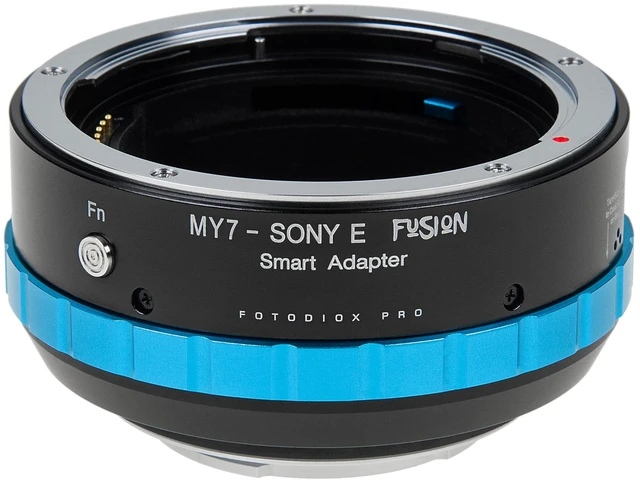
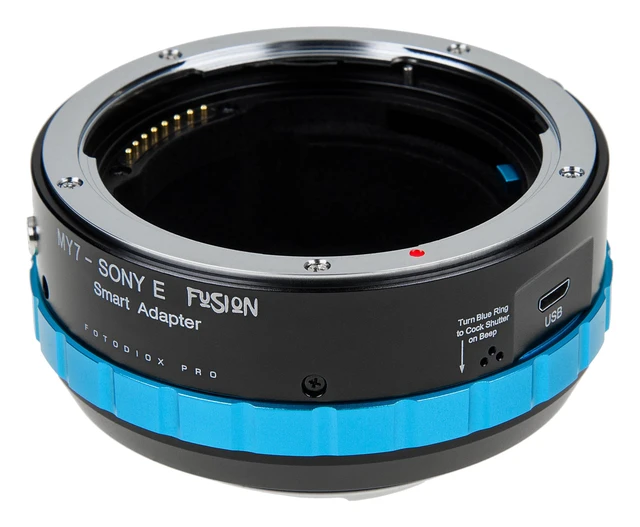
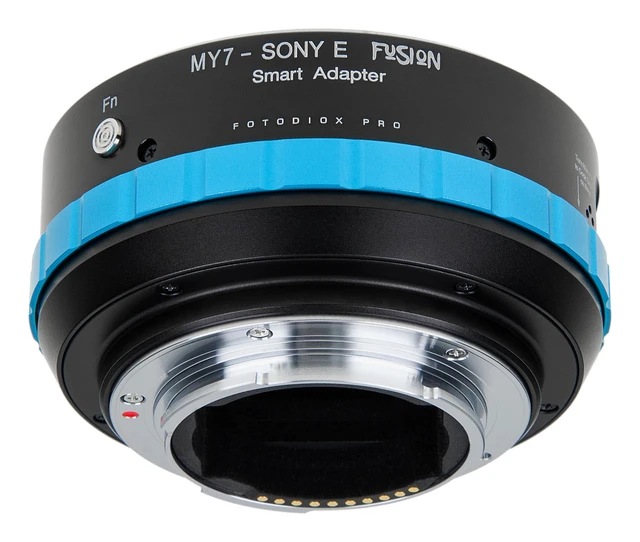
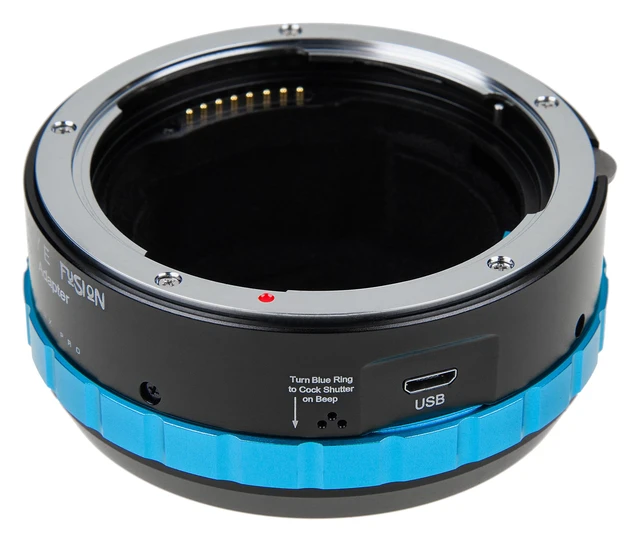
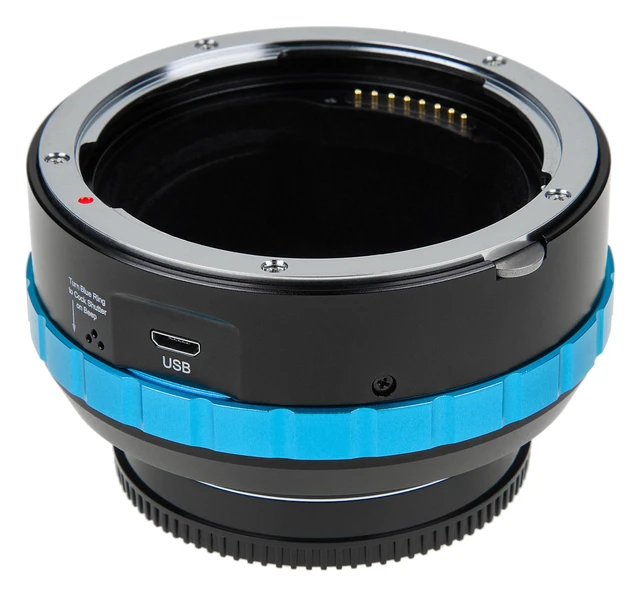
Fotodiox Pro Fusion Adapter Compatible with Select Mamiya 7 Rangefinder Lenses on Sony E Cameras (Limited Auto Functions)
- Mounts Select Mamiya 7 Rangefinder Lenses (65mm, 80mm, 150mm, & 210mm) to E-Mount Mirrorless Cameras; infinity focus or beyond guaranteed
- Built-in FUSION technology enables electronic communication and control between lens and camera
- Allows for some automated functions such as aperture control with compatible lenses
- Precise fit and solid all-metal construction with chrome plated brass mounts for secure and solid fit; lens has no play, gap or wiggling when mounted on adapter and no adjustments required
- Limited 2-Year Manufacturer Warranty
+
+
Overview
Specs
Reviews
Any questions? Ask CelesteSM will help you find out quickly.
Try me now
Seize control over the electronic features of your lenses with a FUSION lens adapter. This adapter enables EXIF and aperture data to be transmitted to and controlled by the camera. Fotodiox's Fusion line of adapters now include a micro USB port to allow for firmware updates providing a nearly future proof solution through firmware updates. The FUSION technology built into the adapter enables electronic communication between mixed lens and camera platforms. This FUSION adapter enable aperture control and more. Although the adapter will allow you to mount any Mamiya 7 lens, not all lenses will perform the same.
Lens age and condition of lens will all affect the speed, reliability and accuracy of the adapter. When switching lenses, use the function button to get calibrate the adapter to the lens for correct aperture EXIF Data. Set the lens to f/8, install the lens on the FUSION adapter and then press the button to 'FN' button calibrate. When the lens shutter is closed, the adapter will beep to let you know, simply turn the blue ring on the adapter to open the lens shutter back up. Compatible E-Mount
Cameras (such as): * FX3, FX6, FX30, FX9, FS7 II, FS5 II* a1, a7 II/III/IV, a7C, a7R II/III/IV/V, a7S II/III, a9 I/II* ZV-E1, ZV-E10* a6100, a6300, a6400, a6500, a6600* Note - Fusion compatibility is designed to work best on E-Mount cameras that were released 2016 or later (such as the a7 II, a7R II, a7 III, a7R III E-Mount cameras).
Notes: * Switching between image and video may cause camera to freeze. * Switching f-stops in video mode may cause white flashes in video. * Certain video modes may cause the camera to freeze. * Different lenses may exhibit different operating characteristics depending on lens age and manufacturer. * All pictures are for illustration purposes only. Actual product may vary slightly due to ongoing improvements in design. * NOT COMPATIBLE WITH THE MAMIYA 43MM F 4.5 or 50mm F 4.5 LENSES.
Lens age and condition of lens will all affect the speed, reliability and accuracy of the adapter. When switching lenses, use the function button to get calibrate the adapter to the lens for correct aperture EXIF Data. Set the lens to f/8, install the lens on the FUSION adapter and then press the button to 'FN' button calibrate. When the lens shutter is closed, the adapter will beep to let you know, simply turn the blue ring on the adapter to open the lens shutter back up. Compatible E-Mount
Cameras (such as): * FX3, FX6, FX30, FX9, FS7 II, FS5 II* a1, a7 II/III/IV, a7C, a7R II/III/IV/V, a7S II/III, a9 I/II* ZV-E1, ZV-E10* a6100, a6300, a6400, a6500, a6600* Note - Fusion compatibility is designed to work best on E-Mount cameras that were released 2016 or later (such as the a7 II, a7R II, a7 III, a7R III E-Mount cameras).
Notes: * Switching between image and video may cause camera to freeze. * Switching f-stops in video mode may cause white flashes in video. * Certain video modes may cause the camera to freeze. * Different lenses may exhibit different operating characteristics depending on lens age and manufacturer. * All pictures are for illustration purposes only. Actual product may vary slightly due to ongoing improvements in design. * NOT COMPATIBLE WITH THE MAMIYA 43MM F 4.5 or 50mm F 4.5 LENSES.
Warranty & Returns
Warranty, Returns, And Additional Information
Warranty
- Please contact the Seller directly for warranty information. Warranty information may also be found on the Manufacturer's website.
- CONTACT
Return Policies
- Return for refund within: 30 days
- Return for replacement within: 30 days
- This item is covered by GoBeRotie Return Policy
Manufacturer Contact Info
- For a directory of all our manufacturers, please click below.
- Manufacturers Directory
LOADING...