Get a $25 Newegg Promo Gift Card when you spend $250+ between 1/17/26 and 1/19/26. Learn More>
  • $55.99
  • Free 30-day Returns
  • Price alert
    Shop it at NeweggBusiness.

    Meet Your Seller

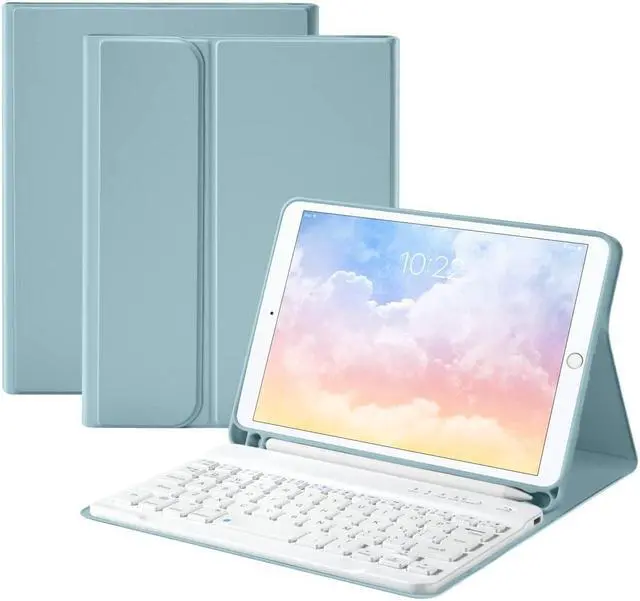
    GUDOU Bluetooth Keyboard Case for iPad Mini4 /5 7.9inch,Wireless Detachable iPad Keyboard Case with Pencil Holder(Blue)

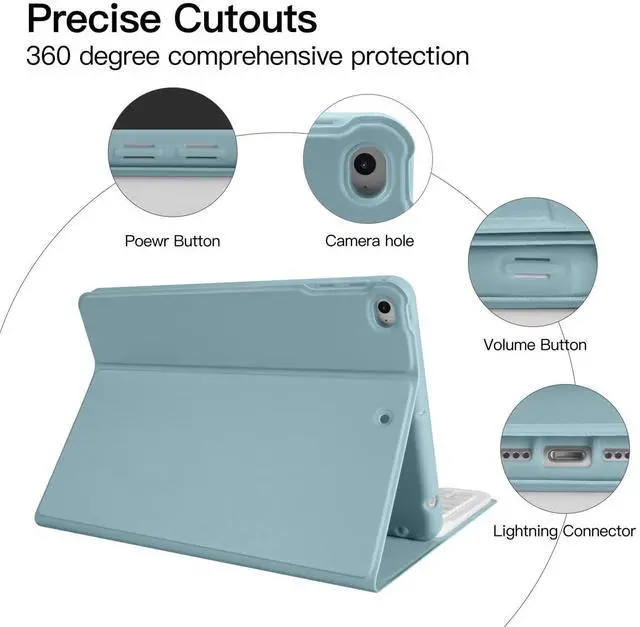
    • Compatibility: Designed for the APPLE iPad Mini 5 7.9inch 2019 release(A2124/A2125/A2126/A2133),iPad Mini 4 tablet 2015 released (model A1538, A1550).
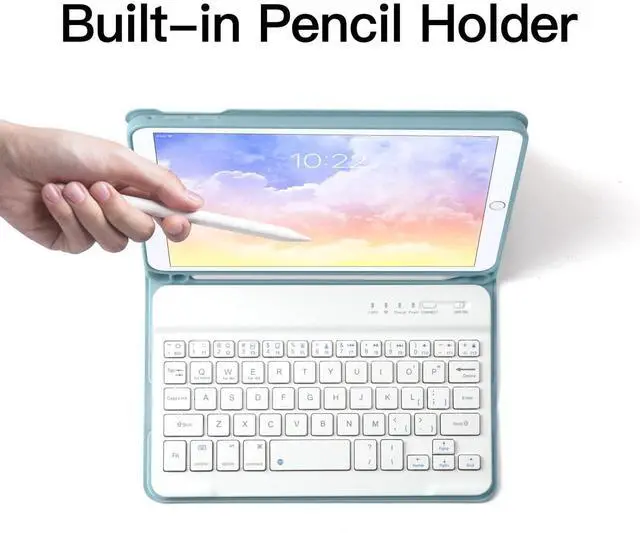
    • Detachable Bluetooth Keyboard Case with Pencil Holder: They keyboard attaches to the case using magnets so you can easily remove or adjust they keyboard placement.Built-in Pencil Slot that lets you effortlessly reach for your pencil whenever you want to use.
    • The Case Cover: Premium Smooth PU Leather+A hard ABS Plastic Shell.Provide good protection to your iPad.
    • Fast Charge: Built-in Rechargeable battery,Charge for one hour, Use for 30 days (2 hours per day), stand by for 60 days.
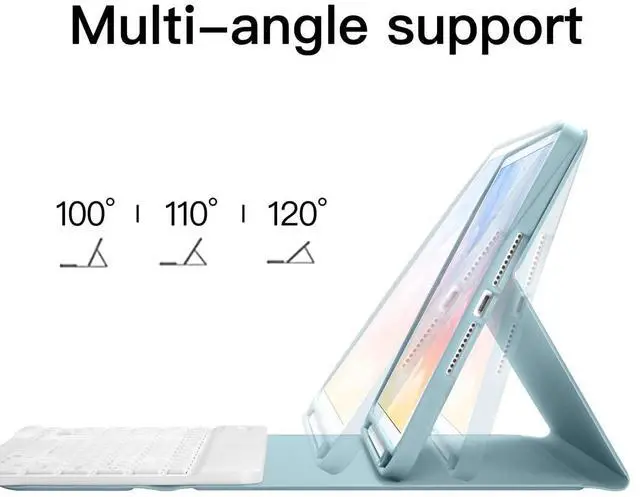
    • All in One Design: Magnetically Detachable Wireless Keyboard + Stand + Carrying Case with pencil holder, stylish and convenient, perfect for daily use and travel.
    +
    +
    Overview
    Specs
    Reviews
    avatar

    Any questions? Our AI beta will help you find out quickly.

    BLUETOOTH KEYBOARD USER MANUAL
    1. Features
    Welcome you to choice this Bluetooth wireless keyboard.
    It adopts Bluetooth wireless connection and scissor key structure, which will bring you a perfect input experience.
    It has built in rechargeable polymeric lithium battery and charging indicator.
    The keyboard will enter into sleeping mode if there is no action in 10 minutes, therefore it has a small consumption and long battery life.

    2. Pairing Instruction
    Before use this keyboard it must be connected with your tablet or other deice.
    When it pairs successfully, you do not need to re-connect it in future.
    Please connect the keyboard with your tablet according to the right graphic instruction as below.
    1). Turn on the keyboard.
    2). Press the "Connect" button to 3 seconds, the blue light blinks.
    3). Open the Bluetooth from settings in your IPAD and find the Bluetooth keyboard, then click and connect (Password free connection).

    3. Indicator
    Power LED: When the keyboard turns on, it fashes1-2seconds and then goes out automatically.
    Charge LED: It fashes while charging and goes out once the bttery is full.
    BT LED: It fashes when the keyboard is connecting and goes out after connected.
    CAPS LED: It flashes when switch to capital letters.

    Charging Instruction
    1. Please charge at least 6 hours when you first time use this keyboard.
    Next time when the battery is low, please at least charge 2 hours.
    2. The red indicator flashes means the it is low battery and please charge it in time. It is charging when the red indicator flashes all the time.
    3. Please connect the charging cable to the keyboard correctly.

    Warranty & Returns

    Warranty, Returns, And Additional Information

    Warranty

    • Please contact the Seller directly for warranty information. Warranty information may also be found on the Manufacturer's website.
    • CONTACT

    Return Policies

    • Return for refund within: 30 days
    • Return for replacement within: 30 days
    • This item is covered by kaipuda Return Policy

    Manufacturer Contact Info

    LOADING...