Your Browsing History
Meet Your Seller
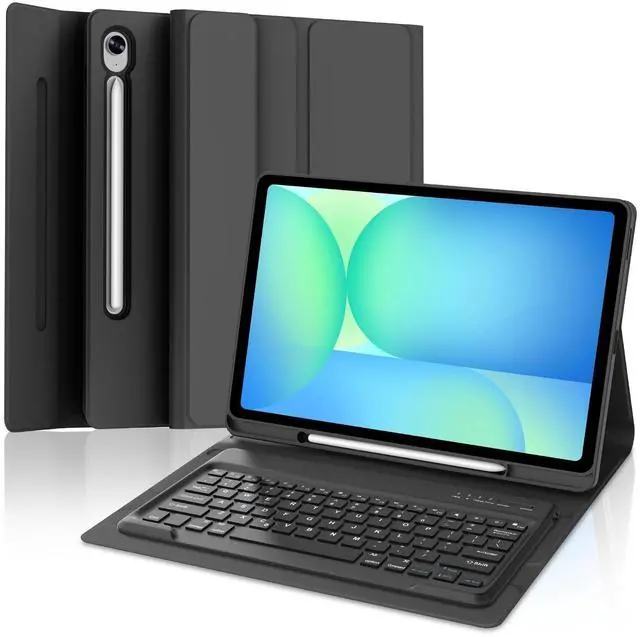
for Samsung Galaxy Tab S10 FE+ Plus 13.1'' 2025 Keyboard Case, 7 Color Backlit,Detachable Wireless Bluetooth Keyboard for Galaxy Tablet S10FE+ Case Samsung Tab S10 FE Plus Keypad with Pen Holder,Black
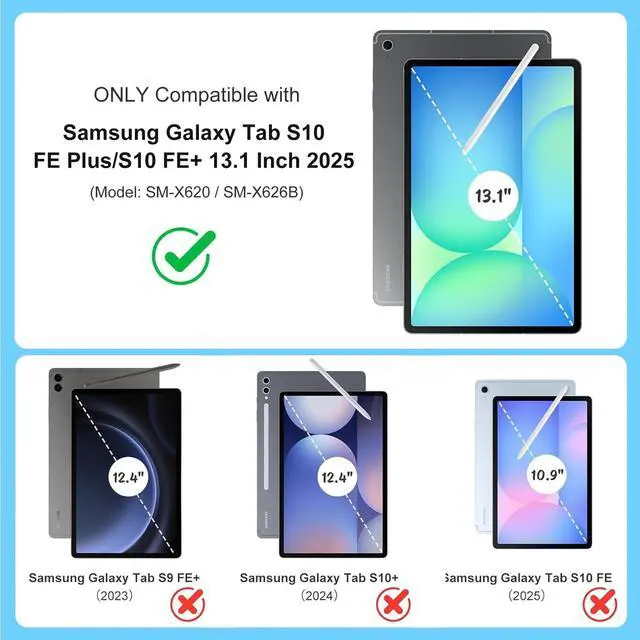
- COMPATIBLESamsung Wireless keyboard case compatible with Galaxy Tab S10FE+ Plus 13.1 inch 2025 released (Model: SM-X620/X626B), Please confirm the model number before purchase. Samsung Tablet or S-Pen NOT INCLUDED. You can check the model number before purchasing to make sure you get the correct size tablet keyboard case.
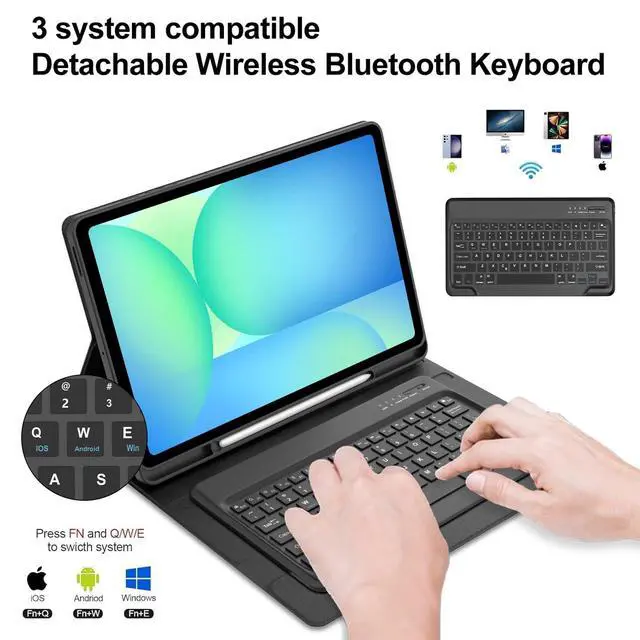
- Magnetically Detachable KeyboardThis ultra-thin and lightweight magnetic keyboard for Galaxy Tab S10 FE Plus 13.1inch can be firmly attached to the case, which helps the tablet stand upright and turn it into a laptop in less than a second. Equipped with useful shortcut keys and compatible with Android ,IOS and Windows systems, provide you with ultimate convenience.
- Adjustable 7 Colors Backlit Keyboard This for Samsung Tab 13.1 inch keyboard case is designed with laser-etched backlit keys that allow 7 vibrant colors to shine in the dark, illuminated typing is more fun and easy. You can choose your favorite color, bringing you different visual enjoyment. Ergonomic
+
+
Overview
Specs
Reviews
Any questions? Our AI beta will help you find out quickly.
Try me now
Only Compatible for the 2025 Galaxy Tab S10 FE+ 13.1 -inch (Models: SM-X620, SM-X626, SM-X626B). Not compatible with other models. Please verify the model number on the back of your tabletHow to connect to a
Bluetooth keyboard: Step
1: Turn on the Bluetooth keyboard ignition switch. The blue ignition indicator lights up.
Step 2: Press the [Connection] button. The [Bluetooth] indicator light flashes in blue.
Step 3: Unlock the tablet. Click the Configuration symbol on the home page.
Step 4: In the Configuration configuration, activate the Bluetooth button so that the tablet is in the Search state.
Step 5: The tablet displays the Bluetooth 5.0 keyboard as available device. Click the Bluetooth 5.0 keyboard on the tablet screen.
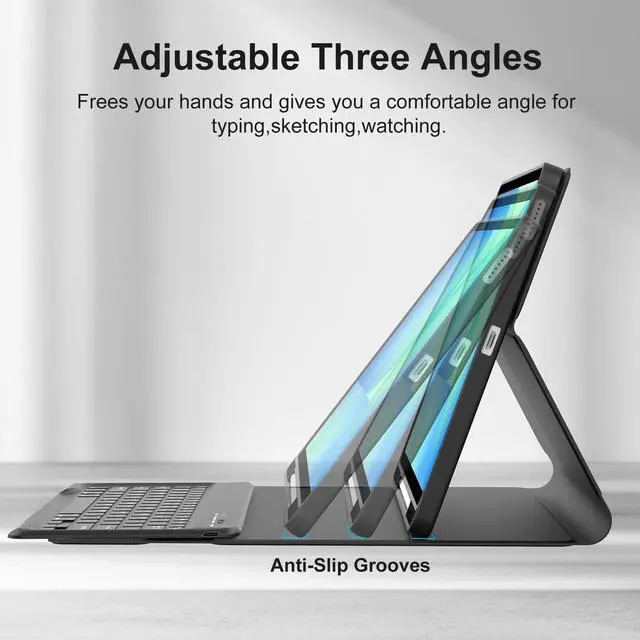
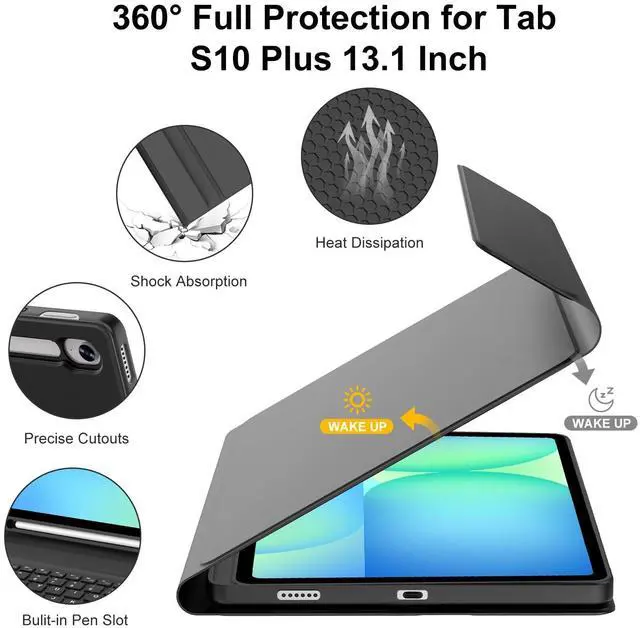
Step 6: The name of "Bluetooth 5.0 Keyboard" is "Connection"Easy to Use & Keyboard functionTurn your tablet into an efficient office computer with this Samsung 2025 new Released galaxy tablet s10 fe + 13.1 inch keyboard case. Features a magnetically detachable, super-slim (5mm), lightweight Bluetooth keyboard with a 10-meter range. The strong magnetic connection provides a stable typing platform. Stylus Pen HolderIncludes a dedicated pen holder, allowing you to easily carry and access your S Pen with the device. Rechargeable Battery & Auto Sleep/WakeBuilt-in rechargeable battery ensures long-lasting performance, keeping samsung tablet s10fe+ case keyboard ready for use. Automatically wakes or puts your tablet to sleep when opened or closed, helping to conserve battery life. Precise CutoutsThe Samsung Galaxy S10FE Plue tablet case with keyboard for accurate cutouts provide full access to all ports, buttons, sensors, speakers, microphone, and cameras. Multiple Viewing AnglesAdjust your viewing angle with 3 different grooves (from 110 to 130), offering a stable stand for working, reading, or watching videos.

Bluetooth keyboard: Step
1: Turn on the Bluetooth keyboard ignition switch. The blue ignition indicator lights up.
Step 2: Press the [Connection] button. The [Bluetooth] indicator light flashes in blue.
Step 3: Unlock the tablet. Click the Configuration symbol on the home page.
Step 4: In the Configuration configuration, activate the Bluetooth button so that the tablet is in the Search state.
Step 5: The tablet displays the Bluetooth 5.0 keyboard as available device. Click the Bluetooth 5.0 keyboard on the tablet screen.
Step 6: The name of "Bluetooth 5.0 Keyboard" is "Connection"Easy to Use & Keyboard functionTurn your tablet into an efficient office computer with this Samsung 2025 new Released galaxy tablet s10 fe + 13.1 inch keyboard case. Features a magnetically detachable, super-slim (5mm), lightweight Bluetooth keyboard with a 10-meter range. The strong magnetic connection provides a stable typing platform. Stylus Pen HolderIncludes a dedicated pen holder, allowing you to easily carry and access your S Pen with the device. Rechargeable Battery & Auto Sleep/WakeBuilt-in rechargeable battery ensures long-lasting performance, keeping samsung tablet s10fe+ case keyboard ready for use. Automatically wakes or puts your tablet to sleep when opened or closed, helping to conserve battery life. Precise CutoutsThe Samsung Galaxy S10FE Plue tablet case with keyboard for accurate cutouts provide full access to all ports, buttons, sensors, speakers, microphone, and cameras. Multiple Viewing AnglesAdjust your viewing angle with 3 different grooves (from 110 to 130), offering a stable stand for working, reading, or watching videos.
Warranty & Returns
Warranty, Returns, And Additional Information
Warranty
- Please contact the Seller directly for warranty information. Warranty information may also be found on the Manufacturer's website.
- CONTACT
Return Policies
- Return for refund within: 30 days
- Return for replacement within: 30 days
- This item is covered by LANMEll Return Policy
Manufacturer Contact Info
- For a directory of all our manufacturers, please click below.
- Manufacturers Directory
LOADING...