

Your Browsing History
- Free 30-day Returns
$101.99

Meet Your Seller


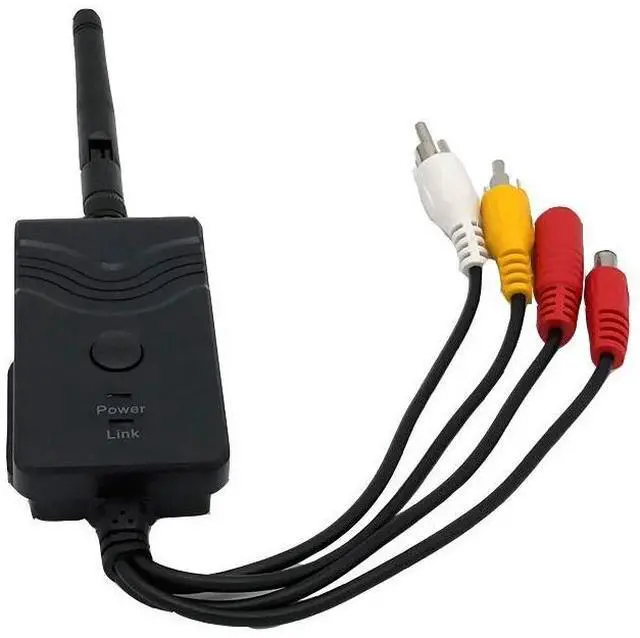
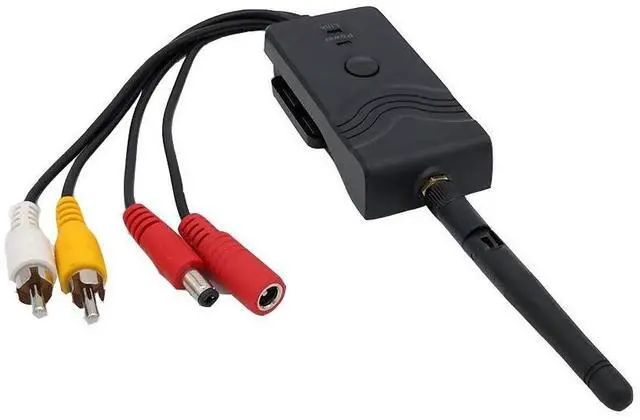
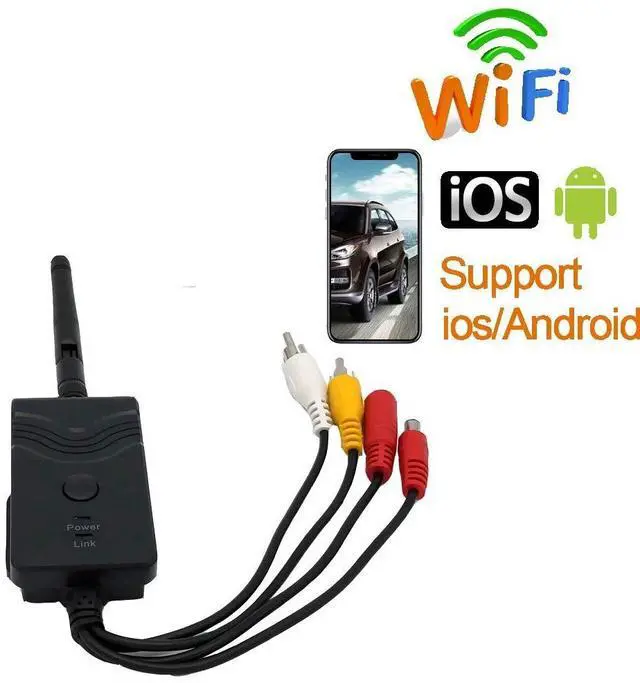
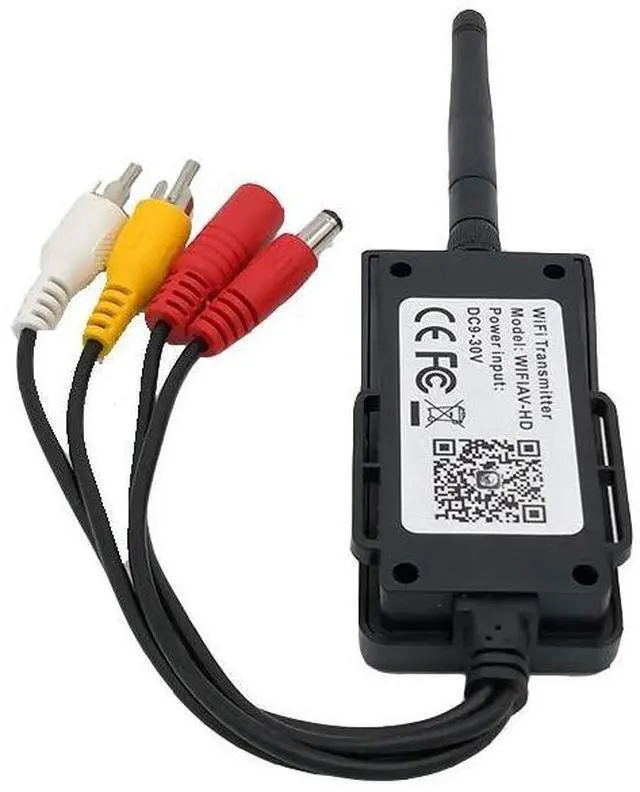
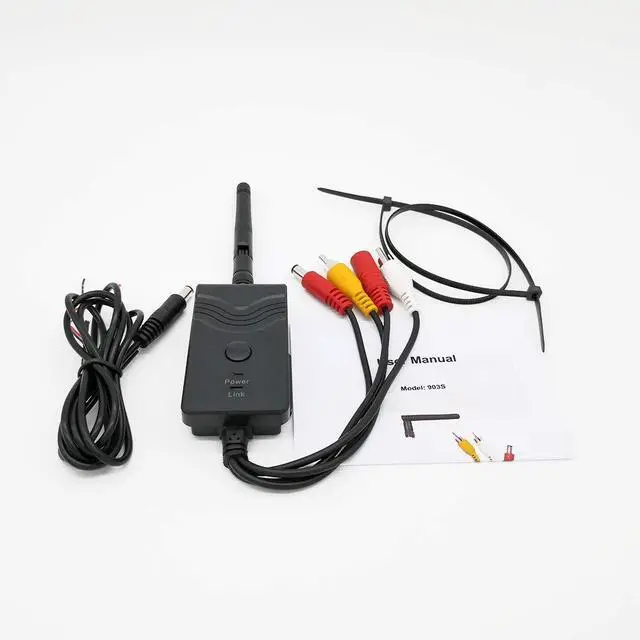


Fumei Car Backup Camera Realtime Video WiFi Transmitter for iPhone iPad Andriod Phone and Pad (Black)
- This WiFi video transmitter supports CVBS(NTSC/PAL),AHD720P, AHD1080P, clear picture quality and no cutting picture
- It can be connected up to 4 phones and monitored at the same time, supports 3D dual screen display, supports recording on phone or on camera end
- Convert wired rearview monitoring system into wireless one
- Compatible with regular AV connector camera and AHD camera
- Transmitter rainproof, dustproof and shockproof
+
+
Overview
Specs
Reviews

Any questions? Our AI mode will help you find out quickly.
Try me now
Specifications- Transmitting frequency: 2400MHz- 2483.5MH z-
Distance: more than 100M with no obstacle-
Video input format: CVBS(NTSC/PAL), AHD720P, AHD1080P- Video input level and impedance: 1.0 Vp-p and 75 Ohm-
Video resolution: VGA- Video compressionH.
264- Frame rate: 30fps- Wireless protocolsIEEE 802.11 b, 802.11 g, 802.11 n-
Power supply: DC 9-30V-
Consumption current: 250mA (Max) -
Encryption mode: WPA2-
Rainproof: YesInstructions1. Install the wifi transmitter, then connect the backup camera cables to it, power on both of them. 2. Download the CamerPhone (IOS/Android) APP and install it3. Turn on the WLAN on your phone/pad, search and connect to the WIFI named "WIFI_XXXXXX with default password for the first time. 4. Click the APP to view your car backup camera realtime videoTroubleshooting steps: 1. Check the LED is on or not, then assure the connection between this item and your camera. 2. When the background is black or the image is still, exit the APP first, and check whether the wifi connection is normal. Then click again the APP icon to enter into the software interface. 3. User could press the Reset button of the transmitter to reset the default factory SSID and password. Package Content1 x WIFI Transmitter1 x English User Manual1 x Antenna1 x 5ft Power Cable1 x 3M Sticker2 x Nylon Cable Ties
Distance: more than 100M with no obstacle-
Video input format: CVBS(NTSC/PAL), AHD720P, AHD1080P- Video input level and impedance: 1.0 Vp-p and 75 Ohm-
Video resolution: VGA- Video compressionH.
264- Frame rate: 30fps- Wireless protocolsIEEE 802.11 b, 802.11 g, 802.11 n-
Power supply: DC 9-30V-
Consumption current: 250mA (Max) -
Encryption mode: WPA2-
Rainproof: YesInstructions1. Install the wifi transmitter, then connect the backup camera cables to it, power on both of them. 2. Download the CamerPhone (IOS/Android) APP and install it3. Turn on the WLAN on your phone/pad, search and connect to the WIFI named "WIFI_XXXXXX with default password for the first time. 4. Click the APP to view your car backup camera realtime videoTroubleshooting steps: 1. Check the LED is on or not, then assure the connection between this item and your camera. 2. When the background is black or the image is still, exit the APP first, and check whether the wifi connection is normal. Then click again the APP icon to enter into the software interface. 3. User could press the Reset button of the transmitter to reset the default factory SSID and password. Package Content1 x WIFI Transmitter1 x English User Manual1 x Antenna1 x 5ft Power Cable1 x 3M Sticker2 x Nylon Cable Ties
Warranty & Returns
Warranty, Returns, And Additional Information
Warranty
- Please contact the Seller directly for warranty information. Warranty information may also be found on the Manufacturer's website.
- CONTACT
Return Policies
- Return for refund within: 30 days
- Return for replacement within: 30 days
- This item is covered by Tactifans Outdoor Sport Goods Return Policy
Manufacturer Contact Info
- For a directory of all our manufacturers, please click below.
- Manufacturers Directory
LOADING...