Your Browsing History
- Free 30-day Returns
$60.99
Ships from China.
Sold by NorthFlow Smart Store
Shipped by NorthFlow Smart Store
Meet Your Seller
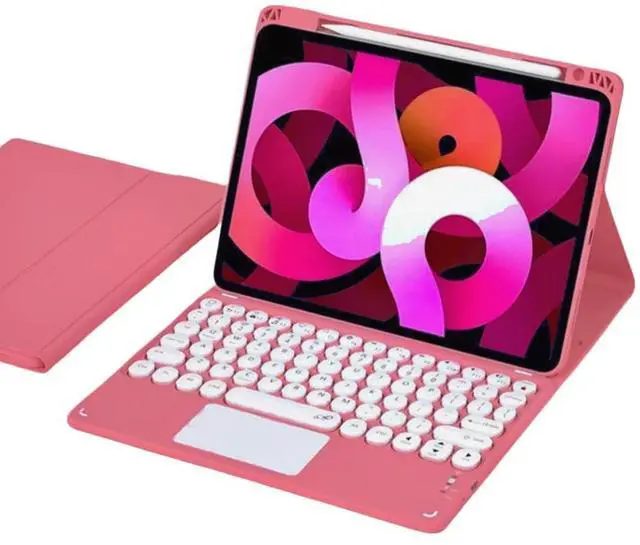
Keyboard Case for iPad 9th/8th/7th Generation/Air3/Pro10.5 with Touchpad
- Compatibility- designed for iPad 10.2 inch 9th Generation 2021(Model: A2602 / A2603 / A2604 / A2605), 8th Generation 2020(Model: A2270 / A2428 / A2429 / A2430 / A2197 / A2200 / A2198), 7th Generation 2019(Model: A2197 / A2200 / A2198) and iPad Air3/iPad Pro 10.5
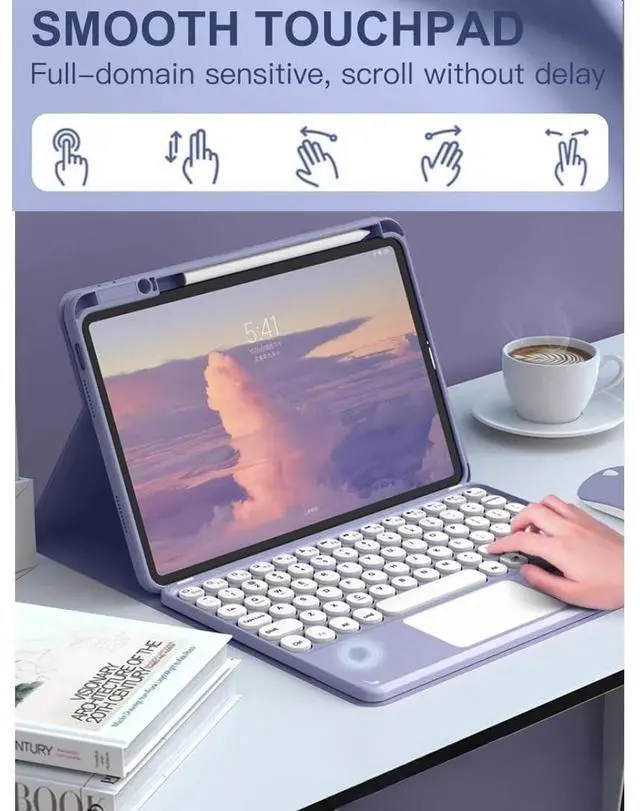
- MULTI-TOUCH TRACKPAD- This keyboard case has an integrated multi-touch trackpad that perfectly adapts to the IOS system, with various trackpad gestures, providing a comfortable usage experience while clicking, scrolling, and swiping through content effortlessly. Allows you to turn your tablet into a real laptop and is very convenient for your typing, watching, working, and carrying without a mouse needed.
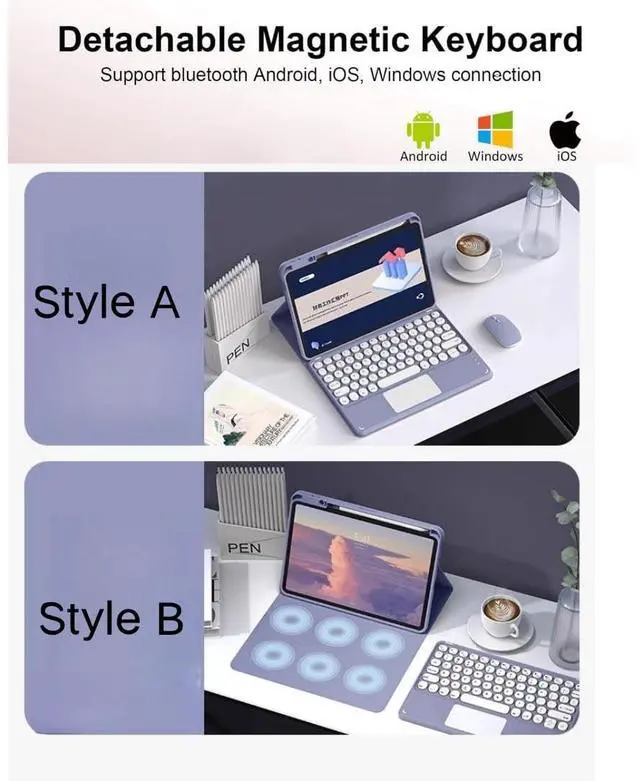
- Magnetically Detachable Bluetooth Keyboard- The intelligent keyboard Case comes with a Detachable Wireless Bluetooth magnetic keyboard that lets you switch between a lightweight laptop and tablet.
- Multiple Viewing Angles your iPad screen will have multiple viewing angles. You can display your work presentat
+
+
Overview
Specs
Reviews
Any questions? Our AI mode will help you find out quickly.
Try me now
*NO. 1 All-Around Protective
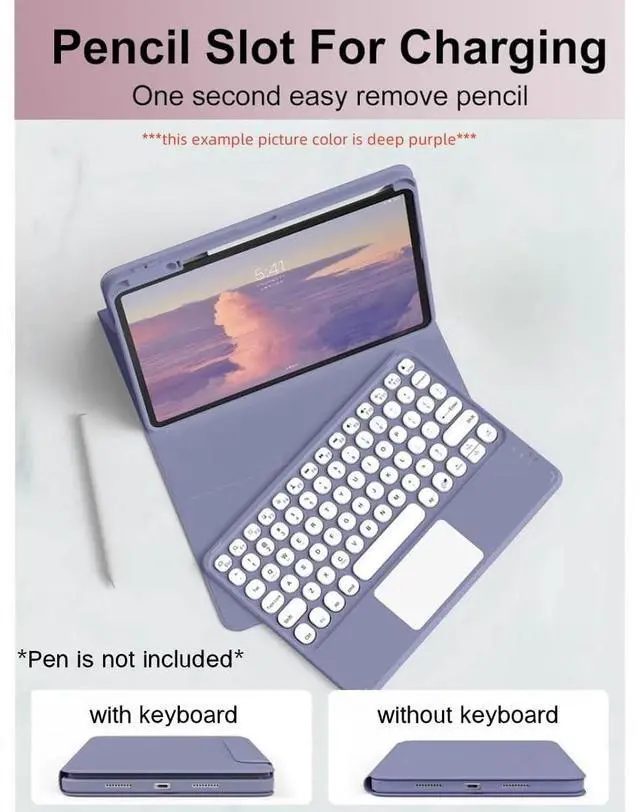
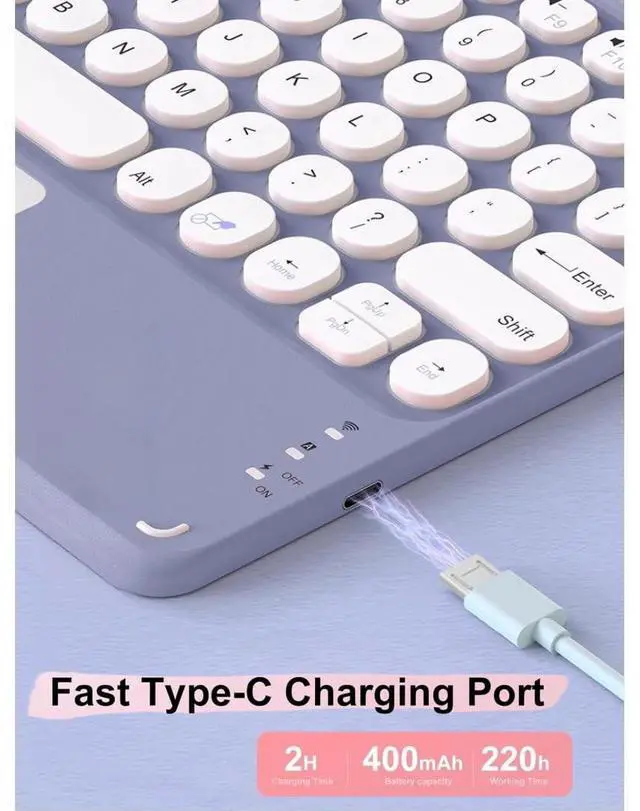
Keyboard Case: 1. Built-in Pen Holder (Pen not included) 2. Detachable Wireless Touchpad Keyboard3. Rechargeable Bluetooth Trackpad Keyboard4. Multiple Viewing Angles5. Precision Cutting6. Bluetooth Keyboard for 3 Systems*NO.
2 Packing List: 1 * Folding High-Grade Protective Case (iPad not included) 1 * Removable Wireless Keyboard with Touchpad1 * USB Charging Cable (ONLY for the keyboard, NOT for iPad)1 * User Manual*NO. 3 Wireless Keyboard Bluetooth Connection Method1, Set the power button to the "ON" position. 2, Long press the "FN+C" button on the keyboard, and the Bluetooth indicator will keep twinkling.
NOTE: press "Fn""C"together, it will opne keyboard bluetooth. 3, Click the "Settings" icon on your Pad. 4, Click"Bluetooth", and then turn on the Bluetooth. 5, Select"Bluetooth Keyboard" on your pad bluetooth interface. 6, If your touchpad can't work-----Please follow the steps: "Settings">"Accessibility">"Touch">"Auxiliary Touch">"Open". *NO. 4Last, The USB Charging Cable in the package, ONLY for the keyboard, NOT for iPad. 8, Charge the keyboard for about 3-4 hours before first use.

Keyboard Case: 1. Built-in Pen Holder (Pen not included) 2. Detachable Wireless Touchpad Keyboard3. Rechargeable Bluetooth Trackpad Keyboard4. Multiple Viewing Angles5. Precision Cutting6. Bluetooth Keyboard for 3 Systems*NO.
2 Packing List: 1 * Folding High-Grade Protective Case (iPad not included) 1 * Removable Wireless Keyboard with Touchpad1 * USB Charging Cable (ONLY for the keyboard, NOT for iPad)1 * User Manual*NO. 3 Wireless Keyboard Bluetooth Connection Method1, Set the power button to the "ON" position. 2, Long press the "FN+C" button on the keyboard, and the Bluetooth indicator will keep twinkling.
NOTE: press "Fn""C"together, it will opne keyboard bluetooth. 3, Click the "Settings" icon on your Pad. 4, Click"Bluetooth", and then turn on the Bluetooth. 5, Select"Bluetooth Keyboard" on your pad bluetooth interface. 6, If your touchpad can't work-----Please follow the steps: "Settings">"Accessibility">"Touch">"Auxiliary Touch">"Open". *NO. 4Last, The USB Charging Cable in the package, ONLY for the keyboard, NOT for iPad. 8, Charge the keyboard for about 3-4 hours before first use.
Warranty & Returns
Warranty, Returns, And Additional Information
Warranty
- Please contact the Seller directly for warranty information. Warranty information may also be found on the Manufacturer's website.
- CONTACT
Return Policies
- Return for refund within: 30 days
- Return for replacement within: 30 days
- This item is covered by NorthFlow Smart Store Return Policy
Manufacturer Contact Info
- For a directory of all our manufacturers, please click below.
- Manufacturers Directory
LOADING...