• $183.99
  • Free 30-day Returns
  • Price alert
    Shop it at NeweggBusiness.

    Meet Your Seller

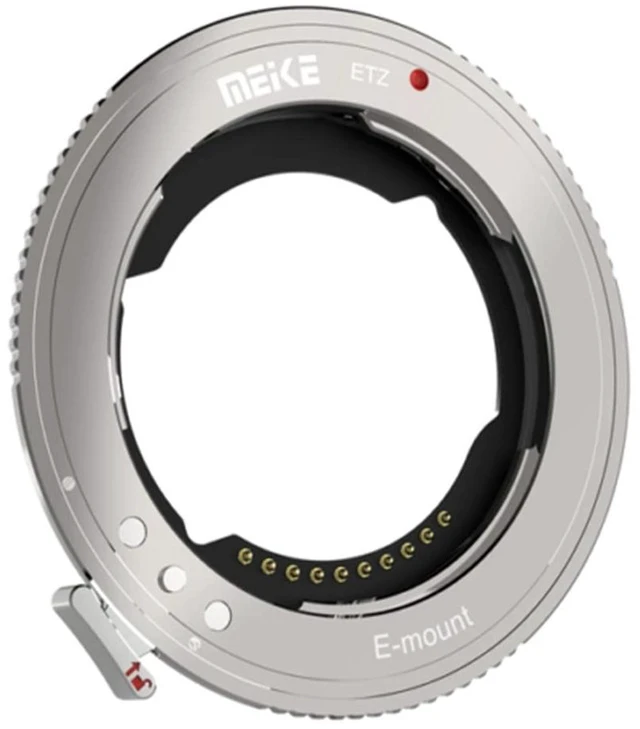
    Meike Mount Adapter ETZ for Sony E Mount Lenses to Nikon Z Cameras+mcoplus Cloth

    • 1. The E to Z mount adapter is designed with a special protocol for the combined application of E-mount lenses and Nikon Z-mount cameras, An adapter for most automatic E-mount lenses and manual E-mount lenses without contacts from Sony original and auxiliary factory.
    • 2. Most of the options in Menu are available, such as vibration reduction, AF-SAF-CMF focus mode,auto synchronized aperture, and AF-F full time autofocus for video shooting.
    • 3. Adapter front end: E-Mount camera lens ; Adapter rear end: Nikon Z-mount camera ; Support Auto Focus & Auto aperture ; Support IS image stabilization system;EXIF Signal Transmission.
    • 4. In environments where it is difficult to focus, such as low light levels, it is recommended to switch the focus to center single point AFor center focus area AF.
    • 5. When shooting video and taking pictures of people and animals, it is recommended to turn on face and eye recognition in Menu and use auto area AFfor a better experience.
    +
    +
    Overview
    Specs
    Reviews

    Any questions? Ask CelesteSM will help you find out quickly.

    Meike Mount Adapter ETZ for Sony E Mount Lenses to
    Nikon Z Cameras+mcoplus clothFeature: Maximum
    diameter and length: 65.2
    X 2mmPacking size: 72*28*87mmNet
    weight: 44.2 g ( 0.097 lb)Adapter front end: E-Mount
    camera lensAdapter rear end: Nikon Z-mount cameraAuto FocusSupportAuto apertureSupportSupport IS image stabilization systemEXIF
    Signal TransmissionAbout Latest upgrade firmware: 1. Download the latest upgrade firmware for the mount adapter from the official website or request it from customer service; 2. Align the back cover mounting mark with upgrade port with the Nikon Z-mount mounting mark on the mount adapter, turn the back cover in a counterclockwise direction until you hear a "click" to install it in place, then use the Type-C cable to connect the computer and the Type-C upgrade port on the back cover, and the computer will show the "ETZ" disk drive. 3. Copy the upgrade firmware of the mount adapter to the "ETZ" disk drive, a progress bar will be displayed, wait 20 seconds for the upgrade to complete. 4. Double click the "version. txt" file in the "ETZ" disk drive to view the current upgraded firmware version.

    Warranty & Returns

    Warranty, Returns, And Additional Information

    Warranty

    • Please contact the Seller directly for warranty information. Warranty information may also be found on the Manufacturer's website.
    • CONTACT

    Return Policies

    • Return for refund within: 30 days
    • Return for replacement within: 30 days
    • This item is covered by ApexDash Return Policy

    Manufacturer Contact Info

    LOADING...