Your Browsing History
- Free 30-day Returns
$202.99
Meet Your Seller
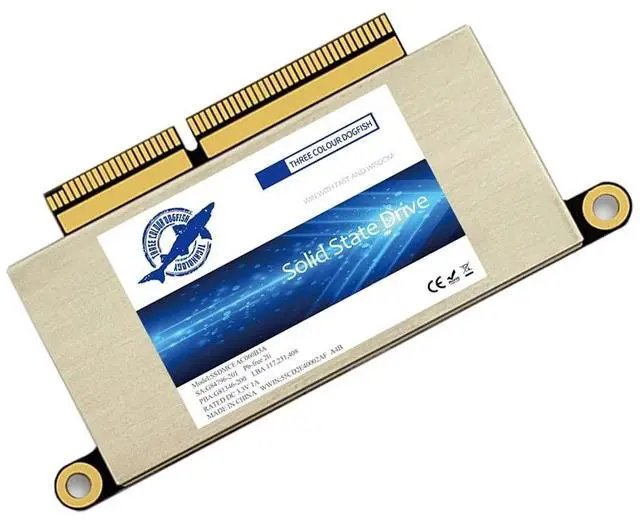
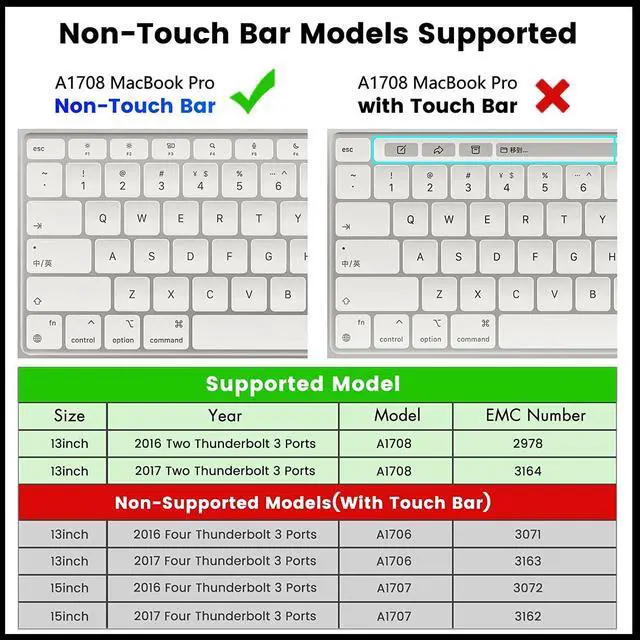
Dogfish 512GB SSD for MacBook PCIe Gen3x4 M.2 NVMe, Internal Solid State Drive Upgrade for MacBook Pro A1708 (2016-2017)
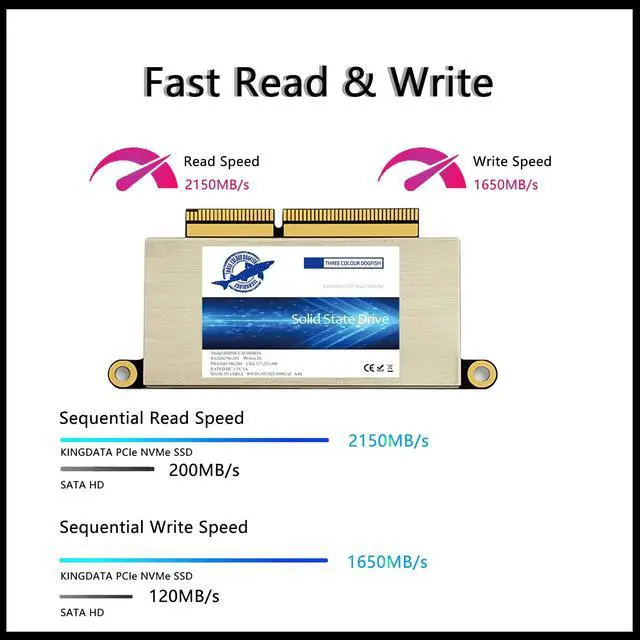
- [SSD for MacBook Update]: Speed up to 2150MB/s, For your MacBook Pro A1708 (2016-2017). Note,Just Non-Touch Bar Models Supported. Recently we send some A1708 SSD with MacOS, if you receive this version, the Power-on password is 1234 or 123, or space + enter, or just enter. It is brand new ssd, just because many customers don't know how to reinstall MacOS, so we install the MacOS for customer recently.
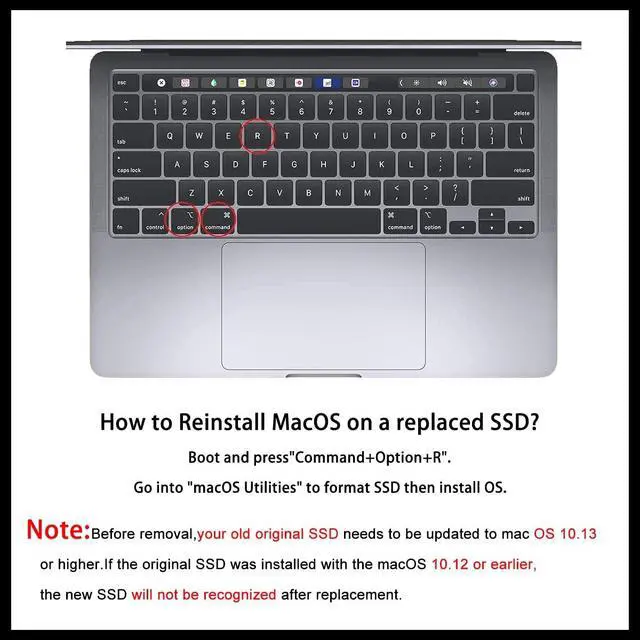
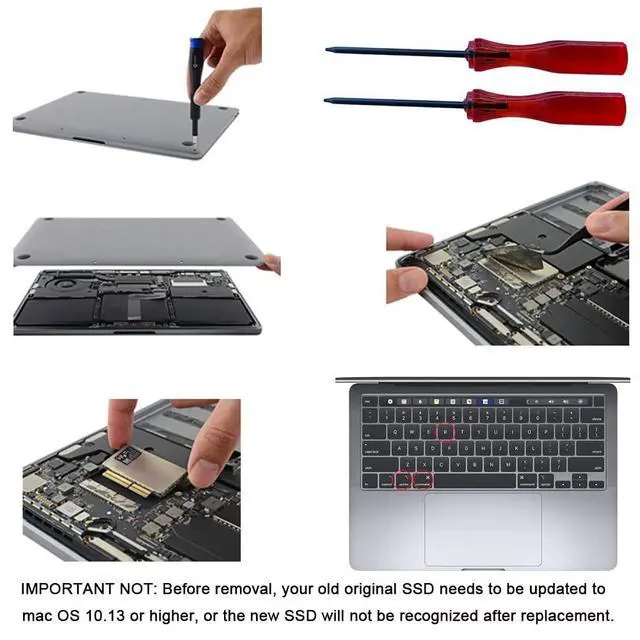
- [IMPORTANT NOTE] Before removal, Back up your original data to USB drive; and Updated your old original SSD to mac OS 10.13 High Sierra or Later version. If not, the new SSD will not be recognized after replacement.If your mac does not recognize the drive, then back to the step.
- [Reinstall MacOS] 3 ways to install macOS: From Time Machine Backup; Make USB Installer;From Internet Recovery. You can check some video, or check our installation manual in listing documents, or there are simple steps in the product description below. Remember to Reformat(Erase) the new SSD before Restore t
+
+
Overview
Specs
Reviews
Any questions? Our AI beta will help you find out quickly.
Try me now
[SSD for
MacBook Update]: Speed up to 2150MB/s, For your MacBook Pro A1708 (2016-2017). Note, Just Non-Touch Bar Models Supported. Recently we send some A1708 SSD with MacOS, if you receive this version, the Power-on password is 1234 or 123, or space + enter, or just enter. It is brand new ssd, just because many customers don't know how to reinstall MacOS, so we install the MacOS for customer recently. ^^ [IMPORTANT NOTE] Before removal, Back up your original data to USB drive; and Updated your old original SSD to mac OS 10.13 High Sierra or Later version. If not, the new SSD will not be recognized after replacement. If your mac does not recognize the drive, then back to the step. ^^ [Reinstall MacOS] 3 ways to install macOS: From Time Machine Backup; Make USB Installer; From Internet Recovery. You can check some video, or check our installation manual in listing documents, or there are simple steps in the product description below. Remember to Reformat (Erase) the new SSD before Restore the MacOS. ^^ [High Speed & Safety] With storage options 256GB, 512GB, 1TB and 2TB for you, NVMe PCIe SSD read speed up to 2150 MB/s, write speed 1650 MB/s (1TB). With the Encryption program, protect your data safely. ^^ [After-sales Support]We provide three years of after-sales support.

Warranty & Returns
Warranty, Returns, And Additional Information
Warranty
- Please contact the Seller directly for warranty information. Warranty information may also be found on the Manufacturer's website.
- CONTACT
Return Policies
- Return for refund within: 30 days
- Return for replacement within: non-replaceable
- This item is covered by Aptly Tech Return Policy
Manufacturer Contact Info
- For a directory of all our manufacturers, please click below.
- Manufacturers Directory
LOADING...