
Your Browsing History




Any questions? Our AI beta will help you find out quickly.

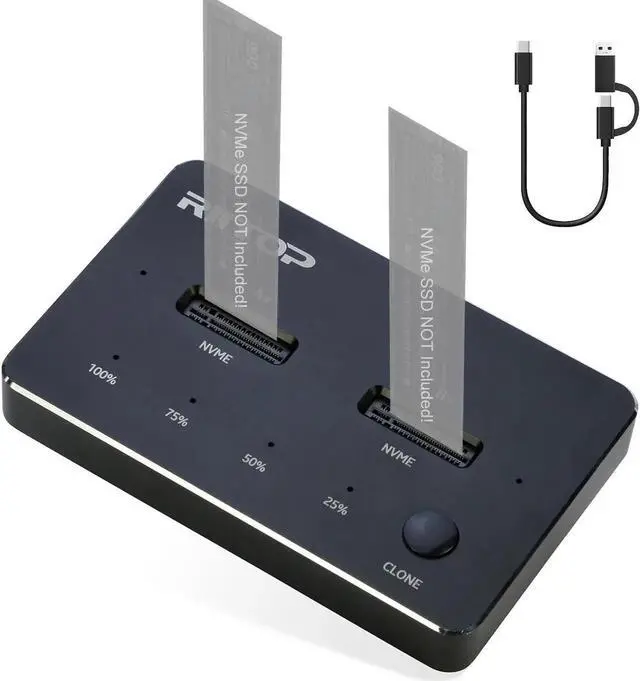
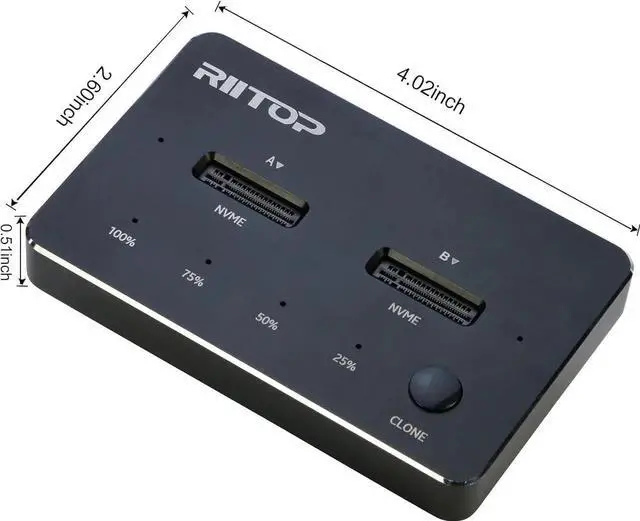
RIITOP Dual NVMe Docking Station with [Offline Cloner] for M.2 NVMe SSD 22110/2280/2260/2242/2230
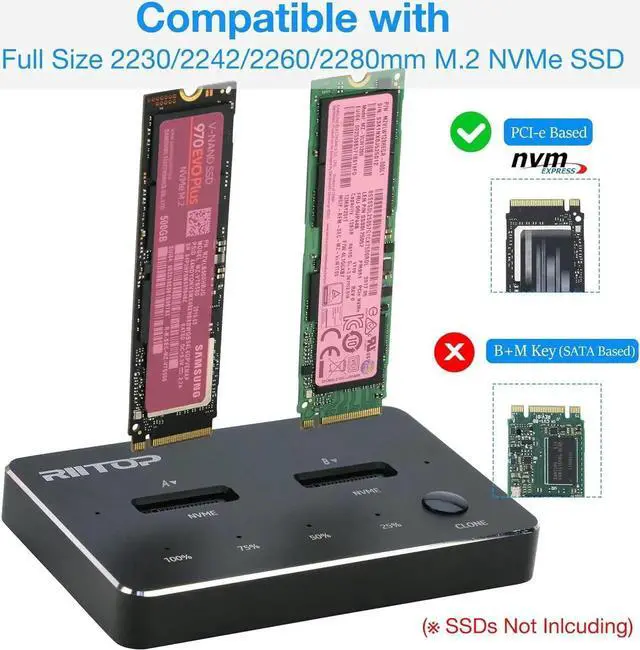
Compatible with: M.2 NVMe PCI-e SSD.
Support Dual-bay SSDs simultaneously.
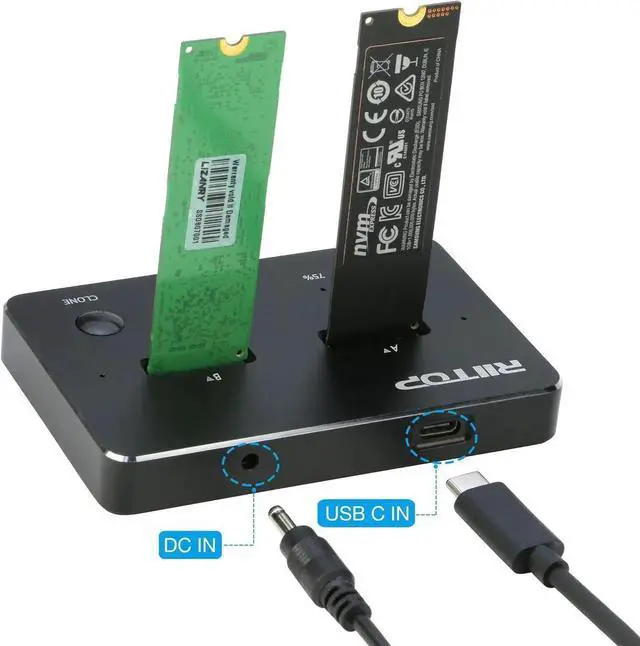
Output: USB 3.2/3.1 Type-C Port, 10Gbps Transfer Speed.
Meterial: Aluminum Alloy.

One-key Offline Cloner for NVMe SSD
Support NVMe SSD only!
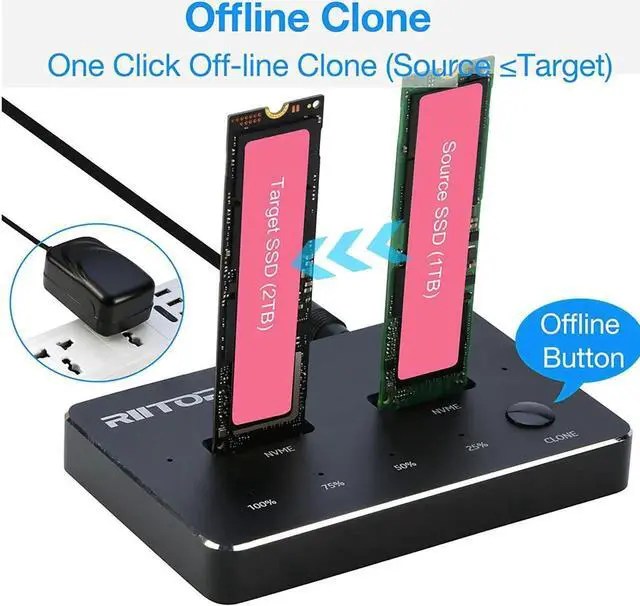
Easliy to clone the older SSD with data or system to new and larger one, without Computer.
B=source SSD; A= Target SSD, and please make sure the capacity of Disk B is equal or less than Disk A.

Dual-Bay External NVMe SSD Docking Station
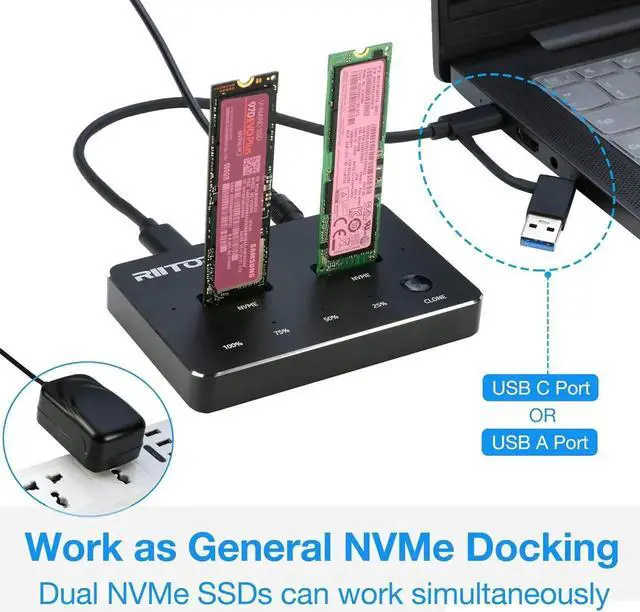
Support 2x M.2 NVMe SSDs connect to Computer at same time, as external SSD enclosure, read and write.
Come with USB Type C to C Cable(and C-A connector on it), Support both C and A port.

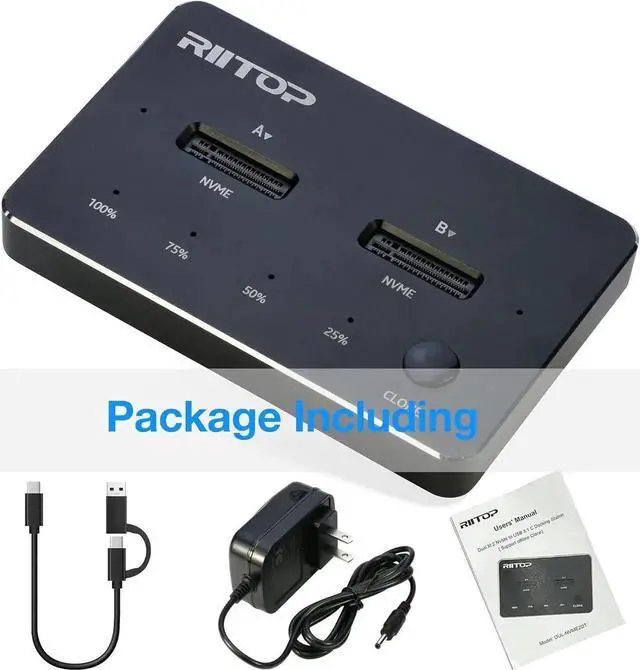
Package Including:
1x Dual NVMe SSD Dock
1x USB-C Cable with C-A Adapter
1x DC 5V Adapter
1x User's Manual

Dual-bay NVMe Duplicator SSD Docking Station
[Offline Clone Function]
RIITOP NVMe Offline Cloner is easily operated.
Step:
1.Connect the DC Power Adapter after Source SSD (into Right Slot) and Target SSD ( into Left Slot) Inserted (Source SSD capacity less than Target) .
2. Press "Clone" Button for about 3-5 seconds till all of the "Percent Progress Indicators" flash simultaneously, release the Botton.
3. Then re-click the Botton again, the percent process indicators flash sequentially, Clone will start.
4. after all four progress indicators on, Clone is completed.
Please Note:
1. The Temperature of the entire Operating SSD may exceed 60 ° C. Please do not touch the SSD.
2. It can NOT support "Hot-Plugging". Please don't exchange the SSDs when connecting.
3. Please make sure the capacity of source SSD is less than Target SSD.
4. If Clone is interrupted, please clone again.
[Not only NVMe Docking Station]
RIITOP Dual NVMe Dock can not only be used as general external SSD Reader/Writer, but also as an Offline M.2 NVMe Duplicator to clone data between Two NVMe SSDs by one-click without a computer.
[Offline Clone Function]
RIITOP NVMe Offline Cloner is easily operated. Step:
1.Connect the DC Power Adapter after Source SSD (into Right Slot) and Target SSD ( into Left Slot) Inserted (Source SSD less than Target) .
2. Press "Clone" Button for about 3-5 seconds till all of the "Percent Progress Indicators" flash simultaneously, release the Botton.
3. Then re-click the Botton again, the percent process indicators flash sequentially, Clone will start.
4. after all four progress indicators on, Clone is completed.
[Compatibility]
RIITOP NVMe to USB Docking Station Supports most of M.2 PCI-e M key NVMe SSDs, Compatible with Samsung 970 EVO /950Pro/ 960Evo/ XP941/ PM951/ PM961/ SM951/ SM962, WD Black NVMe SSD and so on. Only Support M.2 PCI-e Based M Key NVMe M.2 SSD, Not support B+M Key SATA-Based SSD.
Package including:
1x RIITOP Dual NVMe M.2 Duplicator;
1x USB C to C Cable with USB Type A Adapter;
1x DC Power Adapter;
1x Users' Manual.