Your Browsing History
- Free 30-day Returns
$248.99
Meet Your Seller
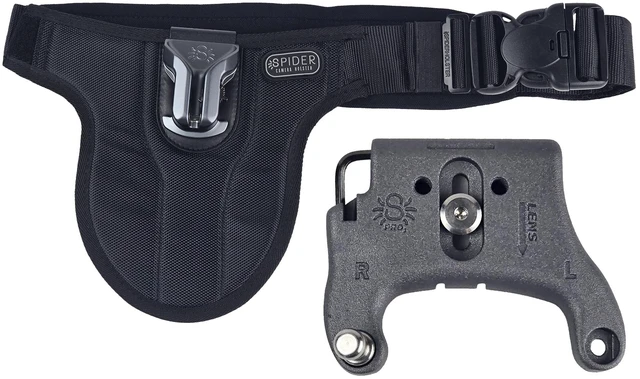
Spider Holster SpiderPro Single DSLR Camera System v2 Belt for 1 Camera
- THIS IS A SPIDER v2 PRODUCT: This product is not compatible with Spider v3
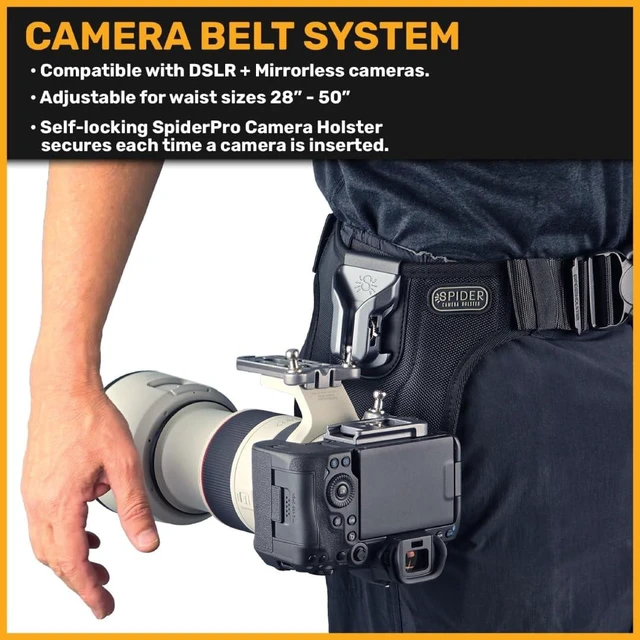
- DESIGNED FOR DSLR: Optimized for use on DSLR camera bodies, compatible with all major brands!
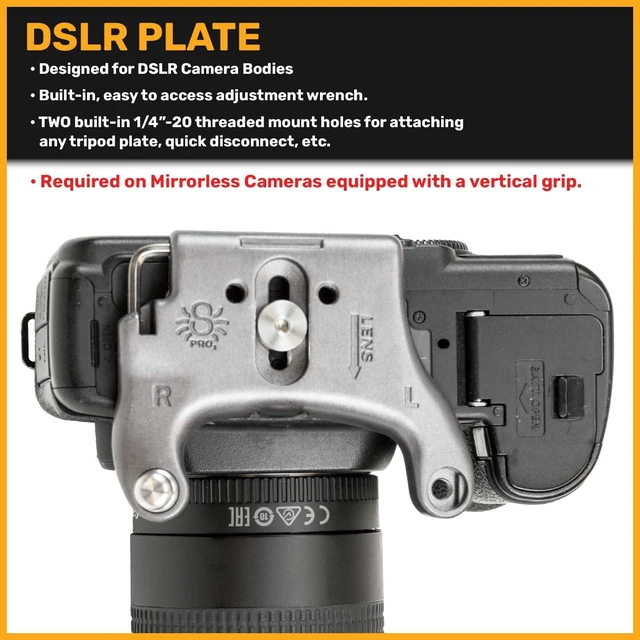
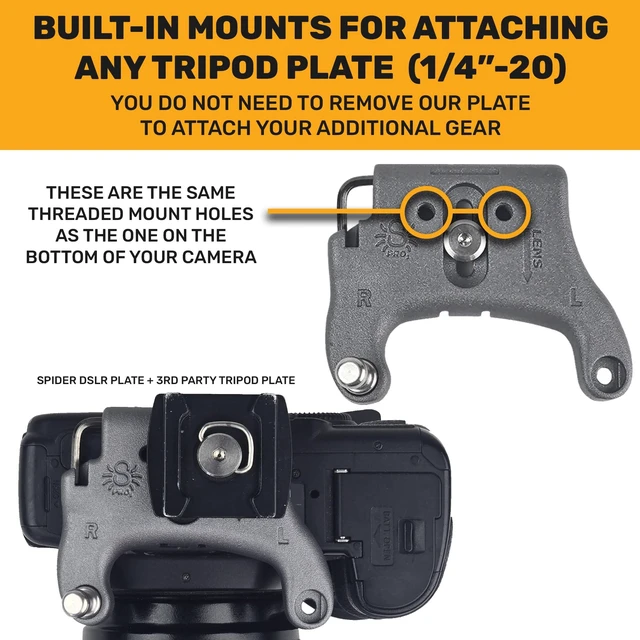
- EASY TO USE: Attach the Spider Plate to your camera and insert it into the belt mounted Spider Holster. You're good to go!
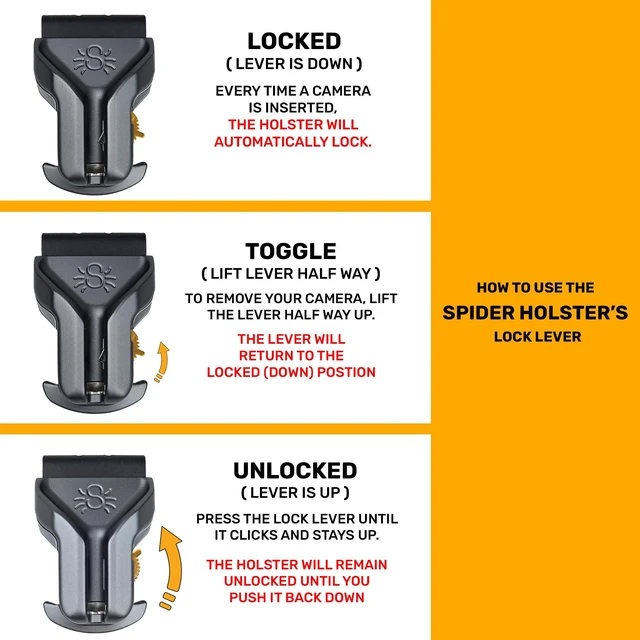
- QUICK-DRAW: Use the camera holster lock's optional camera quick release position to draw without touching the lock switch. Great for when you need quick access to your cameras!
- SELF LOCKING HOLSTER: The holster will self lock every time you your camera is inserted. Flick the lock lever upward while drawing out your camera to release it.
+
+
Overview
Specs
Reviews
Any questions? Ask CelesteSM will help you find out quickly.
Try me now
THIS IS A SPIDER v2
PRODUCT: This product is not compatible with Spider v3 ^^
DESIGNED FOR DSLR: Optimized for use on DSLR camera bodies, compatible with all major brands! ^^
EASY TO USE: Attach the Spider Plate to your camera and insert it into the belt mounted Spider Holster. You're good to go! ^^
QUICK-DRAW: Use the camera holster lock's optional camera quick release position to draw without touching the lock switch. Great for when you need quick access to your cameras! ^^
SELF LOCKING HOLSTER: The holster will self lock every time you your camera is inserted. Flick the lock lever upward while drawing out your camera to release it.
PRODUCT: This product is not compatible with Spider v3 ^^
DESIGNED FOR DSLR: Optimized for use on DSLR camera bodies, compatible with all major brands! ^^
EASY TO USE: Attach the Spider Plate to your camera and insert it into the belt mounted Spider Holster. You're good to go! ^^
QUICK-DRAW: Use the camera holster lock's optional camera quick release position to draw without touching the lock switch. Great for when you need quick access to your cameras! ^^
SELF LOCKING HOLSTER: The holster will self lock every time you your camera is inserted. Flick the lock lever upward while drawing out your camera to release it.
Warranty & Returns
Warranty, Returns, And Additional Information
Warranty
- Please contact the Seller directly for warranty information. Warranty information may also be found on the Manufacturer's website.
- CONTACT
Return Policies
- Return for refund within: 30 days
- Return for replacement within: non-replaceable
- This item is covered by SIMPLIZED Return Policy
Manufacturer Contact Info
- For a directory of all our manufacturers, please click below.
- Manufacturers Directory
LOADING...