• $58.69
  • Free 30-day Returns
  • Ships from China.
    Price alert
    Sold by Jiamayanonly

    Shipped by Jiamayanonly

    Best Sellers

    3.6 (11 total ratings)
    • $58.19
    • + FREE SHIPPING
    Shop it at NeweggBusiness.

    Meet Your Seller

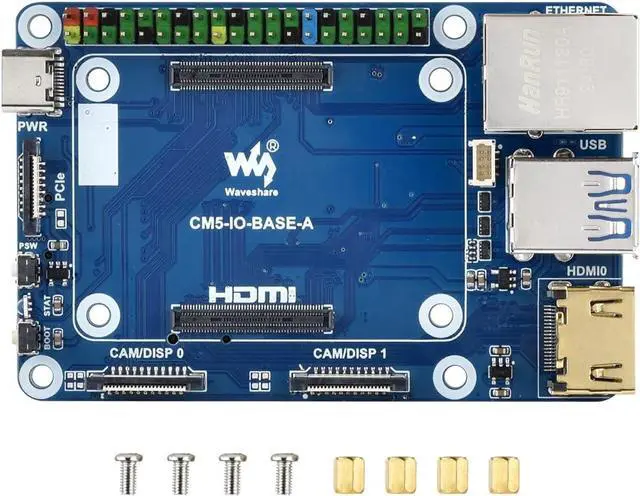
    Mini Base Board for Raspberry Pi CM5 Lite/eMMC Series Module, Compute Module 5 Mini IO Board with CM5 Socket/40PIN GPIO Header/RJ45 Gigabit Eth/16PIN PCIe/HDMI/USB 3.2/USB 2.0 Interface etc.

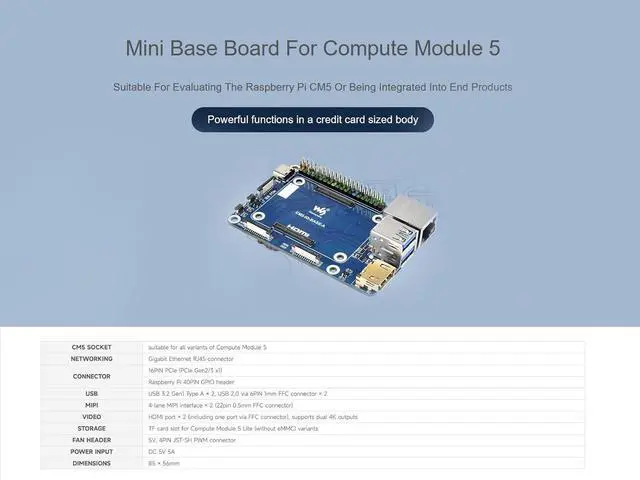
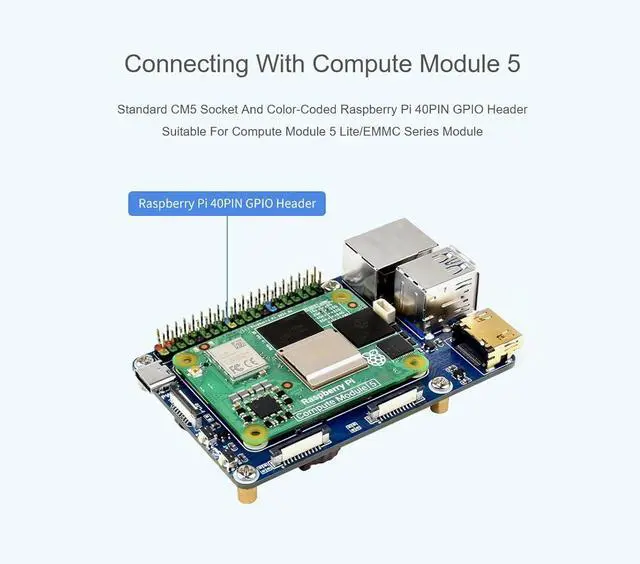
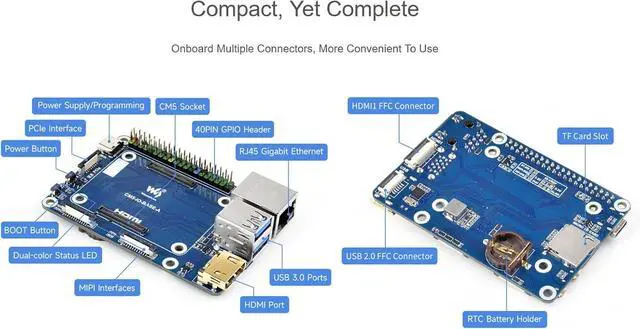
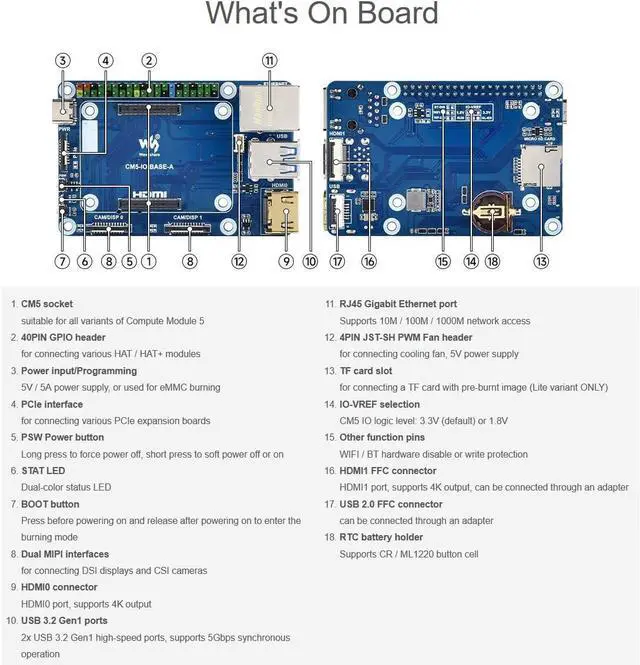
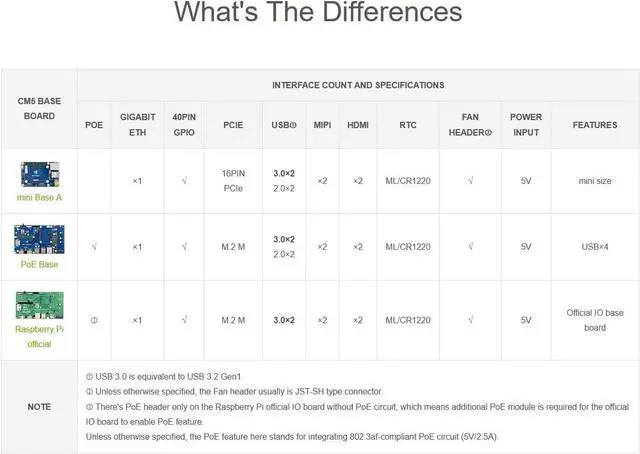
    • Mini Base Board for Raspberry Pi Compute Module 5 Lite/eMMC series module, with onboard CM5 socket, Gigabit Ethernet RJ45 connector, 40PIN GPIO header, 16PIN PCIe, USB 3.2 Gen1 Type A × 2, USB 2.0 via 6PIN 1mm FFC connector × 2, 4-lane MIPI interface × 2 , HDMI port × 2, RTC etc.
    • Do not plug or unplug any device other than USB and HDMI when the device is powered on. When you need to use POE, connect the POE jumper cap to the EN position
    • The onboard BOOT button, you can press the BOOT button before powering on, and connect to the computer through Type C to let the device enter the flashing mode
    • Type C can be used as a USB SLAVE interface to flash images. Do not connect other devices when using Type C to flash. Insufficient power supply for flashing will cause the device to be unrecognized. Onboard default 2 USB 3.2 Gen1 ports. The USB ports have a total maximum power output of 2A
    • Supports 4 screens to display different contents, adds MIPI DSI driver, regardless of whether a screen is co
    +
    +
    Overview
    Specs
    Reviews
    avatar

    Any questions? Our AI beta will help you find out quickly.

    Mini Base Board for Raspberry Pi Compute Module 5 Lite/eMMC series module, with onboard CM5 socket, Gigabit Ethernet RJ45 connector, 40PIN GPIO header, 16PIN PCIe, USB 3.2 Gen1 Type A × 2, USB 2.0 via 6PIN 1mm FFC connector × 2, 4-lane MIPI interface × 2, HDMI port × 2, RTC etc.
    Do not plug or unplug any device other than USB and HDMI when the device is powered on. When you need to use POE, connect the POE jumper cap to the EN position
    The onboard BOOT button, you can press the BOOT button before powering on, and connect to the computer through Type C to let the device enter the flashing mode
    Type C can be used as a USB SLAVE interface to flash images. Do not connect other devices when using Type C to flash. Insufficient power supply for flashing will cause the device to be unrecognized. Onboard default 2 USB 3.2 Gen1 ports. The USB ports have a total maximum power output of 2A
    Supports 4 screens to display different contents, adds MIPI DSI driver, regardless of whether a screen is connected, the system will default to connect, the screen will display in split-screen mode (related to the system version)

    Warranty & Returns

    Warranty, Returns, And Additional Information

    Warranty

    • Please contact the Seller directly for warranty information. Warranty information may also be found on the Manufacturer's website.
    • CONTACT

    Return Policies

    • Return for refund within: 30 days
    • Return for replacement within: non-replaceable
    • This item is covered by Jiamayanonly Return Policy

    Manufacturer Contact Info

    LOADING...
    LOADING...