here!
here!
I’m your shopping assistant for PC builds, upgrades, and everything tech.
Got questions? Ask away!
Start a conversation
here!
I’m your shopping assistant for PC builds, upgrades, and everything tech.
Got questions? Ask away!
Start a conversation


Any questions? Ask CelesteSM will help you find out quickly.


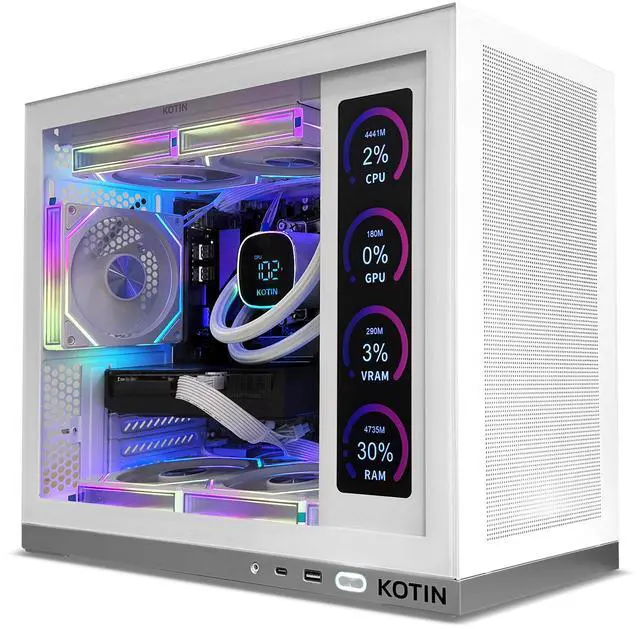
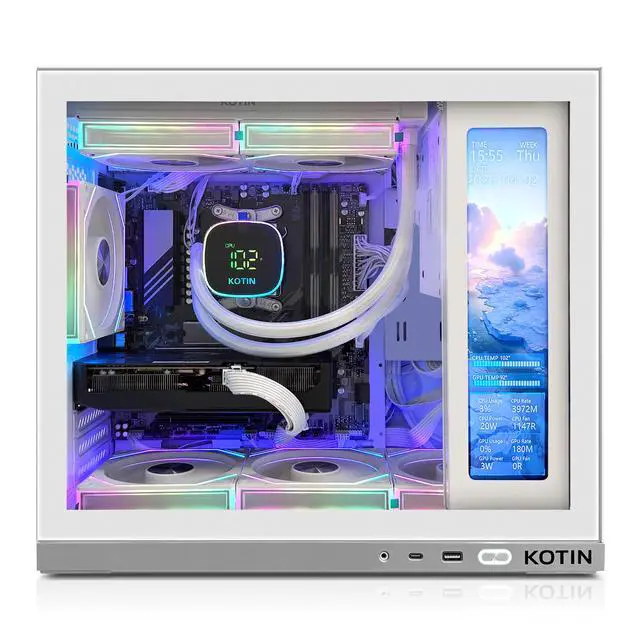
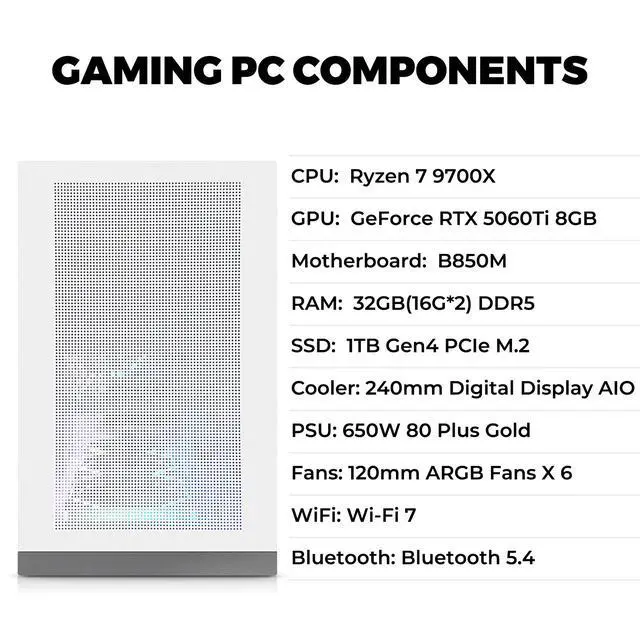
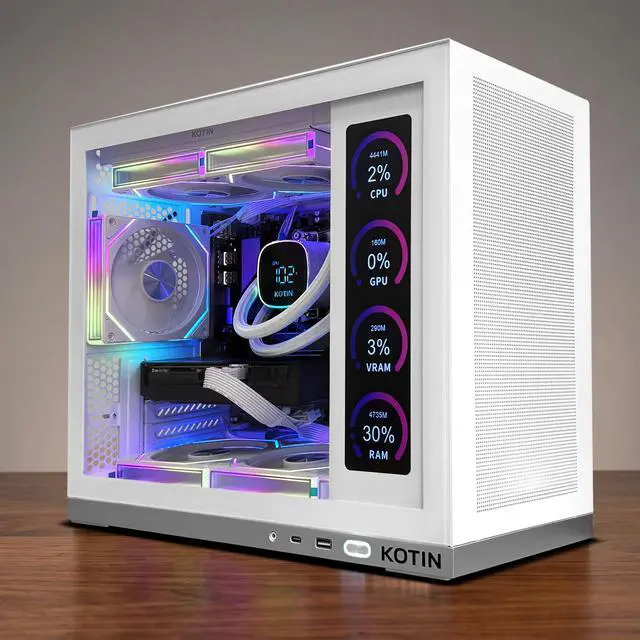
The KOTIN Gaming PC is a prebuilt white desktop with a Ryzen 7 9700X, RTX 5060 Ti 8GB, 32GB DDR5, and 1TB Gen4 SSD, built for players who want smooth 1080p esports, capable 1440p gaming, and enough headroom for streaming or everyday content creation.
| Attribute | Value |
|---|---|
| Best For | 1080p–1440p gaming, streaming, and content creation powered by an 8-core Ryzen CPU, RTX 5060 Ti 8GB GPU, and 32GB DDR5 memory |
| Processor And Core Count | AMD Ryzen 7 9700X (Zen 5) — 8 cores / 16 threads, 3.80 GHz base, up to 5.5 GHz turbo; AM5 socket; L2 8 MB / L3 32 MB |
| GPU And VRAM | NVIDIA RTX 5060 Ti (Blackwell) with 8 GB GDDR7 video memory; no SLI/Crossfire; VR-ready |
| Memory Configuration | 32 GB DDR5 (16 GB x2) at DDR5-6000, 4 DIMM slots total (2 occupied, 2 available), supports up to 256 GB |
| Storage And Expansion | 1 TB NVMe storage on M.2 interface (NVMe / M.2 SSD) |
| Power And Power Supply | 650W power supply |
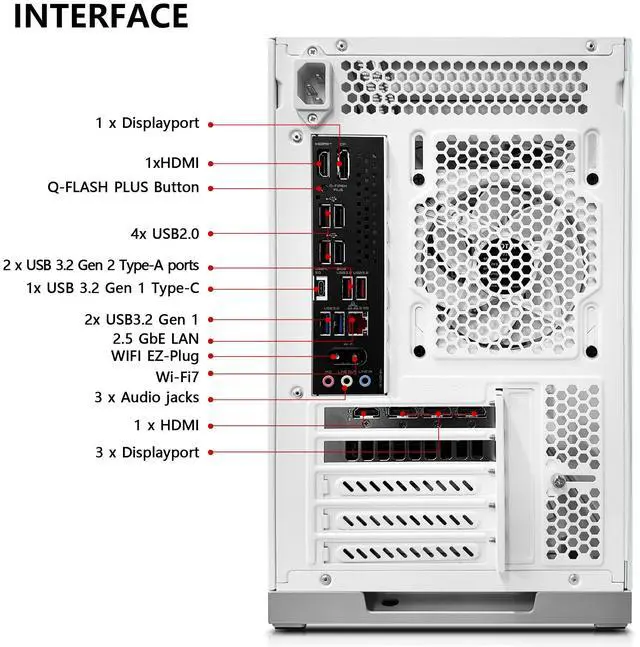
| Wired And Wireless Networking | Wi-Fi 7 wireless networking |
| Operating System And Software | Windows 11 Home pre-installed / ready |
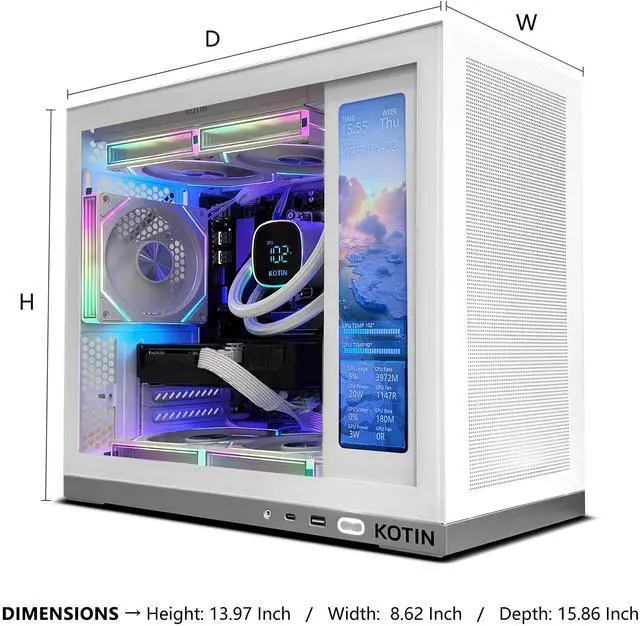
| Form Factor And Peripherals | Desktop tower in white; no optical drive; monitor not included |
| Features And Compatibility | AI Ready capability |
| Model Identifiers | Model KTG50WA797X32506T8G — Release Year 2025 |
Q: Should I buy this Ryzen 7 9700X + RTX 5060 Ti 8GB desktop or step up to a similar RTX 5060 Ti 16GB prebuilt?
A: Choose this KOTIN system if your main goal is high-FPS 1080p gaming, lighter 1440p play, and a stronger CPU platform out of the box. Choose an RTX 5060 Ti 16GB system instead if you expect to play newer games at 1440p with ultra textures or heavier ray tracing, because external testing shows the 8GB and 16GB versions are close at lighter settings but the 16GB card pulls ahead more clearly at 1080p ultra and especially 1440p ultra due to VRAM limits on the 8GB model.
Q: Is this desktop a better buy than an RTX 5060 prebuilt for 1080p and entry 1440p gaming?
A: Yes, this configuration makes more sense than a typical RTX 5060 prebuilt if you want more headroom for 1440p, higher settings, or longer upgrade runway. Third-party coverage shows the RTX 5060 Ti sits meaningfully above the RTX 5060, while this system also pairs it with a Ryzen 7 9700X and 32GB DDR5, which is a stronger overall baseline for gaming, streaming, and multitasking. An RTX 5060 system is still a practical lower-cost choice if you are staying mostly at 1080p and prioritizing budget over extra GPU margin.
Q: How does this PC compare with an older Ryzen 7 7700X or RTX 4060 Ti prebuilt?
A: This KOTIN desktop is the better choice if you want the newer AM5-era CPU generation and a faster midrange GPU class than typical RTX 4060 Ti prebuilts. Review data shows the Ryzen 7 9700X is only modestly ahead of the 7700X in gaming on average, so the larger practical difference usually comes from the GPU: benchmark hierarchies place the RTX 5060 Ti 8GB above the RTX 4060 Ti 8GB and 16GB overall. That means this system is the more sensible pick for buyers upgrading from a last-generation midrange prebuilt, especially if gaming is the priority.
Q: Should I choose this desktop or move up to an RTX 5070 gaming PC?
A: Choose this KOTIN desktop if you mainly play at 1080p, want solid 1440p capability, and prefer to keep cost and power demands closer to the midrange. Move up to an RTX 5070 system if your target is more consistent 1440p ultra performance, heavier ray tracing, or more GPU margin for future games. In that comparison, the Ryzen 7 9700X remains a suitable CPU either way, so the decision mostly comes down to how much 1440p performance headroom you want from the graphics card.
Q: Is this desktop a better fit than a gaming laptop if I need one system for school, travel, and gaming?
A: Choose this desktop if gaming performance, cooling, and future component upgrades matter more than mobility. A gaming laptop is the better fit only when portability is a core requirement, because even strong laptops trade away some upgrade flexibility and thermal headroom compared with desktops. For a stay-at-home setup focused on 1080p or 1440p gaming, this desktop is the more performance-first option.
Q: Is this a good fit for 1080p and 1440p gaming, or should I buy a stronger GPU tier instead?
A: Yes for 1080p and generally yes for 1440p, with some limits. Based on the listed Ryzen 7 9700X, RTX 5060 Ti 8GB, 32GB DDR5, and 1TB Gen4 SSD, this system is well matched for high-FPS 1080p gaming and solid 1440p gaming. The main trade-off is the 8GB GPU memory: it is fine for esports and many mainstream games, but buyers who want higher settings in newer, heavier titles at 1440p may prefer a higher GPU tier for more headroom.
Q: Can I upgrade the RAM, SSD, or graphics card later?
A: Probably yes for RAM and storage, and potentially yes for the GPU, but the exact upgrade ceiling depends on the motherboard, case clearance, power connectors, and PSU headroom. Your product data is favorable for upgrades: it lists 4 memory slots with 2 used, support up to 256GB, AM5 platform, M.2 storage, and a 650W 80+ Gold PSU. That makes memory and SSD upgrades straightforward in principle. GPU upgrades are more conditional because larger or higher-power cards may need more wattage and physical space.
Q: Is this overkill for school, office work, meetings, and everyday use?
A: For basic office work, meetings, web use, and note-taking, this desktop is more than you need. It will handle those tasks easily, but its value is really in gaming, streaming, and heavier multitasking. It makes sense for buyers who want one machine for both work and gaming. If you only need productivity, a cheaper desktop would usually be the better value.
Q: Who is this desktop best suited for?
A: This desktop is best for buyers who want a prebuilt tower for 1080p high-refresh gaming, mainstream 1440p gaming, streaming, and general productivity without needing immediate upgrades. It is especially suitable for users who value 32GB RAM out of the box, a modern AM5 CPU platform, Wi-Fi, and a ready-to-use Windows setup. It is less ideal for buyers focused on compact size, portability, or maximizing 1440p/4K performance per dollar.
Q: What are the main trade-offs versus a similar prebuilt from Alienware, HP OMEN, Lenovo Legion, or iBUYPOWER?
A: The main trade-off is brand ecosystem versus component value. Compared with many big-brand prebuilts, this KOTIN configuration stands out on paper for giving you a Ryzen 7 9700X, 32GB DDR5, and a 1TB Gen4 SSD in one package. Big-brand alternatives may offer stronger support networks or better-known case designs, but their Q&A pages often show buyer concerns about proprietary parts, limited PSU flexibility, fewer RAM slots, or constrained upgrade paths. This KOTIN desktop looks more appealing if your priority is usable gaming specs and upgrade-friendly core parts rather than brand prestige.
Q: Is this KOTIN PC a good fit for 1080p gaming, and can it handle 1440p reasonably well?
A: Yes for 1080p, and conditionally yes for 1440p. The Ryzen 7 9700X and RTX 5060 Ti 8GB are a strong match for high-FPS 1080p gaming. For 1440p, it should work well in many games, especially with DLSS enabled, but the 8GB GPU memory is the main limitation in newer or more demanding titles. Buyers focused on long-term 1440p use should treat 8GB VRAM as the main trade-off.
Q: Who is this PC most suitable for?
A: It is best suited to buyers who want a ready-to-use gaming desktop with strong general performance, not just gaming performance. The Ryzen 7 9700X, 32GB DDR5, and 1TB Gen4 SSD make it a sensible fit for gaming, streaming, school or office multitasking, and light content creation. It is less ideal for buyers who mainly care about maximum gaming value per dollar or who want a more 1440p-focused GPU configuration.
Q: Is this prebuilt worth buying if I want a balanced gaming PC without building my own?
A: It can be worth buying if your priority is convenience and a balanced overall spec. This system includes a modern 8-core AM5 CPU, 32GB DDR5, Gen4 SSD storage, Wi-Fi 7, Windows 11, and a 650W Gold PSU, which covers the main parts buyers often worry about in prebuilts. The main decision point is the GPU: the RTX 5060 Ti 8GB is fine for mainstream gaming, but it is the part most likely to limit long-term value for buyers targeting heavier 1440p gaming.
Q: What are the main trade-offs of this configuration?
A: The main trade-off is that the CPU, memory, and platform are stronger than the GPU for long-term 1440p use. In practical terms, 32GB DDR5 and a Ryzen 7 9700X are generous for this class, but the RTX 5060 Ti 8GB may hit VRAM limits sooner than the rest of the system ages out. That means the build makes more sense for buyers prioritizing 1080p performance, multitasking, and a modern platform than for buyers specifically chasing the best 1440p longevity.