here!
I’m your shopping assistant for PC builds, upgrades, and everything tech.
Got questions? Ask away!
Start a conversation
here!
I’m your shopping assistant for PC builds, upgrades, and everything tech.
Got questions? Ask away!
Start a conversation


Any questions? Ask CelesteSM will help you find out quickly.


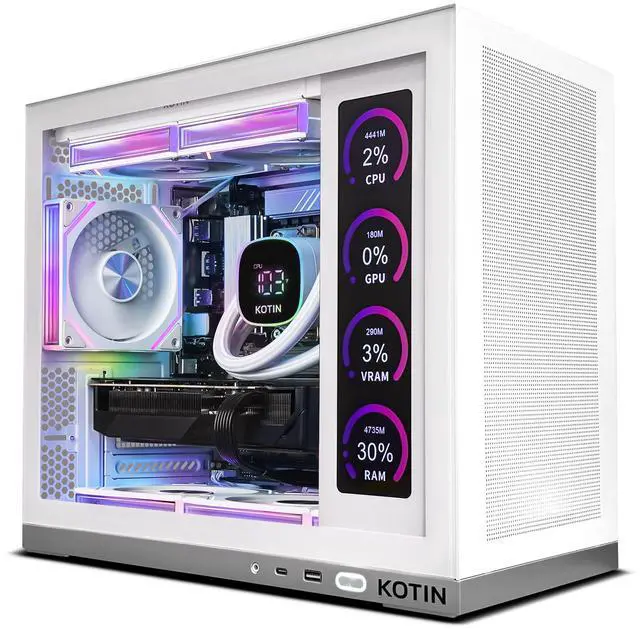
The KOTIN White Gaming PC is a prebuilt gaming desktop with an Intel Core Ultra 7 265KF, GeForce RTX 5070 12GB, 32GB DDR5, and a 1TB PCIe 4.0 SSD, making it a strong fit for players who want high-FPS esports, 1440p gaming, ray tracing, streaming, and everyday content creation in a ready-to-use setup.
| Attribute | Value |
|---|---|
| Best For | Gamers and content creators who need a high-performance desktop for gaming, streaming, and creative workloads powered by a 20-core Intel Core Ultra 7 CPU, NVIDIA GeForce RTX 5070 GPU, 32GB DDR5 memory, and NVMe storage |
| Processor And Core Count | Intel Core Ultra 7 265KF — 20-core processor with 3.3 GHz base clock and up to 5.5 GHz boost, 36 MB L2 and 30 MB L3 cache, LGA 1851 socket |
| GPU And VRAM | NVIDIA GeForce RTX 5070 (Blackwell architecture) with 12 GB GDDR7 VRAM; SLI/Crossfire not supported; VR ready |
| Memory Configuration | 32 GB (2 × 16 GB) DDR5 at 6000 MHz; motherboard has 4 DIMM slots with 2 occupied and 2 available |
| Storage And Expansion | 1 TB NVMe SSD |
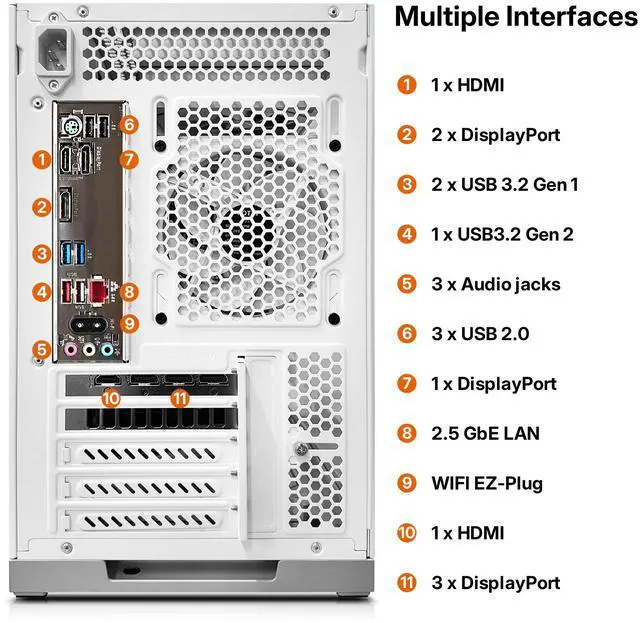
| Wired And Wireless Networking | 2.5 Gbps wired LAN, Wi‑Fi 6E, Bluetooth 5.3 |
| Power Supply | 850W internal power supply |
| Operating System | Windows 11 Home |
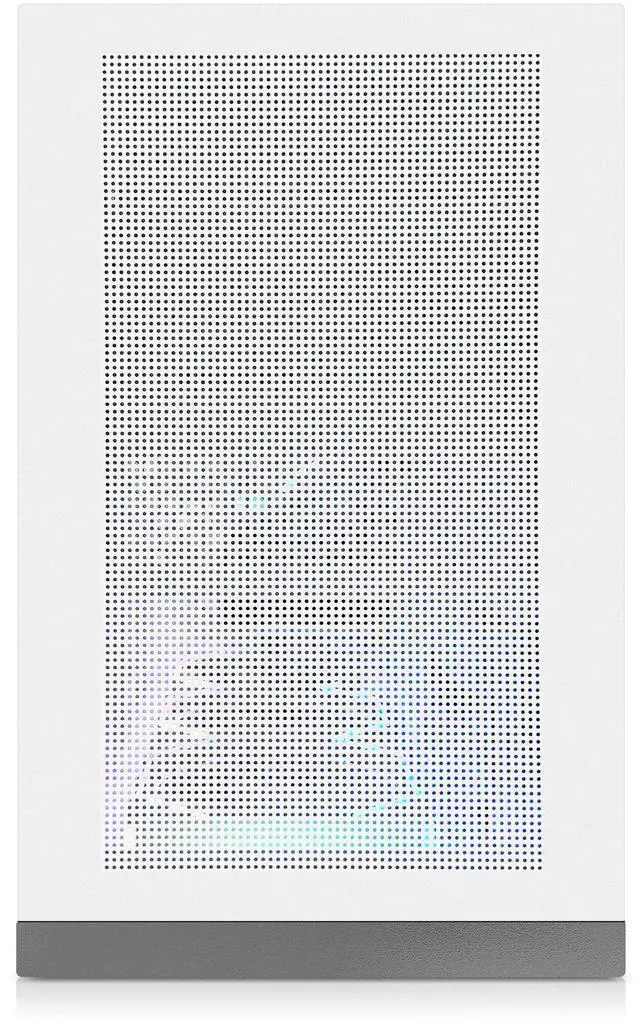
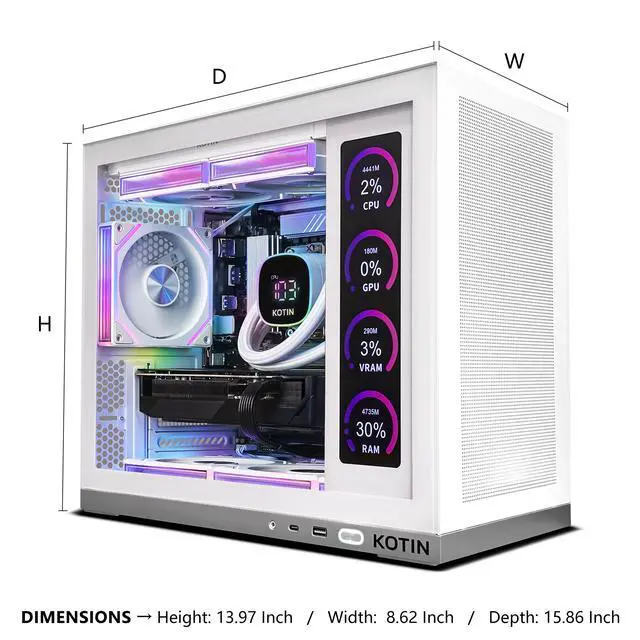
| Chassis And Dimensions | White desktop tower form factor; dimensions 20.6 × 19.6 × 13.1 inches (H × W × D) |
| Model Identifiers | Model number KTG50WU765KF3250712G |
| Additional Features | No optical drive; single CPU installed and supported (1 installed / max supported 1) |
Q: Should I buy this RTX 5070 prebuilt or a similar RTX 4070 Super gaming desktop?
A: Choose this KOTIN system if the price gap is modest and you want a newer-generation NVIDIA platform for 1440p gaming, DLSS 4-era features, and longer forward-looking support. External comparisons consistently show the RTX 5070 performing close to, and often slightly ahead of, the RTX 4070 Super in conventional gaming, while community discussion usually treats the upgrade as meaningful only when the total system price difference is not large. If a 4070 Super desktop is clearly cheaper, that lower-tier option still makes sense for value-focused 1440p play because both cards target the same usage tier.
Q: Is this PC a better fit than an RTX 5070 Ti desktop?
A: This KOTIN PC is the better fit for buyers targeting strong 1440p gaming with a more controlled total system budget. An RTX 5070 Ti desktop is the better step up if you want more headroom for heavier ray tracing, higher-refresh 1440p in demanding games, or more comfortable 4K use. Community and benchmark discussions commonly frame the 5070 Ti as the performance-first option, but not always the better value once full-system pricing is considered. In short: choose this RTX 5070 build for balanced gaming and cost control; move to a 5070 Ti build when you know you want extra GPU margin, not just a newer label.
Q: Is this a worthwhile upgrade over an older RTX 4070 gaming PC?
A: Yes, this system is a sensible upgrade from an RTX 4070-class desktop if your goal is better 1440p performance, access to newer Blackwell-era NVIDIA features, and a full platform refresh with DDR5, PCIe 4.0 storage, Wi-Fi 6E, and a newer Intel desktop CPU. The improvement is more compelling from RTX 4070 than from RTX 4070 Super, because reviews and NVIDIA positioning show the RTX 5070 moving the class forward more clearly against the original 4070. If your current RTX 4070 PC already meets your needs, the upgrade is more about added headroom and platform age than a complete change in gaming tier.
Q: Should I get this desktop or an RTX 5070 gaming laptop if I move around a lot?
A: Choose this desktop if gaming performance, thermals, quieter sustained loads, and future upgrade flexibility matter more than portability. Choose an RTX 5070 gaming laptop only if you need one system that travels regularly between rooms, school, or work. For the same GPU naming tier, desktops usually provide more consistent sustained performance and easier upgrades because they are not constrained by laptop power and cooling limits. This KOTIN desktop also includes a 32GB DDR5 configuration, 1TB NVMe storage, 850W Gold PSU, and a full-size cooling setup, which aligns better with a performance-first buyer than a portability-first buyer.
Q: Is this a good fit for 1440p gaming, streaming, and everyday multitasking?
A: Yes. Based on the listed specs, this system is well suited for high-FPS esports, 1440p gaming, streaming, and general productivity at the same time. The strongest reasons are the RTX 5070 12GB GPU, 32GB DDR5 memory, and the 20-core Intel Core Ultra 7 265KF. It is a better fit for users who want strong gaming performance plus headroom for background apps than for buyers who only need a basic office PC.
Q: Is 1TB of storage enough, or should I expect to add more?
A: 1TB is enough for Windows, everyday apps, and a moderate game library, but it can fill quickly if you install many large modern games. This is a common concern in retail Q&A for gaming desktops. For many buyers, 1TB is acceptable at purchase but not ideal long term, so storage expansion is one of the first upgrades to plan for.
Q: Can this PC be upgraded later?
A: Probably yes for the usual desktop upgrades, but buyers should verify the exact motherboard layout and internal clearance before purchase. Retail Q&A for comparable prebuilts repeatedly focuses on adding storage, upgrading RAM, or changing the GPU later. This KOTIN system is more promising than a sealed or proprietary design because it lists 32GB as 2x16GB, shows 2 of 4 memory slots available, and includes an 850W Gold PSU, which is a practical base for future upgrades.
Q: Who is this PC best for, and who should skip it?
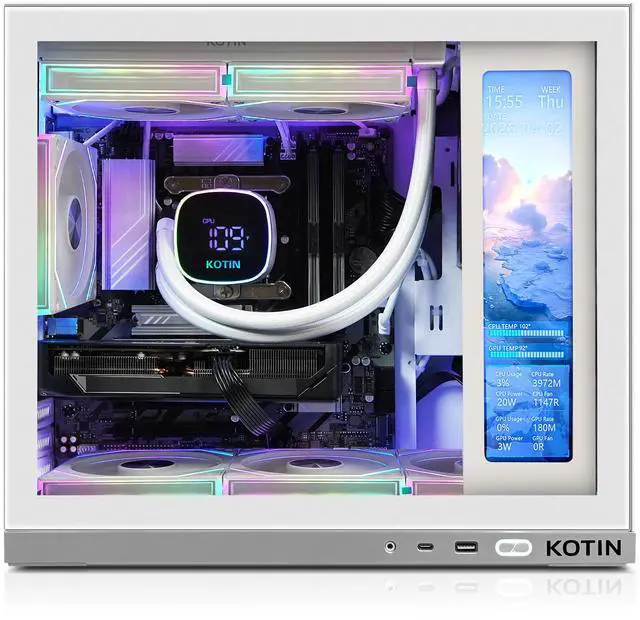
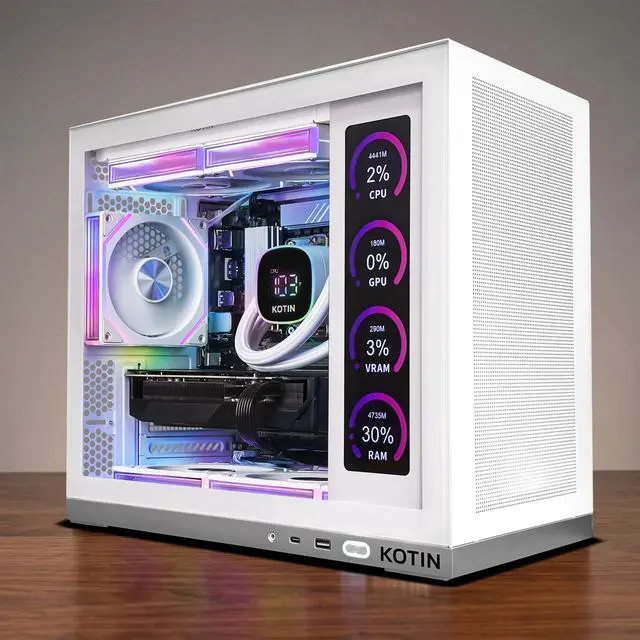
A: This PC is best for buyers who want a ready-to-use gaming desktop with strong 1440p performance, 32GB RAM, Wi-Fi 6E, and a more premium look with a built-in status display and RGB cooling. It is less suitable for budget-first shoppers, minimalists who do not care about aesthetics, or users who only need web, office, and meetings. Those buyers could spend less on a simpler desktop and give up little in non-gaming use.
Q: What are the main trade-offs versus a similar prebuilt from Lenovo, iBUYPOWER, or Acer?
A: The likely advantage of this KOTIN model is its feature set: RTX 5070 graphics, 32GB DDR5, 850W Gold PSU, liquid cooling, and the 11.3-inch monitoring display in one package. The trade-off is that established competitors often have more buyer Q&A history, more reviews, and clearer upgrade documentation. If you value lower purchase risk and better-known support ecosystems, a mainstream brand may feel safer. If you value specs and case features first, this KOTIN configuration is competitive on paper.
Q: Who is this PC best suited for?
A: This PC is best suited for buyers who want a ready-to-use gaming desktop for high-refresh esports, strong 1440p gaming, and general streaming or content work without building a system themselves. Its 32GB DDR5 memory and Core Ultra 7 plus RTX 5070 class hardware fit users who want a higher-end prebuilt, while the built-in display and white ARGB case mainly add appeal for setup-focused buyers rather than core performance.
Q: Is it worth buying as a prebuilt instead of building a PC?
A: It can be worth buying if you prioritize convenience, assembly, Windows setup, and support over lowest possible cost. The main decision point is price: with an RTX 5070, 32GB DDR5, 1TB NVMe SSD, and 850W Gold PSU, this is a sensible prebuilt only if its total price is close to similarly specced competing prebuilts. If the price premium is large, a DIY build or a more transparent prebuilt may offer better value.
Q: Is 1TB of storage enough for this kind of gaming PC?
A: 1TB is enough to start, but it is a likely limitation for buyers with large game libraries. For a system positioned as a higher-end gaming desktop, 1TB works for Windows, everyday apps, and several large games, but many buyers will eventually want a second SSD. This is a practical trade-off rather than a deal-breaker, especially since storage is usually easier to upgrade than the GPU or CPU.
Q: What are the main trade-offs of this PC?
A: The main trade-offs are that some of the premium feel comes from appearance features rather than performance, and the listing gives limited detail about component brands such as motherboard, SSD, or exact cooler model. The 11.3-inch smart display, white chassis, and ARGB lighting can be attractive, but buyers focused purely on value may prefer spending more of the budget on storage, a stronger GPU tier, or more transparent component selection.
Q: Is this a good choice for a first gaming PC?
A: Yes, it is a reasonable first gaming PC for someone who wants strong modern gaming performance without learning PC assembly first. The combination of a Core Ultra 7, RTX 5070, 32GB RAM, Wi-Fi 6E, and Windows 11 Home covers what most first-time buyers need. The main caution is to verify price competitiveness and upgrade flexibility, because first-time buyers often overpay for styling or convenience features.