





How to connect the watch to the APP "GloryFitPro"?
1. Download and install the APP through "Google Play" or "APP Store".
2. Turn on the Bluetooth phone and enter the APP. You can choose "register and log in" according to your personal wishes.
3. Find the device and connect it,allow all permissions.
How to receive mobile message reminders?
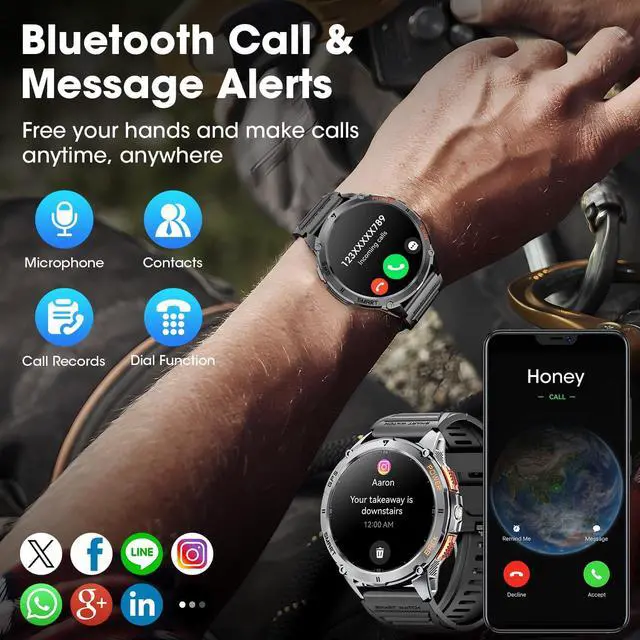
In the message notification area within the APP, turn on the permission, and then select any social media APP you want to receive information and open it.
Note: This smartwatch cannot send messages.
How to set call and media audio?
1. Swipe down on the watch home screen to view the function icons.
2. Tap the call icon to set call and media audio.
3. Turn off media audio to stop the music/video/voice sound on the watch.


How to connect the watch to the APP "GloryFitPro"?
1. Download and install the APP through "Google Play" or "APP Store".
2. Turn on the Bluetooth phone and enter the APP. You can choose "register and log in" according to your personal wishes.
3. Find the device and connect it,allow all permissions.
How to receive mobile message reminders?
In the message notification area within the APP, turn on the permission, and then select any social media APP you want to receive information and open it.
Note: This smartwatch cannot send messages.
How to set call and media audio?
1. Swipe down on the watch home screen to view the function icons.
2. Tap the call icon to set call and media audio.
3. Turn off media audio to stop the music/video/voice sound on the watch.