• $237.99
  • Free 30-day Returns
  • Price alert

    Best Sellers

    5 (1 total rating)
    • $237.59
    • + FREE SHIPPING
    5 (5 total ratings)
    • $236.59
    Hot Seller
    4 (3,725 total ratings)
    • $236.38
    Shop it at NeweggBusiness.

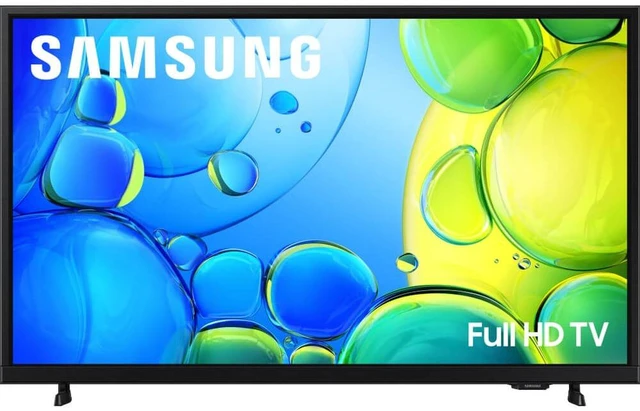
    Samsung UN40F6000F 40 inch Class FHD LCD Smart TV

    (132 from Samsung.com) Write a Review
    • Object Tracking Sound Lite
    • Samsung Knox Security
    • One UI Tizen OS
    • Slim Look with Thin Bezels
    • PUR Color
    • Q-Symphony Feature
    +
    +
    Overview
    Specs
    Reviews (133)
    See all Q & A

    Any questions? Ask CelesteSM will help you find out quickly.

    A Full HD TV with Striking Colors
    Step up to Full HD for a significantly clearer picture than regular HD. Enjoy impressive, fine-tuned colors and deep contrast, all wrapped in a sleek design and secured by triple-layer protection Virtual 3-D sound is enhanced and tracks movement on screen for a truly immersive experience. Impressive Colors and Fine

    Details

    , Even in Dark Scenes
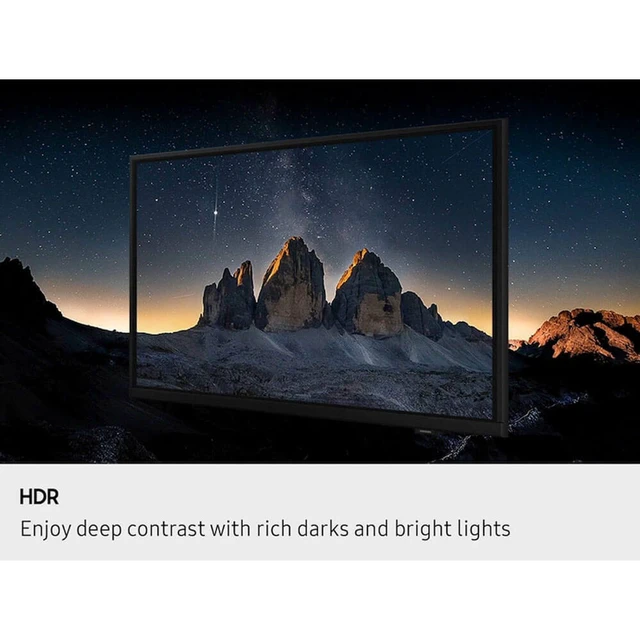
    Enjoy great contrast in all your content. High Dynamic Range (HDR) expands the contrast between the lightest and darkest parts of a scene, so you can enjoy a wide spectrum of colors and visual details. Motion-Based Sound with Object Tracking Sound Lite
    Feel like you're part of the scene with audio that follows the action on screen. Featuring a virtual top channel, every sound is precisely placed in space, placing you in the heart of the scene. Secures Personal Data with Triple-Layer Protection
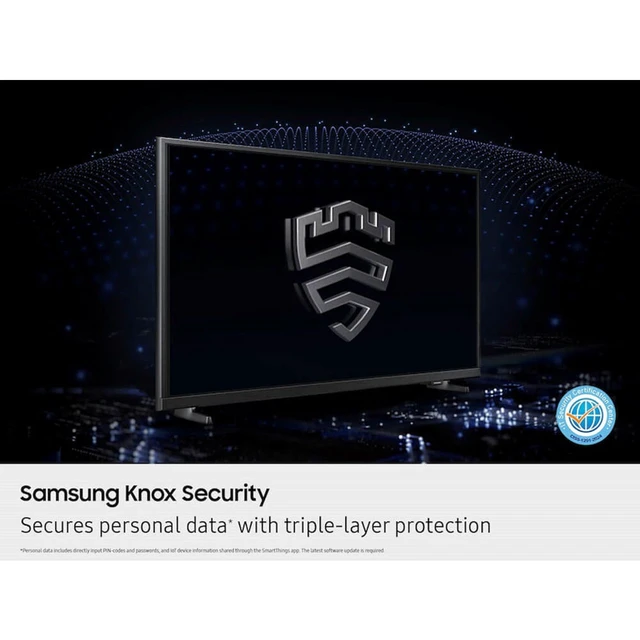
    Your TV experiences are secured. Samsung Knox Security defends against harmful apps and phishing sites while keeping sensitive data, such as PINs and passwords, secure. It also safeguards your IoT devices connected to your TV. Your TV Screen, Tailored to You
    Stream your favorite movies and shows and access your favorite apps and games on an intuitive smart TV platform, powered by Samsung Tizen OS. Endless Free Content
    Access 2, 700+ free channels including 400+ Samsung TV Plus premium channels with just your WiFi connection. Enjoy national and local news, sports, movies, kids shows and more - live and on demand. With content frequently added, theres always something new to discover. Sleek Design for Minimal Distraction
    An elegant design with thin bezels that minimizes distractions. Add a minimalistic touch to your room and an uncluttered view, so you can focus entirely on your favorite sitcom or action movie. Fine-Tuned PUR Color for a Vibrant, Lifelike Picture
    Enjoy your favorite shows with vibrant colors that look just like real life. Get a huge spectrum of hues for a rich, lifelike picture quality that enhances every scene. TV and Soundbar Work Together in Perfect Harmony with Q-Symphony
    Unlock more robust, nuanced sound. Both TV and soundbar speakers work together as one without muting the TV speakers, enhancing the audio experience. Bold Contrast That Brings Scenes to Life
    Automatically adjusts the brightness and contrast and provides dramatic picture quality by improving the difference between light and dark areas on the screen. Enjoy stunning picture quality and catch every detail, regardless of how dark or bright the scene is. Share Your Phone Content on the Big Screen
    Cast your phone to the big screen. Watch shows and movies, scroll content, and even take video calls from your TVno wires or clutter. Just content. ⁴
    - Personal data includes directly input PIN-codes and passwords, and IoT device information shared through the SmartThings app. The latest software is required.
    - Personal data includes directly input PIN-codes and passwords, and IoT device information shared through the SmartThings app. The latest software is required.
    - Samsung Account required for network-based smart services, including streaming apps and other smart features. A computer, mobile or other device may be necessary to create/log in to Samsung Account (free to download and create). Without Account log in, only external device connections (e. g., via HDMI) and terrestrial/over-the-air TV (only for TVs with tuners) available. Channels may vary by location and are subject to change. UI is subject to change without prior notice.
    - ⁴ Screen mirroring may vary by mobile app.

    Warranty & Returns

    Warranty, Returns, And Additional Information

    Warranty

    • Please contact the Seller directly for warranty information. Warranty information may also be found on the Manufacturer's website.
    • Read full details
    • CONTACT

    Return Policies

    Manufacturer Contact Info

    LOADING...
    LOADING...

    The Samsung UN40F6000F is a 40-inch Full HD smart TV with One UI Tizen, PUR Color, and Object Tracking Sound Lite, suited to bedrooms, apartments, or other spaces where a compact screen and smart-TV features fit everyday viewing.

    Recommended For

    • People furnishing a kitchen or guest room who mainly want a small-screen TV for news, casual viewing, and streaming without paying for a 4K set.
    • Students or renters setting up a dorm room or other compact living space who want a 40-inch screen with built-in smart TV features.
    • Budget-conscious viewers who prioritize a basic TV for everyday shows and streaming over higher-end picture performance.
    • Viewers who sit fairly close to the screen and mostly watch standard TV or streaming content on a smaller display.

    Real-World Use Scenarios

    • In a guest room, dorm, or secondary bedroom, use it for everyday shows and streaming; Tom’s Guide identifies the 32- and 40-inch F6000F as a fit for these smaller-room, budget-focused roles.
    • In a small apartment or compact living area, use it as the main screen for regular TV and casual viewing; its 40-inch size suits limited space, though the reviewer notes that picture performance is basic rather than premium.
    • For everyday streaming, open supported apps or Samsung TV Plus directly on the TV instead of adding a separate streaming device; it covers routine shows and free channel browsing, although Tom’s Guide reports that the smart interface can feel sluggish.
    • For Blu-ray movies or casual play on an older console such as a PS4, connect the device by HDMI; the Full HD screen is suited to 1080p content, but this is not a gaming-focused TV.
    • When built-in TV audio is not enough, pair it with a compatible Samsung soundbar using Q-Symphony; the TV can play sound through its own speakers alongside the soundbar.

    Spec Summary

    AttributeValue
    Best For40-inch home entertainment with streaming apps and ATSC broadcast TV
    Display And Picture40-inch LED display with 1080p resolution (1,920 × 1,080), 16:9 aspect ratio, and 60 Hz refresh rate; glossy screen, HDR10+, Direct LED backlighting, Micro Dimming Pro, and Hyper Real picture enhancement
    Audio2.1-channel audio with 20 W maximum speaker output, built-in speakers, and Dolby surround sound format
    Smart TV And Broadcast FeaturesTizen operating system with Netflix, Prime Video, and YouTube; ATSC tuner, V-Chip parental controls, and SmartShare screen mirroring for TV-to-mobile sharing
    Ports And Wireless Connectivity2 HDMI ports, 1 USB 3.0 port, Ethernet, Wi-Fi, and Bluetooth
    Mounting And StandCompatible with a 200 × 200 mm VESA mount for screens up to 12.9 lb; stand included
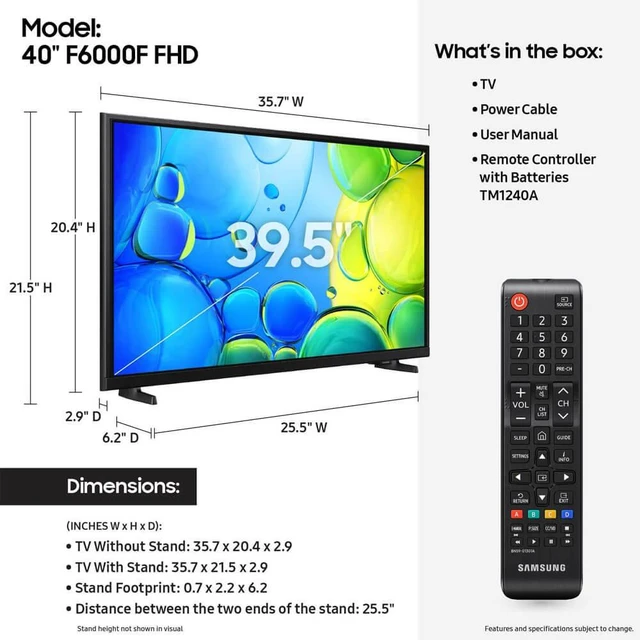
    Dimensions And Weight35.7 in wide × 21.5 in high × 6.2 in deep; 13 lb. Without stand: 35.7 in wide × 20.4 in high × 2.9 in deep, weighing 12.9 lb. Base: 25.5 in wide × 4.6 in deep
    Power And Energy54 W power consumption; listed annual energy consumption is 109 kWh per 1,000 hours
    Remote And BatteriesRemote control uses 2 AAA alkaline batteries; batteries are not included
    In The BoxPower cable, user manual, remote control, and stand
    Model Identifiers And WarrantySamsung F6000F series, model UN40F6000FFXZA; model name SAMUN40F6000F; 2025 model year; 1-year labor warranty

    Reference Q&A

    Q: Should I choose the Samsung F6000F or the Samsung DU7200 for 4K?

    A: Choose the Samsung DU7200 if you want a 43-inch 4K screen (3,840 × 2,160). Choose the 40-inch F6000F if you prefer its Full HD (1,920 × 1,080) resolution and screen size. Both are Samsung smart TVs with Tizen.

    Q: Samsung F6000F 40-inch or 32-inch—which size should I get?

    A: Choose the 40-inch F6000F for a larger screen, or the 32-inch F6000F when you want the same series in a smaller screen size. Both are 2025 Full HD smart TVs with Tizen.

    Q: Is the Samsung U8000F a step up from the F6000F?

    A: The 43-inch U8000F is a Samsung 2025 4K smart TV with 4K upscaling. Choose it if you want the larger 4K format; choose the 40-inch F6000F if you prefer its Full HD screen size. Both use Samsung’s Tizen smart TV platform.

    Q: Is this TV 4K?

    A: No. The UN40F6000F is a Full HD TV with a 1920 × 1080 resolution, not 4K.

    Q: Can I wall-mount this TV?

    A: Yes. It can be wall-mounted with a compatible mount; its VESA pattern is 200 × 200 mm. The mount is sold separately.

    Q: Can I add streaming apps to this TV?

    A: Yes. It runs Tizen Smart TV and supports installing apps through its Apps menu. Check the TV’s app store for availability of a specific service.

    Q: Can I connect headphones to this TV?

    A: The TV does not have a dedicated headphone input. It supports Bluetooth audio, so compatible wireless headphones may connect through the sound settings.

    Q: Is the Samsung F6000F a good choice for gaming instead of a 4K monitor?

    A: It may suit casual gaming on a 40-inch screen, but it is Full HD, while the Reddit user’s comparison monitor was 4K. The discussion does not establish this TV’s gaming performance, so compare the actual picture and settings with your device before choosing it over a monitor.

    Q: Is this TV a good fit if I mainly want to watch Sling?

    A: It has Tizen smart-TV software, but one F6000F owner reported difficulty getting Sling to open directly and described unwanted Samsung TV Plus prompts. If you need Sling to launch automatically, treat that as a possible usability concern rather than an established issue affecting every unit.

    Q: Should I avoid the F6000F if I plan to use Xbox cloud gaming?

    A: A Reddit owner reported intermittent stuttering with Xbox cloud gaming on an F6000F, but the discussion does not establish how widespread or persistent the problem is. Consider cloud-gaming performance uncertain; the report alone is not enough to judge the TV’s overall gaming suitability.