Meet Your Seller
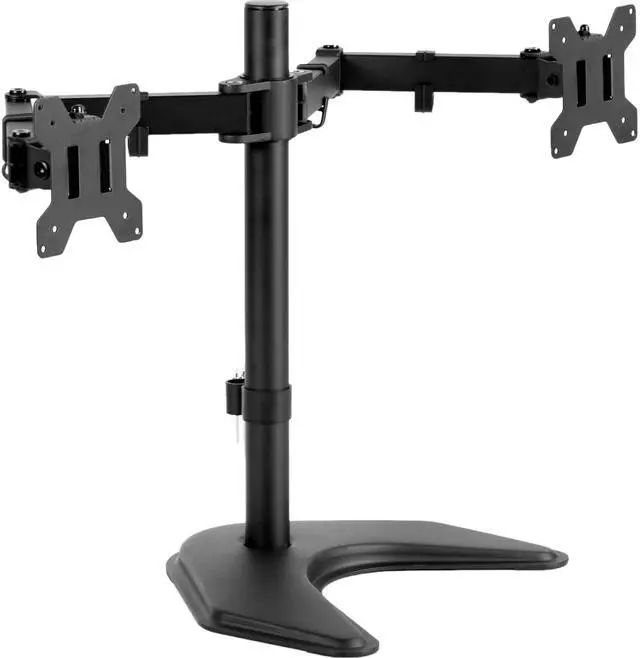
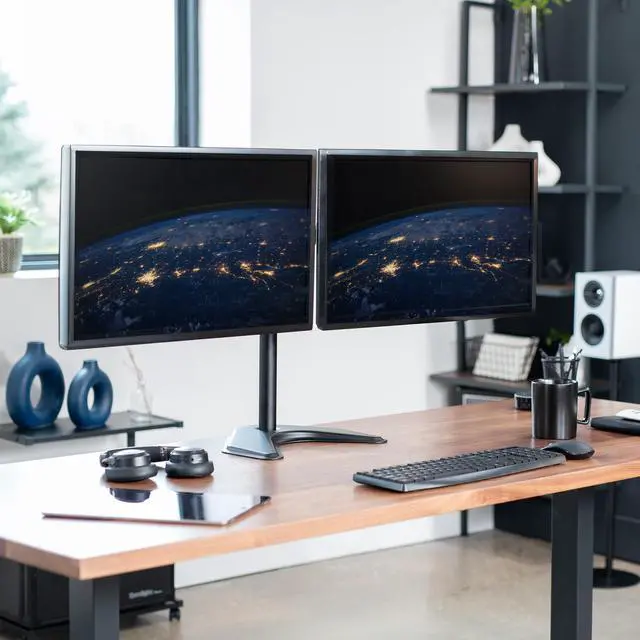
VIVO Black Dual Monitor Articulating Desk Stand Mount, Fits Up to 27" Screens
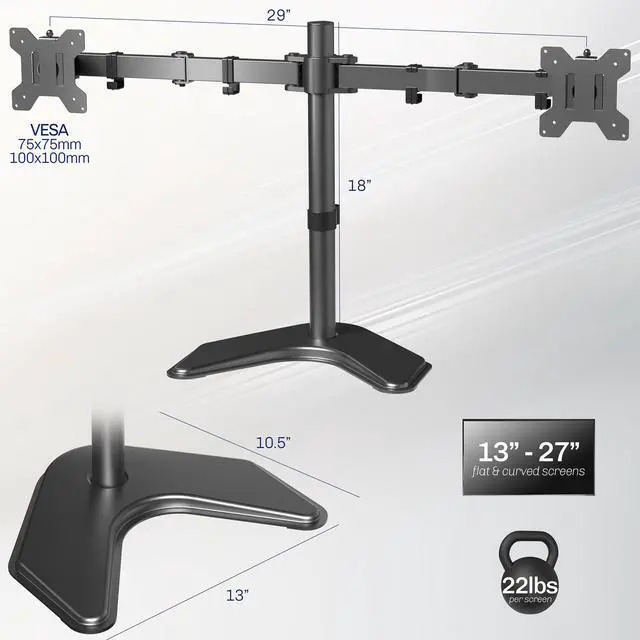
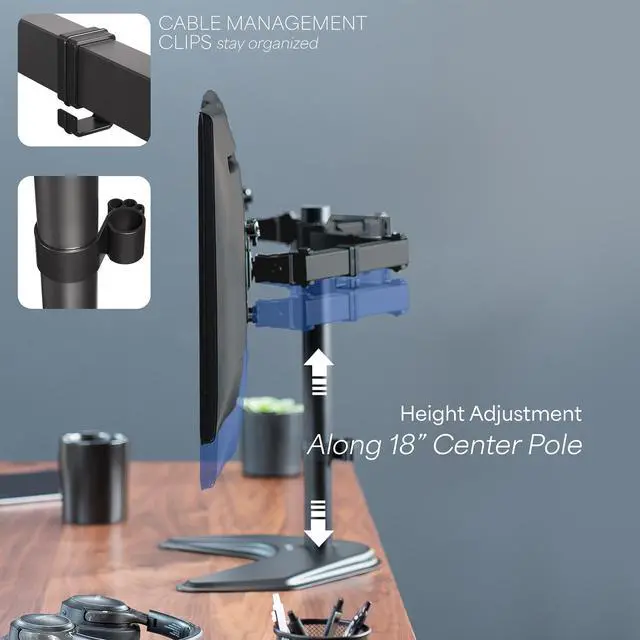
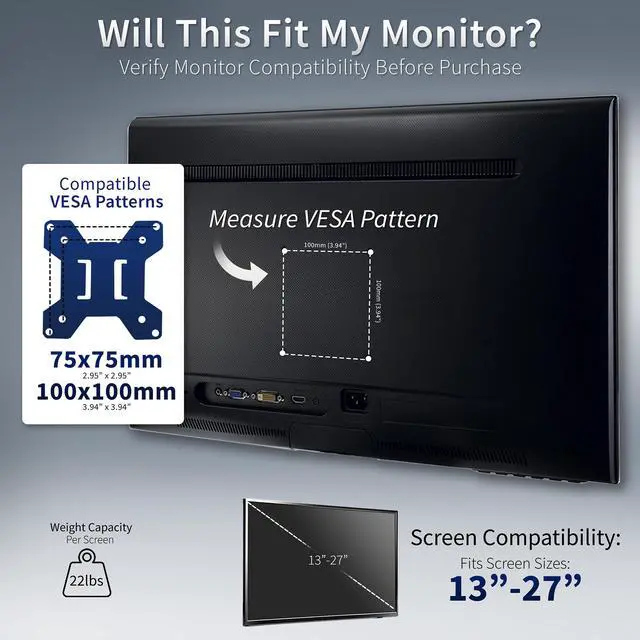
- Fits 13" to 27" Screens: Freestanding dual monitor mount holds two screens 13 to 27 and up to 22 lbs with 75x75mm or 100x100mm backside mounting holes. Keep power and AV cables clean and organized with detachable cable clips on the arms and center pole
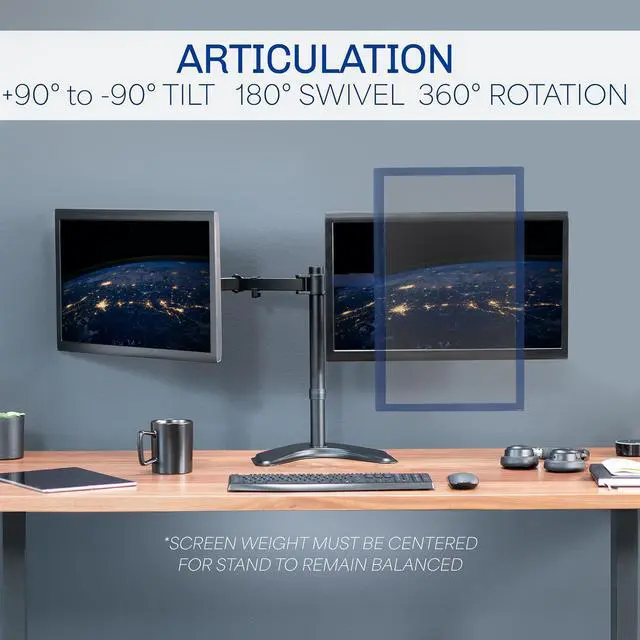
- Full Articulation: Adjustable mount offers +90° to -90° tilt, 180° swivel, 360° rotation, and height adjustment along the center pole for convenient, customizable viewing angles
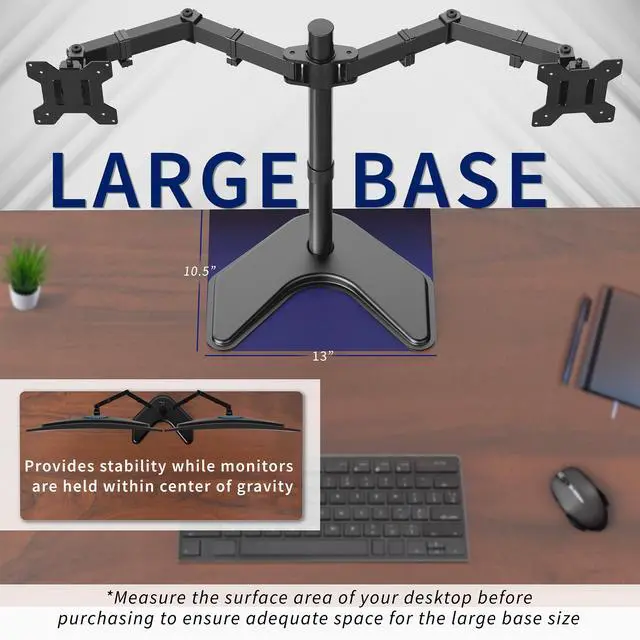
- Heavy Duty Extra Large Base: Measures 13" x 10.5" providing solid stability while monitors are held within its center of gravity. The bottom of the base features padding to protect your desk from scratches
- Easy Installation with Detachable VESA Plate: Mounting your monitors is a simple process with detachable VESA bracket plates. We provide the hardware and easy-to-follow instructions for assembly
Any questions? Ask CelesteSM will help you find out quickly.
Enjoy ergonomic viewing angles with freestanding dual monitor stand (STAND-V002F) made of high-grade steel and aluminum from VIVO, featuring an extra large 13" x 10.5" base. Fits most LCD monitors 13" to 27" and supports up to 22 lbs per monitor. Every joint is able to be tightened, so you can adjust exactly how fluid/stationary you want everything to be. Special features include the ability for each individual VESA plate to be adjusted up and down by .5" so your monitors will be perfectly aligned (see pictures and video for more information). We also made mounting your monitors easy with detachable VESA plates that screw into your monitor and then slide back onto the frame of the stand. The mount has standard VESA 75x75mm and 100x100mm mounting holes.
Compatibility
- Screen Size: 13 to 27 (holds 2 monitor screens)
- Standard VESA: 75x75mm and 100x100mm
- Weight Capacity: 22 lbs (each)
Specifications
- Color: Black
- Material: Steel
- Pole Height: 18" (Including Base)
- Arm Span: 29"
- Base Dimensions: 13" x 10.5"
- Articulation: +90° to -90° tilt, 180° swivel, and 360° rotation
- Height Adjustment: Provided along the center pole
- Screen Placement: Portrait or Landscape Orientation
Warranty & Returns
Warranty, Returns, And Additional Information
Warranty
- Please contact the Seller directly for warranty information. Warranty information may also be found on the Manufacturer's website.
- CONTACT
Return Policies
- Return for refund within: 30 days
- Return for replacement within: 30 days
- This item is covered by VIVO Return Policy
Manufacturer Contact Info
- For a directory of all our manufacturers, please click below.
- Manufacturers Directory
The VIVO Black Dual Monitor Articulating Desk Stand is a freestanding mount for two 13–27-inch monitors weighing up to 22 lb each, suited to desk users who want adjustable viewing angles and a shared stand.
Recommended For
- Desk-based workers who keep two VESA-compatible monitors in a mostly fixed, side-by-side setup and want to adjust their viewing angles without attaching a clamp to the desk.
- People replacing two bulky monitor feet with one shared stand, while keeping a freestanding base on the desk rather than using a desk-edge clamp.
- Home-office or office users who want to set monitor positions for regular work and leave them there; a community user describes this stand style as less convenient when frequent adjustment is needed.
- Users who want to rotate compatible monitors between landscape and portrait orientation or fine-tune their viewing angles on a fixed desk.
Real-World Use Scenarios
- For a home-office workflow, place email or a video call on one screen and a document or spreadsheet on the other; both stay visible without repeatedly switching windows.
- When working from a compact desk, mount two screens on the stand instead of using each monitor’s separate foot; this can open up some usable space in front of the displays, while the stand’s base still occupies part of the desktop.
- For reading long documents or code, turn one screen to portrait and keep the other landscape; the different orientations suit tall pages alongside a usual desktop workspace.
- For a desk that cannot use a clamp mount, set the freestanding base on the desktop and position the screens side by side; this avoids fastening the mount to the desk, but requires room for the base.
- After changing the desk layout or seating position, adjust the screens’ tilt and angle to make them easier to view from the new position; this stand is better suited to setting a position than to frequent, tool-free repositioning.