AOACE Gaming PC AMD Ryzen 7 5700X [8-Core 4.6GHz], RTX 5060 8GB GDDR7, DLSS 4, VR Ready, WiFi 6E, 32GB DDR4, 1TB PCIe4 NVMe, 6 ARGB, Win11 Home
  •  
  • $1,249.99 –
  • Save: 34%
  • $79.99
  • Free 30-day Returns
  • Sold by Direct from manufacturerVIVO
    Top Rated
    4.7 (2,010 seller ratings)

    Shipped by Direct from manufacturerVIVO

    Price alert
    Add to Wish List(Found on 1 wish list)
    Shop it at NeweggBusiness.

    Meet Your Seller

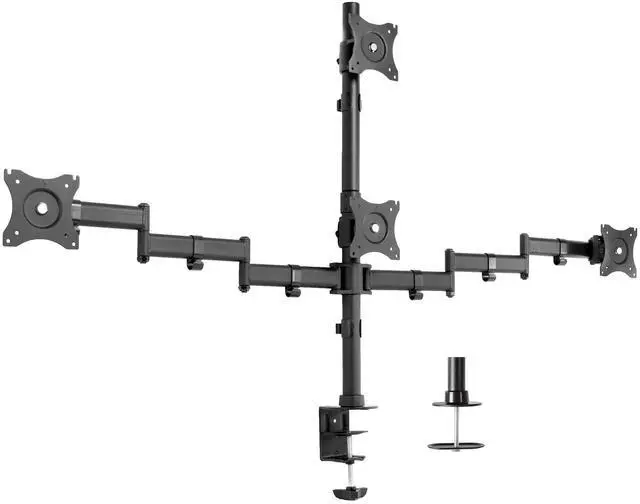
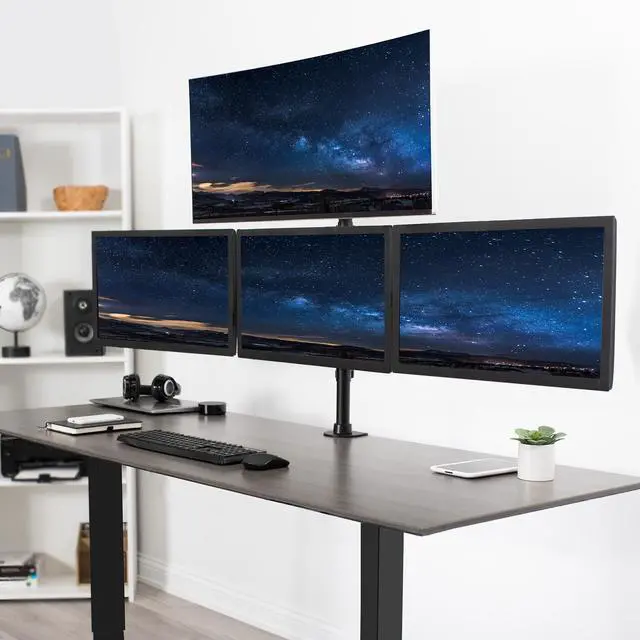
    VIVO Quad Monitor Heavy Duty Desk Mount 3 + 1, Holds Computer Screens up to 24"

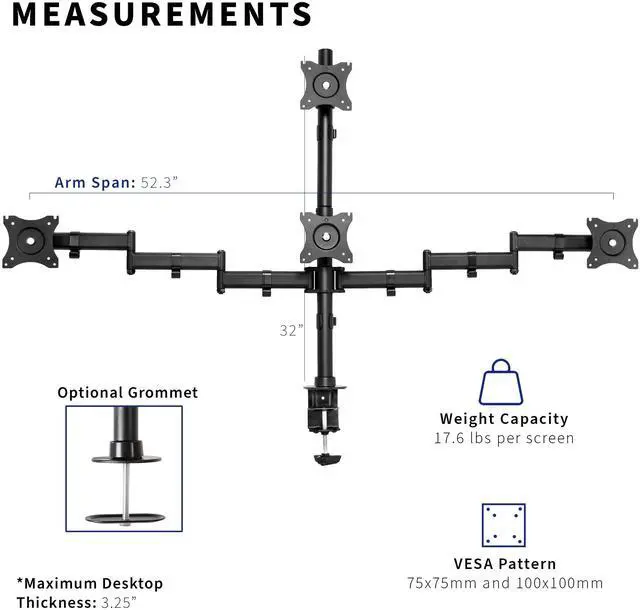
    • Fits up to 24" Screens: This quad mount holds four screens up to 24" and 17.6 lbs each with 75x75mm and 100x100mm VESA mounting holes
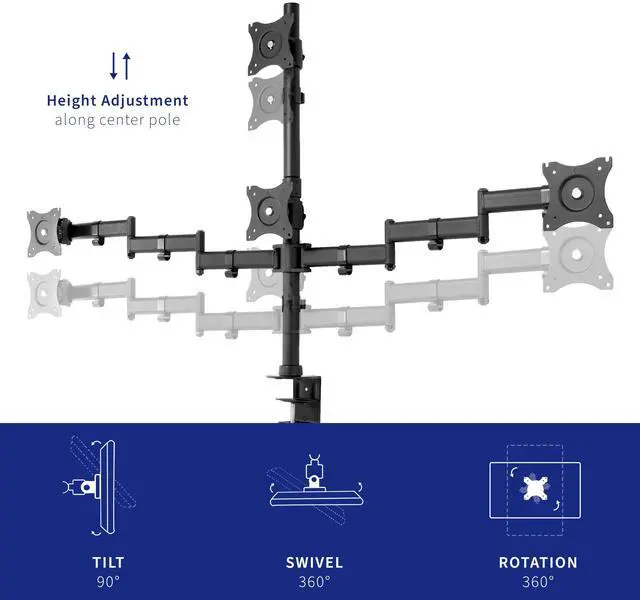
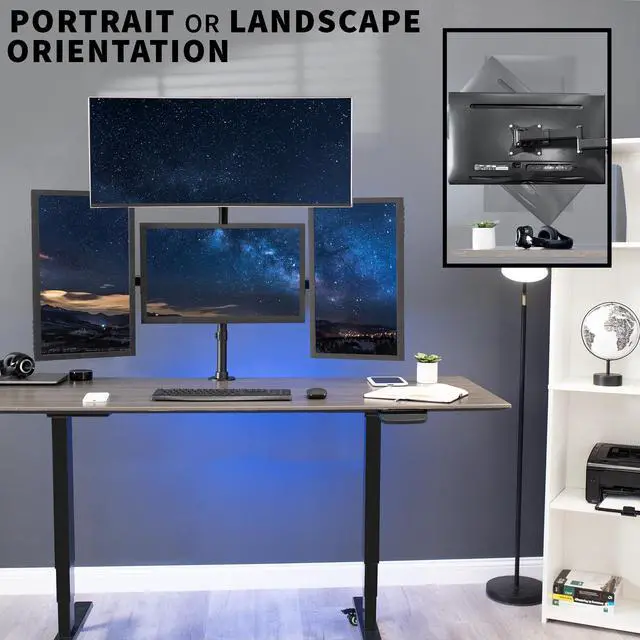
    • Full Motion: +45° to -45° tilt, 360° swivel, 360° rotation, plus height adjustability for optimal viewing angles
    • Measurements: The center pole's height measures 32". The distance between the two outside mounting brackets measures 52.3" when fully extended
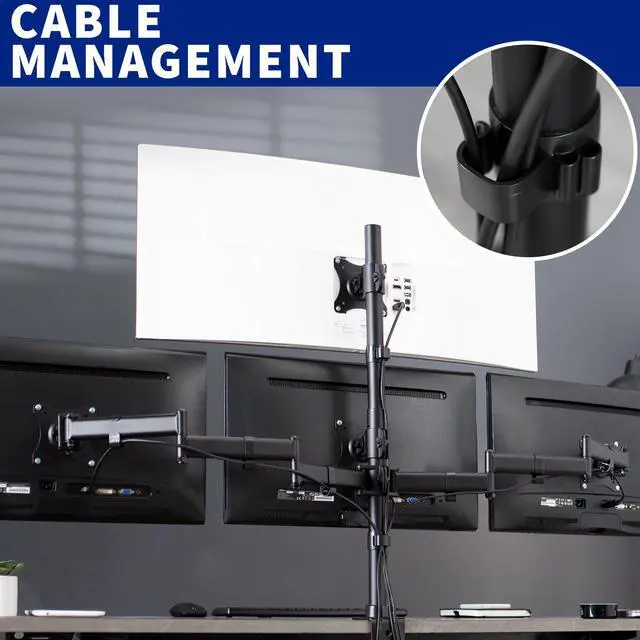
    • Cable Management: An integrated cable management system keeps cords organized to give your workspace a clean appearance
    • Drill-Free Mounting: This product secures to your surface of choice up to 3.25" thick via a heavy-duty C-clamp, or use the equally sturdy optional grommet mount to suit your preferred layout
    +
    +
    Overview
    Specs
    Reviews (1)
    See all Q & A

    Any questions? Ask CelesteSM will help you find out quickly.

    Quad monitor articulating desk mount from VIVO. STAND-V004Y is complete with high-grade steel and aluminum, built to support 4 screens up to 24" in size and weighing up to 17.6 lbs each. The fully articulating arms feature multiple adjustable joints which can be tightened to create fluid or stationary arm movement. The heavy-duty C-clamp attaches to the back of your desk which helps maintain valuable desk space while providing excellent support for the entire mount and 4 screens. An optional grommet mounting option comes with this stand. Cable management clips keep AV and power cords organized and out of sight.

    Features:

    • Tilt: -45 to +45 degree
    • Swivel: 360 degree
    • Rotate: 360 degree
    • Height adjustable
    • Heavy Duty C-clamp up to 3.25"
    • Integrated cable management system
    • Monitor can be installed either in portrait or landscape shape
    • Vesa Standard: VESA 75 (hole pattern: 75 x 75 mm), VESA 100 (hole pattern: 100 x 100 mm)

    Key Measurements:

    • Center post height measures 32".
    • The distance between the two outside mounting brackets measures 52.3" when fully extended.

    Warranty & Returns

    Warranty, Returns, And Additional Information

    Warranty

    • Please contact the Seller directly for warranty information. Warranty information may also be found on the Manufacturer's website.
    • CONTACT

    Return Policies

    • Return for refund within: 30 days
    • Return for replacement within: 30 days
    • This item is covered by VIVO Return Policy

    Manufacturer Contact Info

    LOADING...

    The VIVO 3+1 quad monitor desk mount holds four screens up to 24 inches and 17.6 lb each, making it suitable for multitaskers who want a compact, adjustable four-screen setup with VESA-compatible monitors.

    Recommended For

    • Desk-based multitaskers who need four compact screens visible at once—for example, keeping a primary app, reference material, communications, and monitoring windows open side by side.
    • Users consolidating four monitor stands into one desk-mounted setup to clear space beneath their screens; the clamp or grommet mounting is suited to a desk that can stay set up in one place.
    • People building a four-screen arrangement from VESA-compatible monitors up to 24 inches who want to adjust screen angle and orientation for their desk layout.
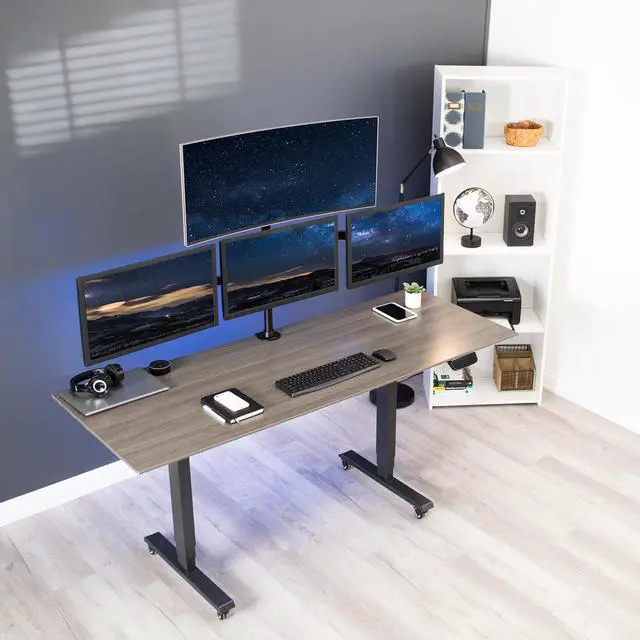
    • Users who prefer the VIVO 3+1 layout—three screens on one row and a fourth above—rather than four monitors arranged in a single row.

    Real-World Use Scenarios

    • For active trading, keep charts, positions, market information, and trading software visible at once; the three lower screens and raised fourth screen provide separate spaces to monitor them without constantly switching windows.
    • For a busy office or remote-work desk, keep work apps on the lower screens and chat or email on the upper screen, so messages remain visible while the main work stays in view.
    • For video editing, use separate screens for the editing workspace, preview, and supporting tools or reference material; this can keep the active project visible while reducing window changes.
    • For programming or technical work, dedicate screens to code, documentation, terminal output, and team communication; the layout helps keep references and results available alongside the main task.
    • For research-heavy desk work, keep a document or spreadsheet on one screen, source material on another, and email or reference pages on the others; the four-screen layout makes it easier to compare information without repeatedly rearranging windows.