Meet Your Seller
VESA Mount Adapter for Dell S-Series Monitors - S2440L, S2340L, S2340M, S2240L
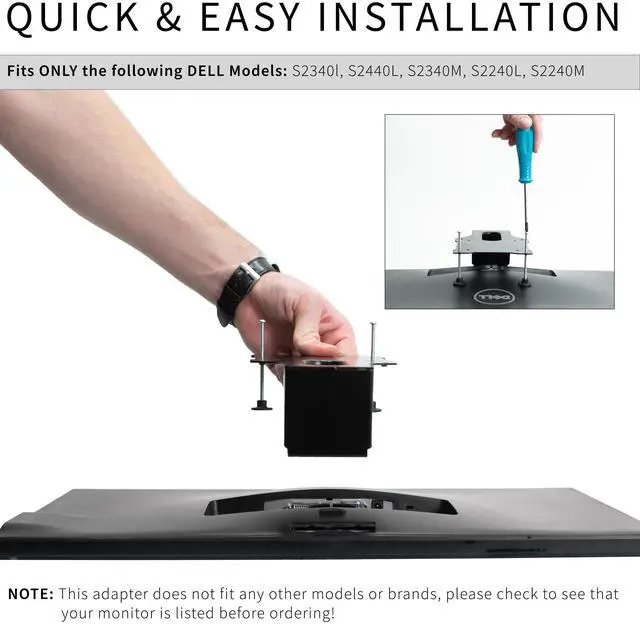
- VIVO Adapter Solutions: Please be sure and check the model of your monitor before ordering!! This bracket is designed to fit only the following Dell model numbers: S2440L, S2340L, S2340M, S2240L, and S2240M
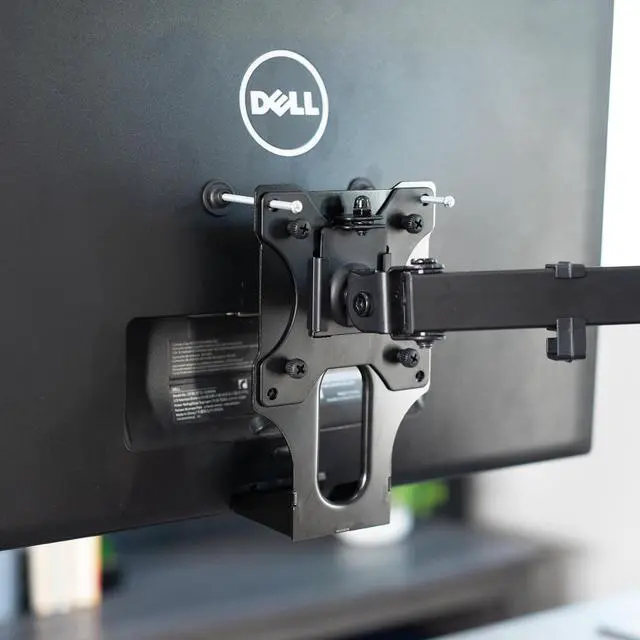
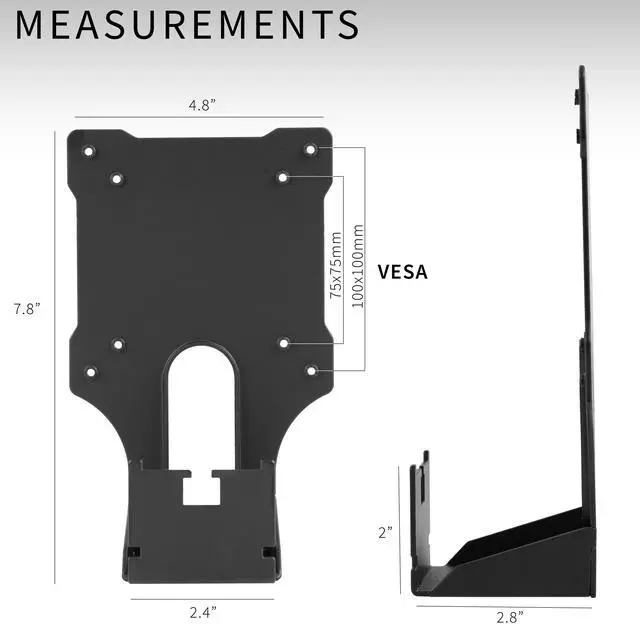
- Compatibility: Designed only for the Dell S-series models listed above, this adapter provides mounting solutions for monitors that don't have VESA holes, allowing them to fit standard VESA mounts 75x75mm and 100x100mm
- Sturdy and Functional: Solid all-steel construction is designed to keep your monitor safe and secure at all times. This adapter provides mounting solutions for monitors without VESA holes, allowing them to fit standard VESA mounts 75x75mm and 100x100mm
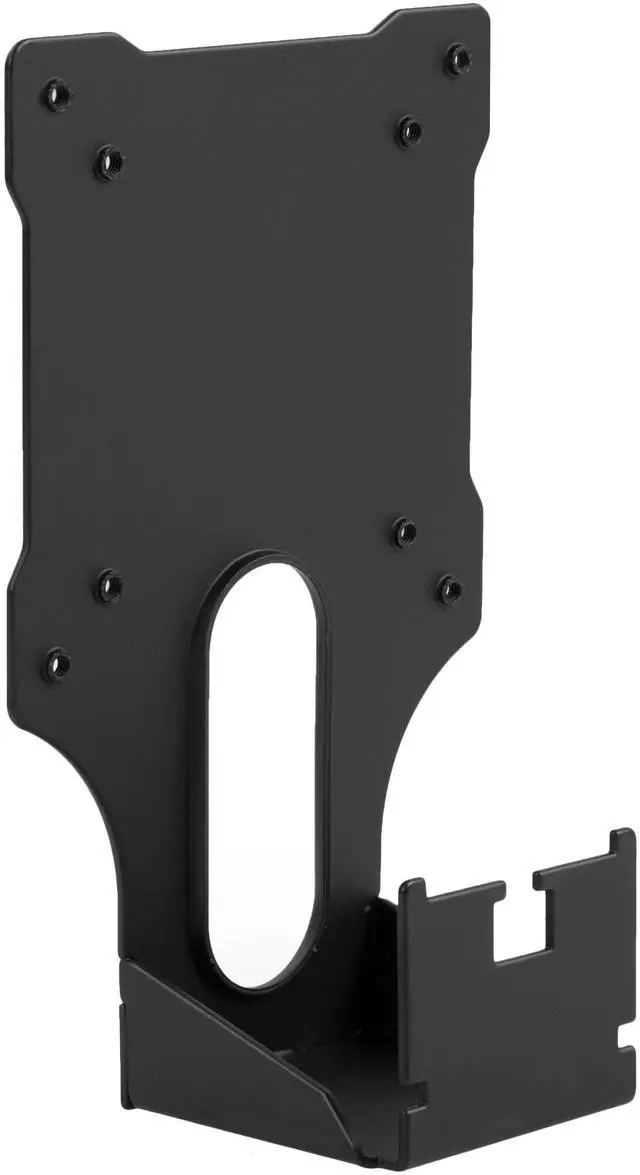
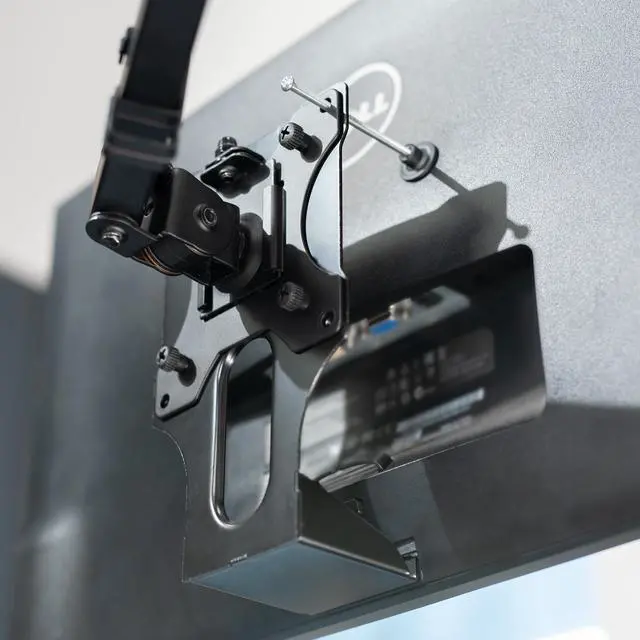
- Cable Management: The back of the bracket features an oval opening for organized cable management
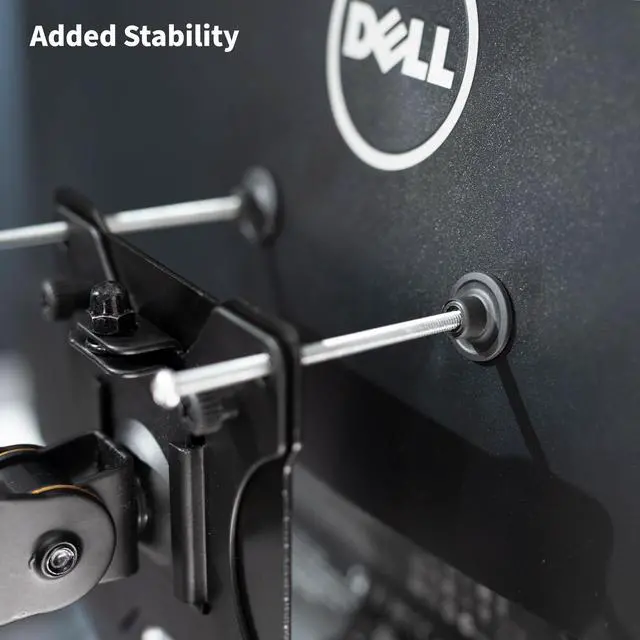
- Easy Installation: Get your compatible Dell monitor mounted in no time with the provided hardware that secures the bracket to any VESA compatible stand or wall mount
Any questions? Ask CelesteSM will help you find out quickly.
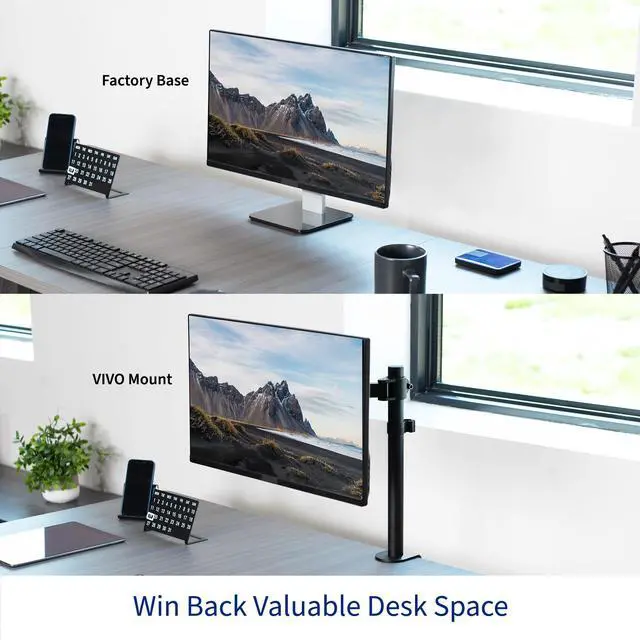
MOUNT-DL02 is a VESA adapter bracket that allows you to mount your Dell S-series monitor. Simply remove the existing base and then snap our bracket in its place which is capable of fitting any VESA 75x75 or 100x100 stand or wall mount. MOUNT-DL02 is constructed entirely of steel to keep your monitor safe and secure. The back of the bracket features an oval opening for organized cable management. We also include hardware (simple thumb bolts) to secure the bracket to a VESA mount.
Compatibility:
Please be sure and check the model of your monitor before ordering! This bracket is designed to fit only the following Dell model numbers:- S2440L
- S2340L
- S2340M
- S2240L
- S2240M
Warranty & Returns
Warranty, Returns, And Additional Information
Warranty
- Please contact the Seller directly for warranty information. Warranty information may also be found on the Manufacturer's website.
- CONTACT
Return Policies
- Return for refund within: 30 days
- Return for replacement within: 30 days
- This item is covered by VIVO Return Policy
Manufacturer Contact Info
- For a directory of all our manufacturers, please click below.
- Manufacturers Directory
The VIVO VESA Mount Adapter converts compatible Dell S-series monitors without VESA holes into monitors that can attach to 75x75mm or 100x100mm VESA stands and wall mounts. It is for owners of the Dell S2440L, S2340L, S2340M, S2240L, or S2240M who want to use a compatible mount.
Recommended For
- Owners of a Dell S2440L, S2340L, S2340M, S2240L, or S2240M who want to attach it to a compatible VESA monitor arm or stand instead of using the original base.
- Users of a compatible Dell monitor whose original stand’s limited adjustment does not suit their desk setup and who plan to pair the adapter with an adjustable VESA arm or stand.
- Owners of a listed Dell model who want to wall-mount it using a separate compatible VESA wall mount.
- People reusing one of the listed Dell monitors in a new desk layout who need it to fit a VESA-compatible mount with a 75×75 mm or 100×100 mm pattern.
Real-World Use Scenarios
- When replacing the monitor’s original stand with a compatible VESA desk arm, the adapter lets an owner mount a listed Dell S-series model and position the screen over the desk rather than relying on its basic stand.
- For a desk that needs to stay clear, a user can attach a compatible VESA wall mount to the adapter; the monitor can then be mounted on the wall instead of occupying space on its stand.
- When arranging a multi-monitor workspace, the adapter makes a listed Dell model mountable on a VESA-compatible arm, helping the user place it alongside another display; the arm determines the final position and adjustment range.
- If a user wants to place a compatible monitor higher or farther back than its original stand allows, mounting it on a suitable VESA arm or stand provides another way to set its position; the exact movement depends on the mount.
- When routing cables behind a mounted display, the bracket’s rear opening gives the user a place to guide cables, helping keep them together near the mount.