Meet Your Seller
VIVO Triple Monitor Desk Mount, Heavy Duty Stand, Computer Screens up to 32"
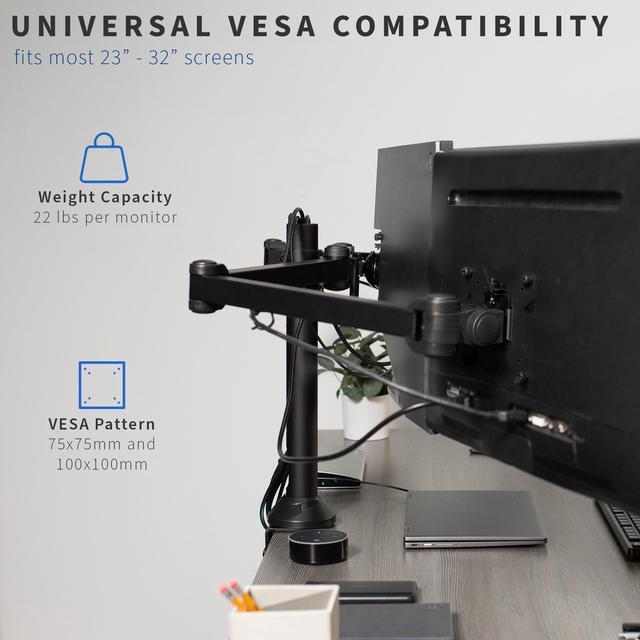
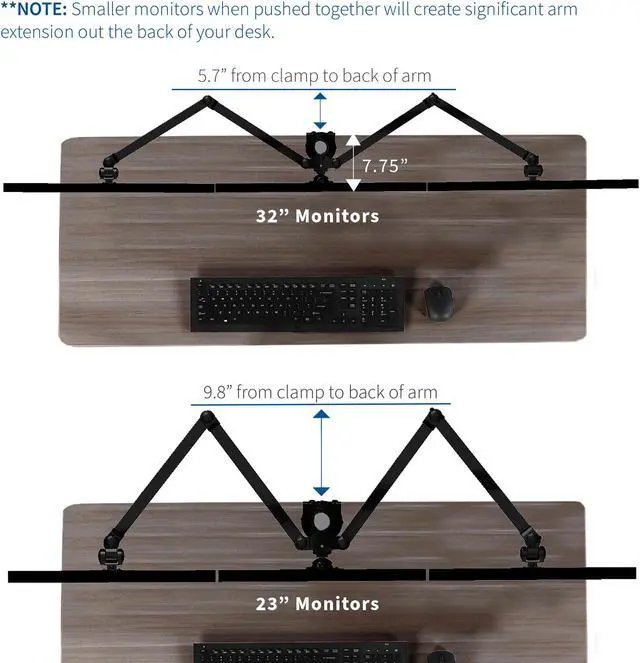
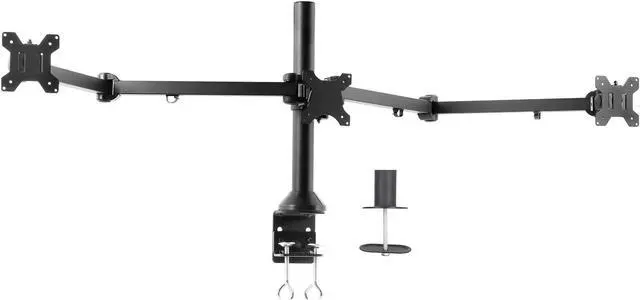
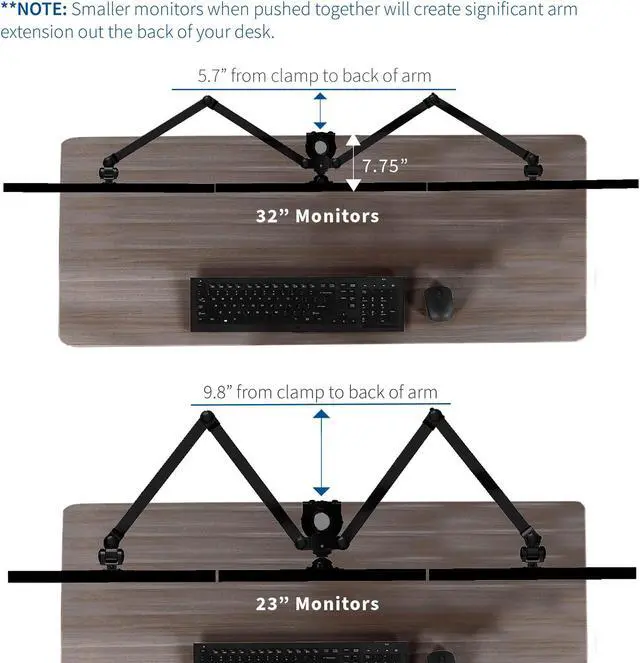
- Fits 23" to 32" Screens: This mount holds 3 monitors ranging from 23 to 32 in size with VESA 75x75mm and 100x100mm backside mounting holes. All-steel construction supports 22 lbs per screen (66 lbs total) --Patented--
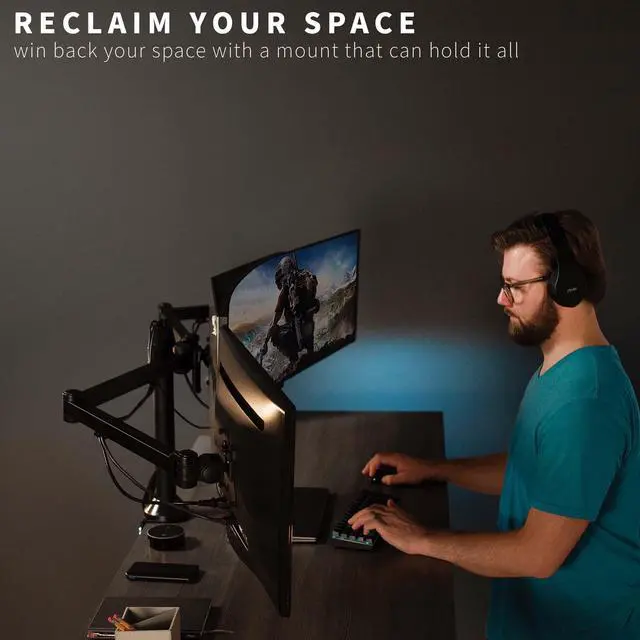
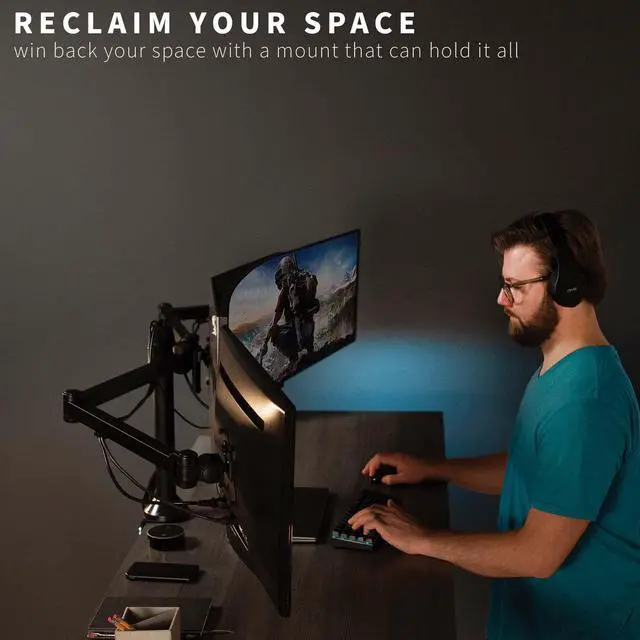
- Clear Up Valuable Desk Space: Win back the area that 3 individual monitors would require by mounting all of them to the same stand. Increase surface space and boost your productivity
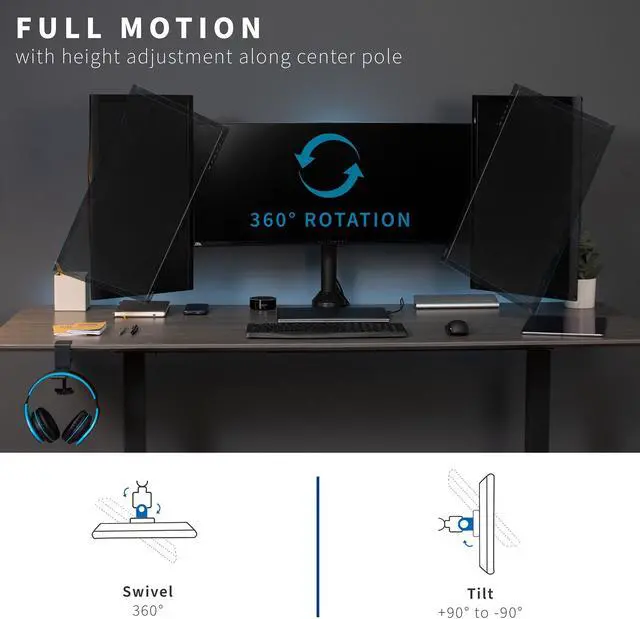
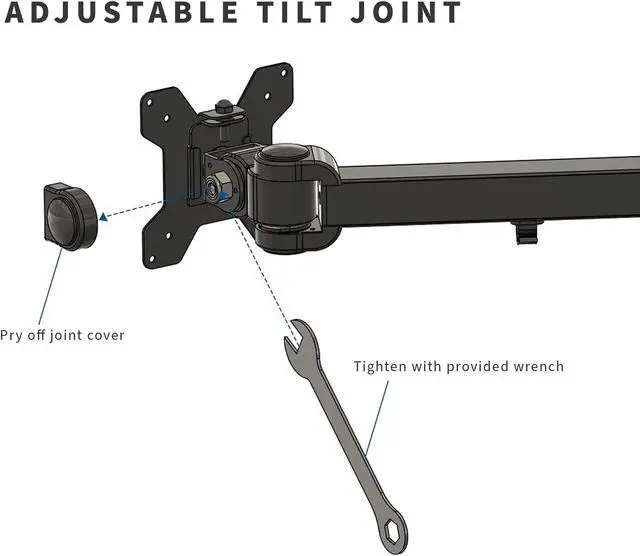
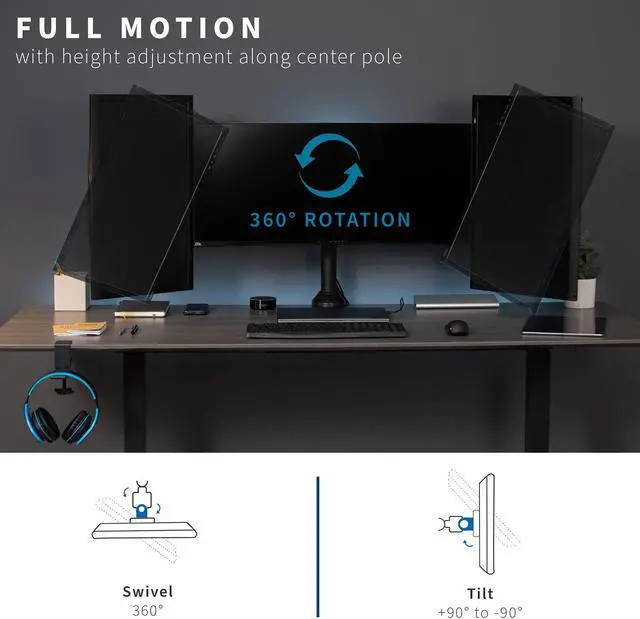
- Articulation and Height Adjustment: Adjustable arms offer -90° to +90° tilt, 180° swivel, 360° rotation (combined with 12 points of articulation), and height adjustment along the center pole for ideal viewing to alleviate neck, back, and shoulder soreness
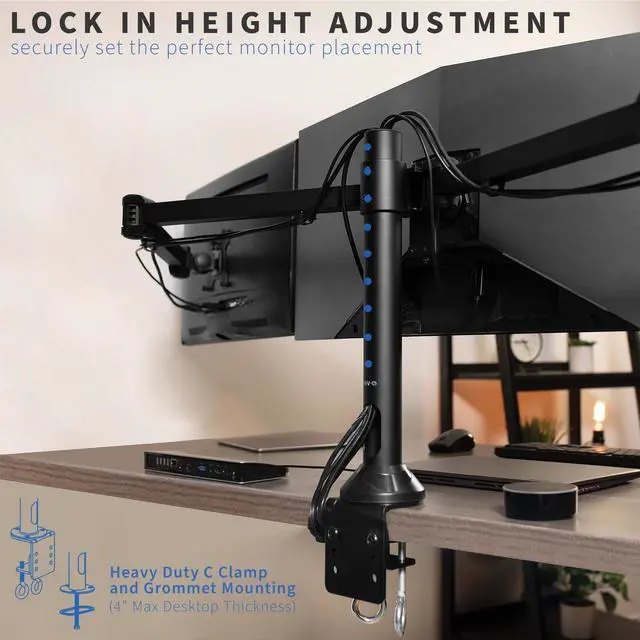
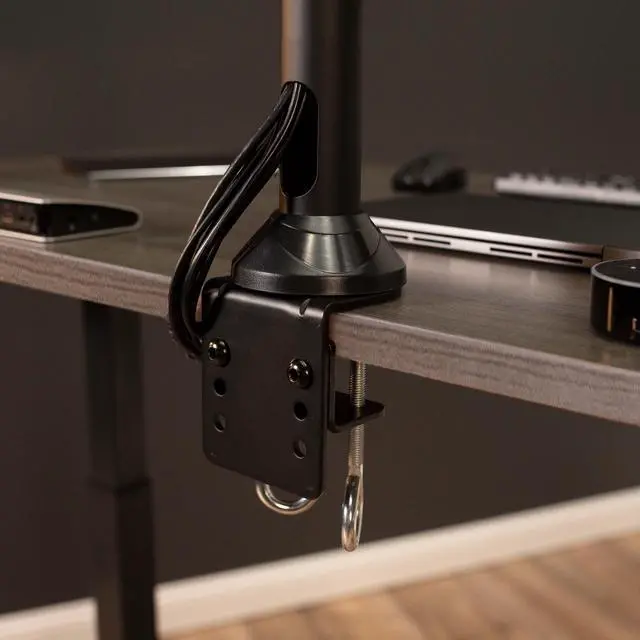
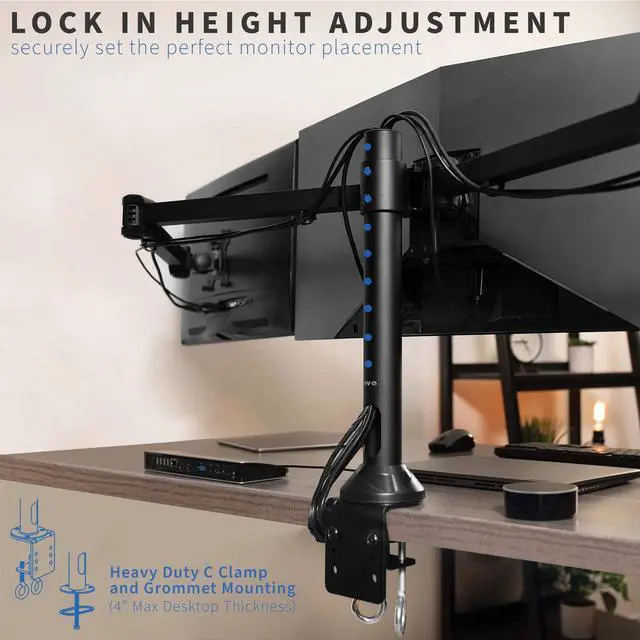
- Drill-Free Mounting: This product secures to your surface of choice up to 3.3" thick via a heavy-duty C-clamp, or use the equally sturdy optional grommet mount to suit your preferred layout
Any questions? Ask CelesteSM will help you find out quickly.
Clear up valuable work space and view three monitors side-by-side with STAND-V103 from VIVO! Manufactured with high-grade steel that provides security and resists scratches, this stand was built to perform! Designed with user-geared features such as arm articulation, removable VESA mounting plates, adjustable monitor height, integrated cable management, and more, this mount is customizable to your particular office needs. Each monitor can be adjusted within a 1-inch range for screen alignment. The versatility of screen placement allows for ergonomic viewing that reduces muscle strain on the neck, back, and shoulders. This product's heavy-duty construction provides excellent triple-monitor support and creates a perfect viewing experience!
Compatibility:
Screen Sizes: 23" to 32"
VESA Standard: 75x75mm and 100x100mm
Desktop Thickness for Clamp: 0.4 to 3.3
Desktop Thickness for Grommet: 0.4 to 1.9
Weight Capacity: 22 lbs per screen (66 lbs total)
Specifications:
Color: Black
Material: Steel
Pole Height: 18.3
Arm Span: 68
Maximum Screen Height: 19.5 (center), 20 (side arms)
Base Dimensions: 4.3 x 4
Articulation: +90° to -90° tilt, 180° swivel, 360° rotation
Height Adjustment: Provided along the center pole
Screen Orientation: Portrait or Landscape
Warranty & Returns
Warranty, Returns, And Additional Information
Warranty
- Please contact the Seller directly for warranty information. Warranty information may also be found on the Manufacturer's website.
- CONTACT
Return Policies
- Return for refund within: 30 days
- Return for replacement within: 30 days
- This item is covered by VIVO Return Policy
Manufacturer Contact Info
- For a directory of all our manufacturers, please click below.
- Manufacturers Directory
The VIVO Triple Monitor Desk Mount is a heavy-duty stand for three 23–32-inch monitors, suited to multitasking setups that need adjustable screen positioning and more open desk space. It supports up to 22 lb per screen and VESA 75x75mm or 100x100mm mounting.
Recommended For
- Desk-based workers who keep three monitors open for tasks such as comparing documents, tracking dashboards, or coding alongside reference material; the mount holds the screens together in a side-by-side setup.
- Users reclaiming desk surface taken up by three separate monitor bases, while keeping a permanent multi-screen workstation.
- Users who want to set screens in portrait or landscape orientation—for example, keeping a document or code view vertical beside landscape work screens.
- People setting up three compatible monitors at a fixed desk who are comfortable aligning the screens during installation rather than frequently rearranging the workstation.
Real-World Use Scenarios
- For a home-office workday, keep a video call on one screen, active documents on another, and email or chat on the third; this makes it easier to glance between tasks without constantly switching windows.
- When researching, coding, or working with spreadsheets, use one display for the main task and the others for reference material, a browser, or a terminal; the separate screens can reduce the need to repeatedly switch between apps.
- For a desk-based gaming setup, arrange three displays across the player’s view for a broader game view; sim-racing players may find this useful, though the mount’s positioning and the desk’s available space should suit the rig.
- To free up room on a crowded desk, replace three separate monitor bases with the shared mount; the screens sit above the work surface, leaving more space for items such as a keyboard, notebook, or other peripherals.
- For a mixed portrait-and-landscape setup, rotate a side display for long documents or code while keeping the main screen and other display horizontal; this can make different types of content easier to arrange at a glance.
![AOACE Gaming PC AMD Ryzen 7 5700X [8-Core 4.6GHz], RTX 5060 8GB GDDR7, DLSS 4, VR Ready, WiFi 6E, 32GB DDR4, 1TB PCIe4 NVMe, 6 ARGB, Win11 Home AOACE Gaming PC AMD Ryzen 7 5700X [8-Core 4.6GHz], RTX 5060 8GB GDDR7, DLSS 4, VR Ready, WiFi 6E, 32GB DDR4, 1TB PCIe4 NVMe, 6 ARGB, Win11 Home](https://c1.neweggimages.com/ProductImageCompressAll60/C545S2607150J6GDT09.jpg)