




 here!
I’m your shopping assistant for PC builds, upgrades, and everything tech.
Got questions? Ask away!
Start a conversation
here!
I’m your shopping assistant for PC builds, upgrades, and everything tech.
Got questions? Ask away!
Start a conversation



Any questions? Ask CelesteSM will help you find out quickly.
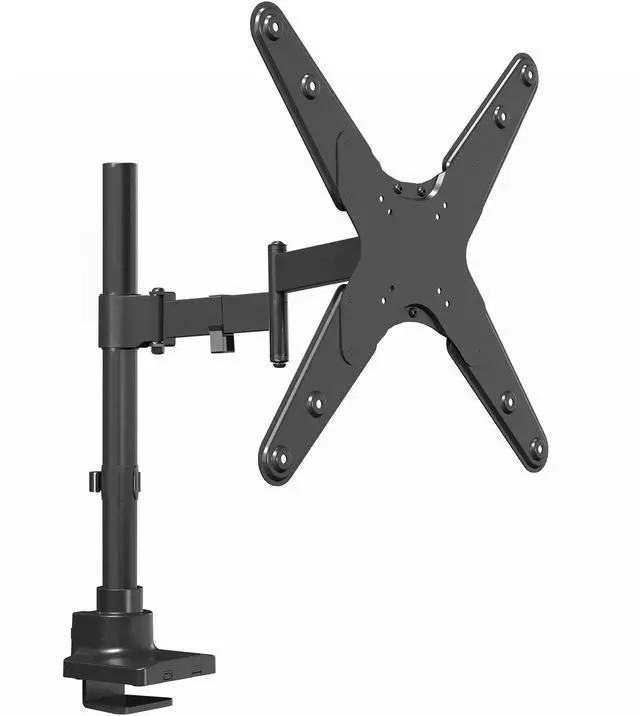
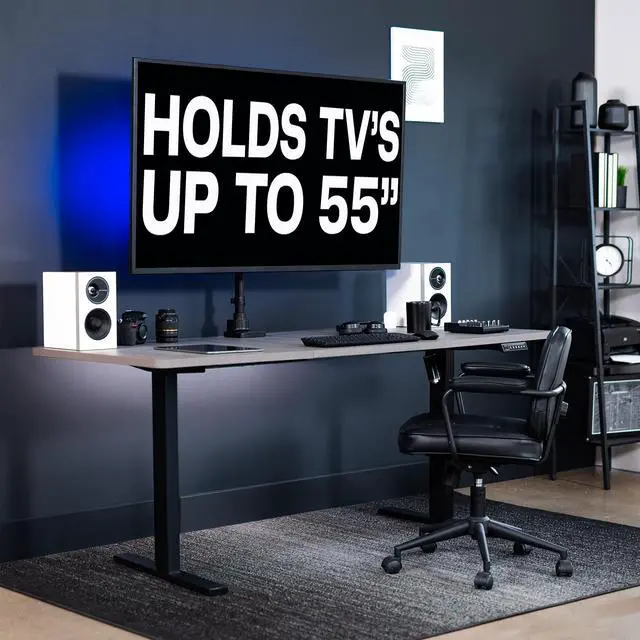
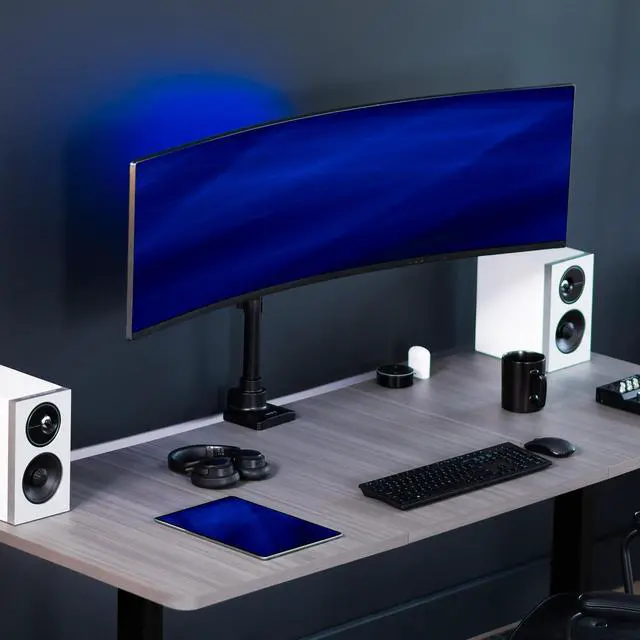
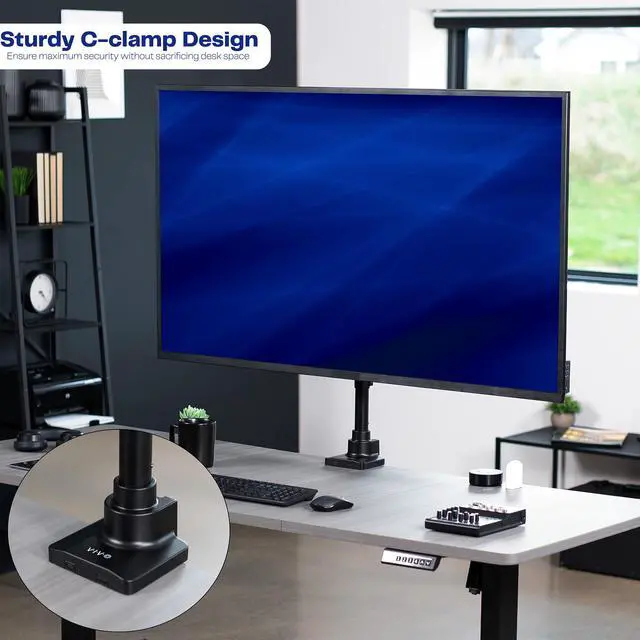
Secure your TV or ultrawide monitor to a desk with the Articulating Arm Single TV Desk Mount (STAND-V155D) from VIVO! Win back valuable workspace by elevating your ultra-wide screen, or find a convenient location for your large TV. Constructed of high-grade steel, this stand has been strength tested to support a 32 to 55 screen weighing up to 44 pounds. Offering a variety of features including a full motion arm for flexible placement, screen articulation and height adjustment for comfortable viewing, and a sturdy desk clamp with an optional grommet mount for excellent support, this stand was built to perform!
Compatibility
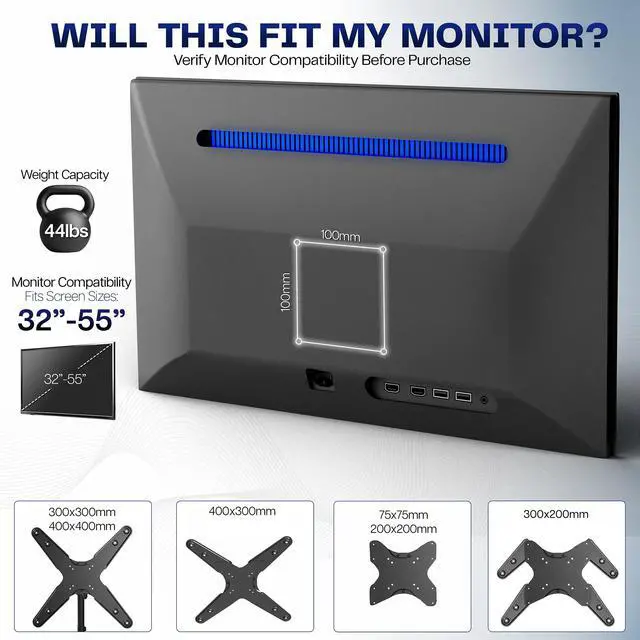
Screen Size: 32 to 55
Screen Types: Flat and Curved
VESA Standard (mm): 75x75, 100x100, 200x100, 200x200, 200x300, 200x400, 300x200, 300x300, 400x300, 400x400
Desktop Thickness: 0.4 to 1.7
Mounting Options: C-clamp or grommet
Weight Capacity: 44 lbs
Specifications
Color: Black
Material: Steel, Plastic
Pole Height: 20.3
Maximum Screen Height: 22.1
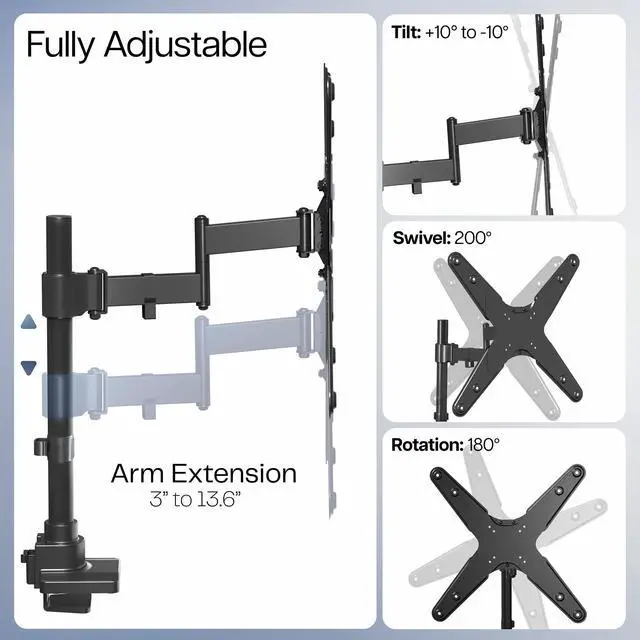
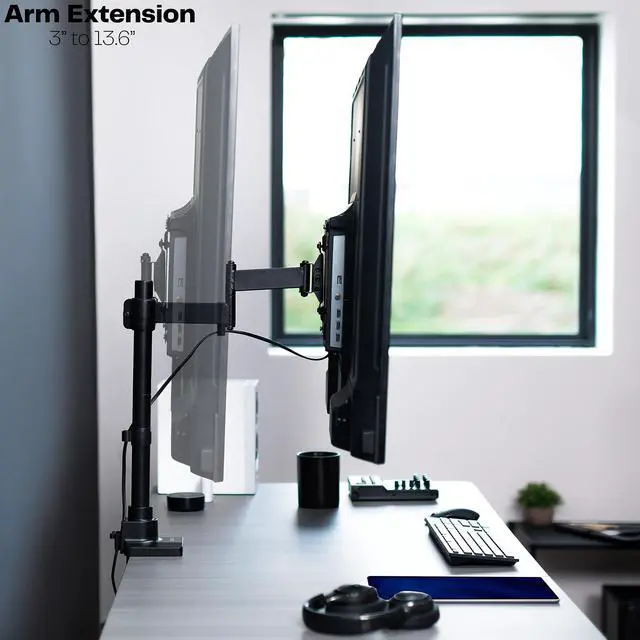
Maximum Extension: 13.6
Articulation: +10° to -10° tilt and 200° swivel
Screen Leveling: +3° to -3°
Height Adjustment: Provided along the center pole
Screen Orientation: Portrait or Landscape
The VIVO STAND-V155D is a steel clamp-on desk mount for 32–55-inch TVs and ultrawide screens up to 44 lb, suited to users who want a large display elevated and adjustable at a desk. It supports a range of VESA patterns and desks up to 1.7 inches thick.
| Attribute | Value |
|---|---|
| Best For | Desk mounting compatible televisions with a 400 × 400 mm VESA pattern and up to 44 lb; articulating movement supports adjustable positioning |
| Mounting Compatibility | Tabletop mount for screens using a 400 × 400 mm VESA pattern and weighing up to 44 lb |
| Movement And Adjustment | Articulating movement with a maximum tilt angle of 10° |
| Construction And Color | Steel and plastic construction in black |
| Brand And Manufacturer | VIVO |
| Model Identifiers | STAND-V155D |
Q: VIVO STAND-V155D vs. STAND-V155C: which is better for a 55-inch TV?
A: Choose the STAND-V155D if you want an articulating arm, height adjustment, and support for a wider range of VESA patterns. Choose the STAND-V155C if your priority is a higher rated capacity: it supports screens up to 66 lb, compared with 44 lb for the STAND-V155D. Both are specified for screens up to 55 inches, so check your TV’s weight and VESA pattern when deciding.
Q: Should I get the VIVO STAND-V155D or STAND-TV00M4 for a desk TV?
A: Choose the STAND-V155D for a clamp-on or grommet-mounted setup with an articulating arm, height adjustment, and tilt and swivel positioning. Choose the STAND-TV00M4 for a bolt-down desktop mount with a higher rated capacity of 110 lb and swivel adjustment. Both are specified for 32- to 55-inch screens; the mounting style and your screen’s weight are key deciding factors.
Q: VIVO STAND-V155D vs. STAND-V100T: which is better for an ultrawide monitor?
A: Choose the STAND-V155D for an ultrawide display that uses one of its listed VESA patterns, including patterns up to 400 × 400 mm, or when you want a mount also specified for TVs up to 55 inches. Choose the STAND-V100T for a VESA 75 × 75 mm or 100 × 100 mm ultrawide setup where extra height, up to 33.7 inches at screen center, and up to 17.5 inches of extension are priorities. Both support up to 44 lb.
Q: Will this mount fit my TV or ultrawide screen?
A: It fits screens 32–55 inches that weigh no more than 44 lb and have one of the listed VESA patterns: 75×75, 100×100, 200×100, 200×200, 200×300, 200×400, 300×200, 300×300, 400×300, or 400×400 mm. Check the screen’s weight and VESA pattern before buying; screen size alone is not enough to confirm fit.
Q: Will the clamp fit my desk?
A: The C-clamp fits desks 0.4–1.7 inches thick. An optional grommet mounting option is included. Check your desk’s thickness and mounting area before installation.
Q: Can I move and adjust the screen after mounting it?
A: Yes. The arm swivels up to 200°, tilts from +10° to −10°, and allows +3° to −3° screen leveling. Its bracket adjusts along the center pole, with a maximum center-screen height of 22.1 inches.
Q: Can the arm fold back to save space?
A: Yes. The arm folds flat for a low-profile setup against the wall and is designed to let the screen sit centered when folded. Its maximum extension is 13.6 inches.
Q: Will this mount work with a 55-inch TV on a desk?
A: It can, if the TV weighs no more than 44 lb, uses a supported VESA pattern, and the desk is compatible with the clamp or grommet mount. The clamp fits desks up to 1.7 inches thick. Check the TV’s weight and VESA pattern before buying.
Q: Is it suitable if I want the screen centered and mostly fixed in place?
A: It can be left in a centered position, but it is still an articulating mount. A Reddit user discussing the related V155C model reported that it worked well for a fixed-position screen and noted that height adjustments required taking the screen off first.
Q: Can I swing the TV from my desk toward a bed?
A: The mount swivels up to 200°, so it can change viewing direction. Whether it reaches far enough toward a bed depends on your desk and room layout; the product information provided does not specify its arm extension.
Q: Is the clamp enough to keep a large TV stable on my desk?
A: The mount is rated for screens up to 44 lb, but that rating alone does not establish whether a particular desk can handle the clamp and the screen’s leverage. Confirm the desk is sturdy, the clamp area is suitable, and the TV is within the mount’s weight limit.


