




 here!
I’m your shopping assistant for PC builds, upgrades, and everything tech.
Got questions? Ask away!
Start a conversation
here!
I’m your shopping assistant for PC builds, upgrades, and everything tech.
Got questions? Ask away!
Start a conversation

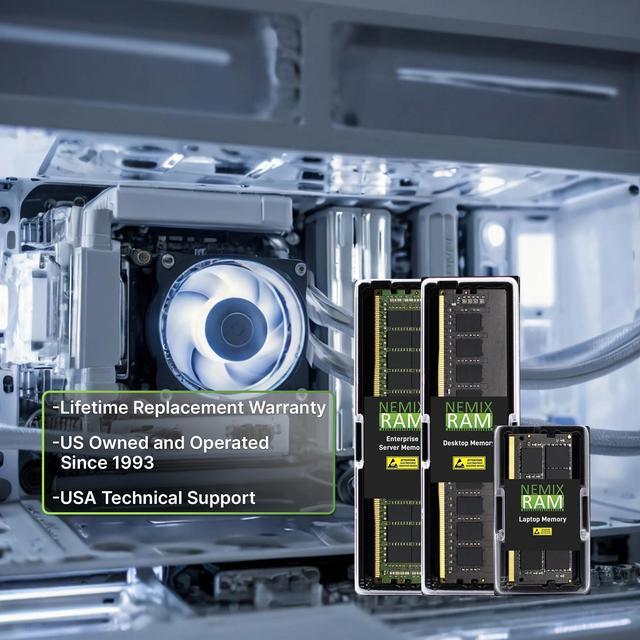



Any questions? Ask CelesteSM will help you find out quickly.

There is no Secret to our Success, We Simply put our Customers First!
Our Staff consists of Experienced IT Professionals who Completely Understand Memory Upgrades.
Our Memory Products are Designed from the Ground up to Meet and Exceed the Intense Workloads required to operate Large Organizations.
NEMIX RAM Designs Memory Configurations for All Major OEM Servers, Laptops, AIO All-in-One PC, Workstations and NAS Storage Devices.
Why do IT Professionals and Enthusiast Computer Builders Trust NEMIX RAM?
You are Purchasing a Memory Solution Designed By an Experienced Staff who will Ensure System Stability and Compatibility.
All Modules are Rigorously Stress Tested Under Load to Ensure Reliability.
NEMIX RAM Provides the Best IT Support in the USA.
And Best of All, NEMIX RAM Guarantee's there Product with a Lifetime Replacement Warranty.
Once You Install NEMIX RAM You Won't need Anything Else!


NEMIX RAM Designs Desktop PC Memory Options for all of the Top Name Gaming Machines, Workstations and Motherboard Brands.
Module Types:
DDR5 Memory frequency Range : 4800MHZ-6000MHZ - NON-ECC Unbuffered UDIMM
Capacity Options: 8GB, 16GB, 32GB, 48GB
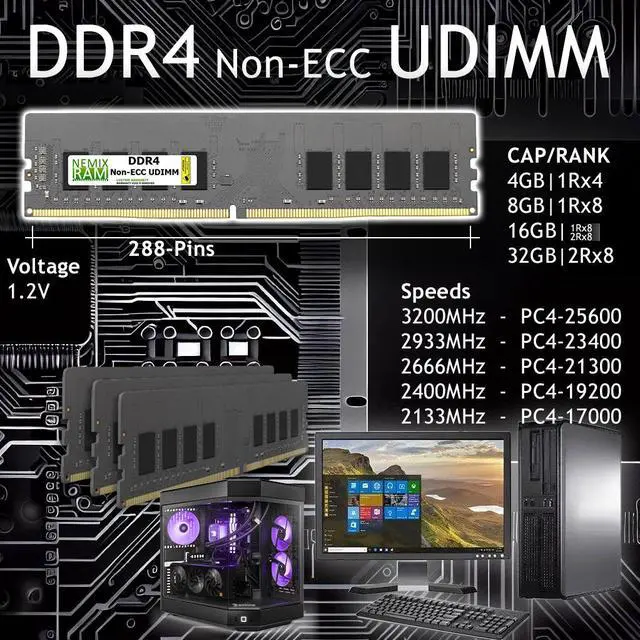
DDR4 Memory frequency Range: 2133MHZ-3200MHZ - NON-ECC Unbuffered UDIMM
Capacity Options: 8GB, 16GB, 32GB
DDR3 Memory frequency Range: 1066MHZ-1866MHZ - NON-ECC Unbuffered UDIMM
Capacity Options: 2GB, 4GB, 8GB, 16GB
DDR2 Memory frequency Range: 533MHZ-800MHZ - NON-ECC Unbuffered UDIMM
Capacity Options: 2GB, 4GB
Compatible with: MSI, ASRock, ASUS, Gigabyte, Intel + Many More!
100% Compatibility Guaranteed.

Need to Speed up Productivity? NEMIX RAM has the solution!
Memory Upgrades Available for All Major Brand Laptops, AIO All-in-One and Small Form Factor PC's

Supercharge Your Infrastructure with NEMIX RAM
Get Maximum Performance and Reliability out of your Servers and Workstations
ECC Registered Server Memory Built and Compatibility Tested Explicitly for Major OEM Servers and Motherboard Brands
DDR2, DDR3, DDR4, DDR5
RDIMM, LRDIMM, ECC UDIMM, ECC SODIMM
Module Capacities: 4GB, 8GB, 16GB, 32GB, 48GB, 64GB, 96GB, 128GB, 256GB
Any System, Any Configuration, NEMIX RAM has the Solution!

NAS Memory and CACHE Drives Solutions for all of the Top Name Devices in the Market.

Lightning Fast M.2 SSD Storage Drives, Fastest in its Class!
NEMIX RAM NEMESIS Series M.2 SSD
Capacity: 1TB, 2TB, 4TB
Spec: M.2 2280 Gen4 PCIe NVMe SSD
Sequential Read: Up to 7415MB/s
Sequential Write: Up to 6800MB/s
Compatible with: PS5 Gaming Consoles, Servers, Workstations, Laptops, AIO All-in-One PC's NAS Storage Devices, Small Form Factor SFF PC's, M.2 Compatible Motherboards.

NEMIX RAM is a Leading Supplier of Memory Solutions to Fortune 500 Companies, Academic Institutions, Govt/Military Agencies and the Enthusiast Consumer.
Memory Designed for Maximum Performance & Compatibility.
USA Owned and Operated with 30+ Years of DRAM Industry Experience.
Experienced IT Professionals who Completely Understand Memory Upgrades.
Top Notch USA Based Technical Support.
Lifetime Replacement Warranty.
100% Compatible, Satisfaction Guaranteed.
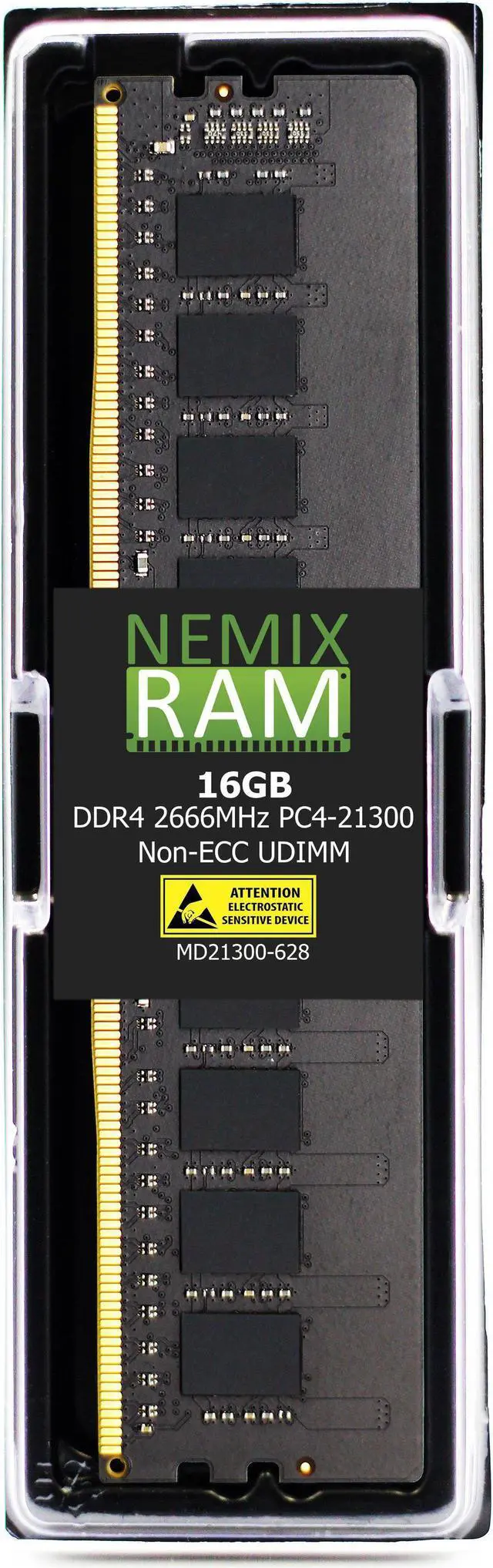
NEMIX RAM MD21300-628K1 is a 16GB DDR4-2666 non-ECC unbuffered UDIMM for desktop systems, listed as compatible with the Dell PowerEdge T40 Tower. It suits T40 owners looking to add or replace memory with a single 16GB module.
| Attribute | Value |
|---|---|
| Best For | A 16GB DDR4 UDIMM memory upgrade for Dell PowerEdge T40 Tower systems |
| Memory Capacity And Configuration | 16GB, 288-pin DDR4 UDIMM with 2Rx8 rank; non-ECC, unbuffered, and without a heat spreader |
| Speed And Timing | DDR4-2666 (PC4-21300) with CL19 timing |
| Voltage And Memory Components | 1.35V; major OEM memory components from Samsung, Micron, or Hynix |
| Model Identifiers | NEMIX RAM Dell PowerEdge Series Memory; model Dell PowerEdge T40 Tower Memory, part number MD21300-628K1 |
Q: For a NEMIX RAM 16GB T40 upgrade, should I choose this 1x16GB module or the 2x8GB kit?
A: Both NEMIX configurations provide 16GB at DDR4-2666. Choose this 1x16GB module if you want the same total capacity with one module installed and more T40 memory slots left open; choose the 2x8GB kit if you prefer the 16GB to come as two modules.
Q: Should I get this NEMIX 16GB stick or the NEMIX 32GB (2x16GB) T40 kit?
A: Choose this 16GB module for a 16GB upgrade while keeping three of the T40’s four memory slots open. Choose the NEMIX 32GB kit if you want 32GB installed as a matched two-module configuration; both options are listed for the T40 at DDR4-2666.
Q: Is this NEMIX 16GB module a better fit than the 8GB T40 option?
A: Choose this 16GB module when you want twice the memory capacity from one installed module. Choose the NEMIX 8GB option when an 8GB upgrade matches your target capacity; both are listed as DDR4-2666 T40-compatible UDIMMs.
Q: Should I choose this 16GB stick or a NEMIX 64GB T40 kit?
A: Choose this 16GB module for a single-module upgrade that leaves three of the T40’s four memory slots open. Choose the NEMIX 64GB kit when you want the listed 64GB total-capacity configuration, which uses all four slots with 4x16GB modules.
Q: Is this memory compatible with the Dell PowerEdge T40?
A: The product listing identifies it as a T40-compatible 16GB DDR4-2666, 288-pin, unbuffered UDIMM. However, it is non-ECC, and Dell notes that non-ECC memory is supported only in selected countries and must not be mixed with ECC memory. Confirm your T40’s memory requirements and existing DIMM type before buying.
Q: Can I add this stick alongside the RAM already in my T40?
A: Only if the existing memory is compatible with the T40 and has the same ECC or non-ECC type. Dell says mixing ECC and non-ECC DIMMs is not supported. Check the installed DIMM specifications and your system’s documentation before adding this non-ECC module.
Q: Will it run at 2666 MT/s in my T40?
A: The module is listed as DDR4-2666, but the T40 may run memory at a lower speed depending on the processor and system configuration. Dell specifies that T40 memory speed can be reduced to 2133 MT/s.
Q: What voltage is this RAM?
A: The listing is inconsistent: its title says 1.2V, while its specifications say 1.35V. Verify the module’s voltage with the seller before ordering, especially if voltage is a requirement for your system.
Q: Will this 16GB module work in a Dell PowerEdge T40?
A: It may: the listing describes a 2666MHz, non-ECC, unbuffered DDR4 UDIMM, and T40 owners on Reddit discuss using 2666MHz non-ECC memory. Check your T40’s current memory and configuration before buying. The supplied product details conflict on voltage—1.2V in the title and 1.35V in the specifications—so confirm the module’s voltage with the seller.
Q: Can I add this 16GB stick alongside the RAM already in my T40?
A: Possibly. T40 owners report using mixed memory sizes, but the system’s memory type and slot-population rules still matter. A mismatched configuration may not use memory channels as evenly as a matched set, so check your existing module and the T40’s slot guidance first.
Q: Is installing memory in the PowerEdge T40 manageable at home?
A: The T40 has a memory installation procedure shown in Dell’s support video. Follow the system’s instructions for safe installation and the correct slot; check that the module is seated properly before restarting.


