here!
I’m your shopping assistant for PC builds, upgrades, and everything tech.
Got questions? Ask away!
Start a conversation
here!
I’m your shopping assistant for PC builds, upgrades, and everything tech.
Got questions? Ask away!
Start a conversation



Any questions? Ask CelesteSM will help you find out quickly.


The XP-Pen graphics tablet and display can help users adjust picture details more easily in digital art creation. The design of drawing tablet with screen is very suitable for beginners, professional animators and graphic designers. In order to help you use the digital art pen tablets better, please kindly read the following information:
1. Each XP drawing tablet has a detailed user manual. If you have trouble connecting to a computer or installing a driver, please feel free to ask customer service for help.
2. XP Art sketch drawing tablet cannot be used alone and download APP. It needs to be connected to a computer or smartphone to use.
3. Digital graphics tablet and display is an input tools, it is not drawing toy and not suitable for young children to have fun.
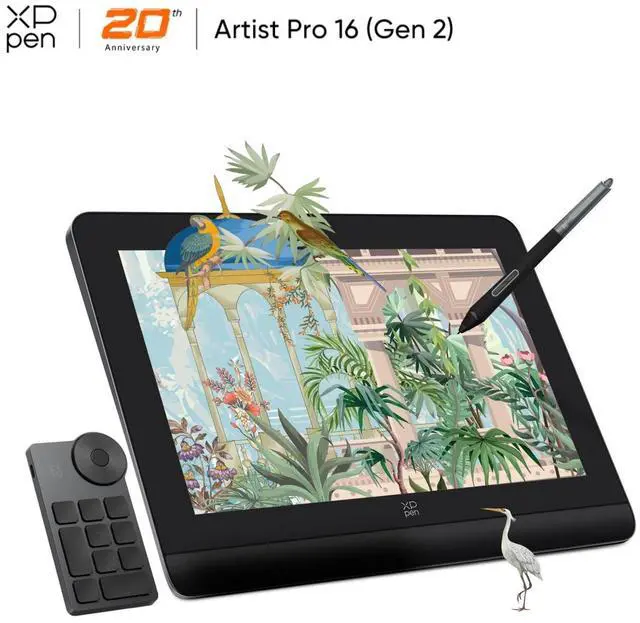
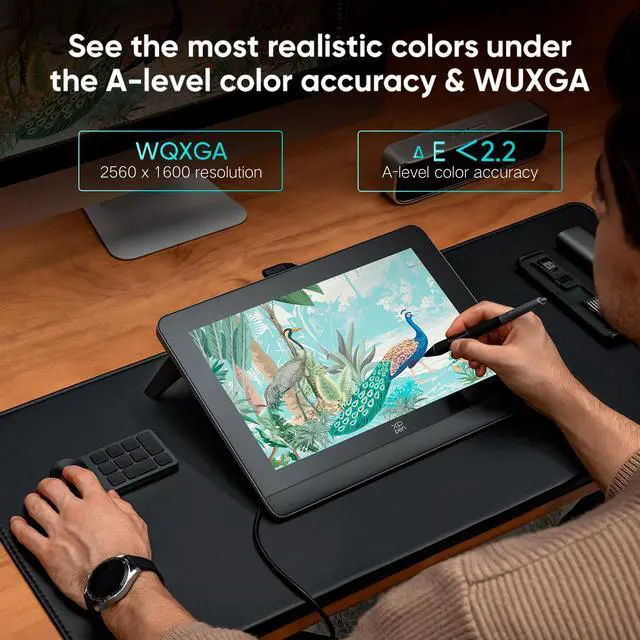
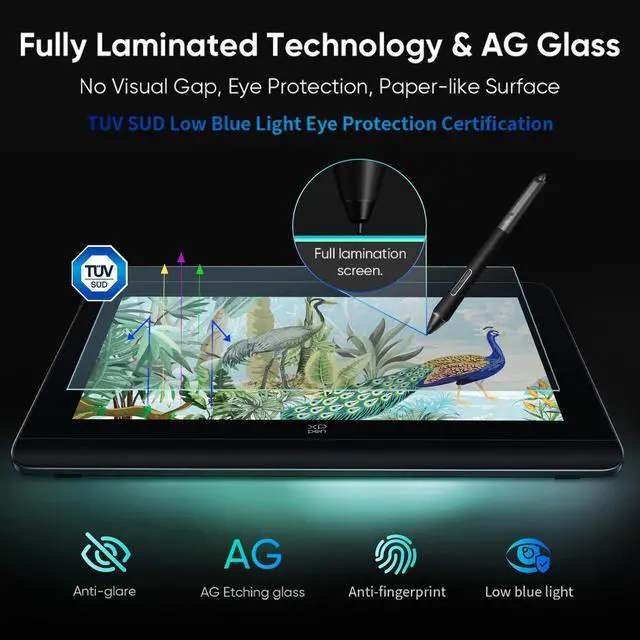
The XP-Pen Artist Pro Series 16 is a professional pen display for digital artists, animators, illustrators, and designers who need accurate on-screen drawing. It combines a 2560×1600 fully laminated display, 16384 pressure levels, ±60° tilt support, and wide color coverage for detailed creative work with reduced parallax.
| Attribute | Value |
|---|---|
| Best For | Digital artists, illustrators, and animators who need a 16-inch pen display with 2.5K resolution, precise pen input, and a built-in foldable stand |
| Display And Active Area | 16-inch display with 2560 × 1600 resolution and a 344.68 × 215.42 mm active area; the fully laminated screen helps align pen strokes with the display |
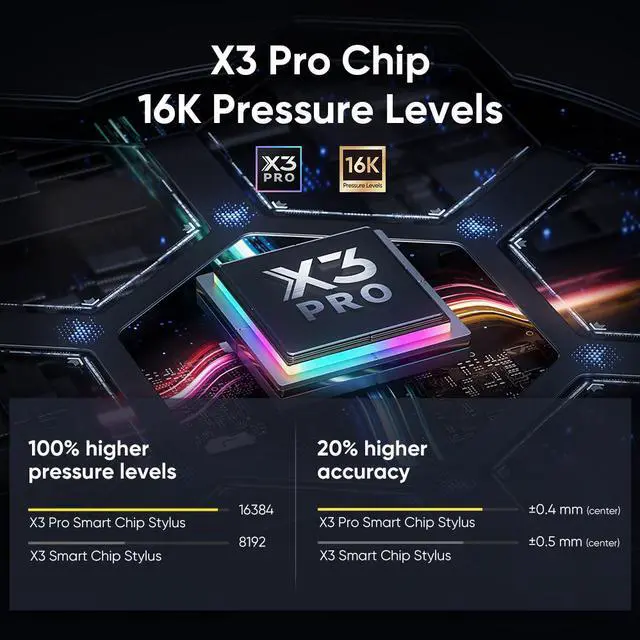
| Pen Input And Accuracy | X3 Pro Smart Chip Stylus with 16,384 pressure levels, ±60º tilt support, 5080 lpi resolution, ±0.4 mm center accuracy, and ±0.8 mm corner accuracy |
| Performance And Response | Maximum data rate of ≥200RPS for responsive pen input |
| Connectivity And Compatibility | USB Type-C interface with a device connection required; supports Windows 7 or later, macOS 10.10 or later, Android with USB3.1 DP1.2, Chrome OS 88 or later, and Linux |
| Design And Adjustability | 405.11 × 291.37 × 20.23 mm tablet with a built-in foldable stand and fully laminated screen |
| Brand And Series | XPPen Artist Pro series graphics tablet |
Q: Should I buy the XP-Pen Artist Pro 16 Gen 2 or the regular Artist 16 2nd Gen?
A: Choose the Artist Pro 16 Gen 2 for detailed illustration, animation, photo work, or color-managed design. It adds a 2560×1600 display, X3 Pro stylus with 16,384 pressure levels, 60-degree tilt, and professional color-space switching. Choose the regular Artist 16 2nd Gen when 1920×1080 resolution, 8,192 pressure levels, and a slimmer, lighter design are sufficient for digital-first artwork, learning, or social-media output. ([xp-pen.com](https://www.xp-pen.com/store/buy/artist-pro-16-gen2-wmt.html?utm_source=openai))
Q: How does the Artist Pro 16 Gen 2 compare with the Huion Kamvas 16 Gen 3?
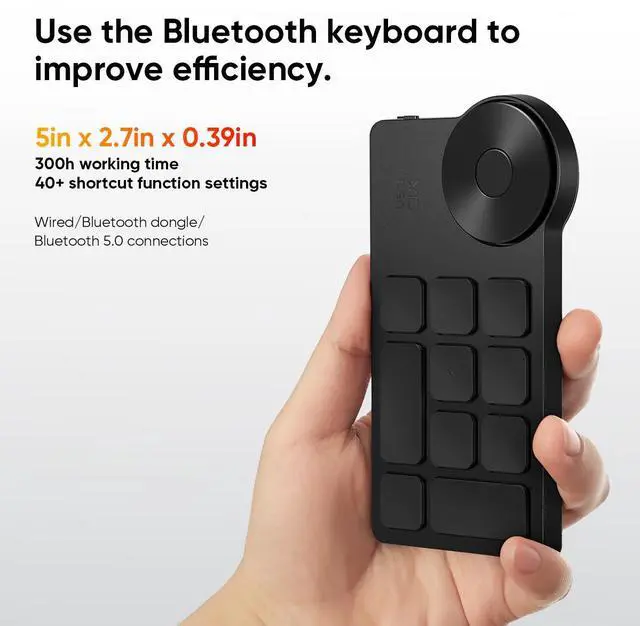
A: Both are 16-inch pen displays with high-resolution screens and laminated drawing surfaces. Choose the Artist Pro 16 Gen 2 if you want a 16:10 2560×1600 screen, 16,384-pressure-level stylus, broad color-space support, and the included wireless shortcut remote. Choose the Kamvas 16 Gen 3 if you prefer its 15.8-inch 16:9 2560×1440 format, Huion PenTech 4.0 system, or Huion’s driver and control layout. Real-world drawing differences are likely to depend more on pen feel, driver preference, and color calibration than on pressure-level counts alone. ([xp-pen.com](https://www.xp-pen.com/store/buy/artist-pro-16-gen2-wmt.html?utm_source=openai))
Q: Is the Artist Pro 16 Gen 2 a better choice than the Wacom Cintiq 16?
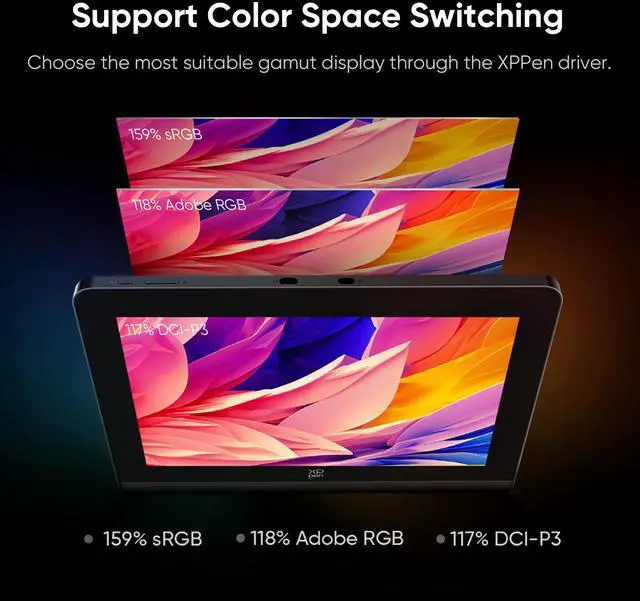
A: Choose the Artist Pro 16 Gen 2 when screen detail, color-gamut flexibility, and pen sensitivity are priorities: it uses a 2560×1600 display, supports sRGB, Adobe RGB, and DCI-P3 modes, and includes a 16,384-level stylus. Choose the Wacom Cintiq 16 when you specifically prefer Wacom’s Pro Pen 2 workflow and its established software ecosystem. The Cintiq 16 uses a 1920×1080 display, so the XP-Pen provides more workspace resolution for detailed artwork. ([xp-pen.com](https://www.xp-pen.com/store/buy/artist-pro-16-gen2-wmt.html?utm_source=openai))
Q: Is it worth upgrading from the older XP-Pen Artist Pro 16 to the Artist Pro 16 Gen 2?
A: Upgrade if you want a sharper 2560×1600 workspace, 16,384 pressure levels, improved stylus accuracy, 60-degree tilt recognition, and newer connectivity options. The older Artist Pro 16 remains suitable for general illustration and photo editing, especially if its 4K or Full HD configuration meets your workflow. The upgrade is most meaningful for detailed line work, print-oriented design, and users who want the Gen 2 wireless shortcut remote and newer X3 Pro stylus. ([xp-pen.com](https://www.xp-pen.com/store/buy/artist-pro-16-gen2-wmt.html?utm_source=openai))
Q: Should I choose the Artist Pro 14 Gen 2 or the Artist Pro 16 Gen 2 for portable drawing?
A: Choose the Artist Pro 14 Gen 2 for easier transport and smaller workspaces. Choose the Artist Pro 16 Gen 2 when drawing area, screen detail, and a 16:10 2560×1600 canvas matter more than compactness. Both use the X3 Pro stylus with 16,384 pressure levels, so the main trade-off is screen size and resolution: the 14-inch model uses 1920×1200, while the 16-inch model provides a larger 2560×1600 workspace. Neither is a standalone tablet; both require connection to a compatible computer or device. ([xp-pen.com](https://www.xp-pen.com/store/buy/artist-pro-14-gen2.html?utm_source=openai))
Q: Can this drawing tablet be used by itself without a computer?
A: No. This is a pen display, not a standalone computer tablet. It requires a compatible Windows, macOS, Android, ChromeOS, or Linux device to provide the drawing apps, processing, and file storage. ([bestbuy.com](https://www.bestbuy.com/site/questions/wacom-one-14-2025-pen-display-drawing-tablet-white/6643866?utm_source=openai))
Q: What devices and operating systems are compatible with it?
A: The supplied specifications list support for Windows 7 or later, macOS 10.10 or later, Android devices with USB 3.1 and DisplayPort 1.2, ChromeOS 88 or later, and Linux. The computer or mobile device must support the required display and USB connection; compatibility is not determined by USB-C shape alone. ([bestbuy.com](https://www.bestbuy.com/site/questions/wacom-one-14-2025-pen-display-drawing-tablet-white/6643866?utm_source=openai))
Q: Is it practical to carry for travel or mobile work?
A: It is portable for a 16-inch pen display but is not an all-in-one travel tablet. The device measures approximately 405 × 291 × 20 mm, includes a foldable stand, and supports one-cable USB-C connections when the host device is compatible. You still need a laptop or other supported device, plus the required cables and power setup. ([bestbuy.com](https://www.bestbuy.com/site/questions/wacom-one-14-2025-pen-display-drawing-tablet-white/6643866?utm_source=openai))
Q: Is it suitable for animation, illustration, and other creative work?
A: Yes, it is designed for screen-based drawing and animation when used with compatible creative software on the connected computer. Its 2560 × 1600 display, fully laminated screen, ±60-degree pen tilt support, and 16,384 pressure levels are suited to detailed line work, shading, and color-focused workflows. The drawing software is run on the connected device rather than on the display itself. ([bestbuy.com](https://www.bestbuy.com/site/questions/wacom-one-14-2025-pen-display-drawing-tablet-white/6643866?utm_source=openai))
Q: Can it be used for note-taking, meetings, or office work?
A: It can support handwritten annotation, screen markup, and other pen-input tasks through compatible software on the connected computer. However, it is not a standalone note-taking device and does not include independent storage, mobile apps, or built-in office functionality. It is best suited to users who already work from a computer and want an on-screen pen interface. ([bestbuy.com](https://www.bestbuy.com/site/questions/wacom-one-14-2025-pen-display-drawing-tablet-white/6643866?utm_source=openai))
Q: Is the XP-Pen Artist Pro 16 Gen 2 worth buying for digital art?
A: It is a strong fit for illustrators, animators, and designers who want to draw directly on a 16-inch screen. Its 2560×1600 laminated display, etched surface, built-in stand, and X3 Pro stylus are useful for detailed work. It is less suitable if you want a standalone device, because it requires connection to a compatible computer.
Q: Who is the XP-Pen Artist Pro 16 Gen 2 best suited for?
A: It is suited to students, hobbyists, and professional digital artists who prefer a display tablet over a screenless pen tablet. The 16-inch workspace is large enough for illustration and design, but its size, weight, and computer requirement make it less convenient for very small desks or highly portable use.
Q: What are the main trade-offs of the XP-Pen Artist Pro 16 Gen 2?
A: The main trade-offs are reported variability in pen performance, including occasional wobble on slow lines, tilt-related accuracy concerns, or inconsistent light-pressure response. Some users also mention heat during long sessions and the lack of built-in shortcut buttons. These issues are not reported by every user, so return coverage and seller support are important considerations.
Q: Does the XP-Pen Artist Pro 16 Gen 2 work with a single USB-C cable?
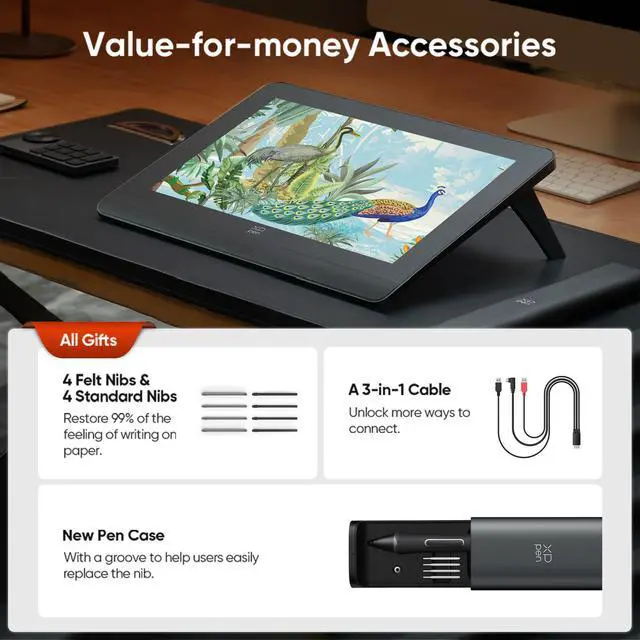
A: It can use one USB-C cable when the computer's USB-C port supports video output through DisplayPort. If the computer does not support compatible video output, the included 3-in-1 cable is required. The tablet is not standalone and must remain connected to a compatible computer.