

Your Browsing History
- Free 30-day Returns
$399.00




Meet Your Seller

Get Educated
Make informed decisions with expert advice. Learn More

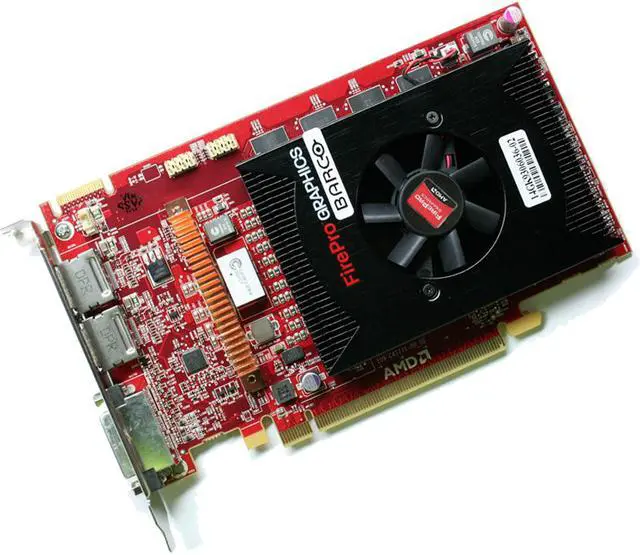

Barco MXRT-5500 2GB Medical Grade PCIe Graphics card
- The high-performance MXRT-5500 allows you to drive three monitors with just one PCIe slot. As such, the board is the perfect match for PACS workstations combining two diagnostic displays with a third.
+
+
Overview
Specs
Reviews
See all Q & A 
Any questions? Our AI mode will help you find out quickly.
Try me now
The MXRT5500 is compatible with the Display
Port interface standard, which assures easy installation and ultrafast and reliable data transfers. Barco's MXRT display controllers work wonderfully together with: · Conference Clone
View™: which enables accurate projection of medical images onto a largescreen display. The software tool ensures effortless cloning, scaling, zooming and panning of medical images on the large screen. · Dim
View™: which automatically dims the auxiliary displays used for patient worklists or dictation, reducing peripheral ambient light. · Spot
View™: which enables focused observation during readings by dimming images outside a circular region of interest and boosting the luminance while enhancing the contrast in the region of interest. · Find
Cursor™: which provides a method to quickly locate the cursor on a system with multiple displays. · Single
View™: which enables the use of the entire display as one display, and eliminates any tearing down the center of the display. This simple setting works behind the scenes to make use of current PACS software seamlessly and allows for hanging protocols in the center of the display.
Port interface standard, which assures easy installation and ultrafast and reliable data transfers. Barco's MXRT display controllers work wonderfully together with: · Conference Clone
View™: which enables accurate projection of medical images onto a largescreen display. The software tool ensures effortless cloning, scaling, zooming and panning of medical images on the large screen. · Dim
View™: which automatically dims the auxiliary displays used for patient worklists or dictation, reducing peripheral ambient light. · Spot
View™: which enables focused observation during readings by dimming images outside a circular region of interest and boosting the luminance while enhancing the contrast in the region of interest. · Find
Cursor™: which provides a method to quickly locate the cursor on a system with multiple displays. · Single
View™: which enables the use of the entire display as one display, and eliminates any tearing down the center of the display. This simple setting works behind the scenes to make use of current PACS software seamlessly and allows for hanging protocols in the center of the display.
Warranty & Returns
Warranty, Returns, And Additional Information
Warranty
- Please contact the Seller directly for warranty information. Warranty information may also be found on the Manufacturer's website.
- Read full details
- CONTACT
Return Policies
- Return for refund within: 30 days
- Return for replacement within: 30 days
- This item is covered by Tech Trends Return Policy
Manufacturer Contact Info
- For a directory of all our manufacturers, please click below.
- Manufacturers Directory
LOADING...