here!
I’m your shopping assistant for PC builds, upgrades, and everything tech.
Got questions? Ask away!
Start a conversation
here!
I’m your shopping assistant for PC builds, upgrades, and everything tech.
Got questions? Ask away!
Start a conversation




Any questions? Ask CelesteSM will help you find out quickly.
We sell new,unused computers,the original Seal is opened for upgrade ONLY. If you've selected a custom-configured computer, our professional technicians will carefully open the original manufacturer's box and professionally install the upgrades to achieve the advertised specifications.
CPU:Intel Core Ultra 5 225 Processor
Display:NO
Memory:up to 64 GB DDR5 RAM
Hard Drive:up to 2 TB PCIe NVMe M.2 SSD
Operating System:Windows 11 Home/Pro
Graphics:Intel Arc Graphics
Ports:
2 x USB-A 3.0, 2 x USB-A 3.1, 1 x USB-C 3.0, 1 x USB-C 3.1, 4 x USB-A 2.0
DisplayPort 1.4,HDMI 2.1,Ethernet (RJ45),Audio-out
Keyboard and mouse: Wired Keyboard and mouse
Wireless Connectivity:Intel Wi-Fi 6 (2x2) Gig and Bluetooth 5.4
Color:Dark Wood
Dimensions:12.4" x 6.1" x 13.27"in,12.72 lb
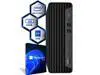
The HP OmniDesk M03 is a Windows 11 Pro desktop with an Intel Core Ultra 5 225 processor, Intel Arc Graphics, 32GB DDR5 memory, and a 1TB NVMe SSD, suited to productivity, multitasking, and everyday home or office computing.
| Attribute | Value |
|---|---|
| Best For | Desktop computing with Windows 11 Pro and AI-ready capabilities |
| Processor | Intel Core Ultra 5 225 processor |
| Graphics | Integrated Intel Arc Graphics |
| Memory | 32GB DDR5 memory for multitasking |
| Storage | 1TB SSD storage |
| Wireless Connectivity | Wi-Fi 6 and Bluetooth 5.4 |
| Included Peripherals | Wired keyboard and wired mouse |
| Operating System | Windows 11 Pro |
| Model Identifiers | HP Omni series, model M03-0000t |
Q: HP OmniDesk M03 with 32GB RAM and 1TB SSD or the 8GB/256GB version?
A: Choose this 32GB/1TB configuration if you want more memory and storage alongside the same Core Ultra 5 225 platform. HP lists an M03 configuration with the same processor, 8GB RAM, and 256GB SSD; this Newegg configuration provides four times the memory and four times the SSD capacity.
Q: Should I choose this HP OmniDesk M03 or the older OmniDesk M02?
A: Choose the M03 if you want the Core Ultra 5 225 platform with Intel AI Boost, plus this listing’s 32GB RAM and 1TB SSD. HP lists the M02 starting configuration with a Core i3-14100, 8GB RAM, and 256GB SSD, making it a different configuration for buyers comparing processor generation and included memory and storage.
Q: How does this Core Ultra 5 OmniDesk compare with an HP OmniDesk M03 with Core Ultra 7 and RTX 5060?
A: Choose this Core Ultra 5 configuration for its 32GB RAM, 1TB SSD, and Windows 11 Pro. The M03-0074 is a higher-tier option with a 20-core Core Ultra 7 265F processor and dedicated NVIDIA GeForce RTX 5060 graphics, while also listing 32GB RAM and a 1TB SSD. Compare the processor, graphics, and operating-system configuration to decide which better fits your workload.
Q: Is this desktop suitable for home and office work?
A: Yes. Its Intel Core Ultra 5 225 processor, 32 GB of DDR5 memory, 1 TB SSD, and Windows 11 Pro make it suitable for everyday home and office tasks, including multitasking. A monitor is not included.
Q: Does this desktop come with a monitor?
A: No. The product information says the display is not included, so you will need a separate monitor. The listed wired keyboard and mouse are included.
Q: Can I connect it to Wi-Fi without an Ethernet cable?
A: Yes. Wi-Fi 6 is built in, so an Ethernet connection is not required for wireless networking. Bluetooth 5.4 is also included.
Q: Is this desktop a good choice for demanding PC games?
A: The listed specifications include Intel Arc Graphics, but do not provide game benchmarks or a separate graphics-card model. It is better suited to productivity and everyday use than to buying specifically for demanding games; check the requirements and performance for the games you plan to play.
Q: Is the HP OmniDesk M03 suitable for office multitasking?
A: Its Core Ultra 5 225, 32 GB of DDR5 memory, and 1 TB SSD make this configuration a reasonable fit for office workloads such as spreadsheets, many browser tabs, and routine multitasking. It has integrated graphics, and the display is not included.
Q: Is this OmniDesk M03 a good choice for 3D work?
A: It may suit lighter CPU-focused tasks, but this configuration lists integrated Intel Arc graphics rather than a dedicated GPU. For GPU-intensive 3D work or rendering, consider a desktop with a dedicated graphics card; the discussion does not establish performance for this exact configuration.
Q: Can I add a 3.5-inch hard drive to the OmniDesk M03?
A: The provided specifications do not confirm an available 3.5-inch bay or compatible power connection for this exact model. An OmniDesk owner reported adding a second internal drive to a different M03 configuration using a model-specific cable, so verify the bay, connector, and cable compatibility for M03-0000t before buying parts.
Q: Is this M03 a good starting point for a gaming-PC upgrade?
A: This configuration lists integrated graphics and a 280 W power supply, so it is not specified as a gaming desktop with a dedicated GPU. Reddit discussions about other OmniDesk configurations raise power and compatibility concerns when adding graphics cards; check this model’s available slots, connectors, case clearance, and power limits before planning an upgrade.