




 here!
I’m your shopping assistant for PC builds, upgrades, and everything tech.
Got questions? Ask away!
Start a conversation
here!
I’m your shopping assistant for PC builds, upgrades, and everything tech.
Got questions? Ask away!
Start a conversation

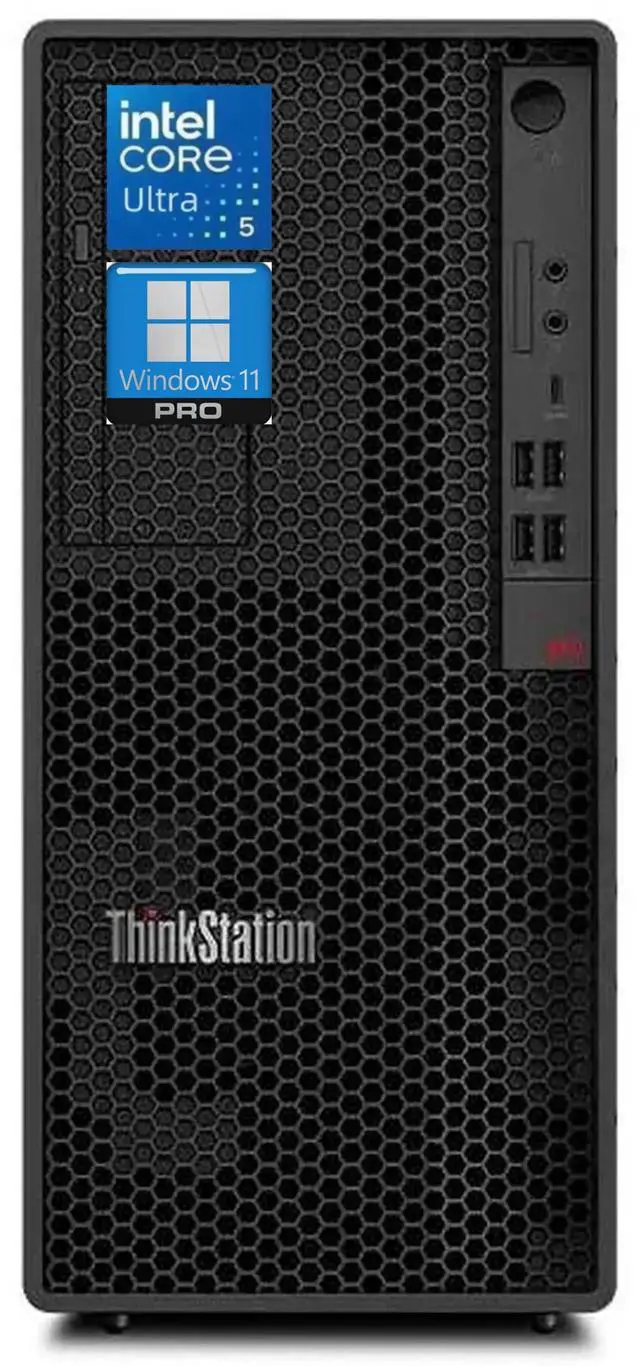


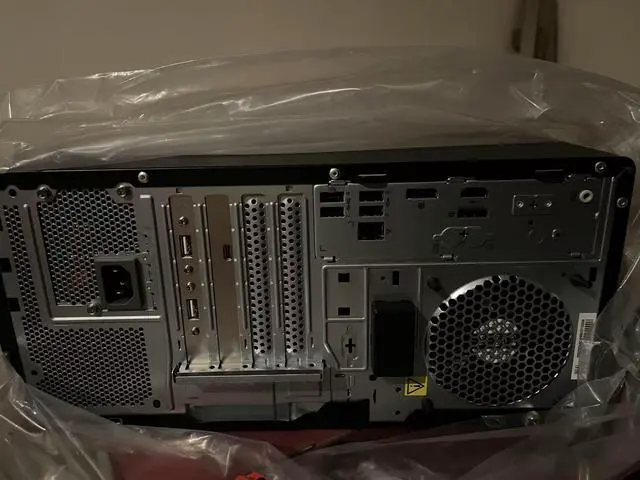



Any questions? Ask CelesteSM will help you find out quickly.
We sell new,unused computers,the original Seal is opened for upgrade ONLY. If you've selected a custom-configured computer, our professional technicians will carefully open the original manufacturer's box and professionally install the upgrades to achieve the advertised specifications.
CPU:Intel Core Ultra 5 225 Processor
Display:NO
Memory:up to 64 GB DDR5 RAM
Hard Drive:up to 2 TB PCIe NVMe M.2 SSD
Operating System:Windows 11 Pro
Ports:USB Port 2 x USB 2.0 Ports (Rear) selected upgrade
Keyboard and mouse:USBKEY_TAB Keyboard & USB Mouse Combo
Wireless Connectivity:Intel Wi-Fi 7 BE200 2x2 BE vPro; Bluetooth 5.4 selected upgrade,USB-C Rear Adapter Rear USB 3.2 Gen2x2 Type-C Ports High Profile selected upgrade
Battery:500W 92% Efficiency Power Supply
Dimensions:14.80" x 6.70" x 12.40"in,12.87 lb
The Lenovo ThinkStation P2 Gen 2 is a tower workstation with an Intel Core Ultra 5 225, 64GB of DDR5 memory, and 2TB of SSD storage, suited to professionals running demanding productivity and technical workloads.
| Attribute | Value |
|---|---|
| Best For | Business and workstation use in a tower desktop configuration |
| Processor | Intel Core Ultra 5 225, from the Intel Core Ultra 5 Series 2 |
| Memory And Storage | 64GB DDR5 memory and a 2TB SSD |
| Connectivity | Wi-Fi 7 and Bluetooth 5.4 |
| Input Devices | USB keyboard and USB mouse |
| Chassis And Appearance | Black tower |
| Operating System | Linux |
| Model Identifiers | Lenovo ThinkStation |
Q: ThinkStation P2 Gen 2 Core Ultra 5 225 vs P3 Tower Gen 2: which should I choose?
A: Choose the P2 Gen 2 configuration when its 64GB RAM, 2TB storage, and workstation features fit your needs. Choose the P3 Tower Gen 2 when you need a higher graphics-card tier—up to an NVIDIA RTX PRO 6000 Blackwell—or memory capacity above the P2’s listed 128GB maximum; Lenovo lists up to 256GB for the P3.
Q: Should I get the P2 Gen 2 with Core Ultra 5 225 or Core Ultra 7 265?
A: The listed Core Ultra 5 225 has 10 cores and 10 threads; the P2 Gen 2 can also be configured with a Core Ultra 7 265, which has 20 cores and 20 threads. Choose the 225 configuration for a 10-core workstation setup with the listed 64GB RAM and 2TB storage; choose the 265 option when your CPU-heavy workflows can make use of more cores.
Q: P2 Gen 2 Core Ultra 5 225 vs Core Ultra 5 235: what changes?
A: The Core Ultra 5 225 has 10 cores and 10 threads, while the P2 Gen 2’s Core Ultra 5 235 option has 14 cores and 14 threads. Choose the 225 configuration for the listed 64GB RAM and 2TB storage; choose the 235 configuration when you want four additional CPU cores and Intel vPro Enterprise eligibility.
Q: Does this workstation include a monitor?
A: No. The Newegg listing says the display is not included, so you will need a separate monitor. Retail desktop Q&A pages commonly raise whether a tower includes a monitor.
Q: Is it suitable for office work and multitasking?
A: Yes. Its 10-core Intel Core Ultra 5 225, 64GB of DDR5 memory, and 2TB SSD are suited to office applications and running multiple tasks at once. It is a desktop tower, not a portable work device.
Q: Does this model have Wi-Fi?
A: The listing identifies Wi-Fi 7 and Bluetooth 5.4, but describes wireless connectivity as a selected upgrade. Confirm that Wi-Fi is included in the exact configuration you are purchasing.
Q: Is it a good choice for demanding CAD or graphics work?
A: It has a 10-core processor and 64GB of memory, but the listing does not specify a graphics card. Check with the seller for the exact GPU before choosing it for GPU-intensive CAD, 3D, or video workloads.
Q: Is the ThinkStation P2 Gen 2 overkill for spreadsheets and email?
A: It may be more capacity than basic office work requires: this configuration has a 10-core processor and 64 GB of RAM. A Reddit discussion about choosing the P2 Gen 2 for spreadsheets and email also raised lower-cost options as a consideration. Whether it is worth the added capacity depends on your workload and purchase price.
Q: Is this configuration suitable for computer-vision work?
A: The listed 64 GB of RAM and 2 TB of SSD storage may suit some workloads, but the supplied specifications do not identify a discrete graphics card. For GPU-accelerated computer vision, confirm the exact GPU and its memory meet your software and model requirements before buying.
Q: Do I need to budget for a monitor?
A: Yes. The supplied product information says a display is not included, so plan to use an existing monitor or buy one separately. A Reddit discussion about a P2 Gen 2 office PC also called out checking monitor needs when choosing a desktop.


