




 here!
I’m your shopping assistant for PC builds, upgrades, and everything tech.
Got questions? Ask away!
Start a conversation
here!
I’m your shopping assistant for PC builds, upgrades, and everything tech.
Got questions? Ask away!
Start a conversation






Any questions? Ask CelesteSM will help you find out quickly.
We sell new,unused computers,the original Seal is opened for upgrade ONLY. If you've selected a custom-configured computer, our professional technicians will carefully open the original manufacturer's box and professionally install the upgrades to achieve the advertised specifications.
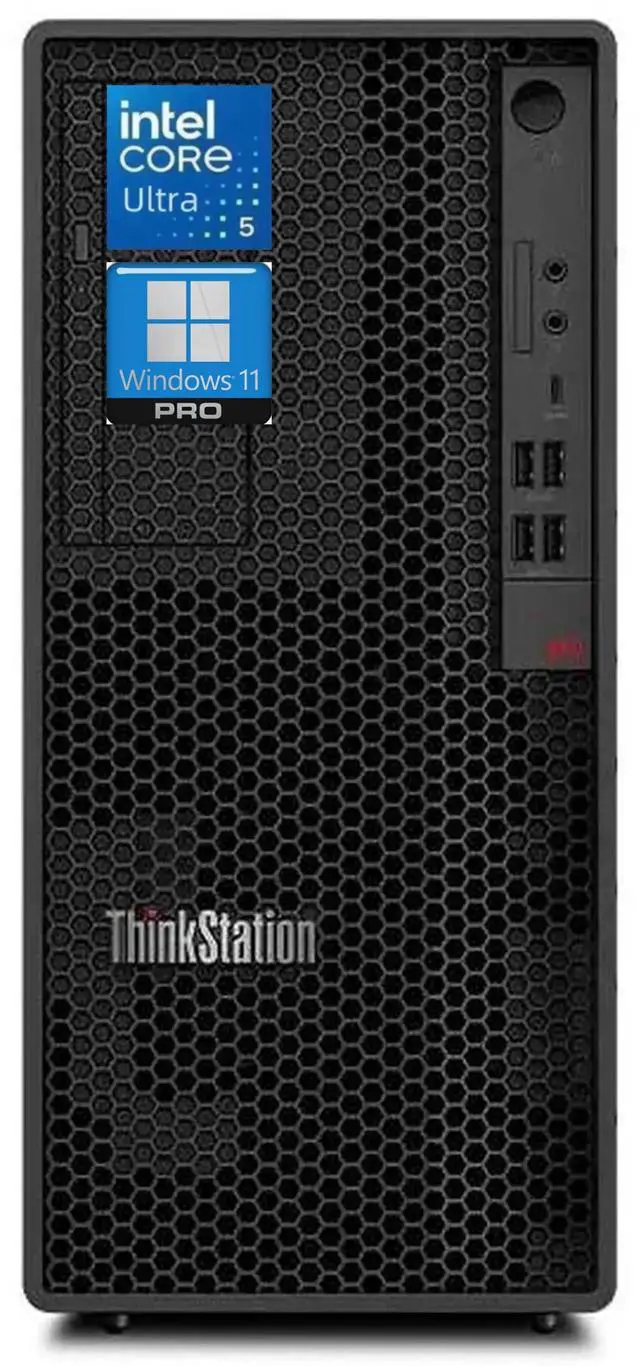
CPU:Intel Core Ultra 5 225 Processor
Display:NO
Memory:up to 64 GB DDR5 RAM
Hard Drive:up to 2 TB PCIe NVMe M.2 SSD
Operating System:Windows 11 Pro
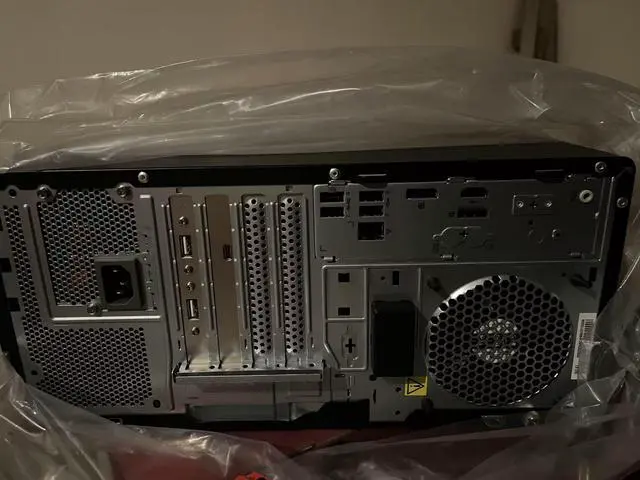
Ports:USB Port 2 x USB 2.0 Ports (Rear) selected upgrade
Keyboard and mouse:USBKEY_TAB Keyboard & USB Mouse Combo
Wireless Connectivity:Intel Wi-Fi 7 BE200 2x2 BE vPro; Bluetooth 5.4 selected upgrade,USB-C Rear Adapter Rear USB 3.2 Gen2x2 Type-C Ports High Profile selected upgrade
Battery:500W 92% Efficiency Power Supply
Dimensions:14.80" x 6.70" x 12.40"in,12.87 lb
The Lenovo ThinkStation P2 Tower Gen 2 is a business workstation with an Intel Core Ultra 5 225 processor, 64GB of DDR5 memory, and a 1TB SSD, suited to professionals who need a capable desktop for multitasking and everyday workstation tasks.
| Attribute | Value |
|---|---|
| Best For | Business and workstation desktop use, with a tower form factor, Intel Core Ultra 5 processor, 64GB of memory, and 1TB SSD storage |
| Processor | Intel Core Ultra 5 225 (Series 2) |
| Memory | 64GB DDR5 |
| Storage | 1TB SSD |
| Networking | Wi-Fi 7 and Bluetooth 5.4 |
| Operating System | Linux |
| Form Factor And Color | Tower chassis in black |
| Included Peripherals | USB keyboard and USB mouse |
| Model Identifiers | Lenovo ThinkStation |
Q: Should I get this ThinkStation P2 Tower Gen 2 or configure it with a Core Ultra 7?
A: Choose this listing if its 10-core Core Ultra 5 225 and 64GB RAM meet your workload needs. A P2 Tower Gen 2 with the 20-core Core Ultra 7 265 is the more suitable configuration when your work benefits from more CPU cores, such as heavily parallel processing. Lenovo lists both processors for this workstation family.
Q: ThinkStation P2 Tower Gen 2 or P3 Tower Gen 2 for CAD and graphics work?
A: Choose this P2 configuration for Lenovo’s entry-level workstation positioning, including entry-level CAD and product design, with 64GB RAM and 1TB of listed SSD storage. Consider the P3 Tower Gen 2 when you want to configure for higher-end graphics workloads; Lenovo lists support for graphics options up to the RTX PRO 6000 Blackwell Workstation Edition.
Q: Is this P2 Tower Gen 2 or the ThinkStation P3 Tiny better for a compact workspace?
A: Choose the P2 Tower Gen 2 when you want a tower workstation with this listing’s 64GB RAM and 1TB SSD configuration. Choose the P3 Tiny when minimizing the computer’s footprint is the priority: Lenovo describes it as a one-liter workstation, compared with the P2 Tower’s 17-liter chassis.
Q: Does this workstation come with a monitor?
A: No. The listing says the display is not included, so plan to provide a compatible monitor separately.
Q: Is this desktop suitable for office work and heavy multitasking?
A: Yes. Its 10-core Intel Core Ultra 5 225 processor, 64 GB of DDR5 memory, and 1 TB SSD make it suitable for office productivity and running multiple demanding applications. A dedicated graphics card is not specified, so check graphics requirements before choosing it for GPU-intensive work such as 3D rendering.
Q: Is this a good computer to take on trips?
A: It is better suited to a fixed desk than frequent travel. This is a 12.87-pound tower, and the listing does not specify a built-in display or battery; you would need separate display and power access.
Q: Which operating system does it come with?
A: The provided product information conflicts: the title and bullet description say Windows 11 Pro, while the specifications field says Linux. Confirm the operating system with the seller before ordering.
Q: Is this ThinkStation overkill for spreadsheets and email?
A: For spreadsheets and email alone, it may be more workstation than necessary. A Reddit discussion about choosing a ThinkStation P2 Gen 2 for similar office work raised the same cost-versus-headroom question. This configuration includes 64 GB of RAM and a 10-core processor, but the listing does not provide a price to judge value.
Q: Is this configuration suitable for CAD work?
A: The 64 GB of RAM and 10-core processor are substantial, but the listing does not identify a graphics card. A Reddit SolidWorks discussion highlights graphics hardware as an important part of workstation suitability, so confirm the installed GPU and its compatibility with your CAD software before buying.
Q: Can I upgrade the graphics card later?
A: The supplied listing does not specify the graphics card, and its 500 W power supply alone is not enough to establish which upgrades will fit or receive adequate power. A Reddit discussion about an earlier P2 Tower raised questions about GPU power connectors and card fit; verify compatibility for this exact Gen 2 configuration before planning an upgrade.


