




 here!
I’m your shopping assistant for PC builds, upgrades, and everything tech.
Got questions? Ask away!
Start a conversation
here!
I’m your shopping assistant for PC builds, upgrades, and everything tech.
Got questions? Ask away!
Start a conversation

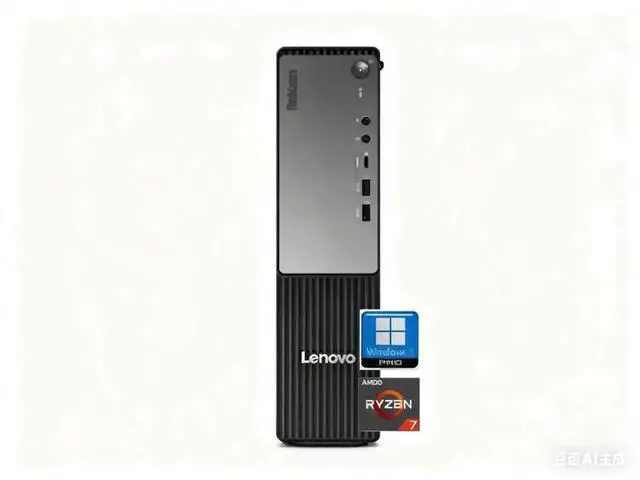
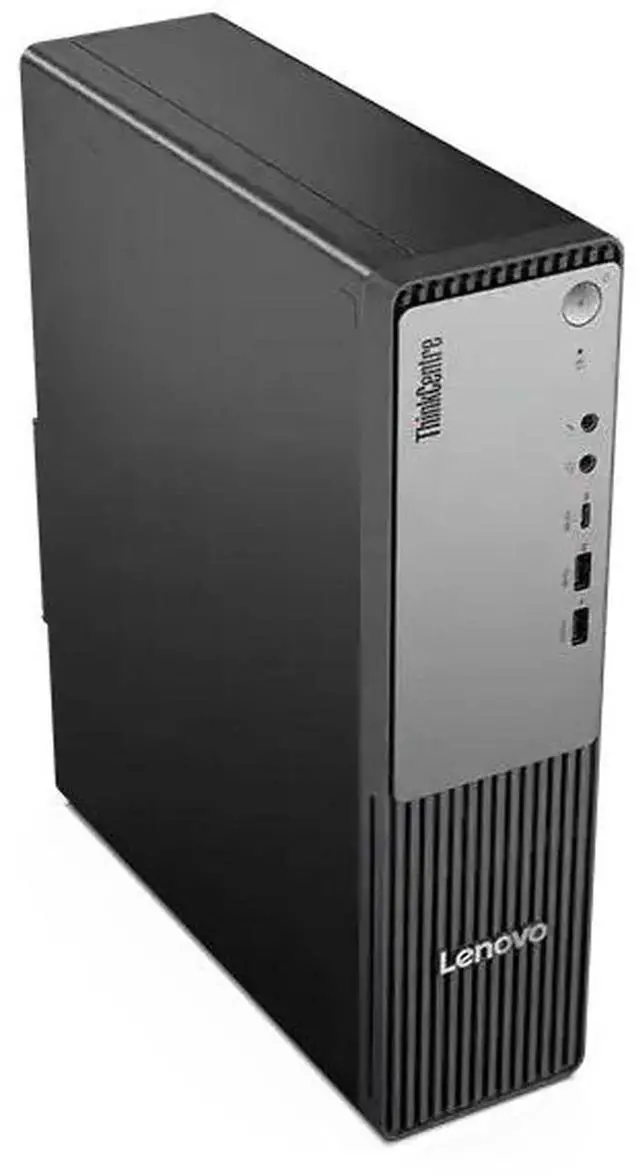



Any questions? Ask CelesteSM will help you find out quickly.
CPU:AMD Ryzen 7 250 Processor (3.30 GHz up to 5.10 GHz)
Display:NO
Memory:up to 64 GB DDR5 RAM
Hard Drive:up to 2 TB PCIe NVMe M.2 SSD
Operating System:Windows 11 Pro
Graphics:AMD Radeon 780M Graphics
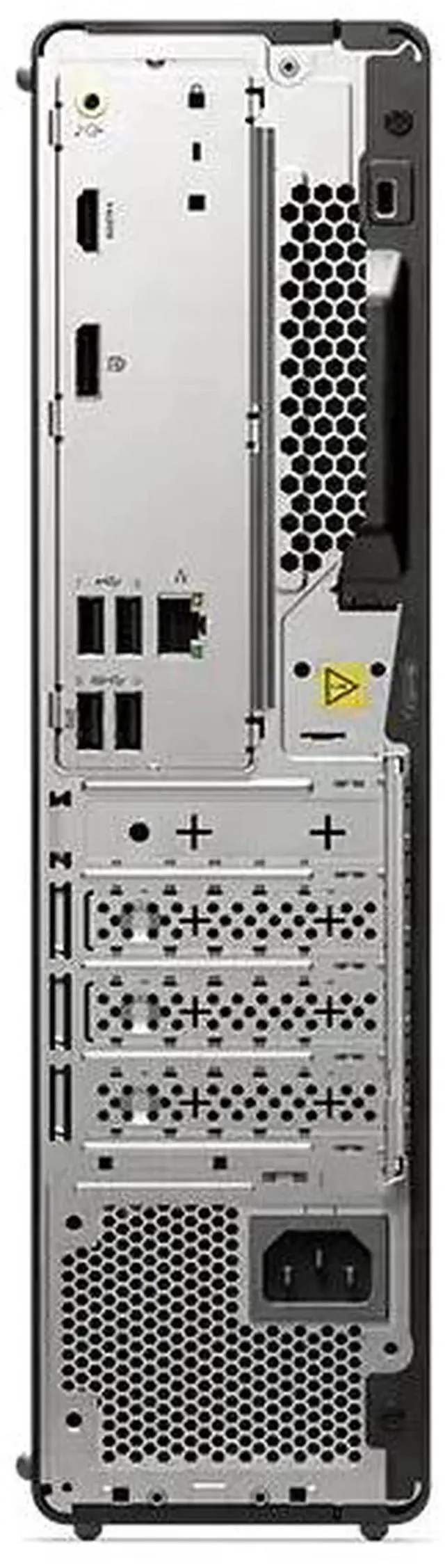
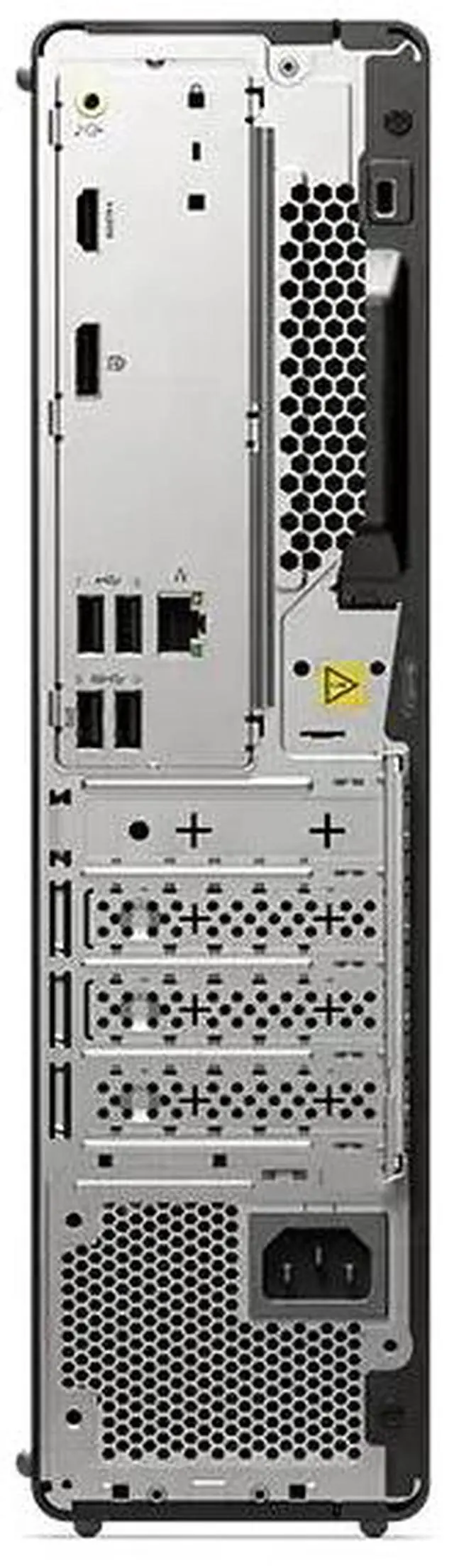
Ports:
Front:
USB-C (USB 5Gbps)
2 x USB-A (USB 5Gbps)
Headphone / mic combo
Microphone
Rear:
2 x USB-A (high-speed USB)
2 x USB-A (USB 5Gbps), 1 with keyboard power on
DisplayPort 1.4
HDMI 2.1 (supports resolution up to 4K@60Hz)
Ethernet (RJ45)
Audio-out
Optional: Parallel port
Optional: 2 x Serial ports
Keyboard and mouse: Wired Keyboard and mouse
Wireless Connectivity:Intel Wi-Fi 6 (2x2) Gig and Bluetooth 5.4
Color:Black
Dimensions:10.83" x 3.5" x 13.24"in,9.55 lb
The Lenovo ThinkCentre Neo 55s Gen 6 is a small-form-factor business desktop with an AMD Ryzen 7 250 processor, 32GB DDR5 memory, and a 1TB SSD, suited to professionals who need responsive performance for multitasking and everyday office work.
| Attribute | Value |
|---|---|
| Best For | Business and general desktop computing, with a Ryzen 7 processor, 32GB of memory, 1TB SSD storage, and Windows 11 Pro |
| Processor And Graphics | AMD Ryzen 7 250 processor with AMD Radeon Graphics |
| Memory And Storage | 32GB DDR5 memory and a 1TB SSD |
| Operating System And AI | Windows 11 Pro; AI Ready |
| Connectivity | Wi-Fi 6 and Bluetooth 5.4 |
| Form Factor And Color | Slim/Small Form Factor desktop in black |
| Included Peripherals | Wired keyboard and wired mouse |
| Model Identifiers | Lenovo ThinkCentre, model 13G0000NUS |
Q: Should I choose the ThinkCentre neo 55s Gen 6 with Ryzen 7 250 or a Ryzen 5 configuration?
A: Choose this Ryzen 7 250 configuration if you want an 8-core, 16-thread processor and Radeon 780M integrated graphics. Lenovo also lists Ryzen 5 216 and Ryzen 5 220 options for the neo 55s Gen 6; the Ryzen 7 250 is the higher-core-count choice within this lineup.
Q: Is the 32GB RAM, 1TB SSD version worth choosing over a 16GB, 512GB version?
A: Choose the Newegg configuration if you want twice the listed memory and storage capacity without changing from the Ryzen 7 250 processor. Lenovo also lists a 16GB RAM, 512GB SSD configuration with that processor, making it the lower-capacity option in the same model line.
Q: Should I get the Ryzen 7 250 version or a Ryzen AI 7 350 version of the ThinkCentre neo 55s Gen 6?
A: Choose a Ryzen AI 7 350 configuration if your priority is its higher-rated integrated NPU capability: Lenovo lists up to 50 NPU TOPS for that processor, compared with up to 16 NPU TOPS for the Ryzen 7 250. The Newegg configuration pairs the Ryzen 7 250 with 32GB RAM and a 1TB SSD.
Q: Is this desktop suitable for office work and multitasking?
A: Yes. Its Ryzen 7 250 processor, 32 GB of DDR5 memory, 1 TB SSD, and Windows 11 Pro make it well-equipped for typical office work and running multiple applications. It is a desktop, and a display is not included; the listing also does not specify a webcam or microphone.
Q: Does it come with a monitor?
A: No monitor is listed as included. Plan to provide a compatible display separately; the product information identifies this as a desktop and says the display is not included.
Q: Is it a good computer to take on work trips?
A: It is compact for a desktop, but it is not a laptop: it weighs 9.55 lb, has no listed built-in display, and the product information does not list a battery. It is better suited to a fixed desk or occasional relocation than to working while traveling.
Q: Can it handle PC gaming?
A: It has AMD Radeon 780M graphics, but the listing does not specify a separate graphics card. It may suit lighter games, but the provided specifications do not establish performance for demanding games; check the requirements of the specific games you play.
Q: Is the ThinkCentre Neo 55s Gen 6 a suitable desktop for office work and multitasking?
A: It is configured for business and everyday desktop workloads, with a Ryzen 7 250 processor, 32 GB of DDR5 RAM, a 1 TB NVMe SSD, and Windows 11 Pro. It does not include a display, so budget for a monitor if needed.
Q: Is this desktop a good choice for gaming or 3D rendering?
A: It uses integrated Radeon 780M graphics and the listed configuration does not include a discrete graphics card. It may suit lighter graphics workloads, but buyers who need stronger gaming or 3D performance should consider a system with a dedicated GPU.
Q: Does the ThinkCentre Neo 55s Gen 6 make sense for AI-related work?
A: The listing describes it as AI-ready, but does not specify which AI applications or workloads it supports. Its Ryzen 7 processor and integrated graphics are part of the configuration; confirm the requirements of any particular AI software before buying.


