




 here!
I’m your shopping assistant for PC builds, upgrades, and everything tech.
Got questions? Ask away!
Start a conversation
here!
I’m your shopping assistant for PC builds, upgrades, and everything tech.
Got questions? Ask away!
Start a conversation




Any questions? Ask CelesteSM will help you find out quickly.
We sell new,unused computers,the original Seal is opened for upgrade ONLY. If you've selected a custom-configured computer, our professional technicians will carefully open the original manufacturer's box and professionally install the upgrades to achieve the advertised specifications.
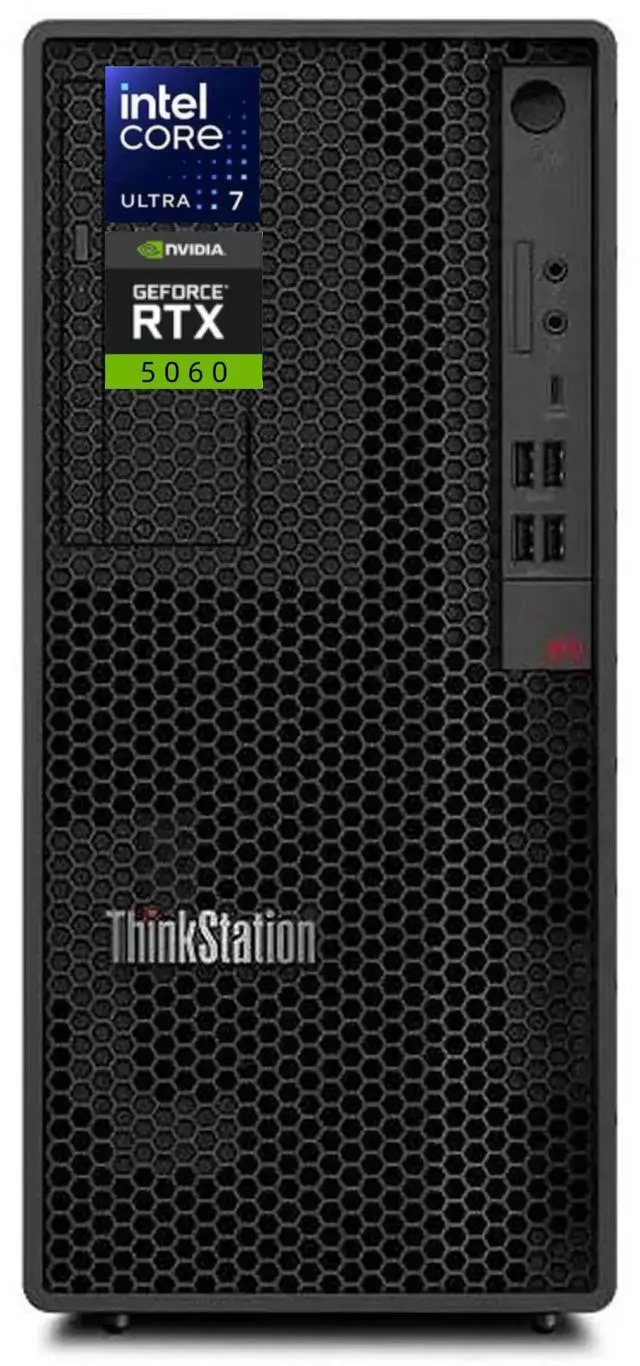
CPU:Intel Core Ultra 7 265 Processor (E-cores up to 4.60 GHz P-cores up to 5.20 GHz)
Graphics:NVIDIA GeForce RTX 5060 Graphics
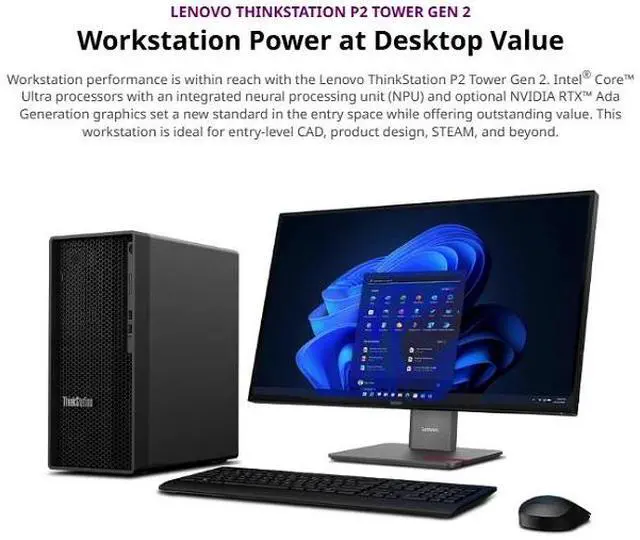
Display:NO
Memory:up to 64 GB DDR5 RAM
Hard Drive:up to 2 TB PCIe NVMe M.2 SSD
Operating System:Windows 11 Pro
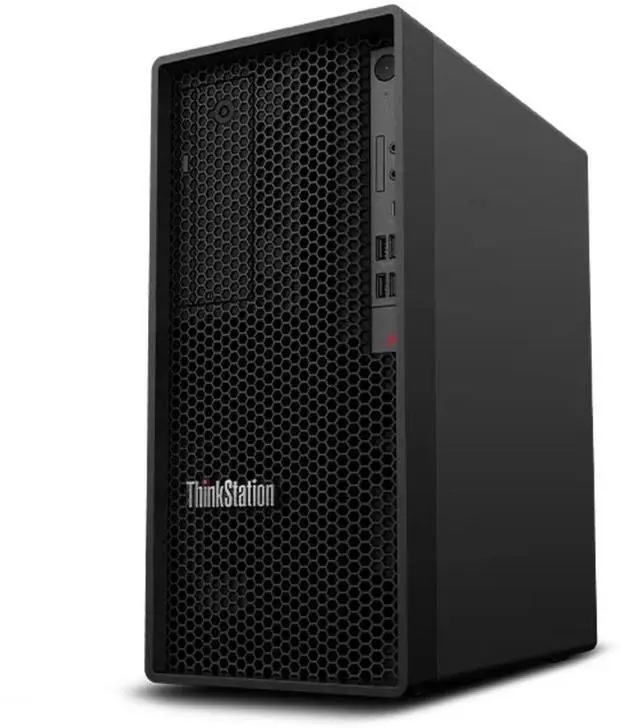
Ports:
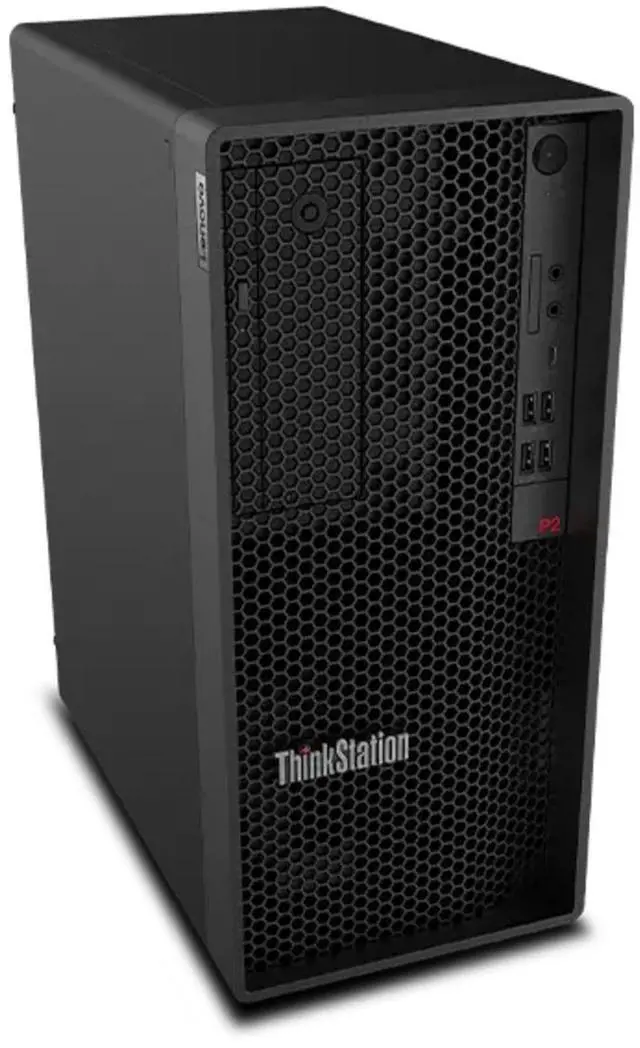
Front:
2 x USB-A (USB 5Gbps)
2 x USB-A (USB 10Gbps)
USB-C (USB 20Gbps)
Headphone / Mic Combo
Microphone
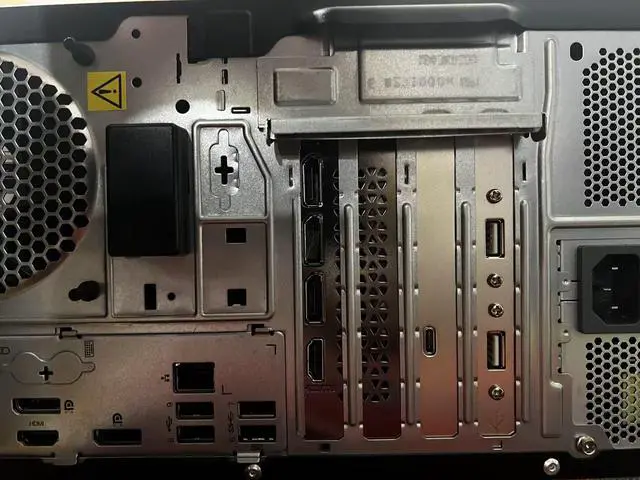
Rear:
HDMI 2.1 TMDS
2 x DisplayPort 1.4
2 x USB-A (USB 10Gbps) – one with Smart Power On
2 x USB-A (USB 5Gbps)
Ethernet (RJ45)
Audio-out
Keyboard and mouse:USB Keyboard & USB Mouse
Wireless Connectivity:Intel Wi-Fi 7 BE200 802.11BE (2 x 2) & Bluetooth 5.4
Audio:Realtek
Battery:500W 92% Efficiency Power Supply
Dimensions:14.80" x 6.70" x 12.40"in,12.87 lb
Color:Black
The Lenovo ThinkStation P2 Gen 2 is a Windows 11 Pro tower workstation with an Intel Core Ultra 7 265 processor, NVIDIA GeForce RTX 5060 graphics, 32GB DDR5 memory, and a 1TB SSD, suited to professionals who need a capable desktop for demanding work and GPU-accelerated applications.
| Attribute | Value |
|---|---|
| Best For | Business and workstation use in an AI-ready tower desktop |
| Processor | Intel Core Ultra 7 265, Series 2 |
| Memory And Storage | 32 GB DDR5 memory and 1 TB SSD storage |
| Power | 500 W power supply |
| Networking And Wireless | Wi-Fi 7 and Bluetooth 5.4 |
| Operating System | Windows 11 Pro |
| Keyboard And Mouse | USB keyboard and USB mouse |
| Chassis And Color | Tower form factor, black |
| Model Identifiers | Lenovo ThinkStation |
Q: ThinkStation P2 Gen 2 Core Ultra 7 265 vs Core Ultra 5 235: which configuration should I choose?
A: Choose the listed Core Ultra 7 265 configuration when you want more CPU capacity for multitasking and processor-intensive work: it has 20 cores, compared with 14 in the Core Ultra 5 235. The Ultra 5 option may suit a similar setup when your workloads are lighter; compare graphics, memory, and storage on the specific configurations as well.
Q: ThinkStation P2 Gen 2 Core Ultra 7 265 vs Core Ultra 9 285K: which is the better fit?
A: Choose the listed Core Ultra 7 265 model for a balanced workstation configuration with a 20-core processor, RTX 5060, 32GB RAM, and 1TB SSD. The P2 configuration with Core Ultra 9 285K is aimed at buyers prioritizing a higher CPU tier: Lenovo lists 24 cores and up to 5.7GHz maximum turbo, versus 20 cores and up to 5.3GHz for the Ultra 7 265. Other components can vary by configuration.
Q: ThinkStation P2 Gen 2 vs P3 Tower Gen 2: which should I choose for workstation graphics?
A: Choose the P2 Gen 2 configuration when its listed Core Ultra 7 265, RTX 5060, 32GB RAM, and 1TB SSD fit your workload. Consider a P3 Tower Gen 2 configuration when you want Lenovo’s broader professional-GPU options: its specifications include configurations with NVIDIA RTX PRO graphics up to the RTX PRO 6000 Blackwell Workstation Edition. Graphics and power-supply options depend on the specific model.
Q: Does this desktop include a monitor?
A: No. The product information says the display is not included. It does list a USB keyboard and USB mouse, so plan to provide a compatible monitor separately.
Q: Does it have built-in Wi-Fi and Bluetooth?
A: Yes. This configuration includes Wi-Fi 7 and Bluetooth 5.4, so it can connect wirelessly without relying on Ethernet or a separate Bluetooth adapter.
Q: Can this PC run games?
A: It has an NVIDIA GeForce RTX 5060, so gaming is a potential use. Actual frame rates depend on the game, resolution, and graphics settings; check each game’s requirements before buying if a particular title or performance target matters.
Q: Can I upgrade the memory later?
A: The listed configuration has 32 GB of DDR5 RAM installed as four 8 GB modules. The provided specifications do not confirm whether additional memory slots are available or state the maximum supported capacity, so verify those details before planning an upgrade.
Q: Is 32 GB of RAM enough for SolidWorks and SolidCAM work?
A: The 32 GB may be sufficient for moderate CAD/CAM work, but project complexity and multitasking matter. A Reddit discussion comparing ThinkStation P2 configurations recommends considering 64 GB for heavier multitasking; the listed system has 32 GB.
Q: Is a ThinkStation P2 Gen 2 a sensible choice for spreadsheets and email?
A: It should handle spreadsheets and email, but this configuration also includes a dedicated RTX 5060 and 32 GB of RAM. If those extra capabilities are not needed, compare its price with a less powerful desktop before buying; the product data does not include a price.
Q: What should I check before buying a ThinkStation P2 for professional work?
A: Match the configuration to the software and workload, including graphics needs and memory requirements. A Reddit discussion about SolidWorks and SolidCAM compares P2 options with different RAM capacities; this listing provides 32 GB, an RTX 5060, and Windows 11 Pro, but does not specify workload performance or software certification.


