




 here!
I’m your shopping assistant for PC builds, upgrades, and everything tech.
Got questions? Ask away!
Start a conversation
here!
I’m your shopping assistant for PC builds, upgrades, and everything tech.
Got questions? Ask away!
Start a conversation



Any questions? Ask CelesteSM will help you find out quickly.

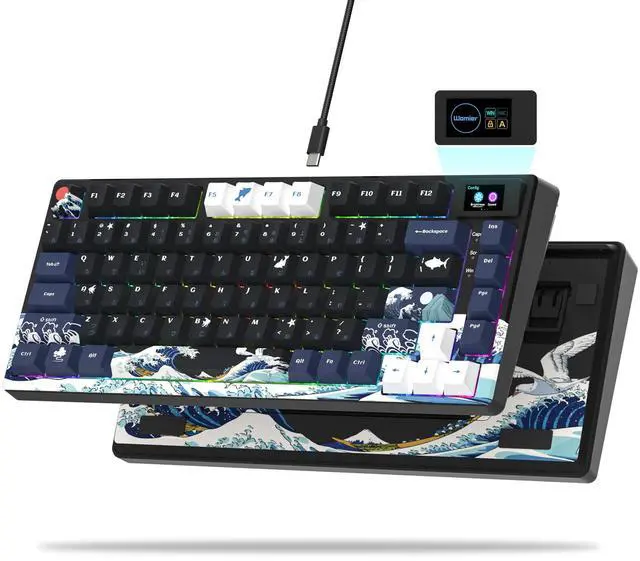
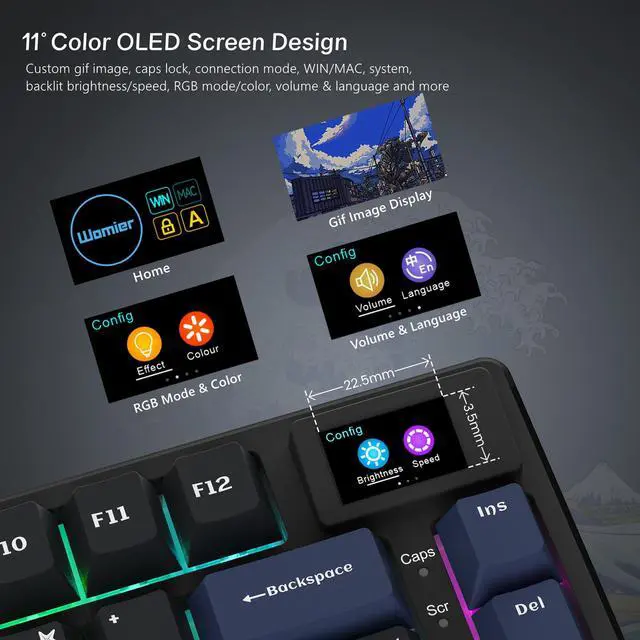
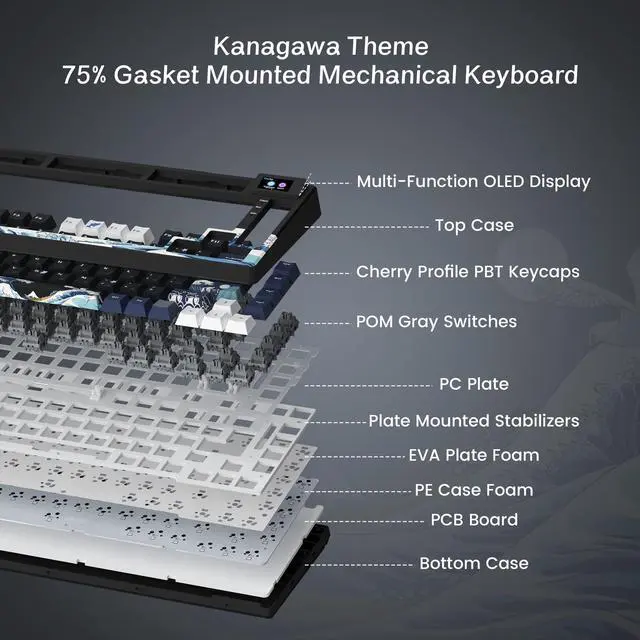
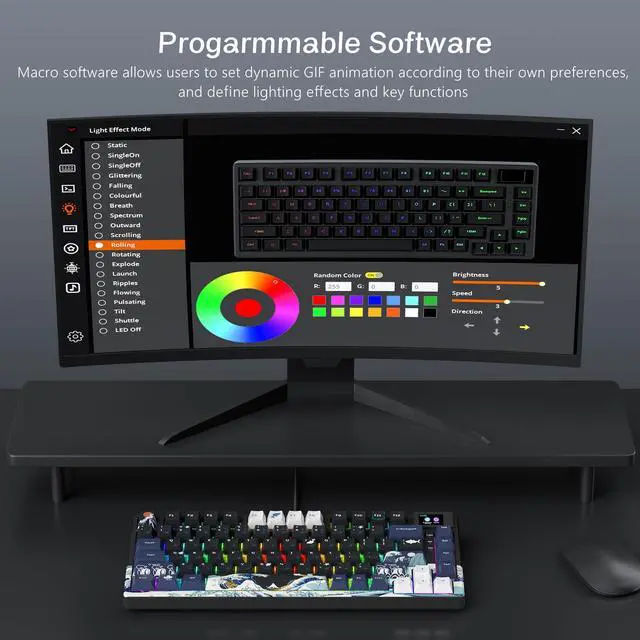
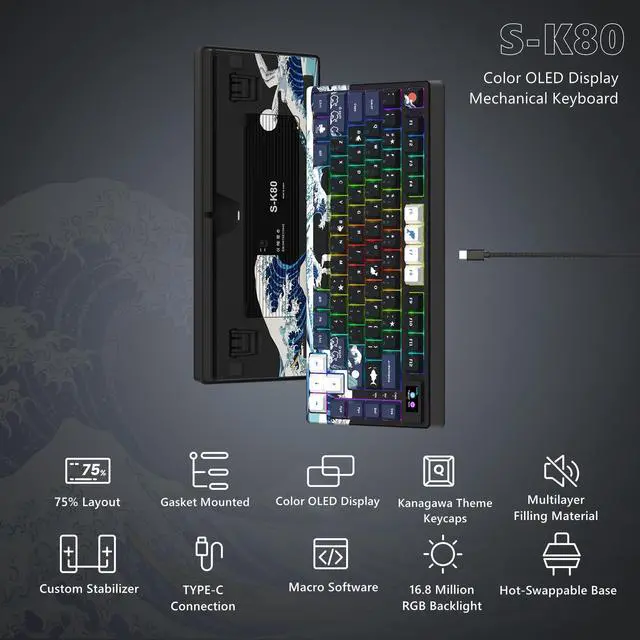
75% theme Multimedia Display color screen mechanical game keyboard. You can customize the GIF dynamic picture to make the keyboard more colorful. The keyboard adopts PC positioning board, and we have debugged the comfortable configuration in the keyboard feel.

Please note: For this keyboard with a color screen, disassembling the keyboard is not recommended, because the wires connecting the screen are very fine and easily damaged, causing the screen to be unusable.

Customized stabilizer, not shaky to use, more stable.

Compatible with both WIN and MAC systems.

2-stage foot mat, adjustable to your needs.

Multi-direction wire slot, so that the desktop clean and orderly.
 Kanagawa Theme Keyboard |  Womier SK80 PRO |  Womier SK75 Black |  Womier Q61 |  Womier VK66 PRO |  Womier WK61 Kanagawa |  Womier SK71 PRO | |
|---|---|---|---|---|---|---|---|
Keyboard Size | 82 Keys | 83 Keys | 82 Keys | 63 Keys | 67 Keys | 61 Keys | 82 Keys |
Keycap Profile | Cherry MX Profile | Cherry MX Profile | Cherry MX Profile | Cherry MX Profile | MDA Profile | OEM Profile | Cherry MX Profile |
Connection Mode | Type-C (Plug and Play) | Bluetooth/2.4G/Wired | Bluetooth/2.4G/Wired | Bluetooth/2.4G/Wired | Type-C (Plug and Play) | Type-C (Plug and Play) | Bluetooth/2.4G/Wired |
Hot Swappable | Yes | Yes | Yes | Yes | Yes | Yes | Yes |
RGB | Yes | Yes | Yes | Yes | Yes | Yes | Yes |


75% theme Multimedia Display color screen mechanical game keyboard. You can customize the GIF dynamic picture to make the keyboard more colorful. The keyboard adopts PC positioning board, and we have debugged the comfortable configuration in the keyboard feel.

Please note: For this keyboard with a color screen, disassembling the keyboard is not recommended, because the wires connecting the screen are very fine and easily damaged, causing the screen to be unusable.


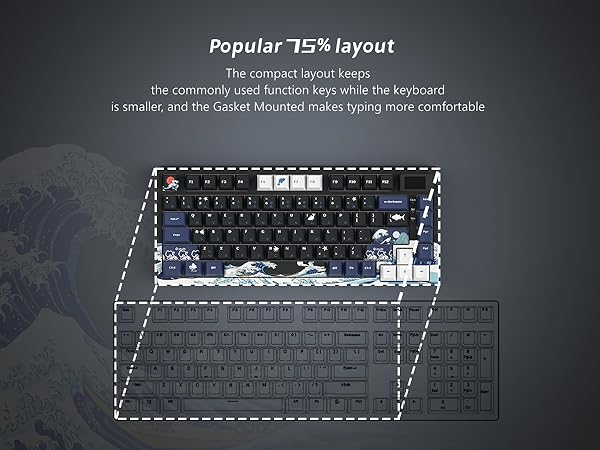

Customized stabilizer, not shaky to use, more stable.
Compatible with both WIN and MAC systems.
2-stage foot mat, adjustable to your needs.
Multi-direction wire slot, so that the desktop clean and orderly.
Kanagawa Theme Keyboard | Womier SK80 PRO | Womier SK75 Black | Womier Q61 | Womier VK66 PRO | Womier WK61 Kanagawa | Womier SK71 PRO |
|---|---|---|---|---|---|---|
| Keyboard Size | ||||||
| 82 Keys | 83 Keys | 82 Keys | 63 Keys | 67 Keys | 61 Keys | 82 Keys |
| Keycap Profile | ||||||
| Cherry MX Profile | Cherry MX Profile | Cherry MX Profile | Cherry MX Profile | MDA Profile | OEM Profile | Cherry MX Profile |
| Connection Mode | ||||||
| Type-C (Plug and Play) | Bluetooth/2.4G/Wired | Bluetooth/2.4G/Wired | Bluetooth/2.4G/Wired | Type-C (Plug and Play) | Type-C (Plug and Play) | Bluetooth/2.4G/Wired |
| Hot Swappable | ||||||
| Yes | Yes | Yes | Yes | Yes | Yes | Yes |
| RGB | ||||||
| Yes | Yes | Yes | Yes | Yes | Yes | Yes |
Womier S-K80 75% Keyboard with Color Multimedia Display Mechanical Gaming Keyboard Creamy Sound, Wired Hot Swappable Keyboard, Gasket Mount RGB Custom Keyboard, Pre-lubed Stabilizer for Mac/Win, Black Kanagawa Theme
| Brand | Womier |
| Compatible Devices | Gaming Console |
| Connectivity Technology | USB-C |
| Keyboard Description | Mechanical |
| Recommended Uses For Product | Gaming |
| Special Feature | 75% Keyboard, Animation Kanagawa Theme, Backlit, Color Multimedia Display, Hot-Swappable |
| Color | Kanagawa Black |
| Keyboard backlighting color support | RGB |
| Style | Black Kanagawa |
| Material | Metal |
| Product Dimensions | 12.8 x 5.31 x 1.38 inches |
| Item Weight | 1.96 pounds |
| Manufacturer | XVX |
| Item model number | S-K80 |
| Date First Available | January 1, 2023 |
The Womier S-K80 is a wired 75% mechanical gaming keyboard with a gasket mount, hot-swappable 3-pin/5-pin PCB, linear switches, RGB lighting, and a color multimedia display. It suits gamers and enthusiasts who want a customizable keyboard with a soft, quieter typing feel and easy switch replacement.
| Attribute | Value |
|---|---|
| Best For | Wired 75% mechanical gaming setups using USB-C, with RGB backlighting and compatibility with gaming consoles |
| Layout And Controls | Compact 75% layout with 82 buttons and ambidextrous handling |
| Switches And Typing | Mechanical keyboard with linear key switches |
| Lighting And Design | RGB-backlit design in Kanagawa Black with a metal construction |
| Connectivity And Power | Wired USB-C connection and power interface |
| Compatibility And Contents | Supports gaming consoles and includes a USB cable |
| Dimensions | 32.5 in x 13.5 in x 3.5 in |
| Model Identifiers | Womier SK80 75% Gaming Keyboard |
Q: Should I buy the Womier S-K80 or the AULA F75?
A: Choose the Womier S-K80 if you want a wired 75% keyboard with a customizable color display, hot-swappable switches, gasket mounting, and a compact desk setup. Choose the AULA F75 if tri-mode connectivity is more important, because it supports Bluetooth, 2.4GHz wireless, and USB-C wired operation. The S-K80 is more suitable for a fixed gaming or desktop setup, while the F75 is more flexible for switching between devices.
Q: Is the Womier S-K80 better than the S-K80 Pro?
A: The S-K80 is the better choice when you prefer a straightforward wired connection and do not need wireless use. The S-K80 Pro is the higher-tier option for users who want wireless flexibility in addition to USB-C operation. Both models share the S-K80 design direction and multimedia-display concept, so the main buying decision is wired simplicity versus added connectivity.
Q: Womier S-K80 or Keychron V1 Max: which 75% keyboard should I get?
A: Choose the Womier S-K80 if the customizable color display and wired gaming setup are your priorities. Choose the Keychron V1 Max if you want tri-mode connectivity, longer-term firmware and layout customization through QMK/VIA, and a 4000mAh battery. Both use a 75% layout, gasket-style construction, RGB lighting, and hot-swappable switches, so the main trade-off is visual display features and wired simplicity versus wireless flexibility and deeper remapping support.
Q: Is the Womier S-K80 better than a wired AULA F75?
A: Choose the Womier S-K80 if you want a customizable multimedia display and a more distinctive themed design. Choose the wired AULA F75 if you prefer a similar 75% gasket-mounted, hot-swappable keyboard with a 1000Hz polling rate and no battery to manage. For a stationary gaming desk, both provide a wired connection; the S-K80 adds display functionality, while the AULA wired model emphasizes conventional gaming specifications.
Q: Can I replace the switches without soldering?
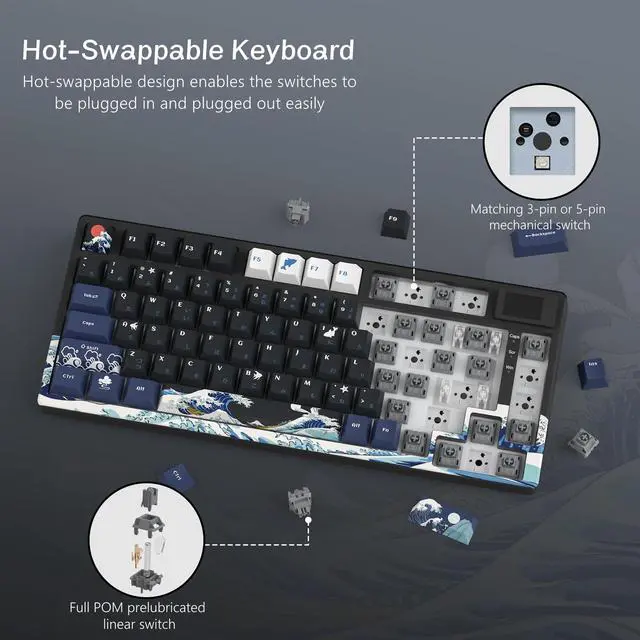
A: Yes. The Womier S-K80 has a hot-swappable PCB compatible with both 3-pin and 5-pin mechanical switches, so users can change the switches without soldering. It is suitable for buyers who want to experiment with different typing feels or replace switches later.
Q: Does the keyboard work with both Mac and Windows?
A: Yes. The product is listed for Mac and Windows use and connects through a wired USB-C connection. Buyers should note that it does not provide Bluetooth or 2.4GHz wireless connectivity, so it is best for a fixed desk setup.
Q: Is it suitable for office work, note-taking, and long typing sessions?
A: It can work well for office typing and note-taking if you prefer a mechanical keyboard with linear switches and a softer gasket-mounted feel. Its 75% layout saves desk space while retaining dedicated navigation keys, but the keyboard is wired and its mechanical sound may not suit quiet shared offices.
Q: Is it a good keyboard for travel?
A: It is more space-efficient than a full-size keyboard because it uses a 75% layout, but it is not optimized for frequent travel. The S-K80 is wired, requires a USB-C cable, and includes a display and gasket-mounted construction that favor a stationary desktop setup over maximum portability.
Q: Can I customize the RGB lighting, macros, and display?
A: Yes. The companion software supports RGB lighting, macro settings, and GIF image customization for the color multimedia display. The display can also show information such as volume, connection mode, system mode, backlight settings, and language. Buyers who want plug-and-play simplicity may find the software setup unnecessary.
Q: Is the Womier S-K80 worth buying as a budget 75% mechanical keyboard?
A: It is a reasonable budget option for casual gaming and general typing if you want a 75% layout, linear switches, hot-swapping, RGB, and a built-in display. The main trade-off is that community feedback describes the build quality as solid rather than premium.
Q: Who is the Womier S-K80 best suited for?
A: It is best suited for users who want a compact 75% keyboard but still need a dedicated function row, arrow keys, and navigation keys. It is less suitable for users who prefer a full-size layout, wireless connectivity, or a more understated office design.
Q: Should I choose the Womier S-K80 over an Aula F75 or Ajazz AK820?
A: Choose the S-K80 if its built-in customizable display and Kanagawa design matter more to you than a rotary knob. The Aula F75 or Ajazz AK820 may be preferable if you use a knob frequently or want a more conventional control layout. The S-K80 is wired only.
Q: What are the main risks or trade-offs of buying the Womier S-K80?
A: The main risks are inconsistent quality control and software or display problems. Reddit users have reported a blank screen, incorrect key legends, and connection or typing issues. Because the keyboard is wired and depends on proprietary software for customization, buyers should confirm return support and software compatibility before purchasing.


